Payroll Summary - Weekly (Regular)
Welcome to Citicon Payroll and Accounting Systems Reports for Payroll Summary – Weekly (Regular). This report module provides a structured and detailed summary of weekly payroll transactions, offering a reliable view of employee earnings, deductions, and employer contributions for each payroll week.
Key Purposes
- Weekly Payroll Consolidation: Aggregate and review employee payroll data on a weekly basis to support regular payout cycles and reporting accuracy.
- Accurate Pay Insights: Gain visibility into weekly pay components such as gross compensation, adjustments, contributions, and final net pay.
- Compliance and Auditing: Ensure all statutory deductions and employer contributions are correctly calculated and documented for each employee per week.
- Banking and Disbursement Support: Include payroll bank account references for seamless integration with banking processes.
- Exportable Reports: Easily export weekly payroll summaries in CSV or PDF format for record-keeping, audits, or internal reviews.
Payroll Summary - Weekly (Regular) Module User-Manual
This section provides details, and set-by-step instructions to view, and access the Payroll Summary - Weekly (Regular) entries stored in the system.
Index Page
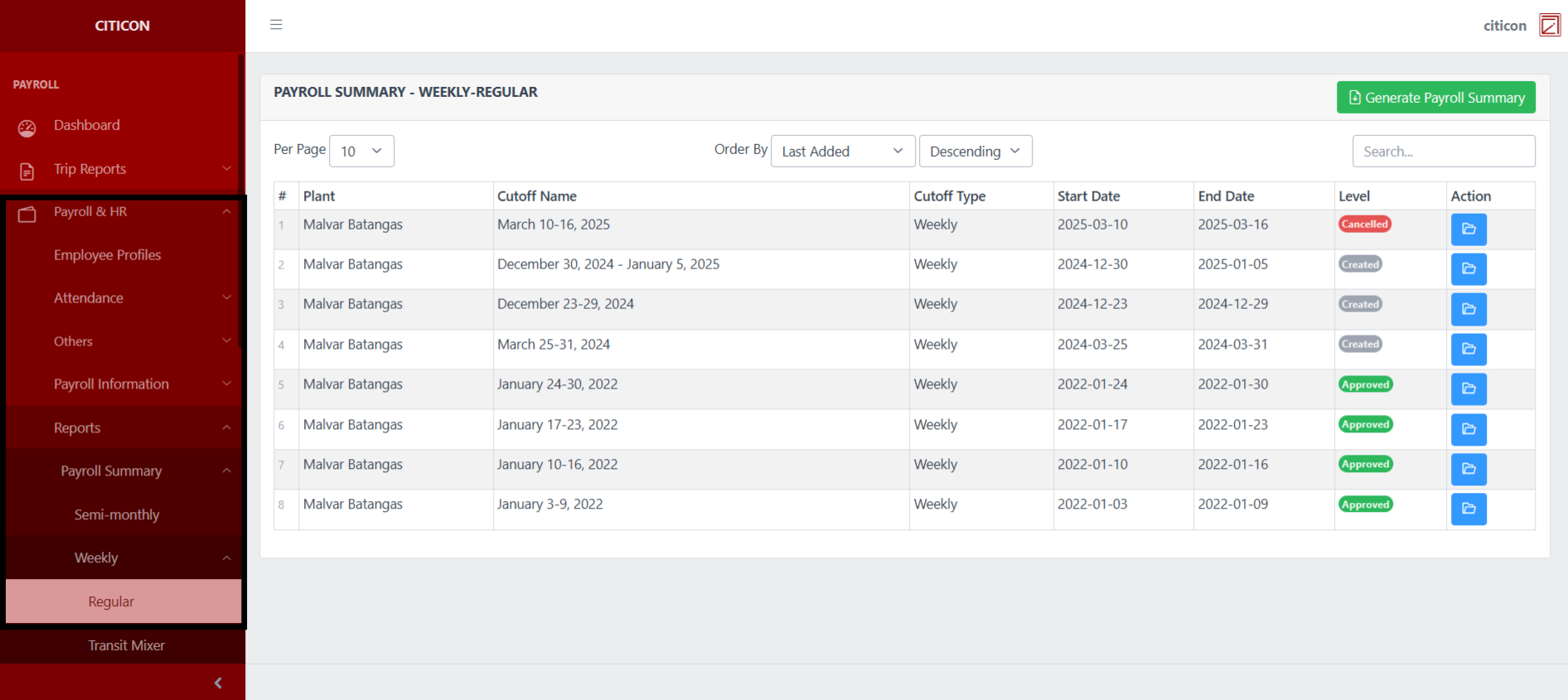
To access the Payroll Summary - Weekly (Regular). Go to Payroll, select Payroll & HR, select Reports, select Payroll Summary, select Weekly, then select Regular.
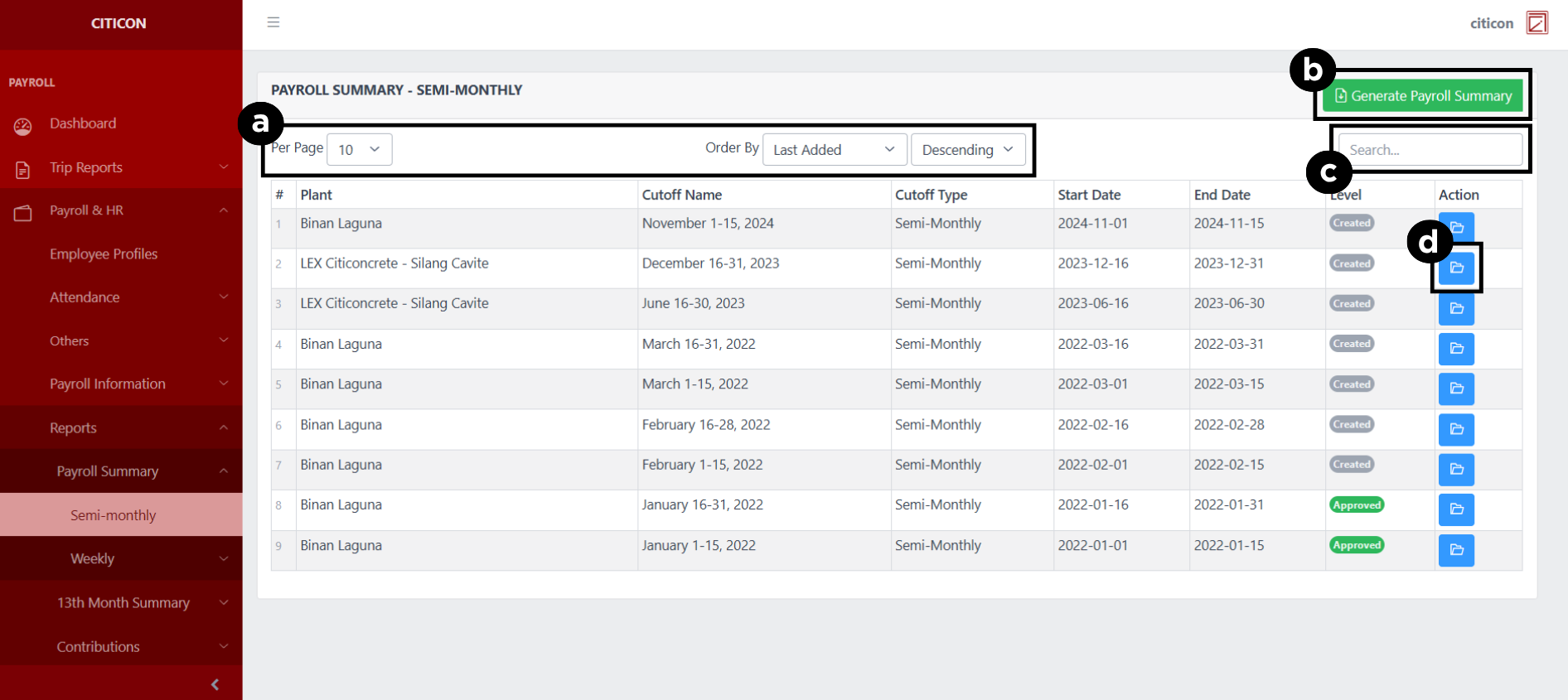
a. Adjust the paging, ordering, and sorting of the Payroll Summary - Weekly (Regular) Page here.
b. Select this button to Generate Payroll Summary.
c. Search for specific entry details using the search bar.
d. View, Export, or Delete an entry by selecting the folder button.
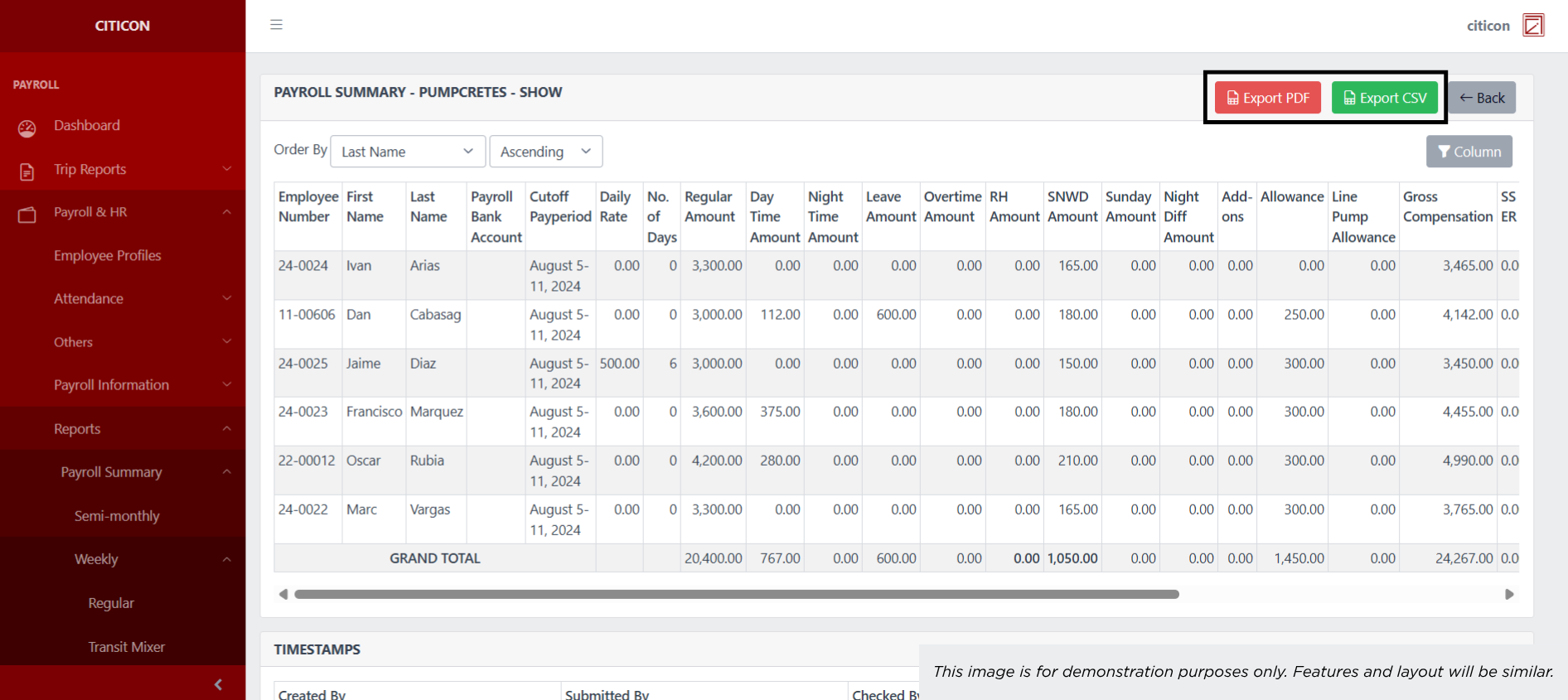
Show Entry
- Select the folder button to view an entry.
 Here you can view more specific details on the entry that you selected.
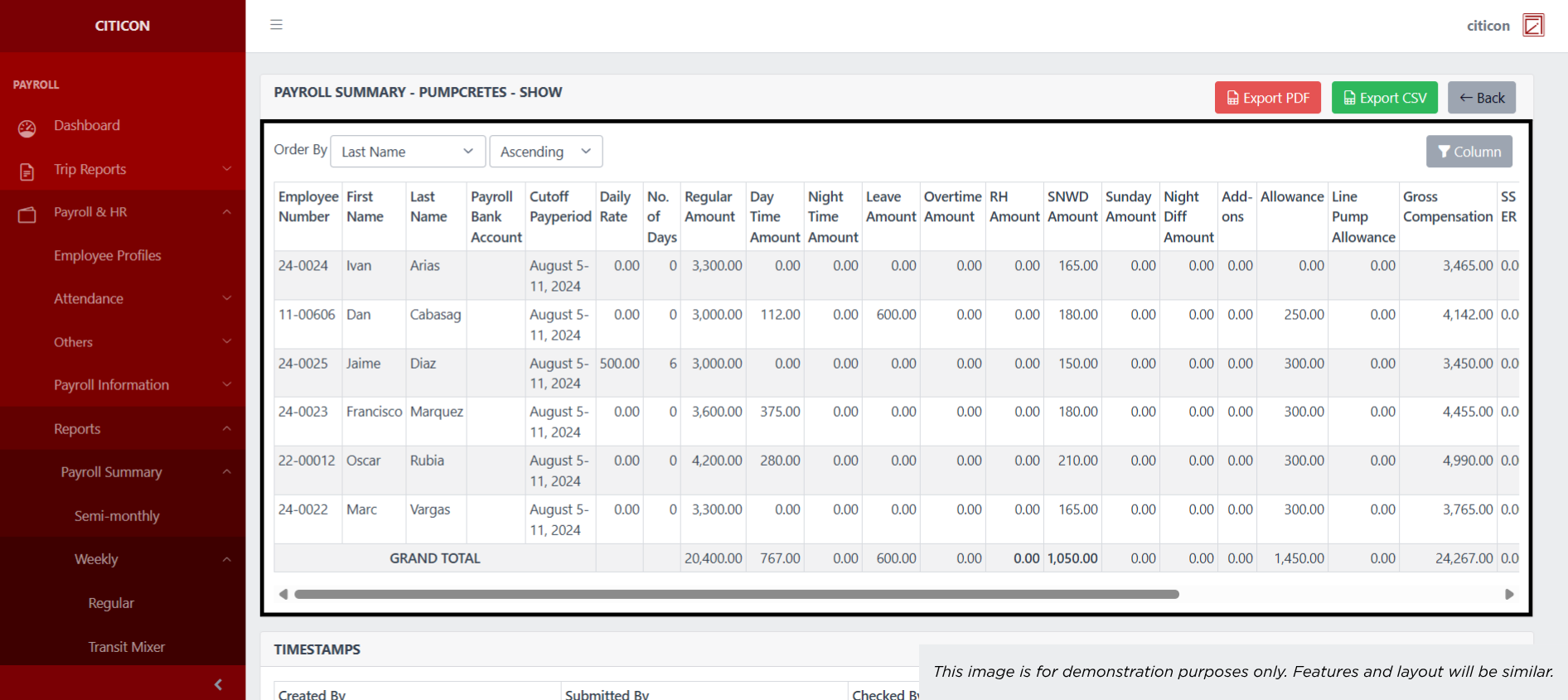 Here you can Export the entry in either PDF or in CSV.
Generate Entries
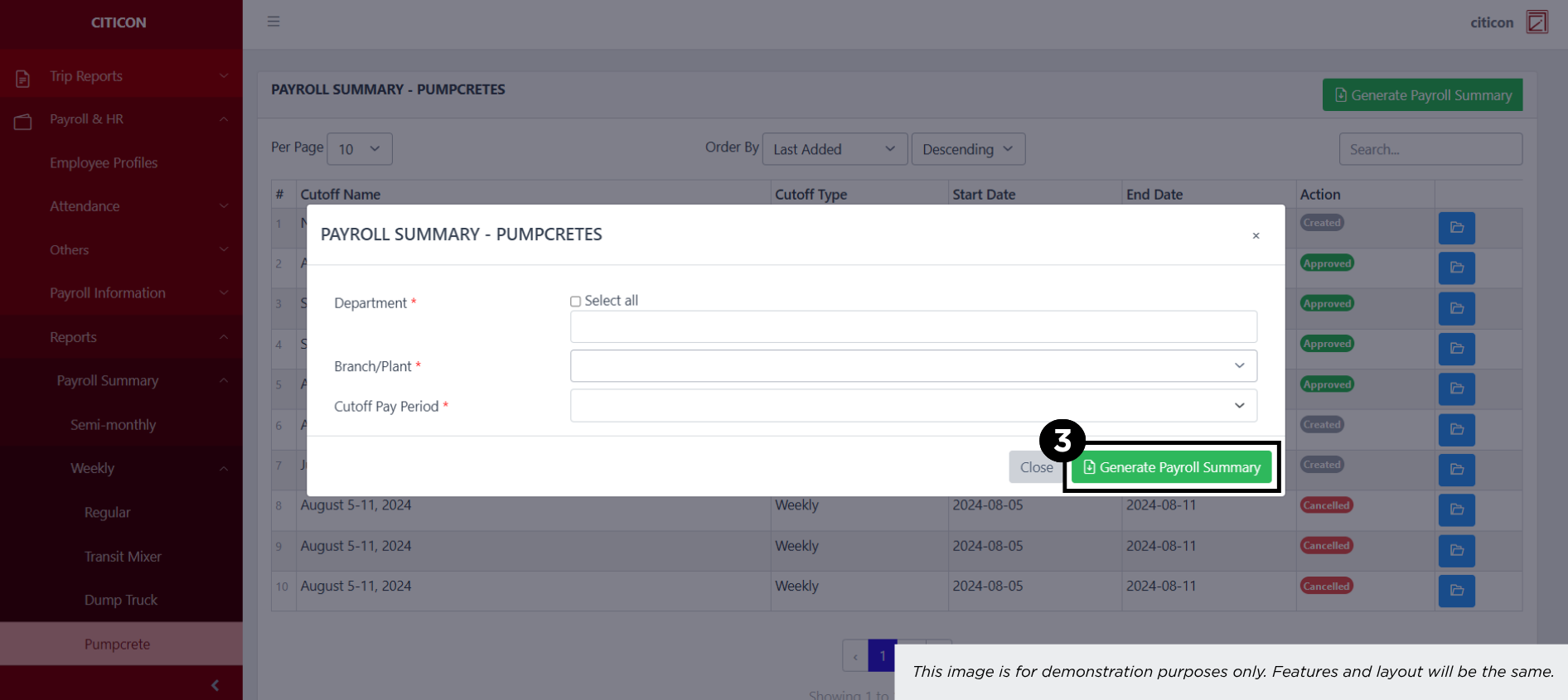
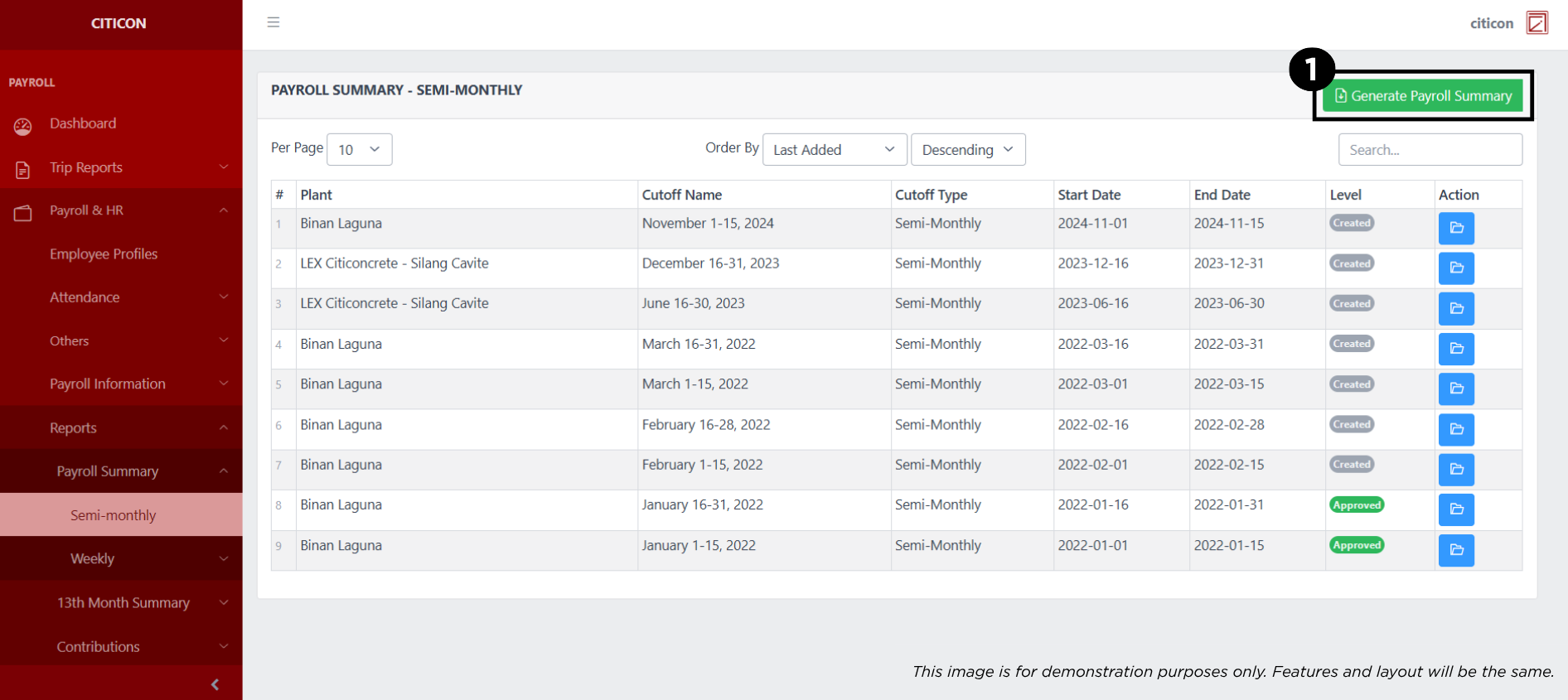
- Select the Generate Payroll Import button.
- Input the necessary details regarding the payroll entries you would like to generate.
All fields that has an asterisk (*) are required to have an input.
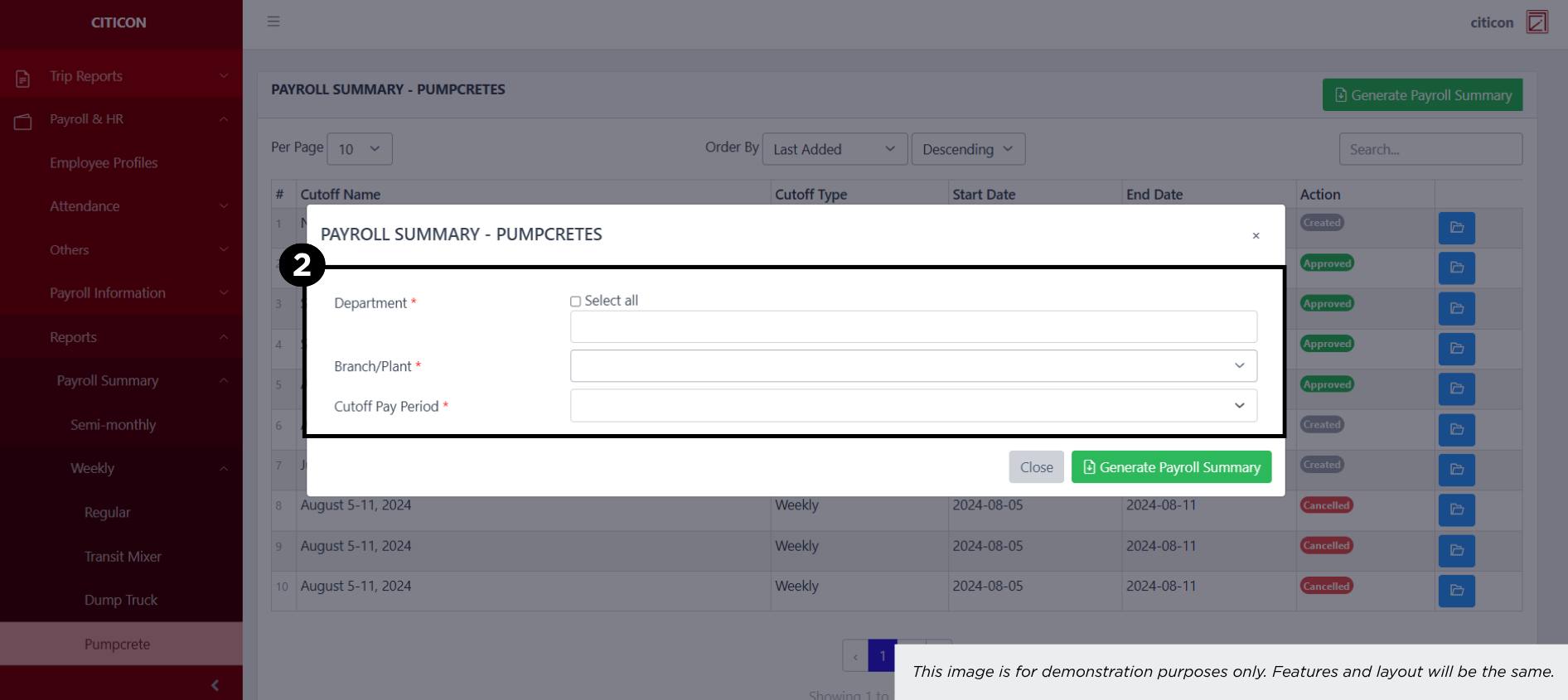
- Select the Generate Payroll Summary button.