Loans - SSS Loans (Calamity Loan)
Welcome to Citicon Payroll and Accounting Systems Reports for - SSS Loans (Calamity Loan). This module provides a detailed summary of employee calamity loans, helping to monitor loan disbursements and repayments during special hardship circumstances.
Key Purposes
- Detailed Calamity Loan Records: Track all calamity loan transactions including loan date, terms, amount, and current balance per employee.
- Repayment Monitoring: Facilitate the management of loan repayments and ensure compliance with payroll deduction schedules.
- Accurate Payroll Reflection: Integrate calamity loan data into payroll processes for precise salary adjustments.
- Financial Transparency: Provide clear and accessible loan information to both employees and management for accountability.
- Flexible Reporting: Enable export of loan summaries in PDF and XLS formats for auditing, reporting, and record maintenance.
SSS Loan (Calamity Loans) Module User-Manual
This section provides details, and set-by-step instructions to view, and access the SSS Loan (Calamity Loans) entries stored in the system.
Index Page
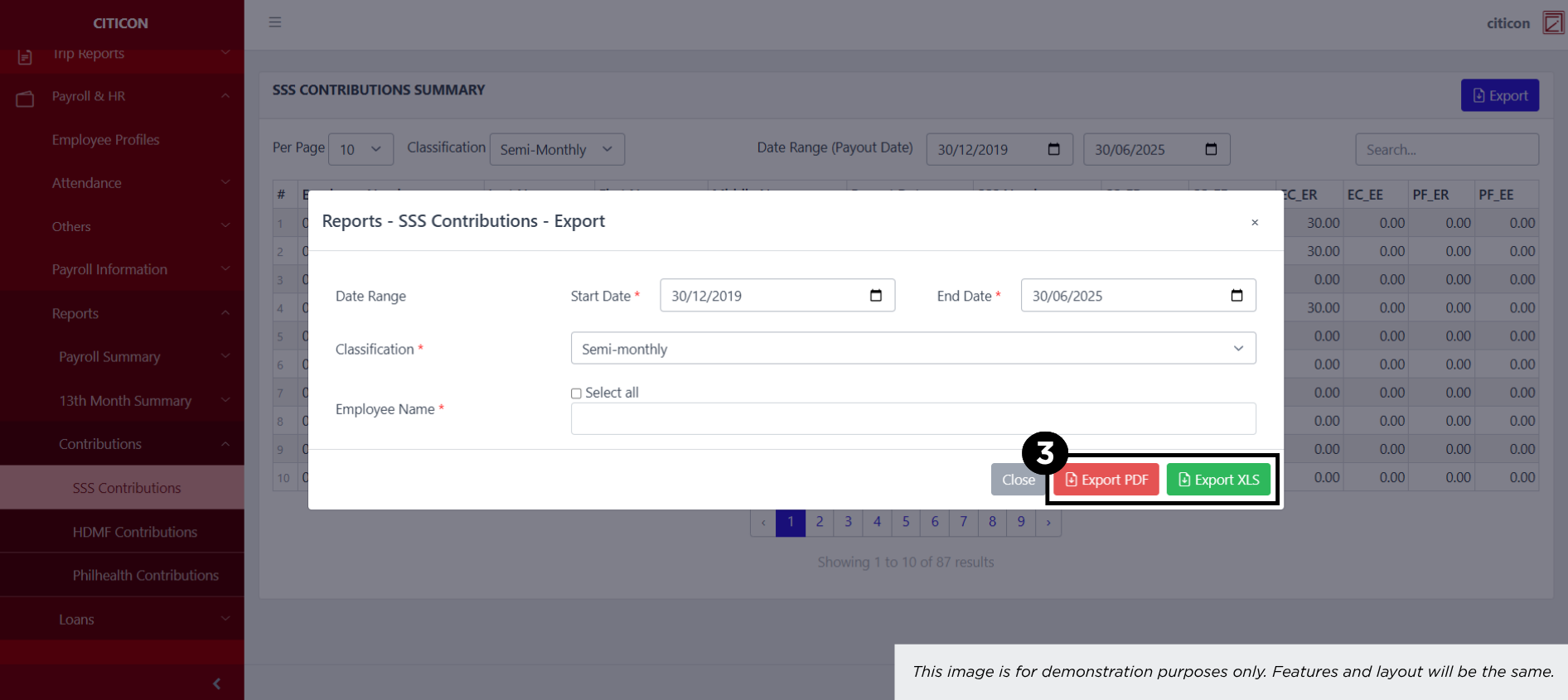
How to find the page: Go to Payroll, select Payroll & HR, select Reports, select Loans, select SSS Loans, then select SSS Calamity Loans.
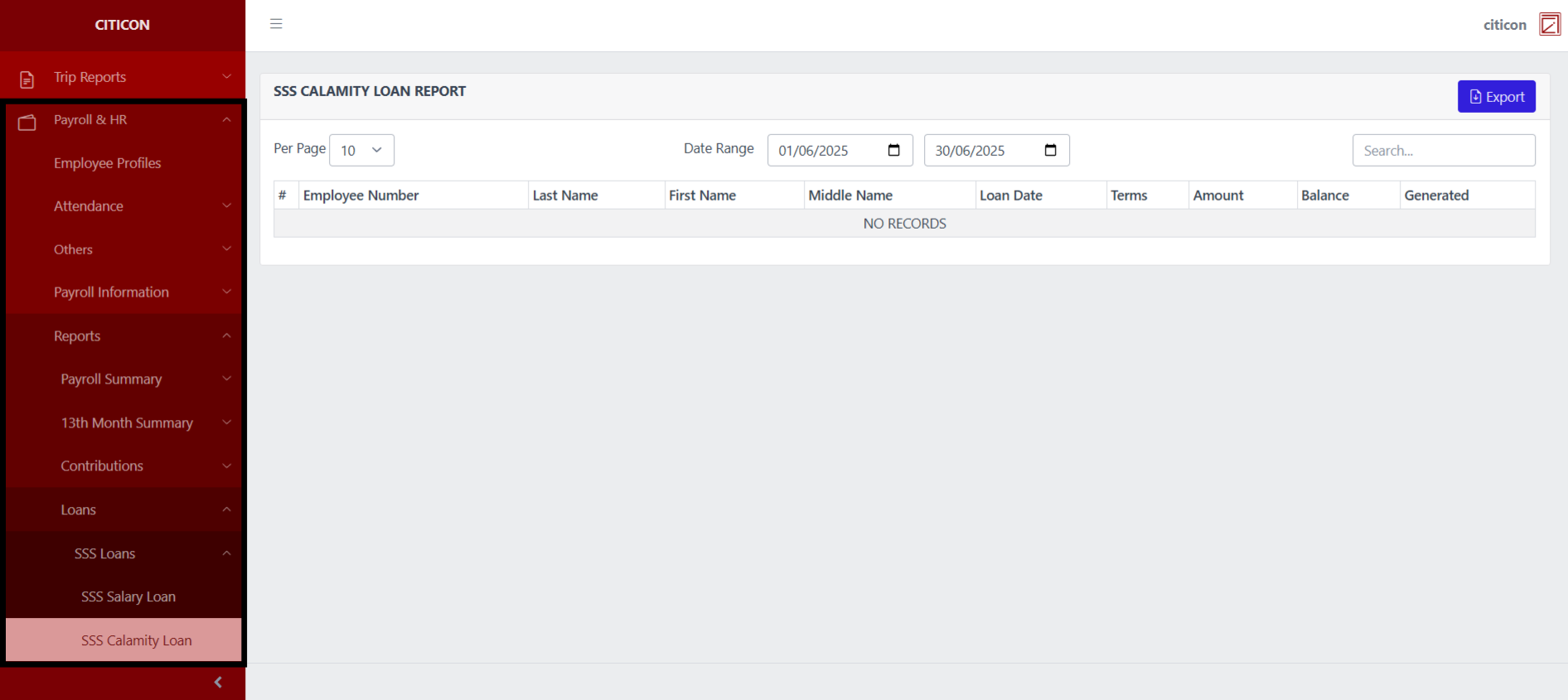
a. Adjust the items per page here.
b. Adjust the date range of the entries to be shown here.
c. Select this button to Export entries.
d. Search for specific entry details using the search bar.
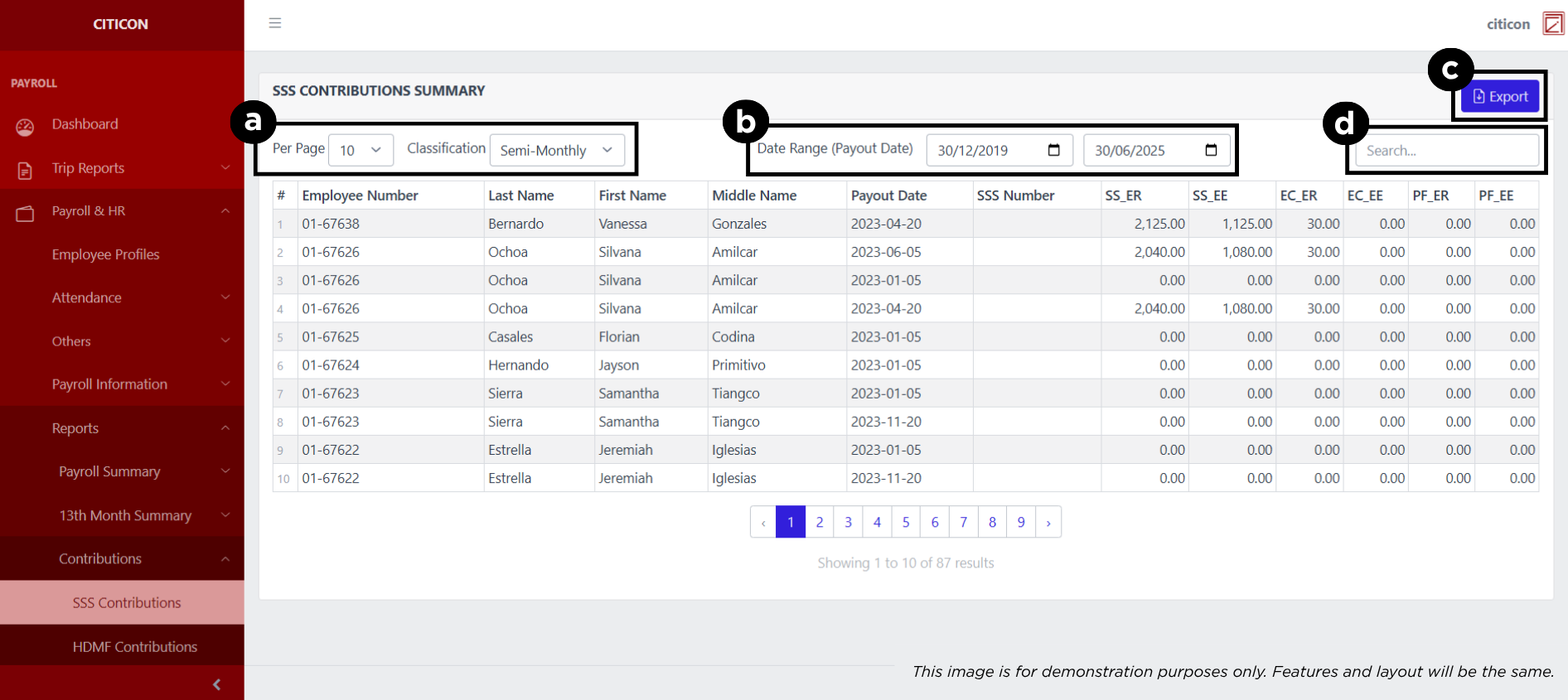
Export Entries
- Select the Export button.
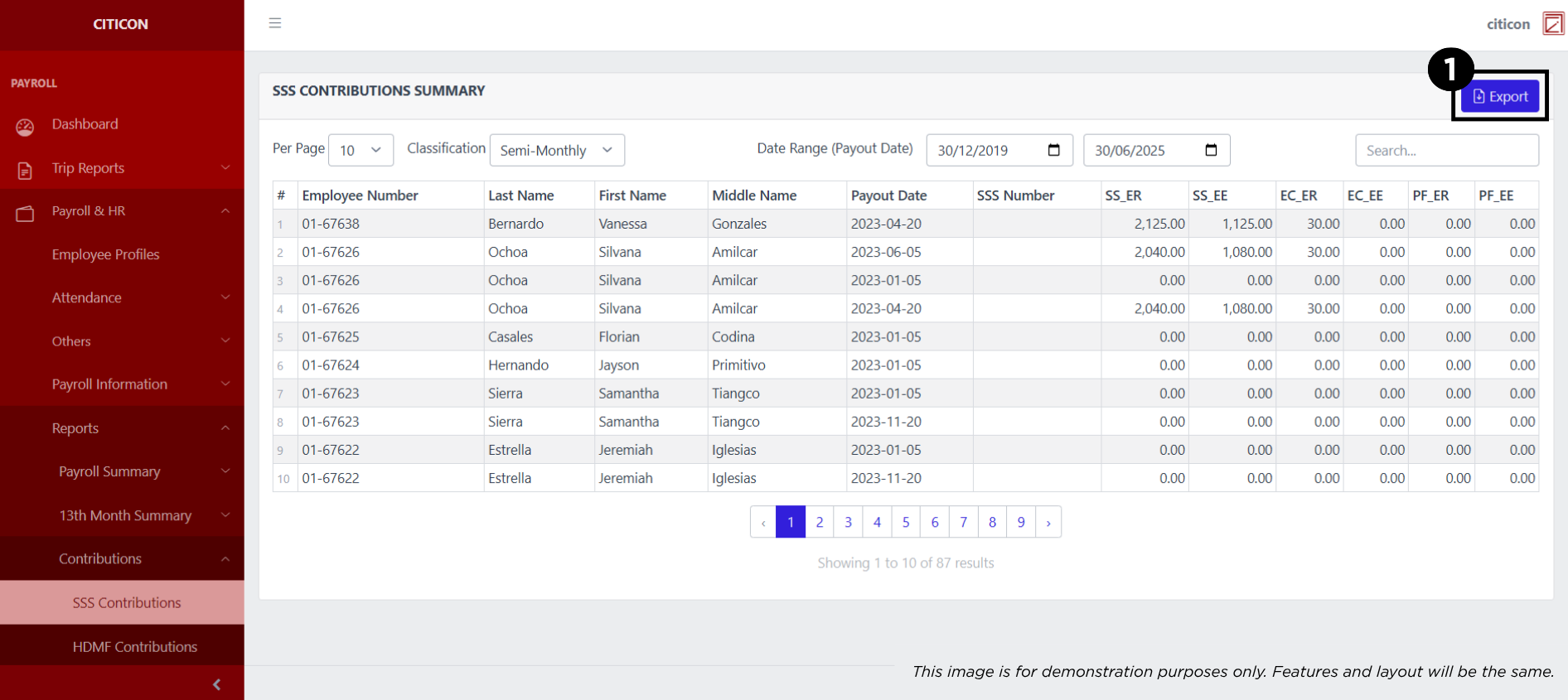
- Input the necessary details regarding the entries you would like to export.
All fields that has an asterisk (*) are required to have an input.
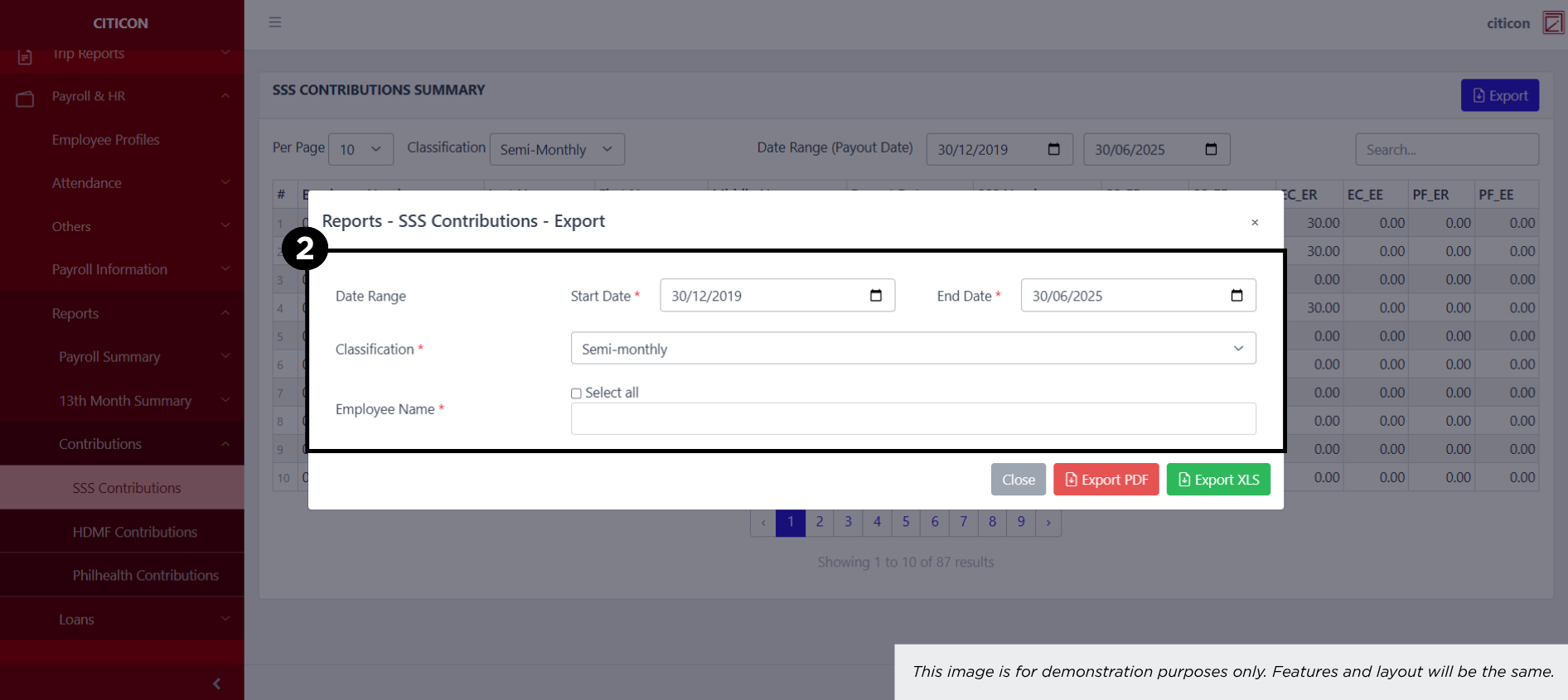
- Select the respective button to either Export the data as PDF or XLS.