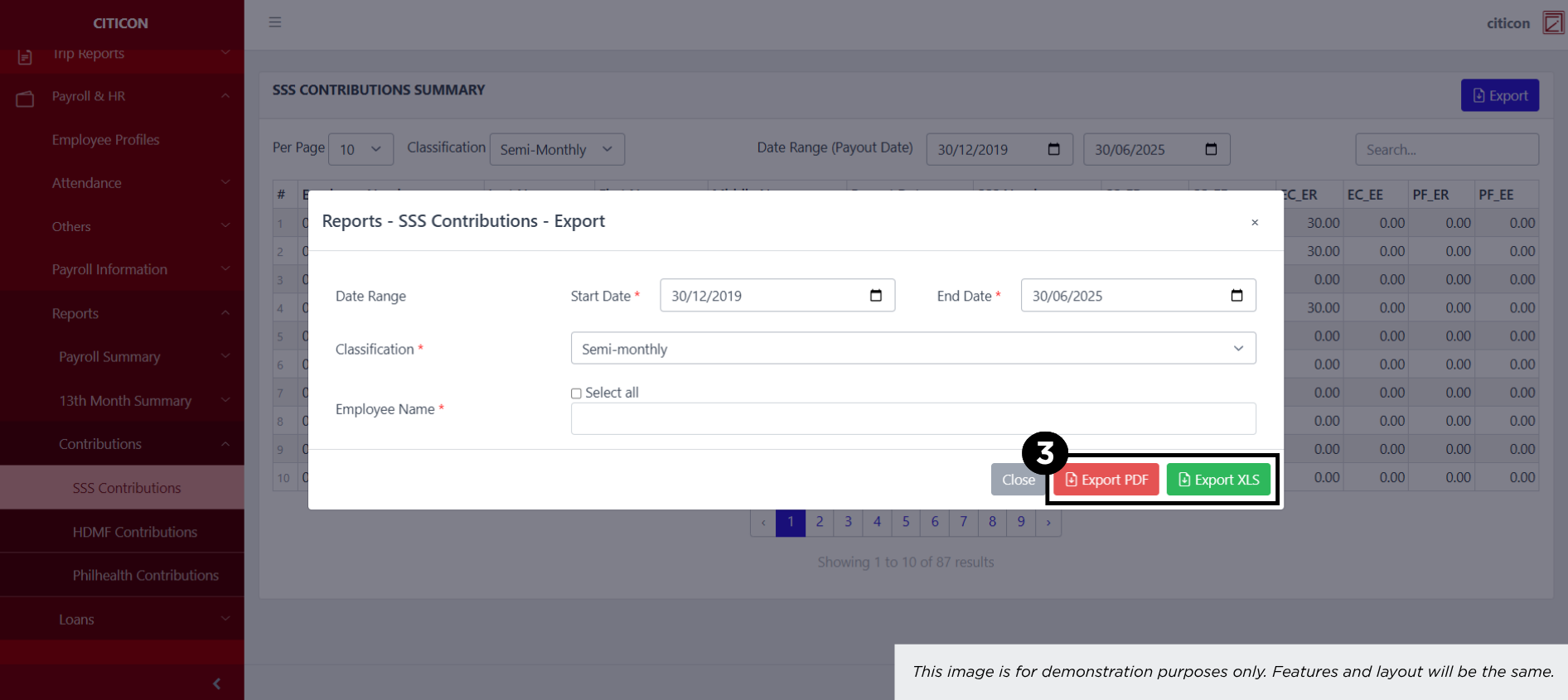
Contributions - SSS Contributions
Welcome to Citicon Payroll and Accounting Systems – SSS Contributions Summary Report. This module provides a comprehensive overview of all Social Security System (SSS) contributions made by the employer and employee within a given period. It ensures proper documentation, transparency, and compliance with government-mandated benefits.
Key Purposes
- Centralized Contribution Reporting: View detailed SSS contribution records including employer share (ER), employee share (EE), and provident fund (PF) components.
- Government Compliance: Maintain accurate records of SSS contributions to comply with statutory obligations and audit requirements.
- Payroll Integration: Synchronize with payroll data to ensure that SSS deductions and employer remittances are properly tracked and recorded.
- Audit-Ready Documentation: Keep a consistent record of payout dates and SSS numbers for easy reconciliation and reference.
- Exportable Reports: Generate and export contribution summaries in PDF or XLS format for internal use, external reporting, or submission.
SSS Contributions Module User-Manual
This section provides details, and set-by-step instructions to view, and access the SSS Contributions entries stored in the system.
Index Page
How to find the page: Go to Payroll, select Payroll & HR, select Reports, select Contributions then select SSS Contributions.
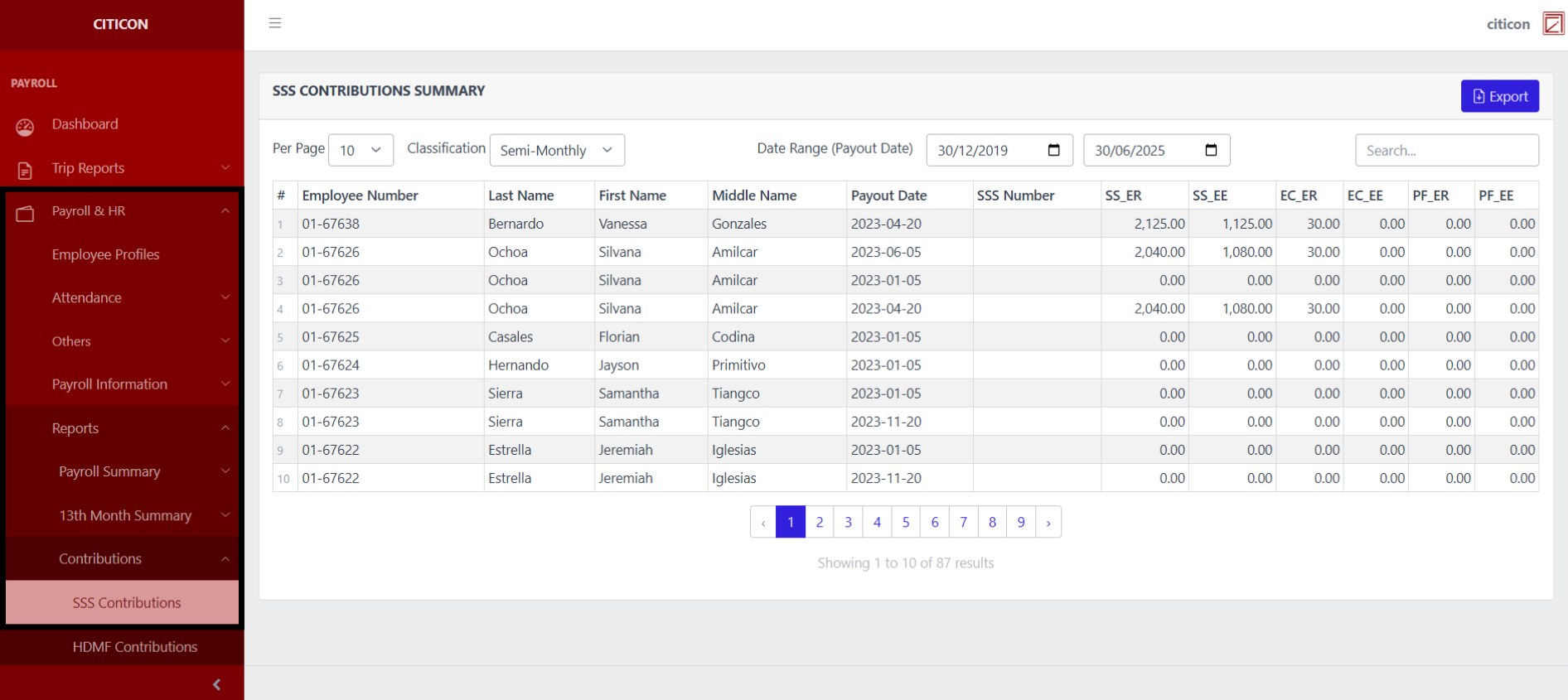
a. Adjust the items per page, and classification here.
b. Adjust the date range of the entries to be shown here.
c. Select this button to Export entries.
d. Search for specific entry details using the search bar.
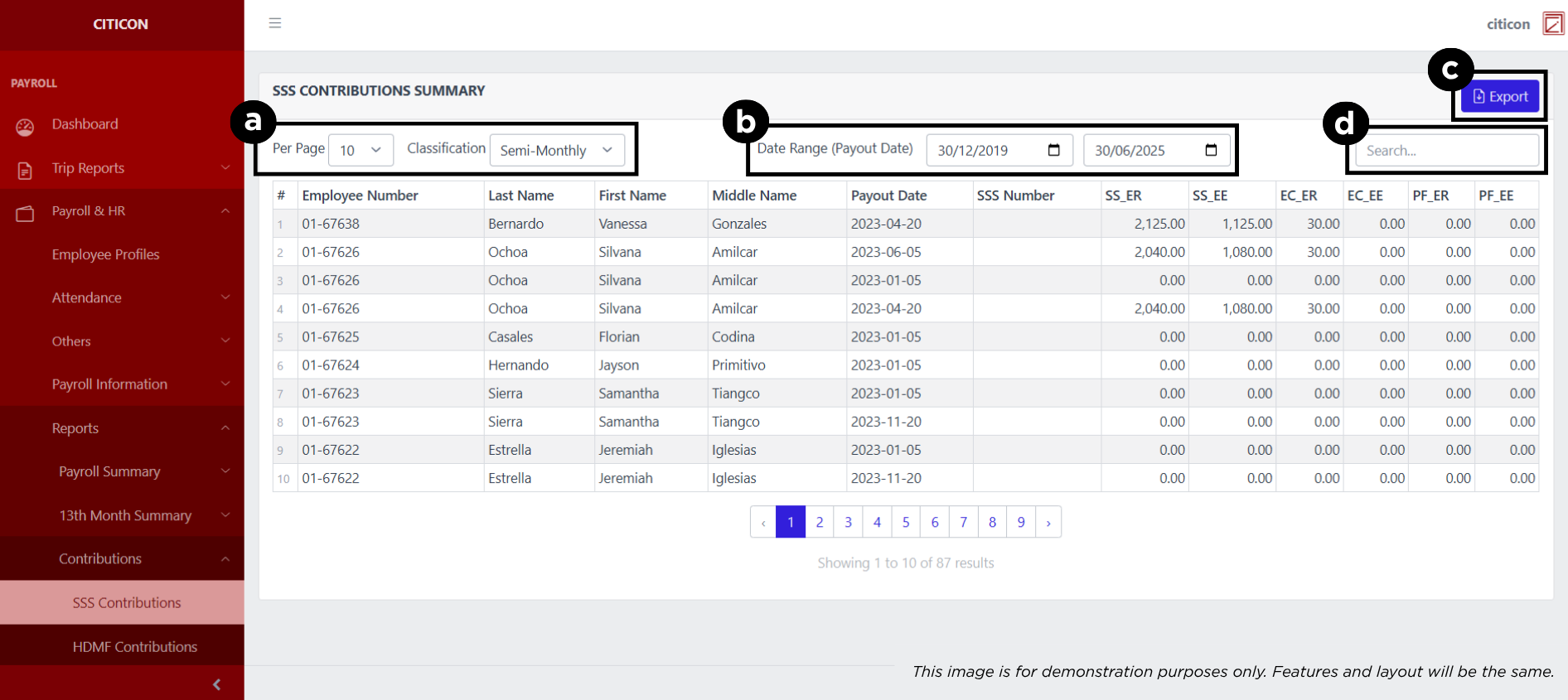
Export Entries
- Select the Export button.
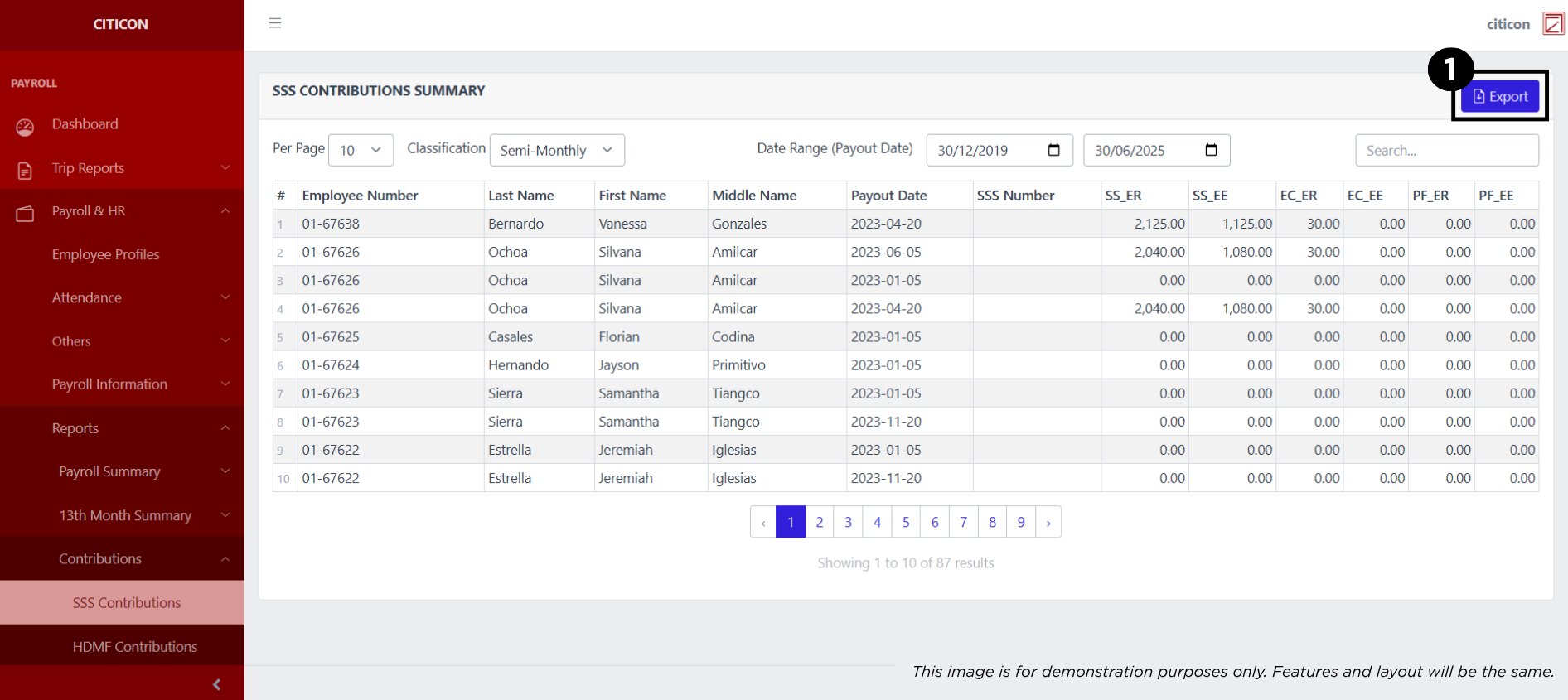
- Input the necessary details regarding the entries you would like to export.
All fields that has an asterisk (*) are required to have an input.
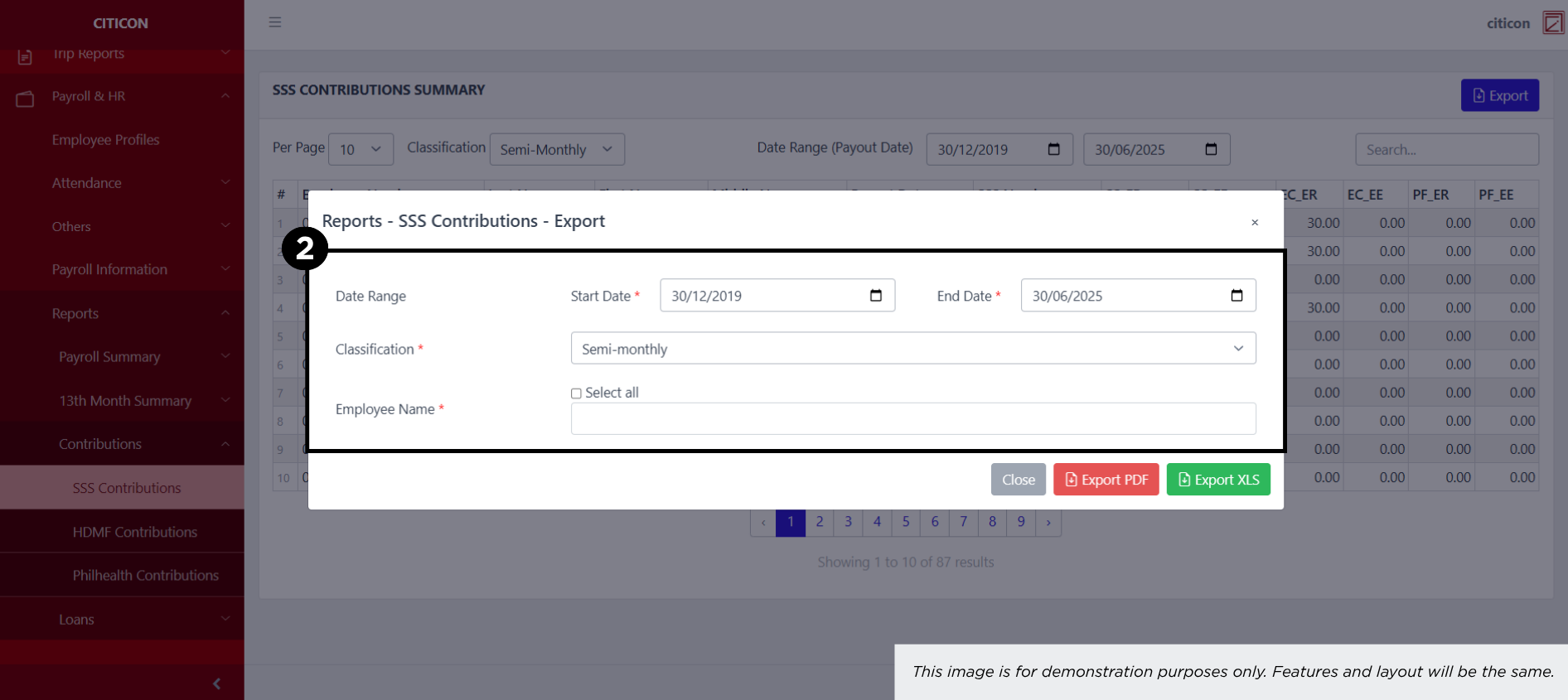
- Select the respective button to either Export the data as PDF or XLS.