13th Month Summary - Weekly (Pumpcrete)
Welcome to Citicon Payroll and Accounting Systems Reports for Payroll Summary – Weekly (Pumpcrete). This module supports the streamlined generation, review, and management of 13th month pay entries specifically for weekly-paid employees. It ensures accurate calculations based on actual earnings and simplifies reporting and approvals.
Key Purposes
- Weekly-Based 13th Month Calculation: Compute 13th month pay using accumulated weekly earnings, ensuring fairness and compliance with labor standards.
- Efficient Entry Management: Allow generation, approval, export, and cancellation of individual or batch 13th month pay entries.
- Payroll Integration: Link 13th month pay calculations with payroll records and employee information for seamless data flow and accuracy.
- Status Monitoring: Track the status of each 13th month entry (e.g., generated, approved, canceled) for audit and review purposes.
- Exportable Reports: Provide PDF or CSV export options for individual entries or bulk summaries to aid in reporting and disbursement processing.
13th Month Summary - Weekly (Pumpcrete) Module User-Manual
This section provides details, and set-by-step instructions to view, and access the 13th Month Summary - Weekly (Pumpcrete) entries stored in the system.
Index Page
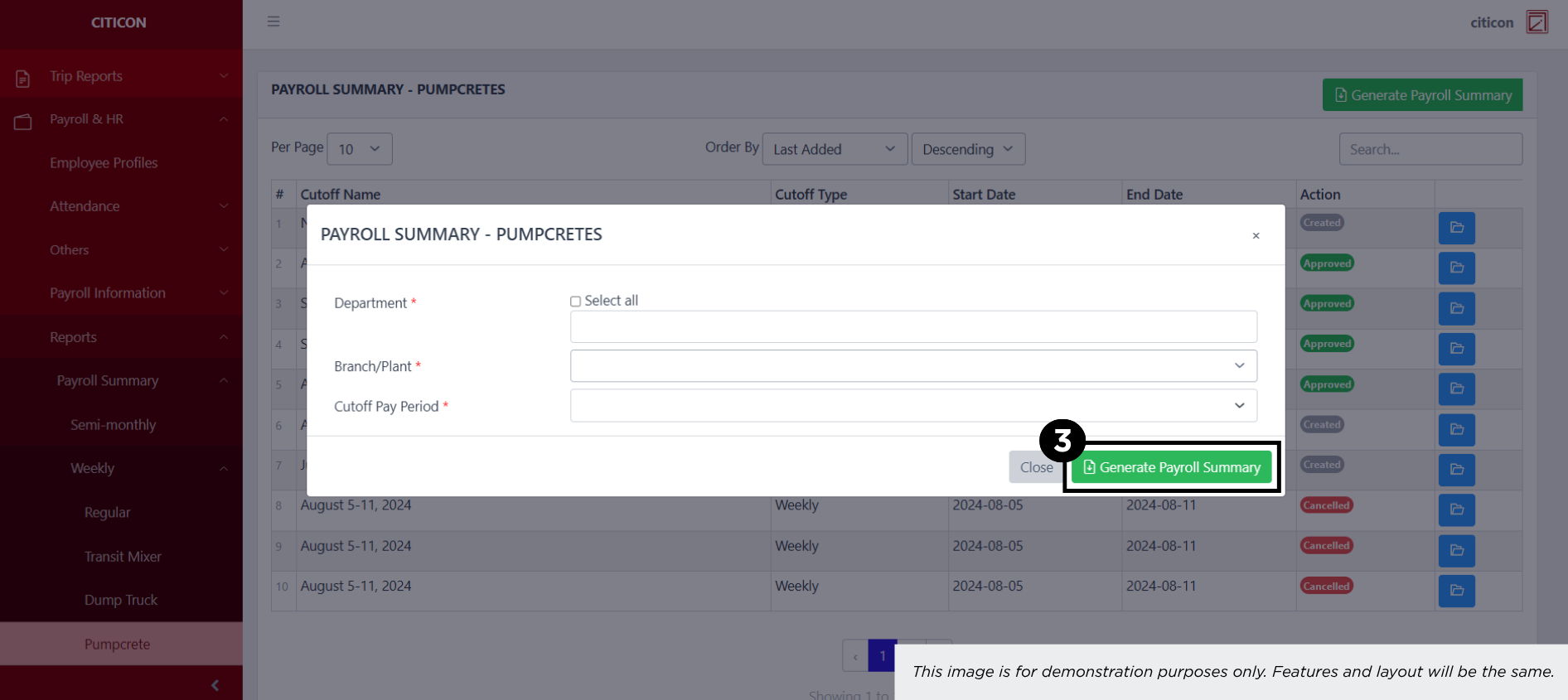
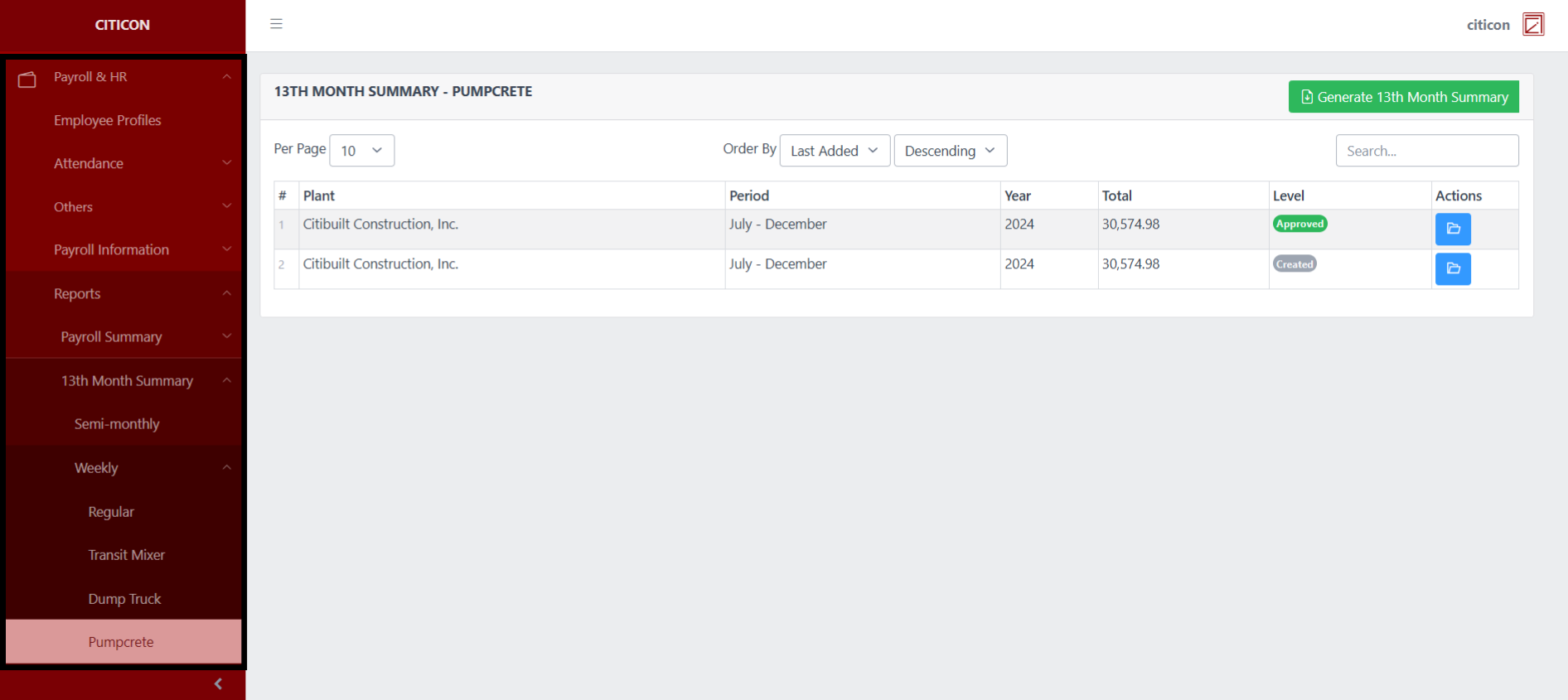
To access the 13th Month Summary - Weekly (Pumpcrete). Go to Payroll, select Payroll & HR, select Reports, select 13th Month Summary, select Weekly, then select Pumpcrete.
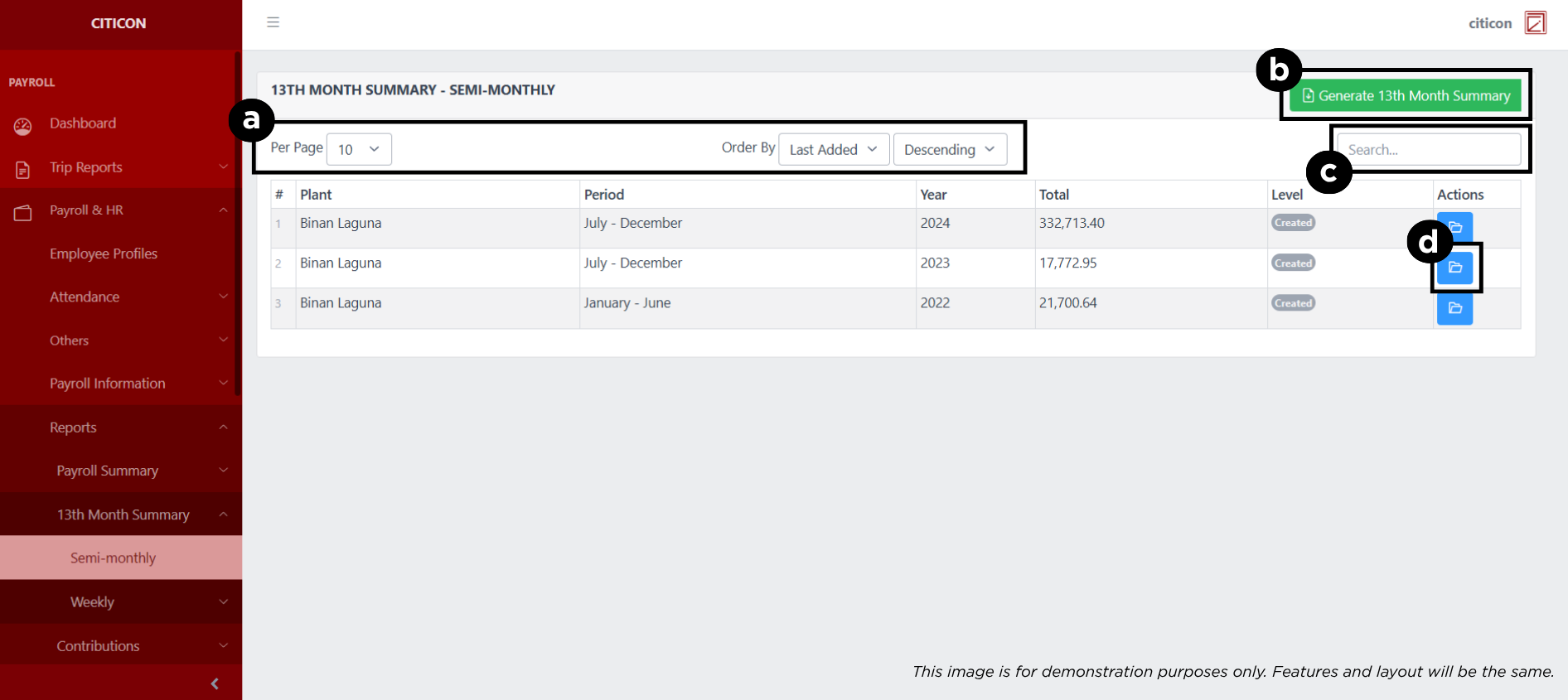
a. Adjust the paging, ordering, and sorting of the 13th Month Summary - Weekly (Pumpcrete) Page here.
b. Select this button to Generate 13th Month Summary.
c. Search for specific entry details using the search bar.
d. View, Export, or Delete an entry by selecting the folder button.
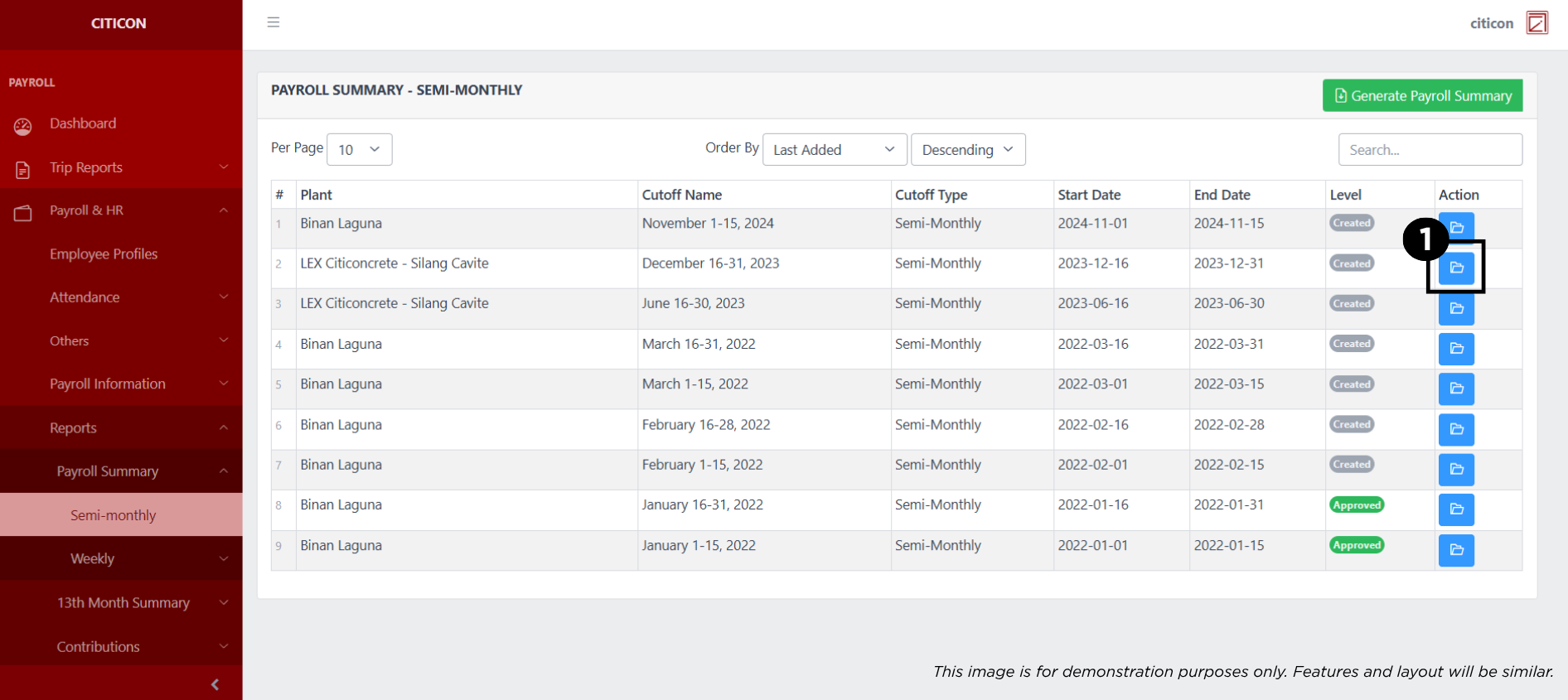
Show Entry
- Select the folder button to view an entry.
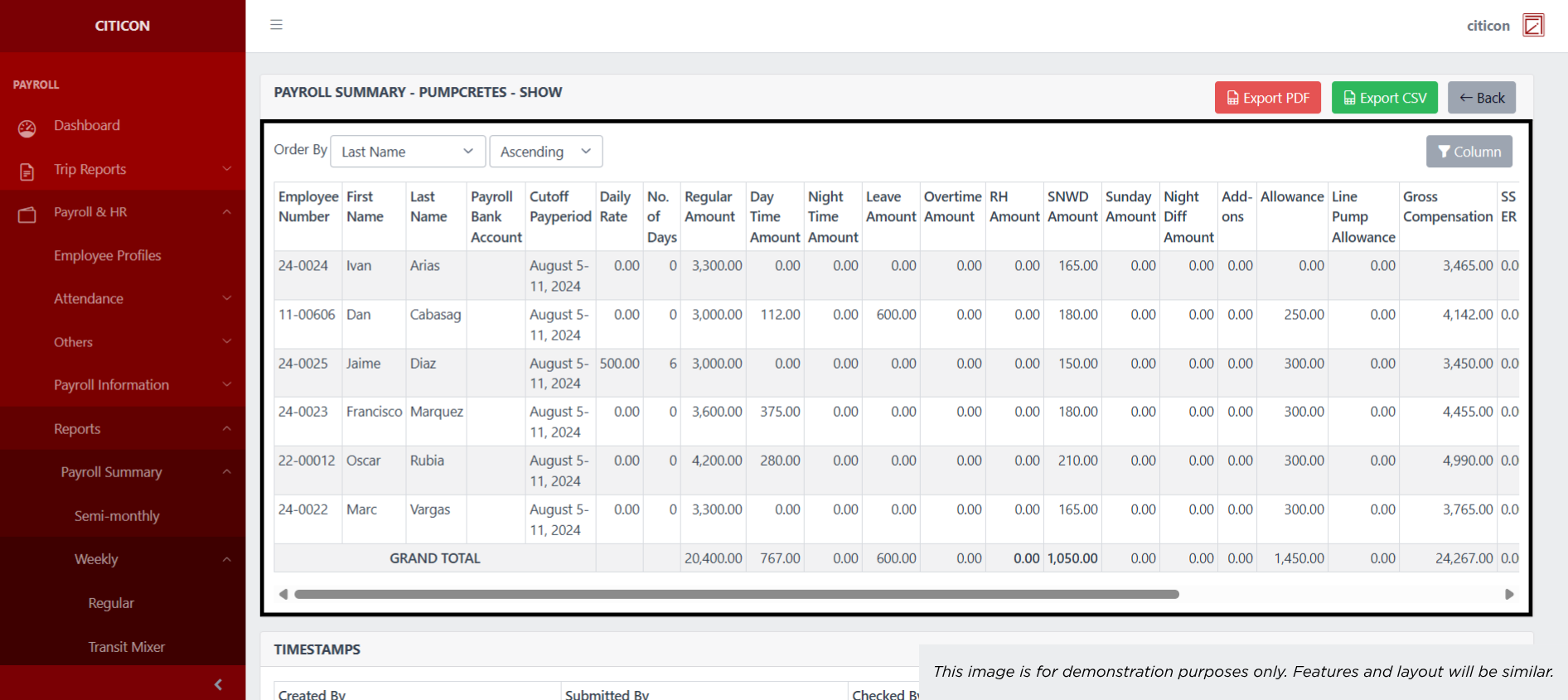
 Here you can view more specific details on the entry that you selected.
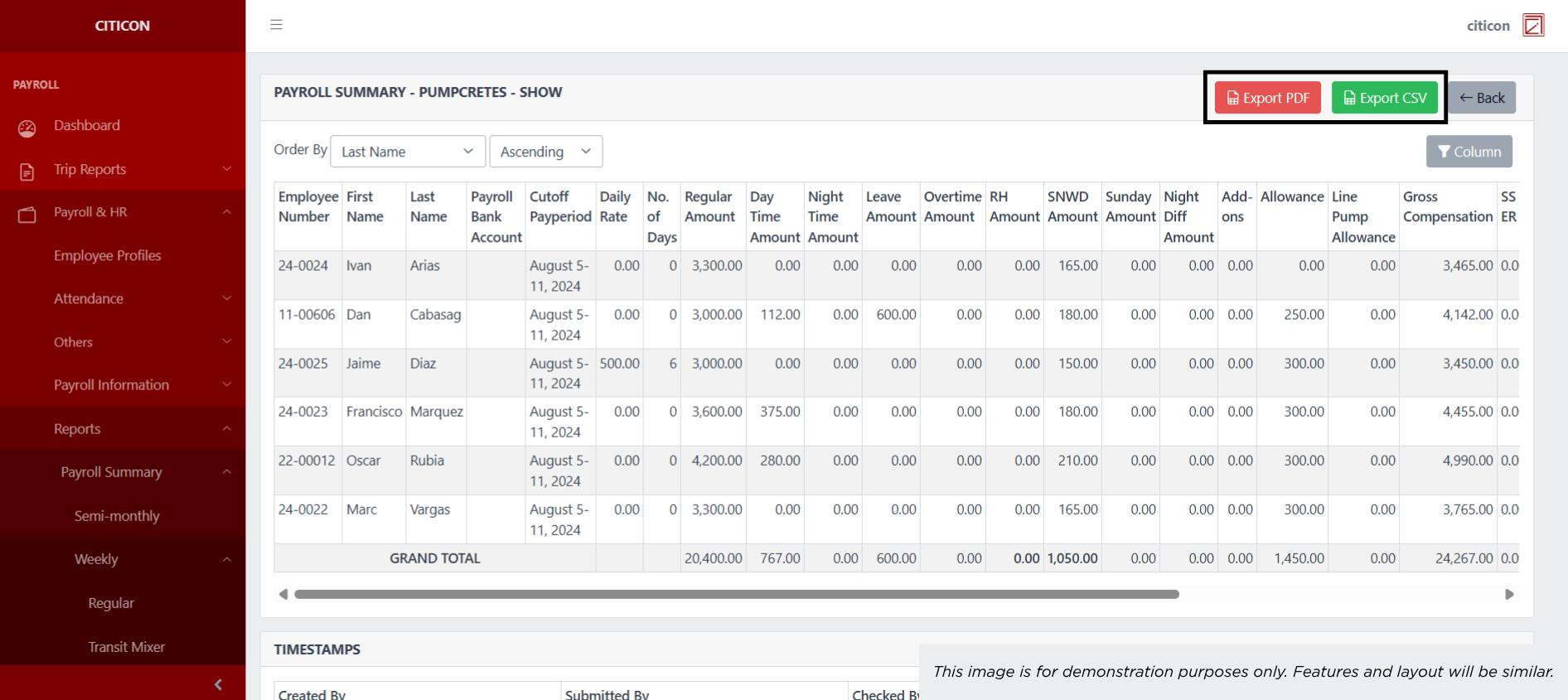
 Here you can Export the entry in either PDF or in CSV.
Generate Entries
- Select the Generate Payroll Import button.
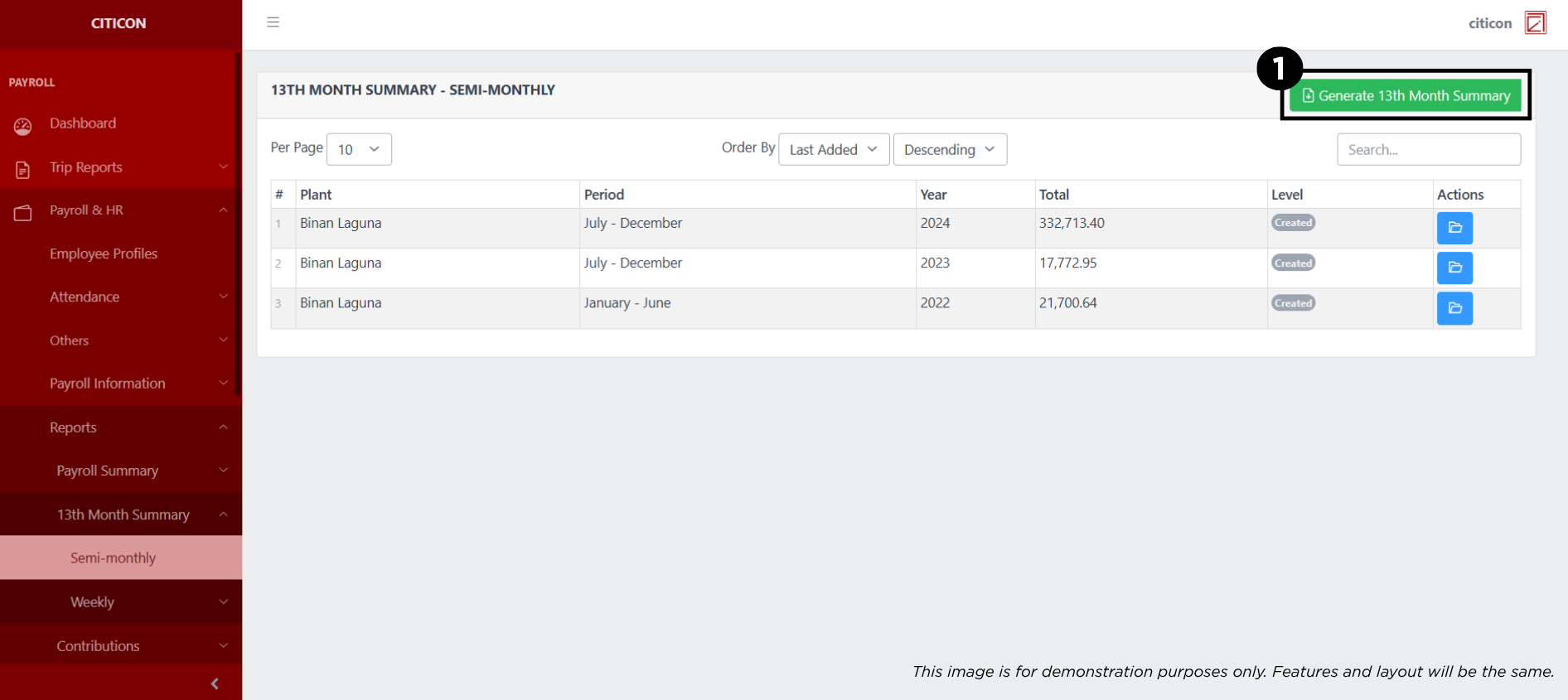
- Input the necessary details regarding the payroll entries you would like to generate.
All fields that has an asterisk (*) are required to have an input.
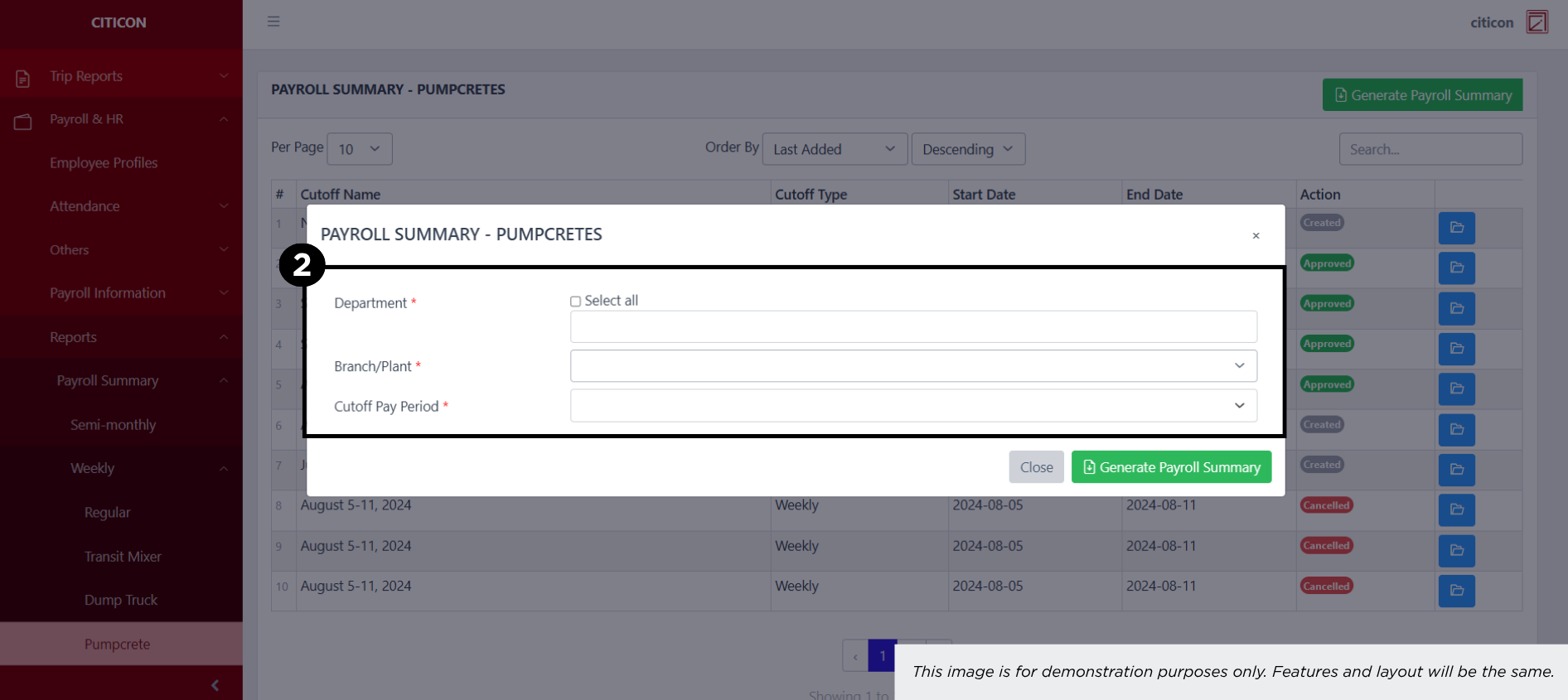
- Select the Generate Payroll Summary button.