Payslips - Regular (Weekly)
Welcome to the Payslips – Weekly (Regular) section of the Payroll Information under the Payroll & HR Module. This feature ensures that weekly payroll data is accurately reflected and presented in an organized format through payslips. It compiles all necessary income, deductions, contributions, and adjustments into a streamlined and printable document for both employees and payroll administrators.
Key Purposes
- Display Complete Employee Payroll Info: Presents employee details, cutoff period, weekly earnings, monthly rate, and computed gross compensation.
- Summarize Mandatory Contributions: Itemizes weekly employee contributions to SSS, PhilHealth, and HDMF.
- Include Taxable Adjustments: Shows additions and deductions that affect the employee’s taxable income.
- Separate After-Tax Income and Adjustments: Details additional income and deductions not subject to tax.
- Reflect Loan Deductions: Displays deductions for company loans, SSS, HDMF, government loans, and others.
- Present Net Pay Computation: Clearly outlines the total net pay after applying all deductions and additions.
- Support Bulk and Individual Export: Allows exporting multiple payslips at once or downloading individual entries in PDF format.
Payslips - Weekly (Regular) Module User-Manual
This section provides details, and set-by-step instructions to access, view, and update the Payslips - Weekly (Regular) entries stored in the system.
Index Page
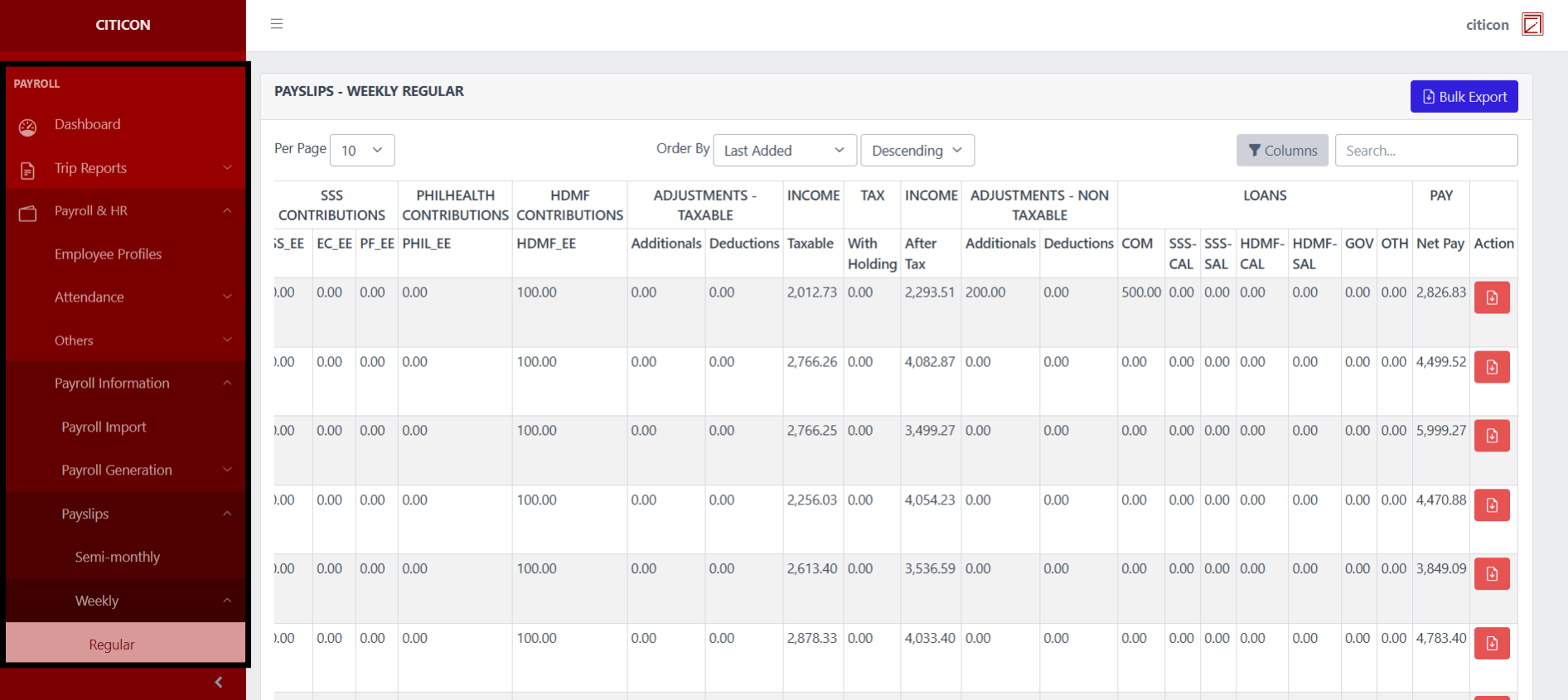
To access the Payslips - Weekly (Regular). Go to Payroll, select Payroll & HR, select Payroll Information, select Payslips, select Weekly, then select Regular.
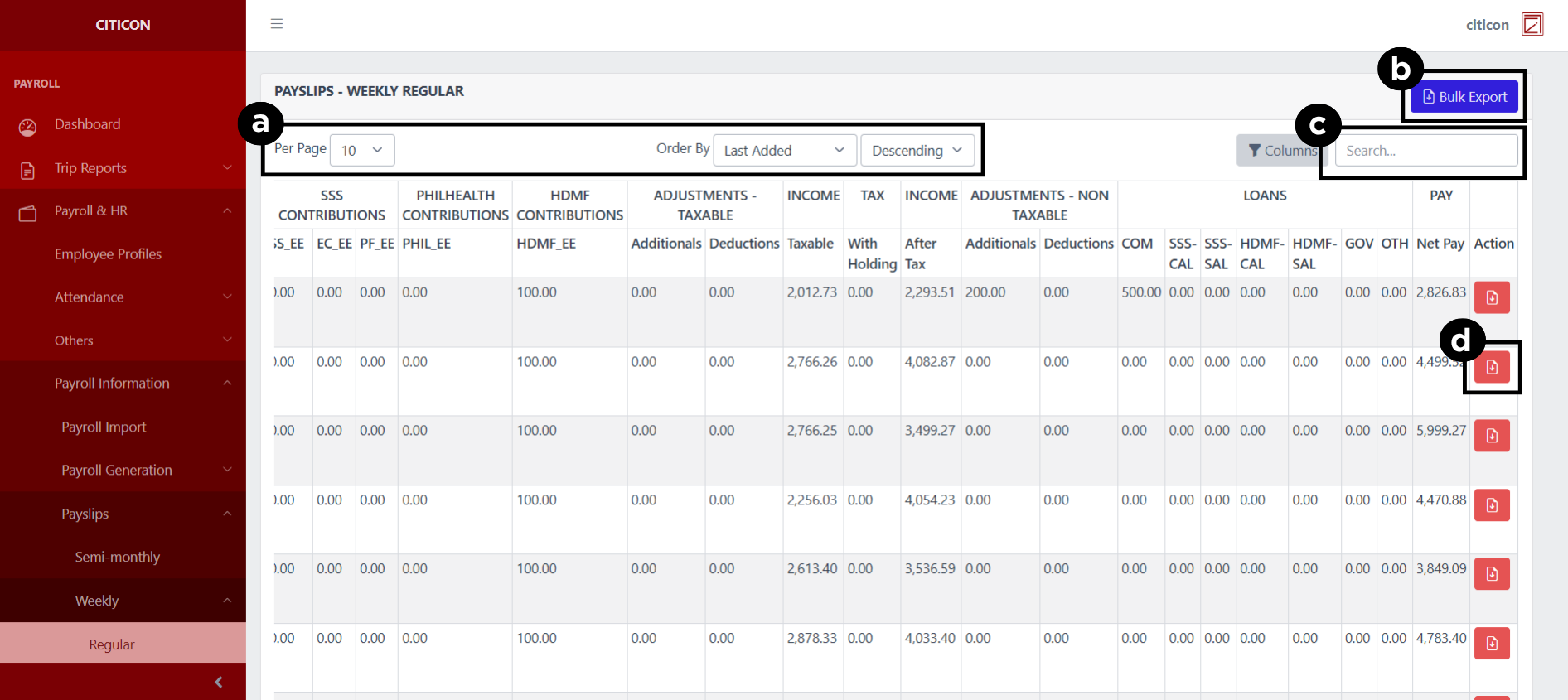
a. Adjust the paging, ordering, and sorting of the Payslips - Weekly (Regular) Page here.
b. Select the Bulk Export to export multiple entries.
c. Search for specific entry details using the search bar.
d. Select the folder button to Export the entry.
Export Entries
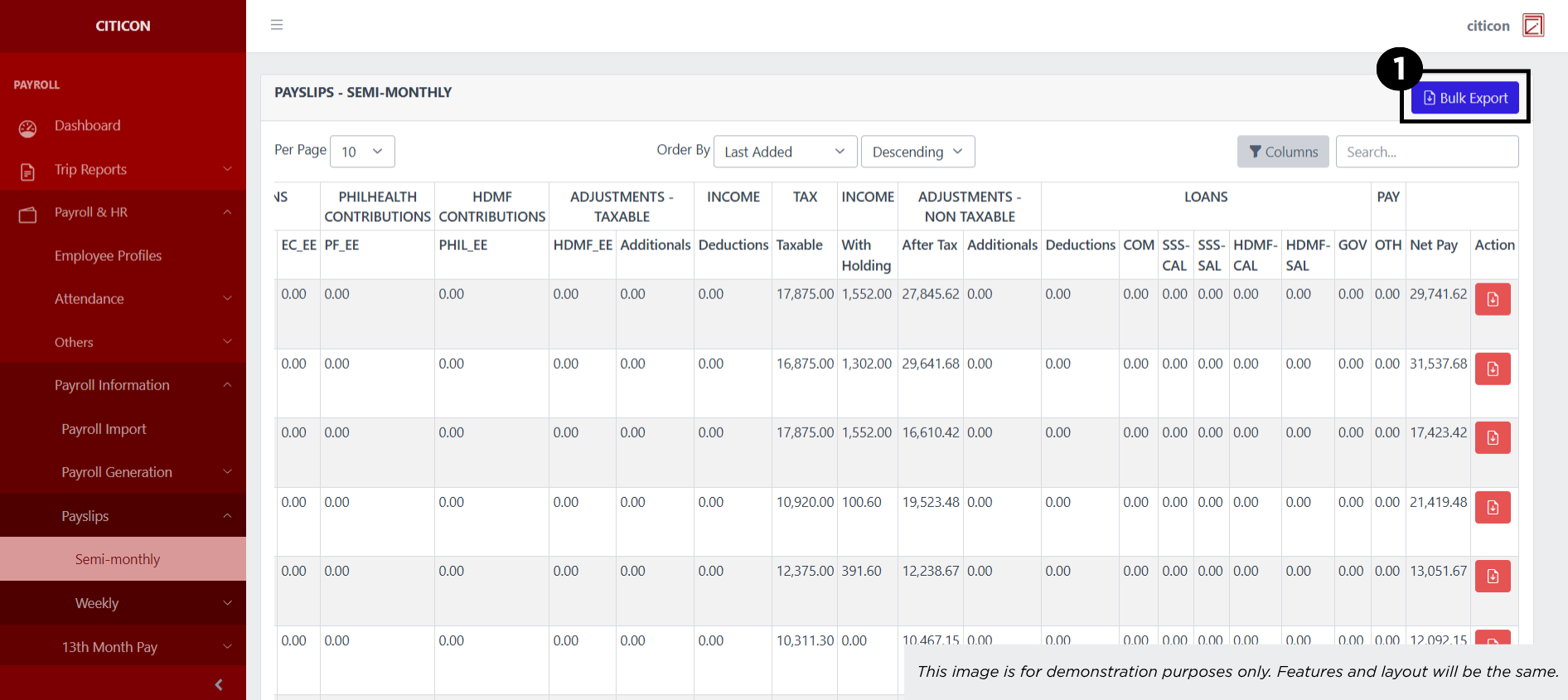
- Select the Export button.
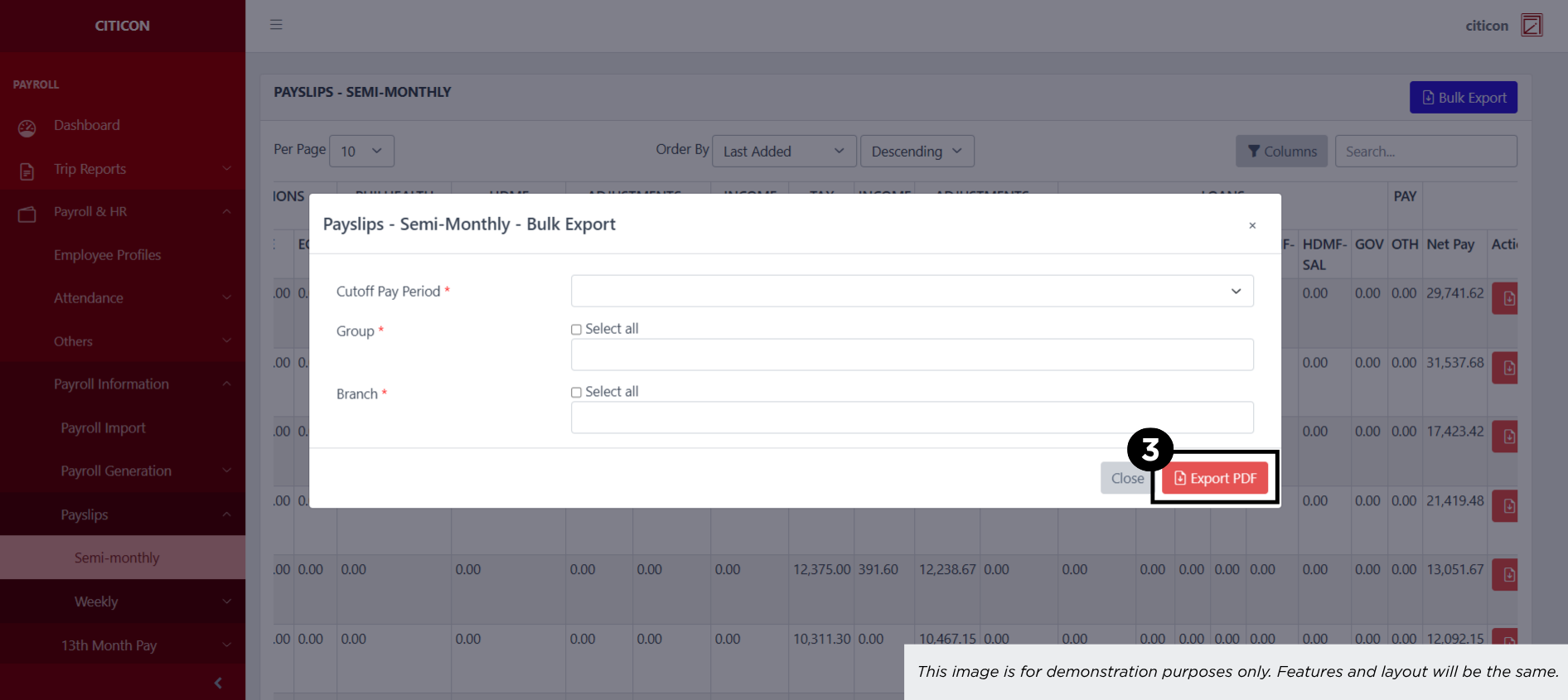
- Input the necessary details regarding the entries you would like to export (type, group, duration, etc.)
All fields that has an asterisk (*) are required to have an input.
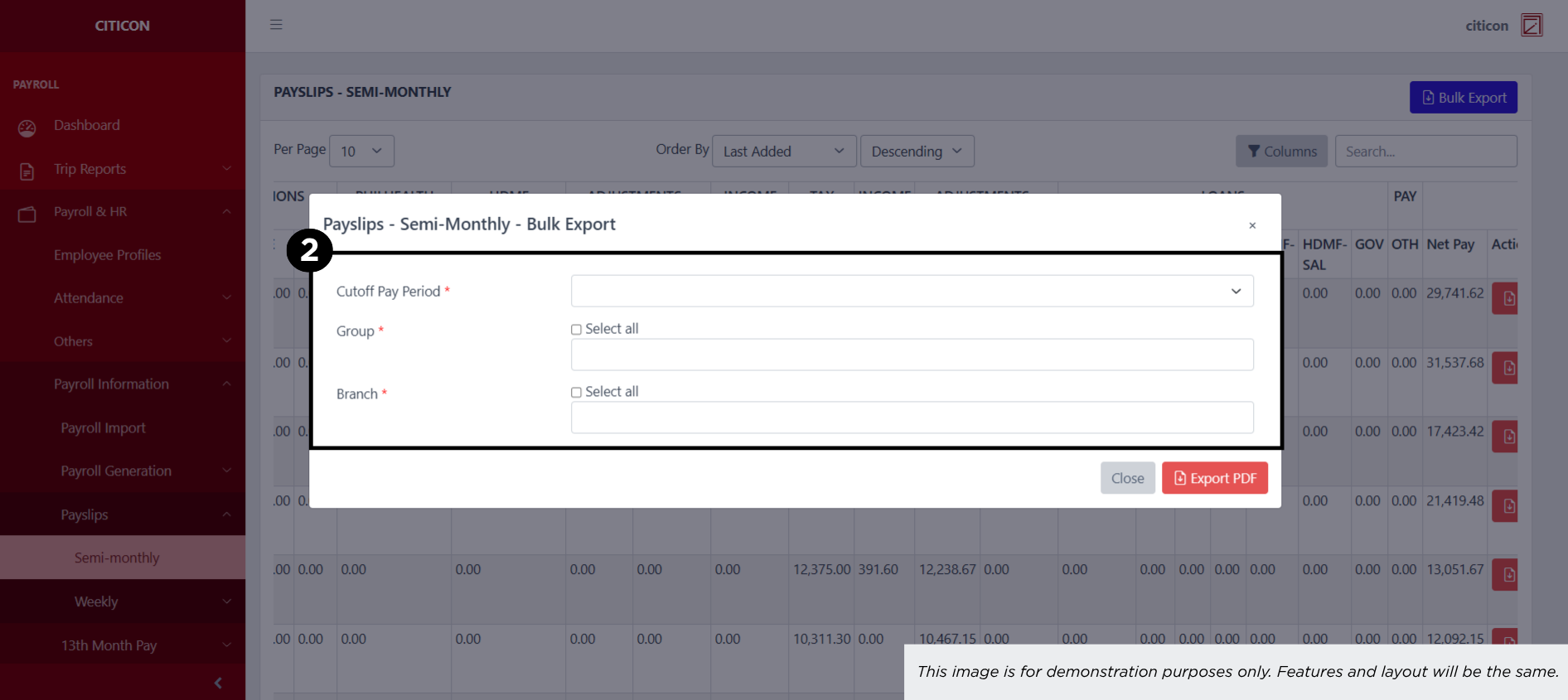
- Select the Export PDF button.
Explore Citicon Payroll and Accounting System: Payroll & HR - Payslips - Transit Mixer (Weekly)