Payslips - Semi-Monthly
Welcome to the Payslips – Semi-Monthly section of the Payroll Information under the Payroll & HR Module. This module enables the accurate generation and export of payslips for employees based on semi-monthly payroll computations. It consolidates salary, contributions, adjustments, and deductions into a clear, printable format for both employees and HR personnel.
Key Purposes
- Display Complete Employee Payroll Info: Provides detailed fields such as employee number, name, cutoff period, monthly rate, and computed basic/gross pay.
- Summarize Mandatory Contributions: Shows breakdown of employee contributions to SSS, PhilHealth, and HDMF.
- Include Taxable Adjustments: Displays additions and deductions affecting taxable income.
- Separate After-Tax Income and Adjustments: Differentiates earnings and deductions that are non-taxable.
- Reflect Loan Deductions: Lists all loan payments such as company loans, SSS, HDMF, and others.
- Present Net Pay Computation: Clearly shows how net pay is calculated after all income, adjustments, and deductions.
- Support Bulk and Individual Export: Allows users to export multiple payslips at once or download individual entries in PDF format.
Payslips - Semi-Monthly Module User-Manual
This section provides details, and set-by-step instructions to access, view, and update the Payslips - Semi-Monthly entries stored in the system.
Index Page
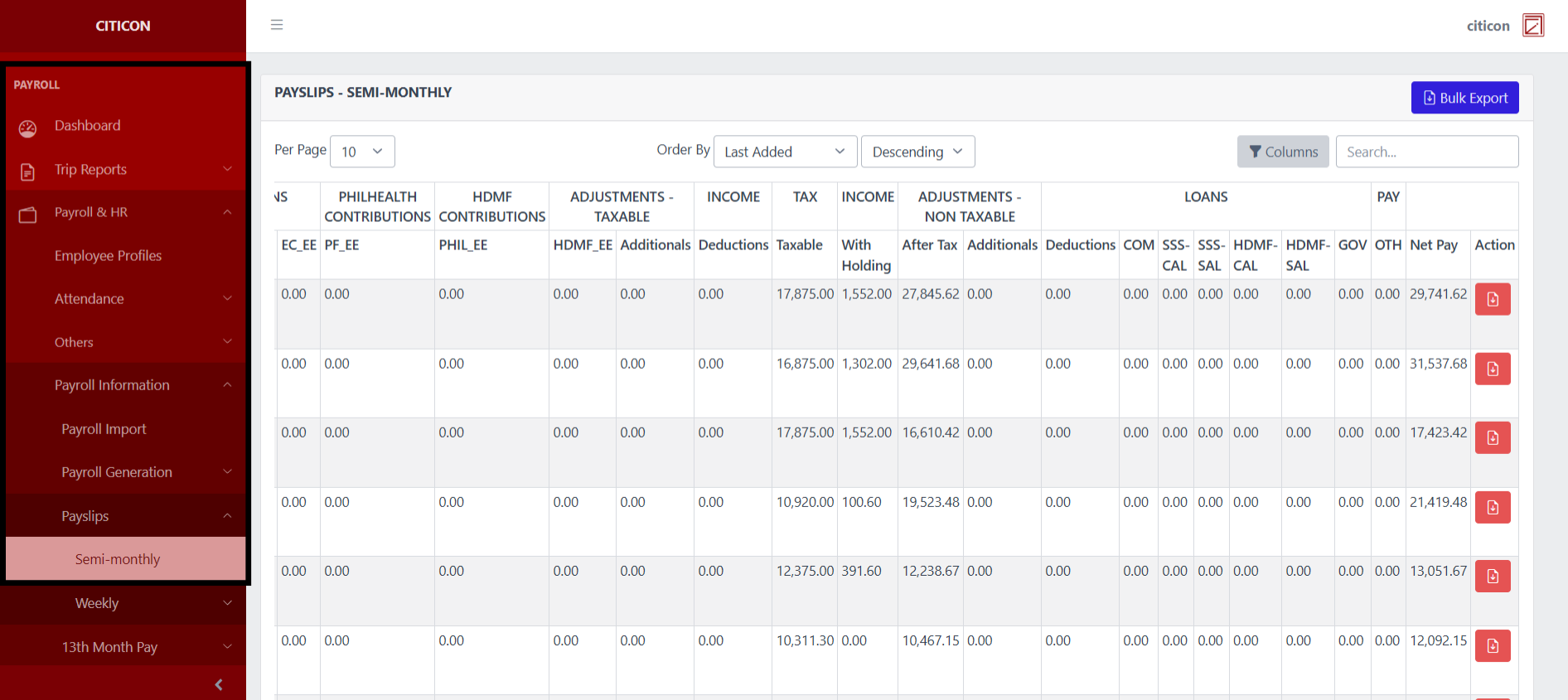
To access the Payslips - Semi-Monthly. Go to Payroll, select Payroll & HR, select Payroll Information, select Payslips, then select Semi-Monthly.
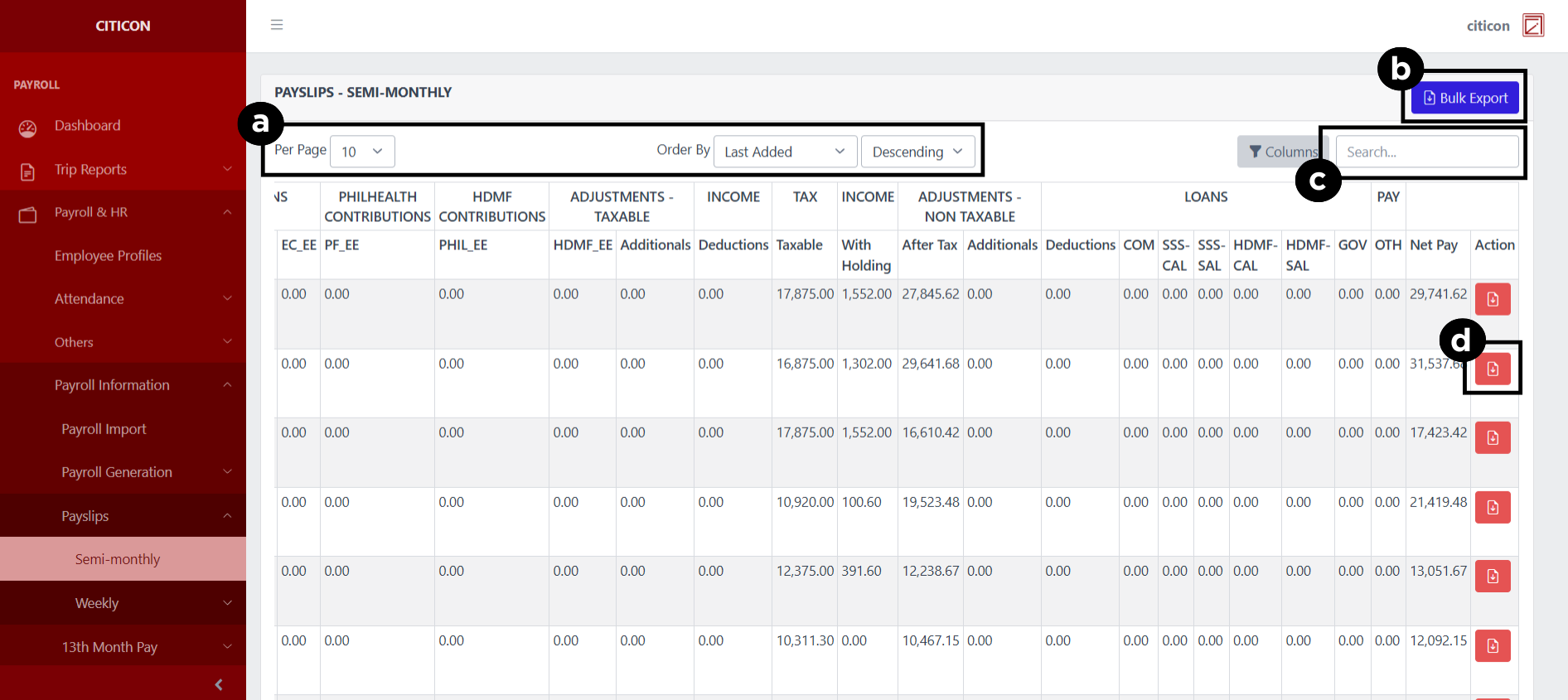
a. Adjust the paging, ordering, and sorting of the Payslips - Semi-Monthly Page here.
b. Select the Bulk Export to export multiple entries.
c. Search for specific entry details using the search bar.
d. Select the folder button to Export the entry.
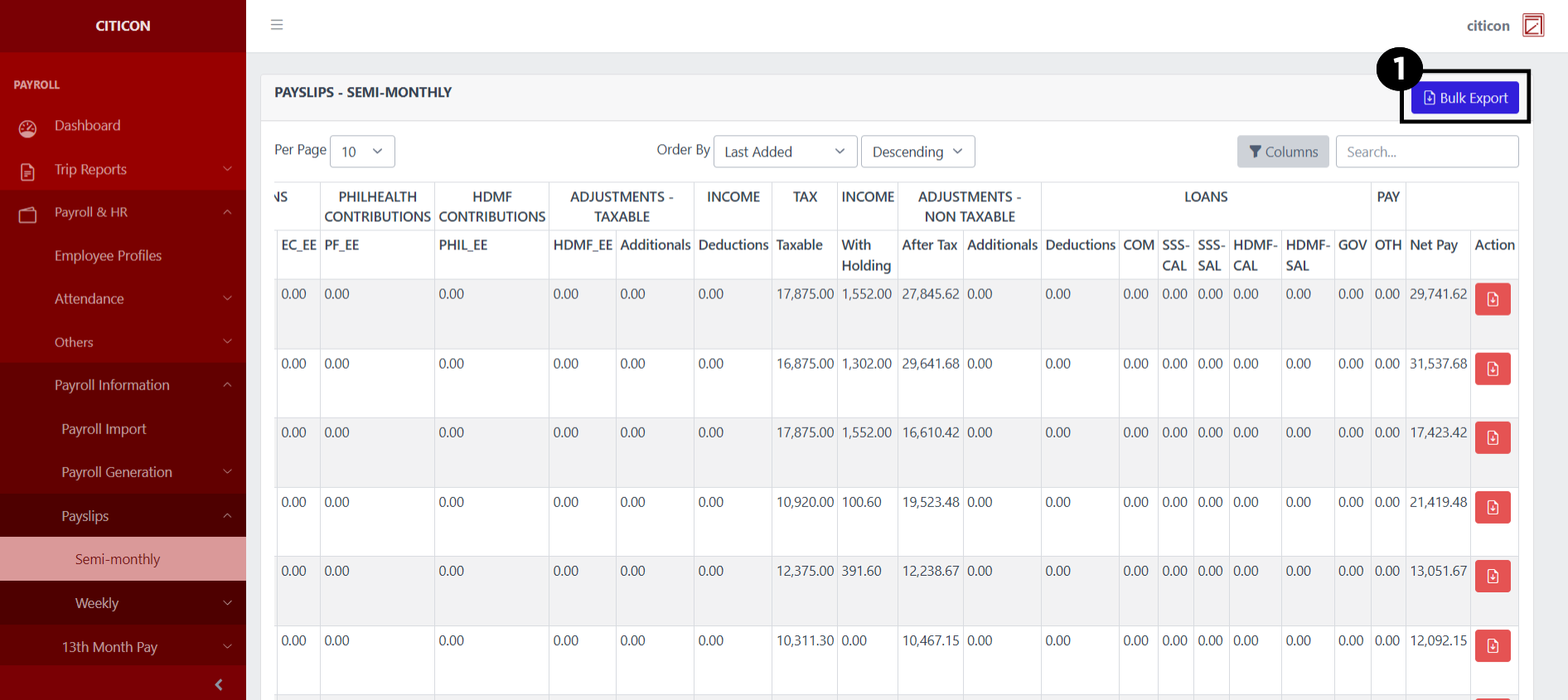
Export Entries
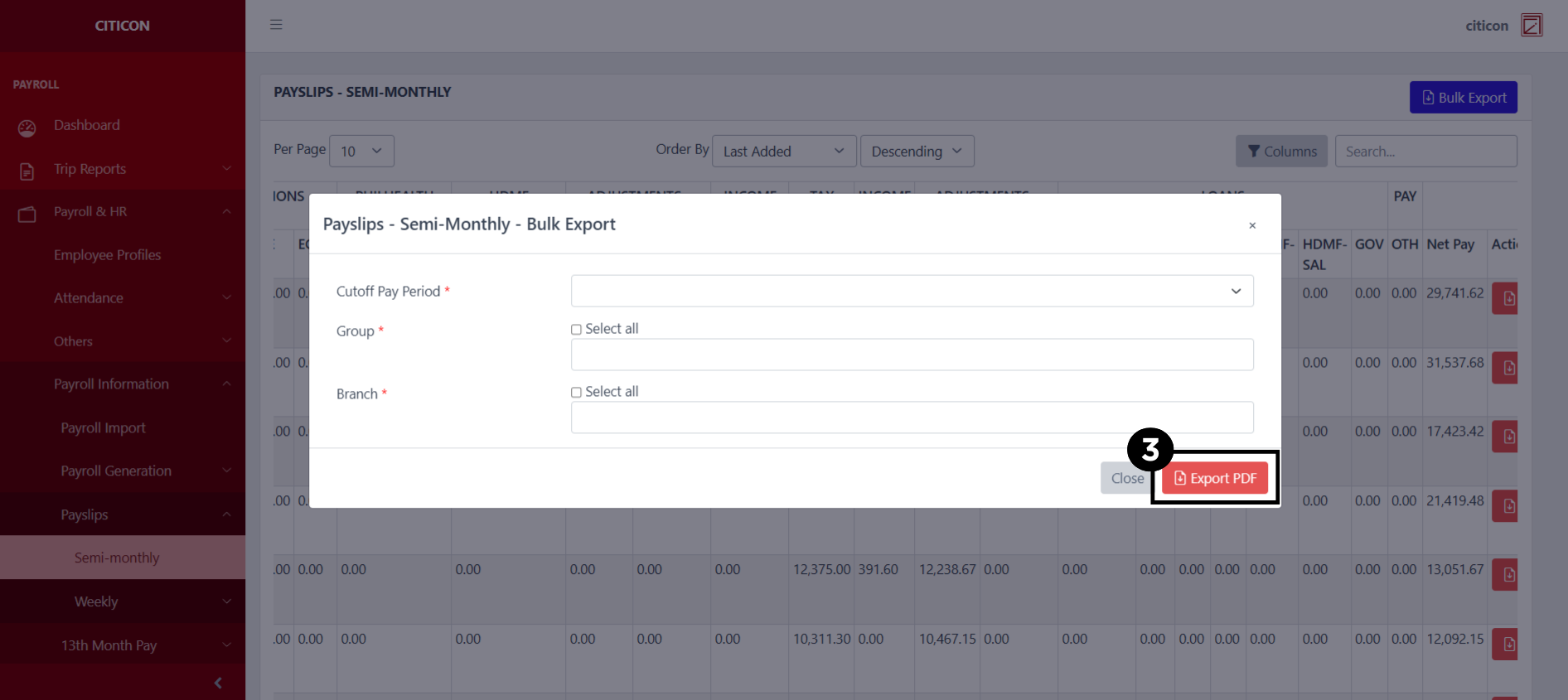
- Select the Export button.
- Input the necessary details regarding the entries you would like to export (type, group, duration, etc.)
All fields that has an asterisk (*) are required to have an input.
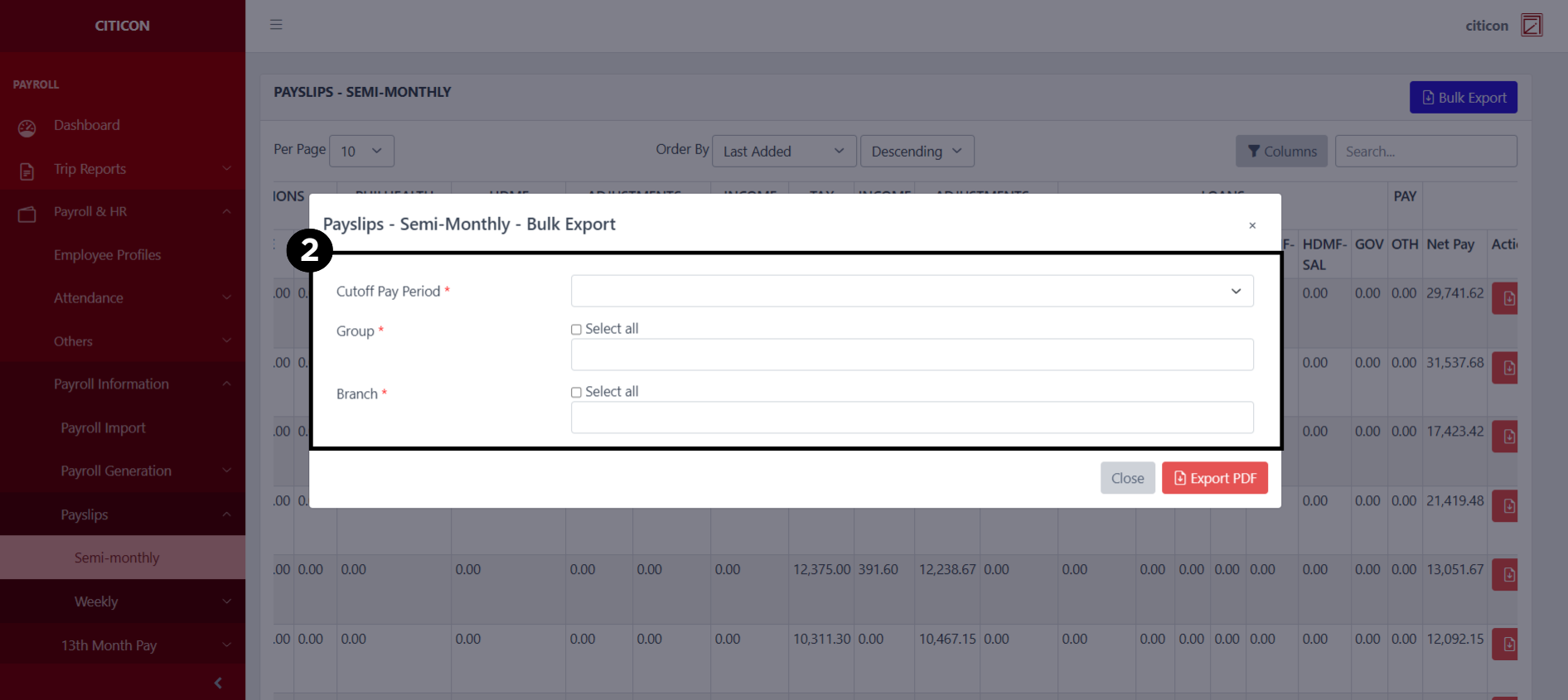
- Select the Export PDF button.
Explore Citicon Payroll and Accounting System: Payroll & HR - Payslips - Regular (Weekly)