Payroll Generation - Regular (Weekly)
Welcome to the Payroll Generation – Weekly Regular section of the Payroll Information under the Payroll & HR Module. This module handles weekly payroll computation for regular employees, factoring in all relevant compensation components, government contributions, adjustments, and attendance-related variables. It enables payroll administrators to accurately process payroll on a weekly basis with built-in batch approval and payroll generation functionalities, ensuring timely and compliant salary disbursements.
Key Purposes
- Generate Weekly Payroll: Computes weekly salary details including basic pay, gross compensation, withholding tax, allowance, and net pay.
- Handle Statutory Contributions: Calculates and includes government-mandated contributions such as SSS, PhilHealth, and HDMF with detailed employer and employee share breakdowns.
- Deduct Loans Automatically: Integrates various loan types like SSS, HDMF, company, and other government loans into the employee's weekly payroll deductions.
- Process Payroll Adjustments: Allows for manual and automatic inclusion of taxable and non-taxable additions or deductions for payroll corrections.
- Classify Employee Income: Distinguishes between taxable and non-taxable income for accurate financial reporting and compliance.
- Incorporate Attendance Metrics: Considers attendance details like lates, undertimes, absences, leaves with pay, overtime, and night shift differentials.
- Compute Holiday and Rest Day Pay: Accurately applies compensation rules for rest days, special non-working holidays, regular holidays, and double holidays including overlapping categories.
- Support Batch Operations: Provides tools for batch approvals, payroll generation, and cancellation of payroll entries for streamlined payroll processing.
Payroll Generation - Weekly (Regular) Module User-Manual
This section provides details, and set-by-step instructions to access, view, and update the Payroll Generation - Weekly (Regular) entries stored in the system.
Index Page
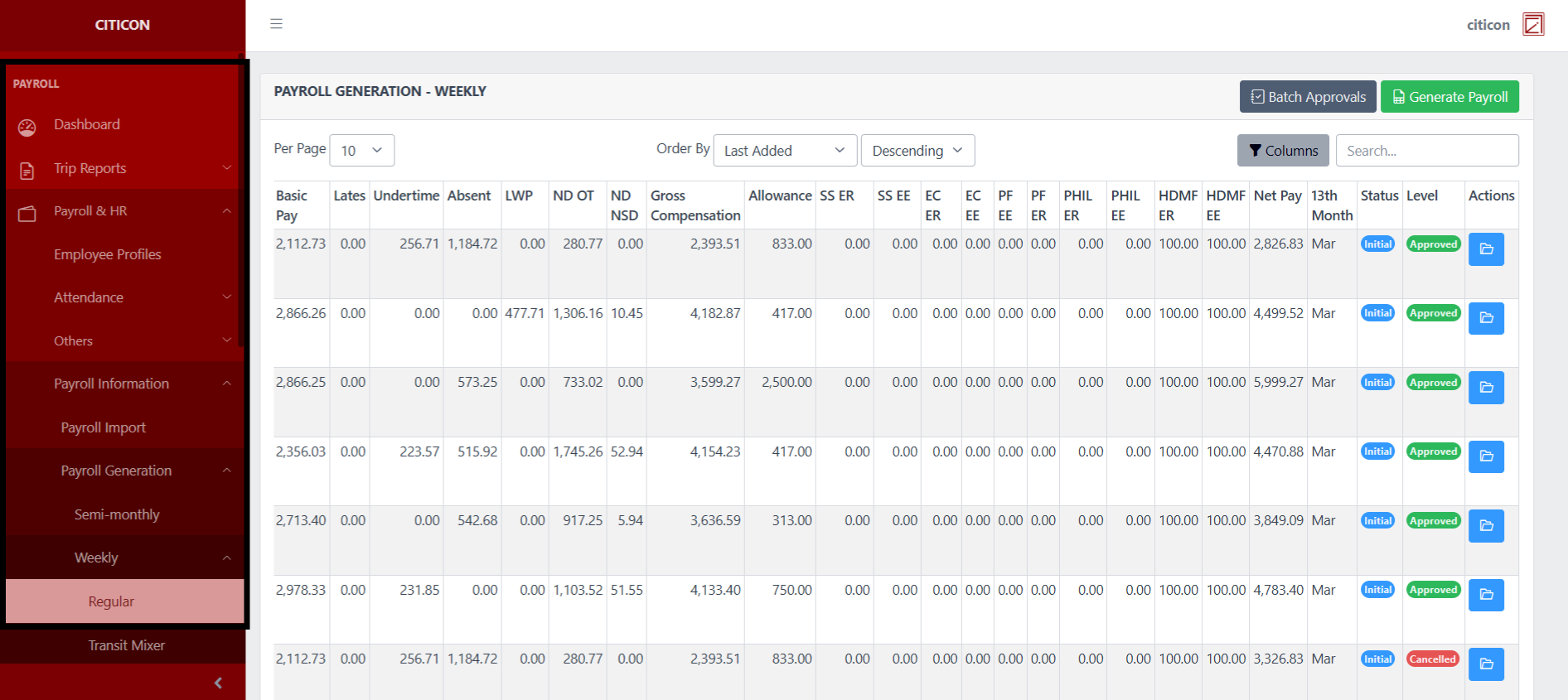
To access the Payroll Generation - Weekly (Regular). Go to Payroll, select Payroll & HR, select Payroll Information, select Payroll Generation, select Weekly, then select Regular.
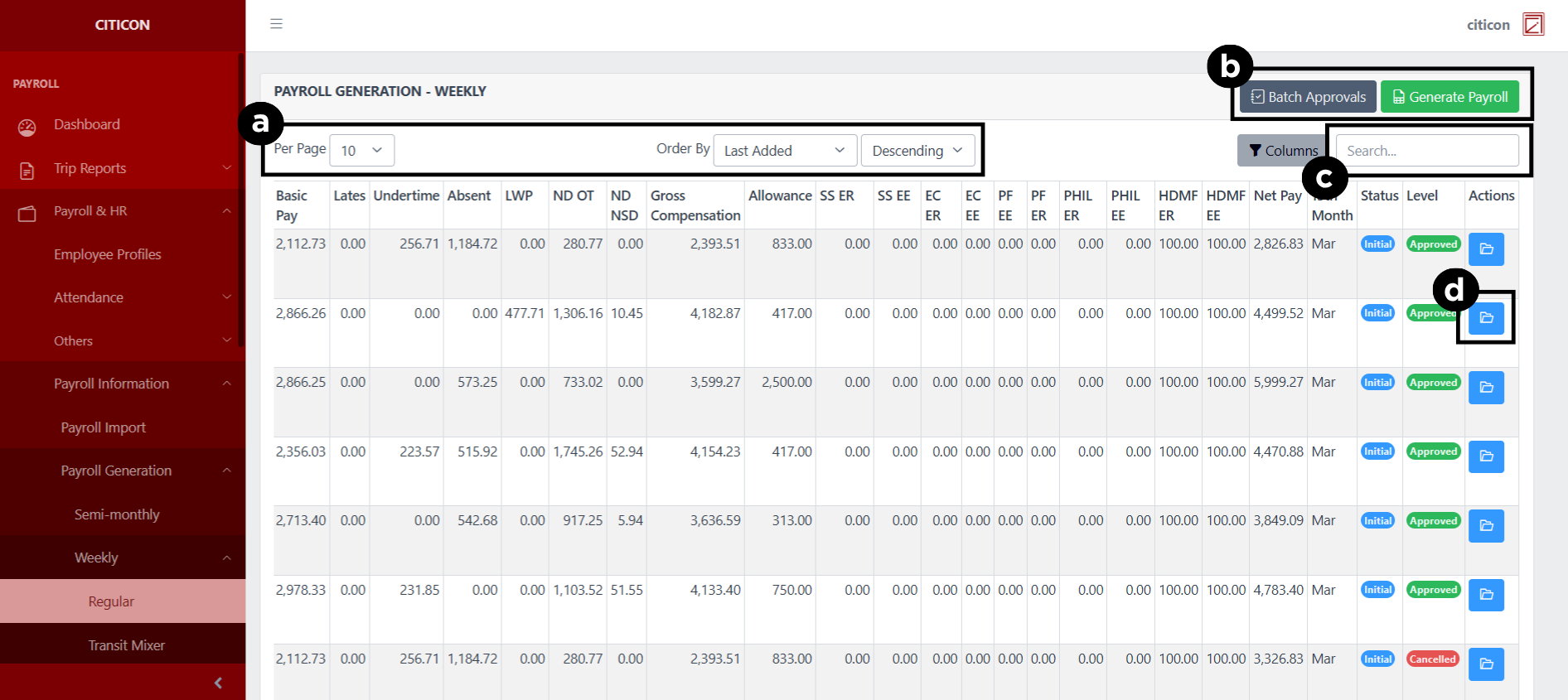
a. Adjust the paging, ordering, and sorting of the Payroll Generation - Weekly (Regular) Page here.
b. Select the respective button to Generate Payroll entries, or process entries for Approval.
c. Search for specific entry details using the search bar.
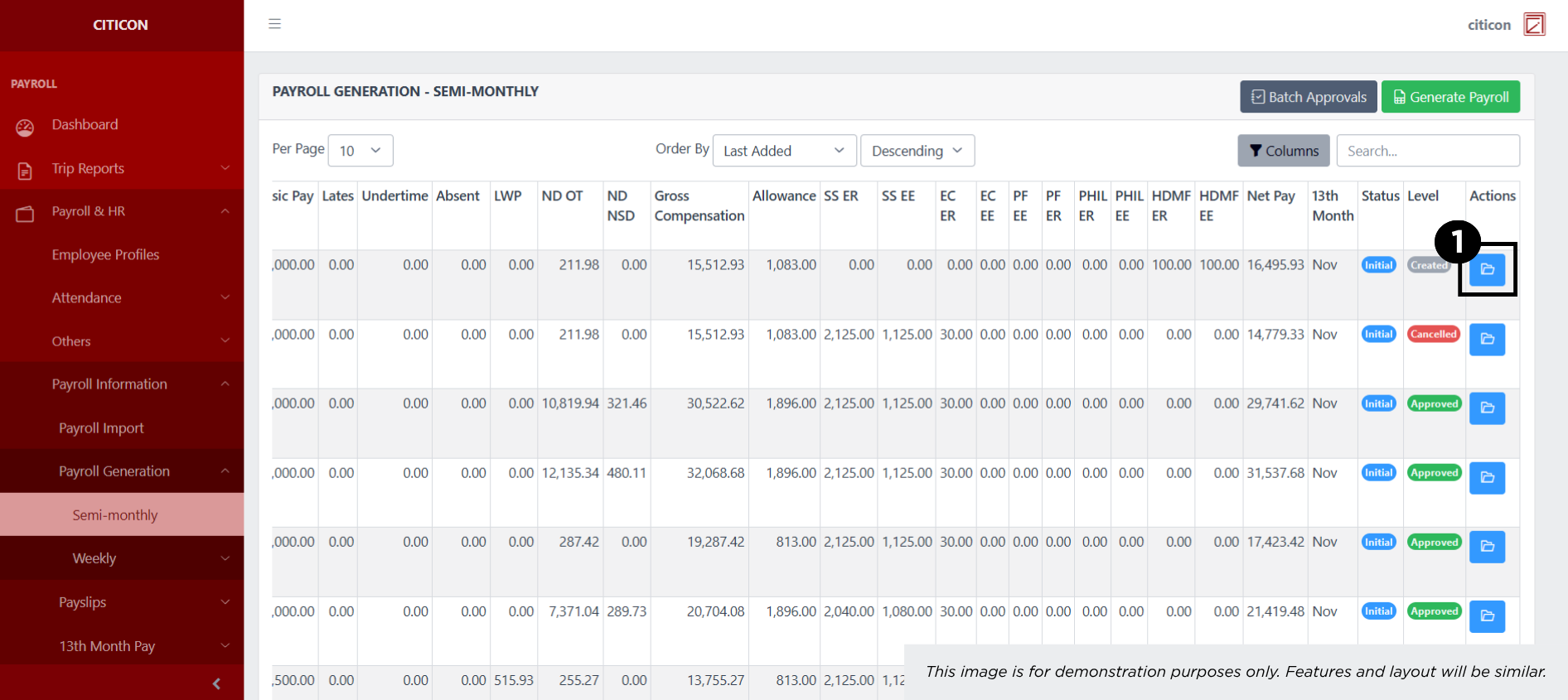
d. View or Cancel an entry by selecting the folder button.
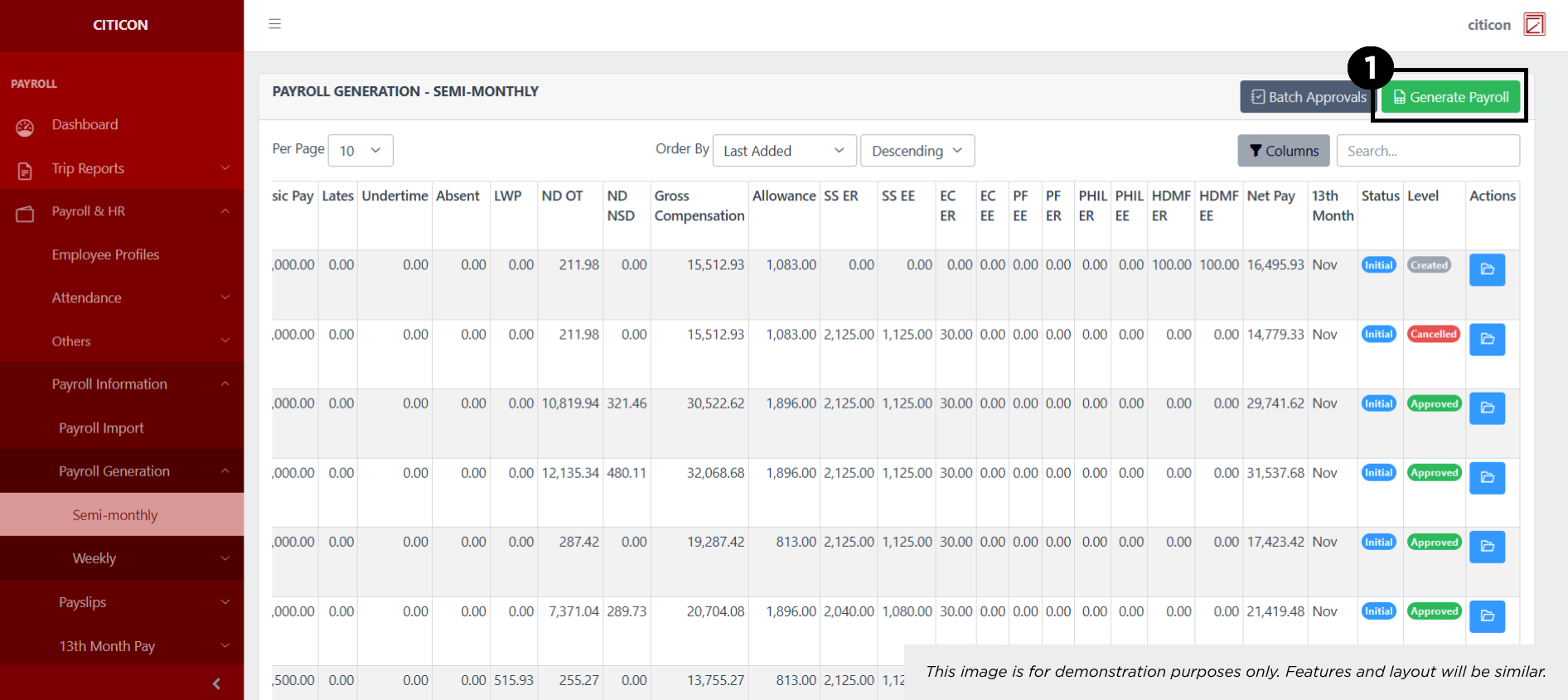
Generate Payroll
- Select the Generate Payroll Import button.
- Input the necessary details regarding the payroll entries you would like to generate.
All fields that has an asterisk (*) are required to have an input.
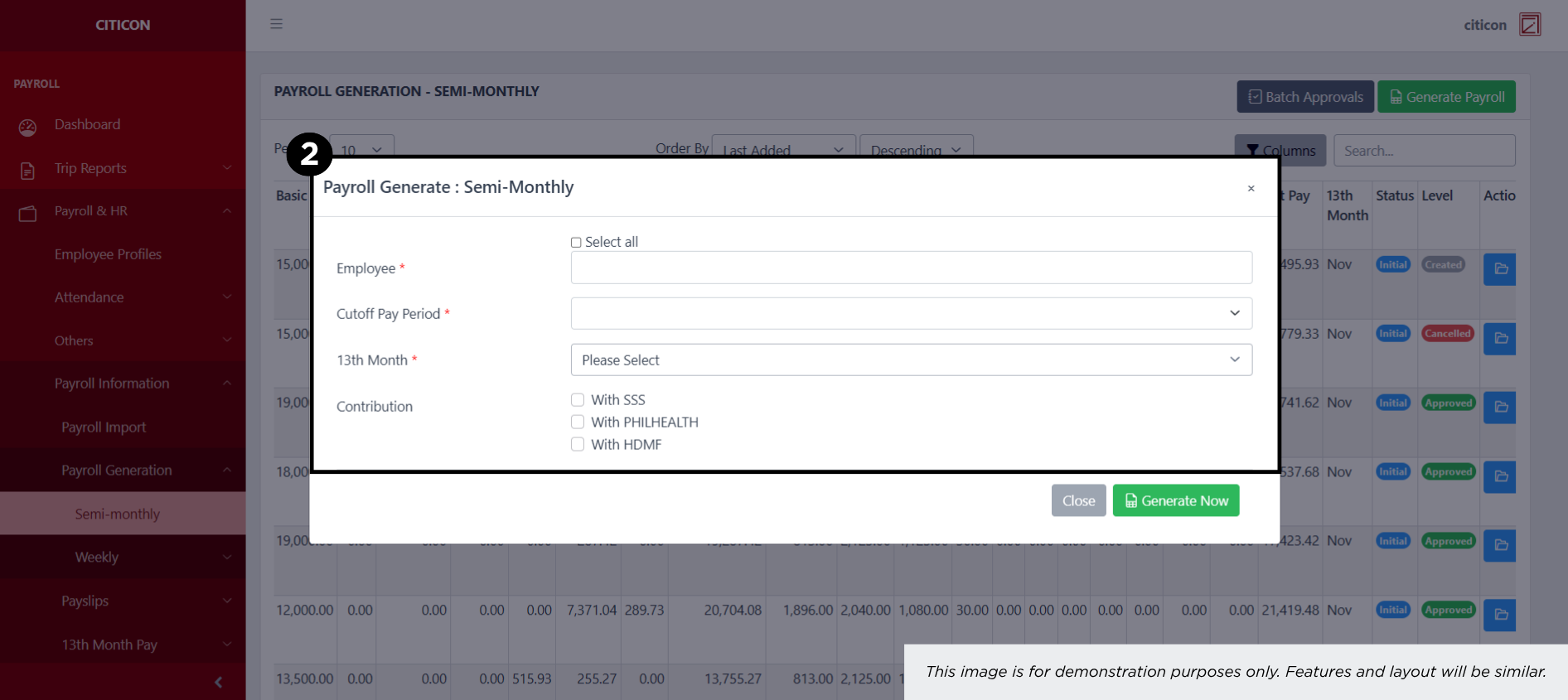
- Select the Generate button.
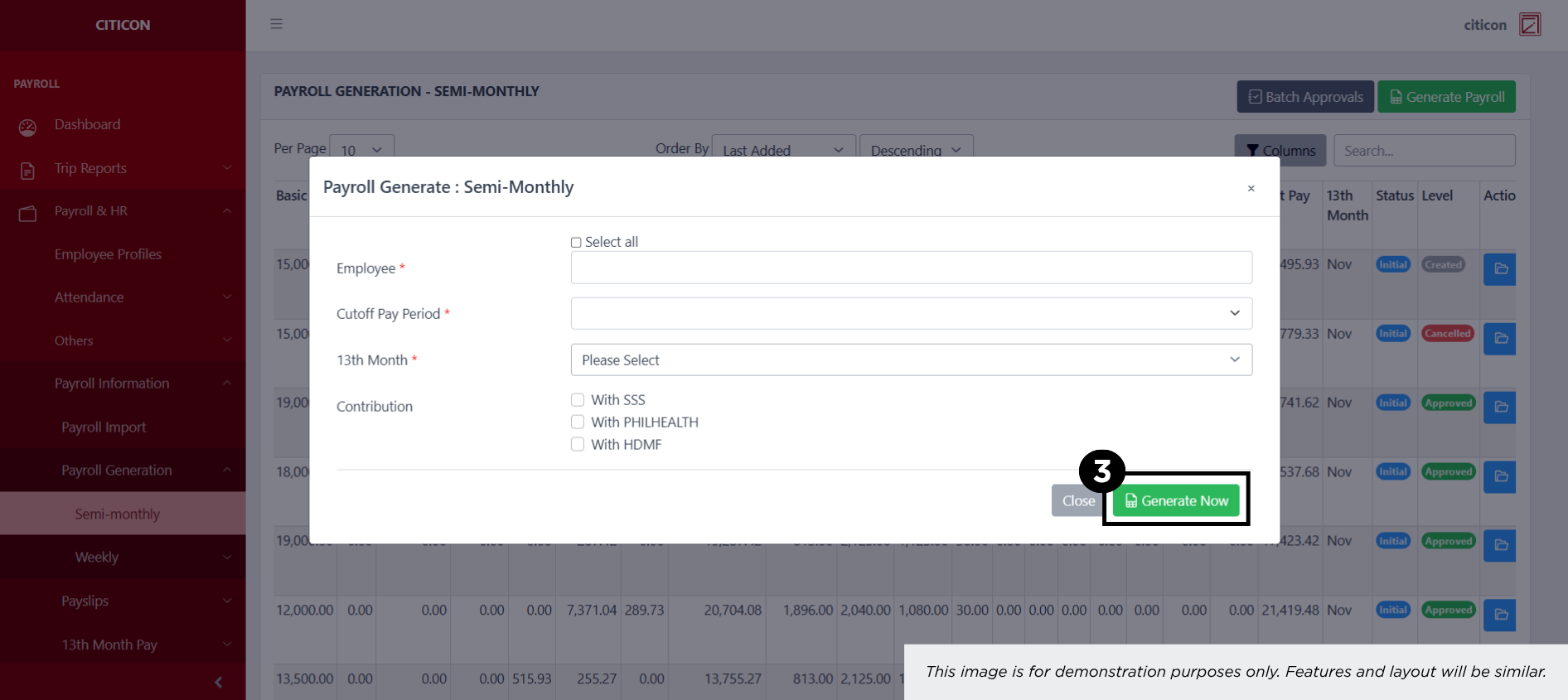
Show Entry
- Select the folder button to view an entry.
 Here you can view more specific details on the entry that you selected.
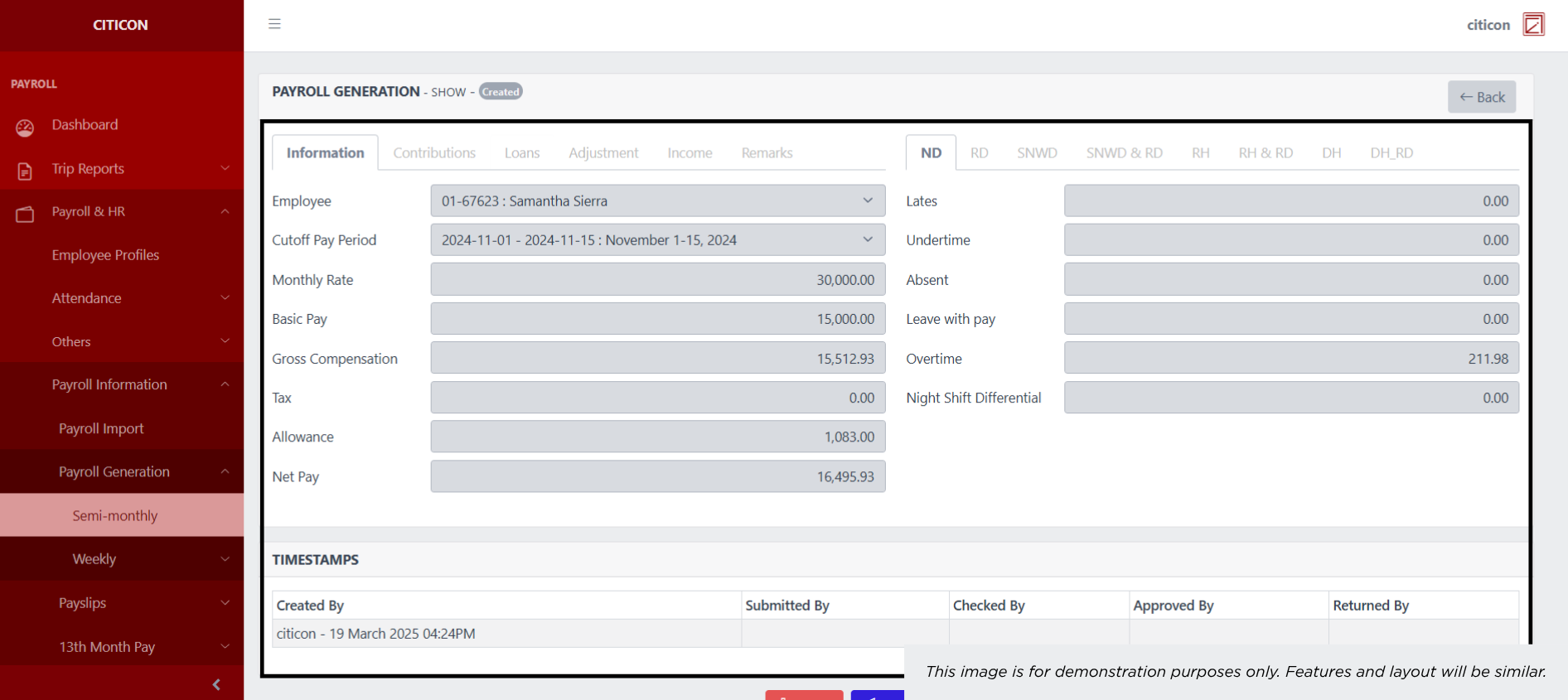
Submit Entry
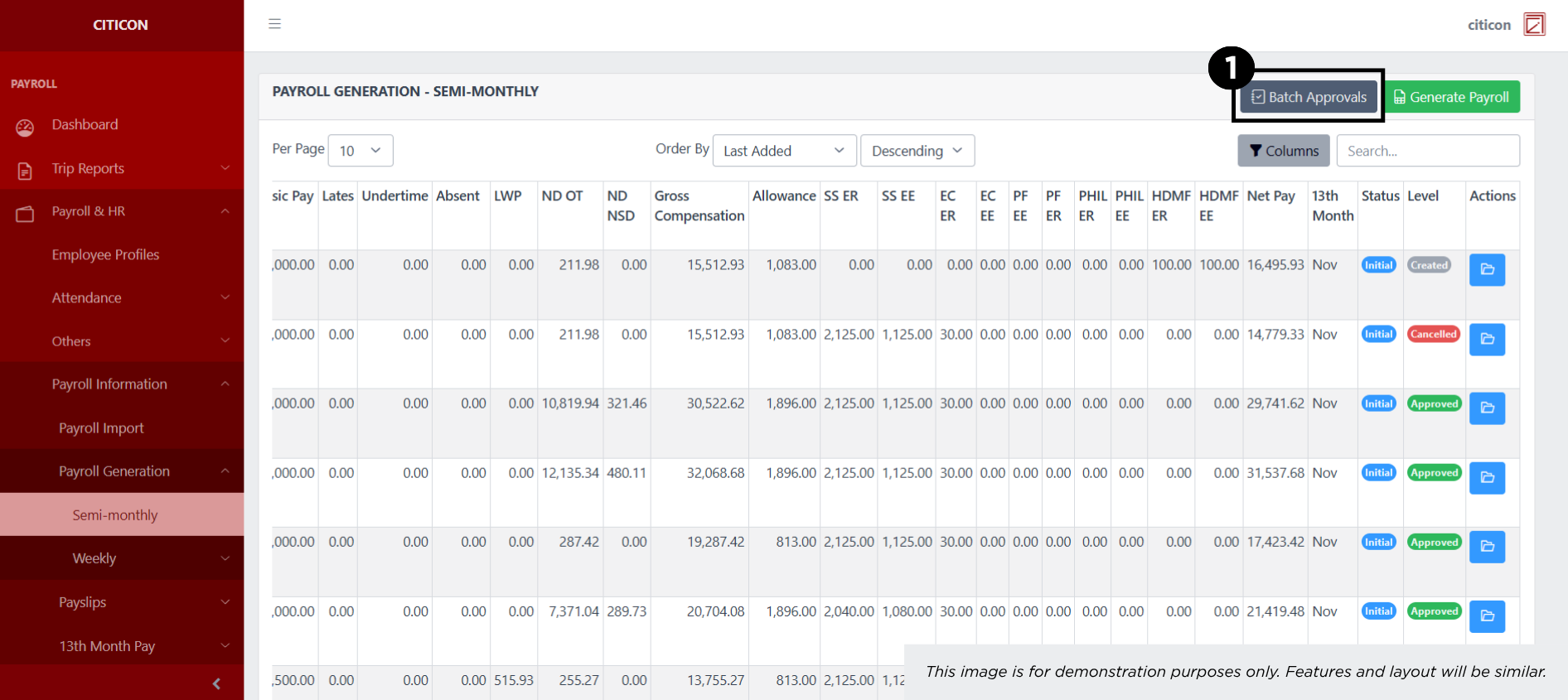
- Select the Batch Approvals button to submit an entry.
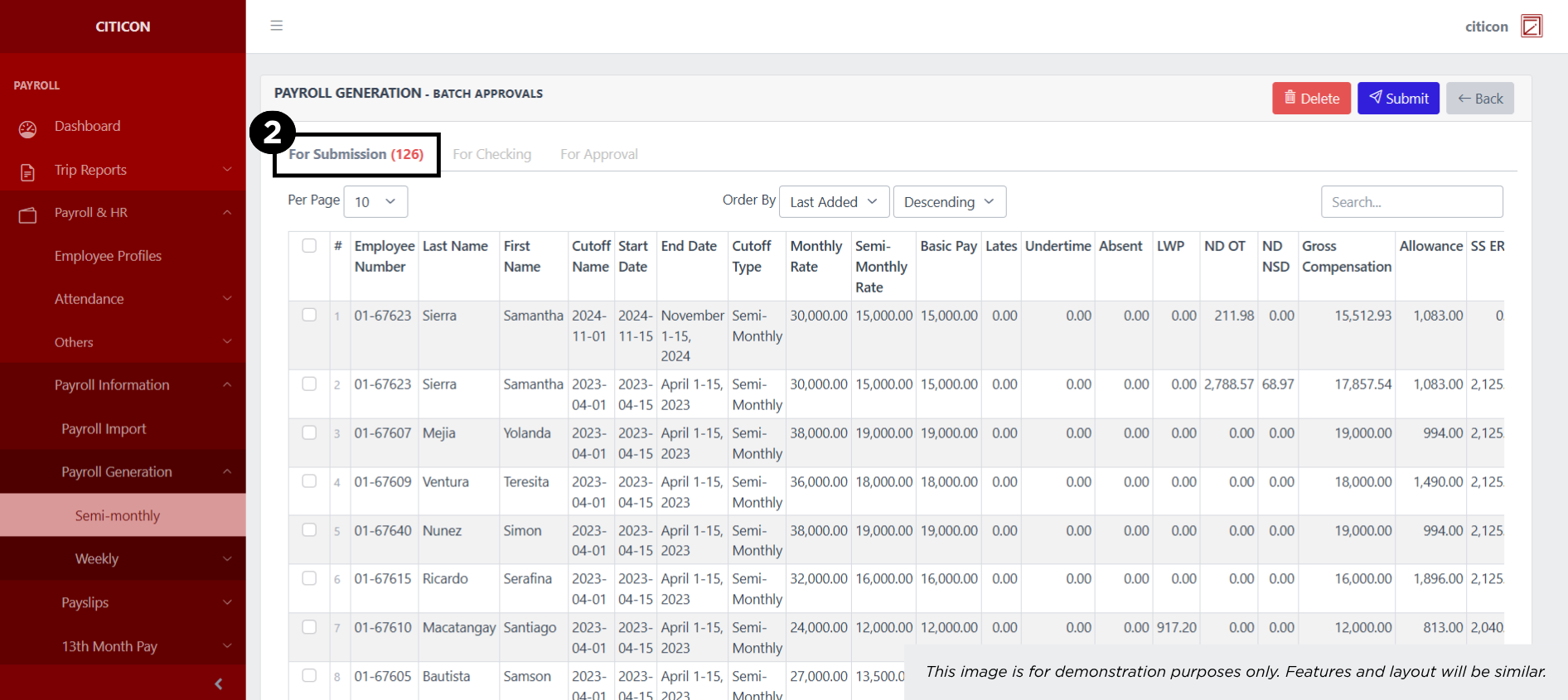
- Select the For Submission tab.
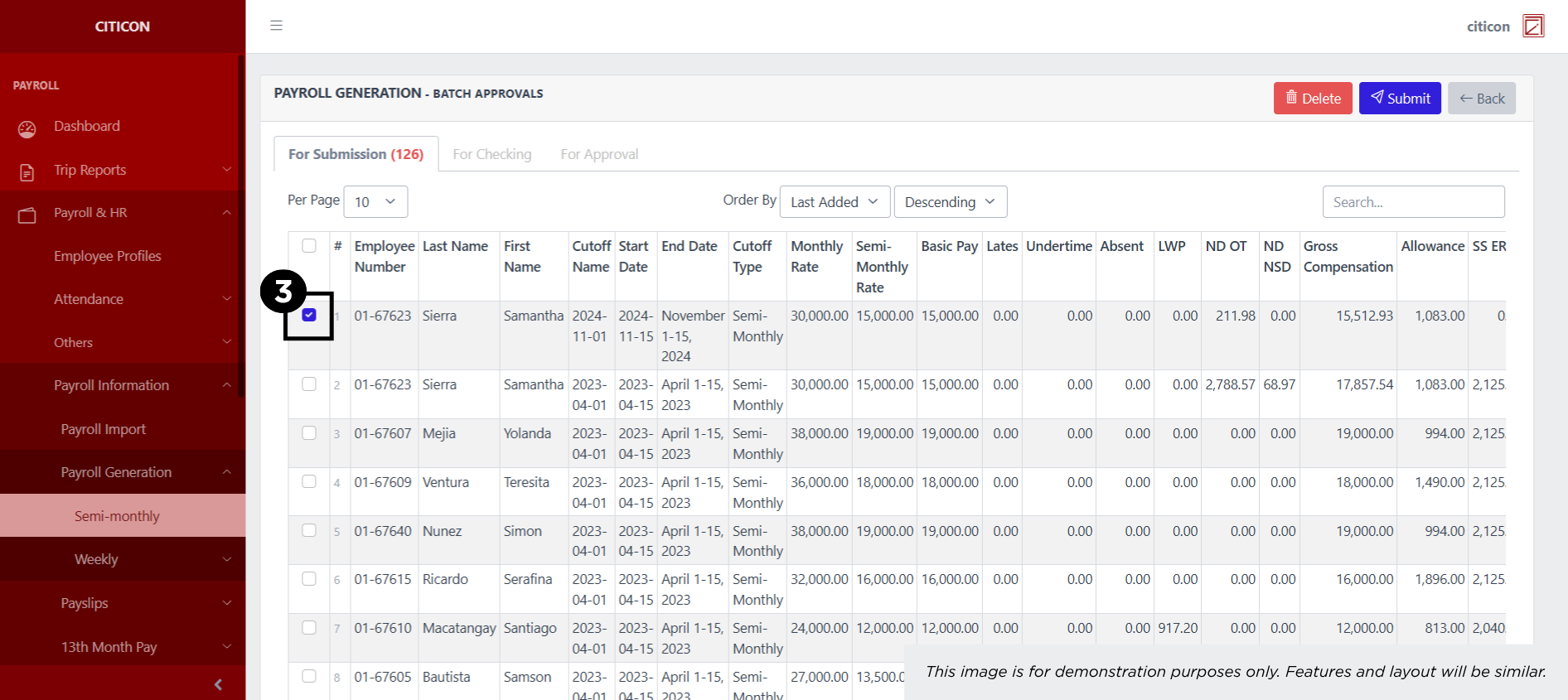
- Select the entry that you want to submit.
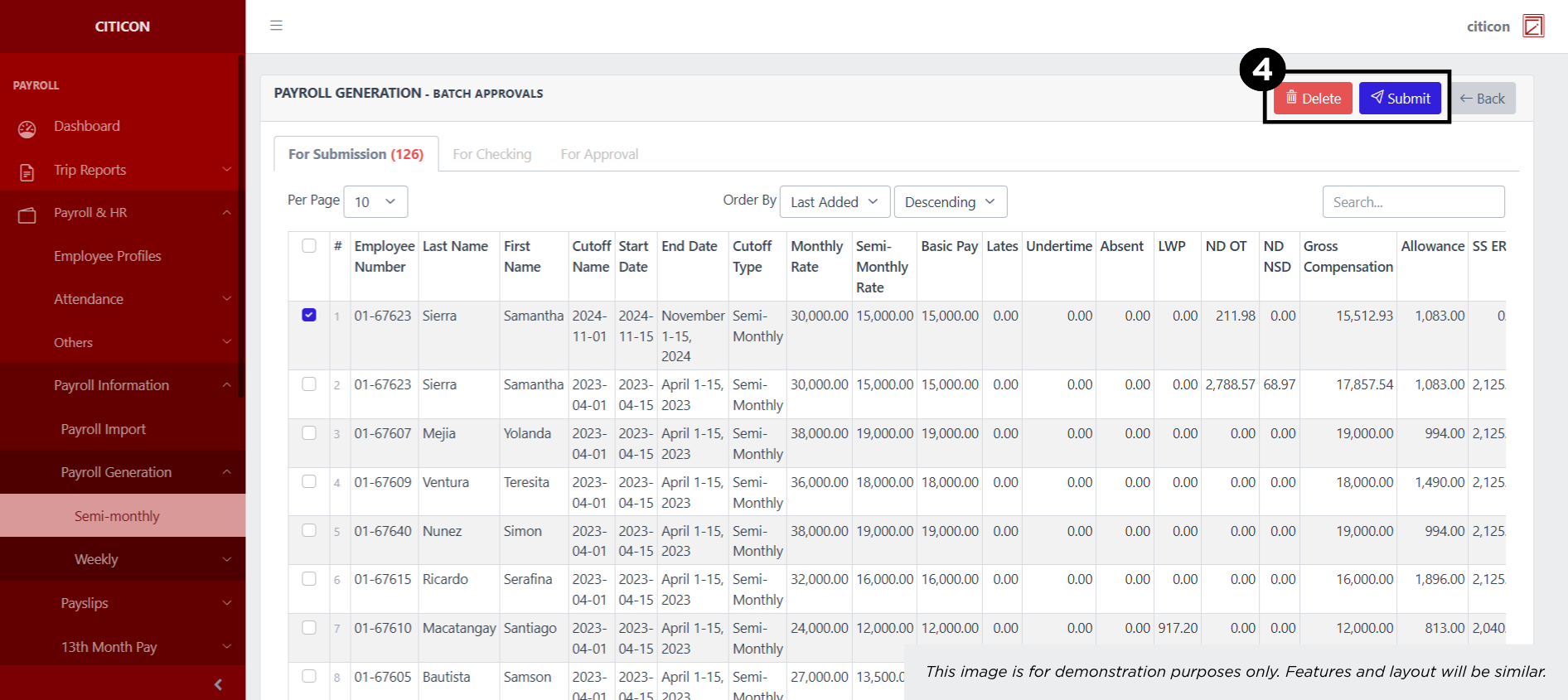
- Select the Submit button to submit the entry. In cases where you want to delete a entry, select the entry you want to delete, then select the Delete button.
Check Entry
- Select the Batch Approvals button to check an entry.
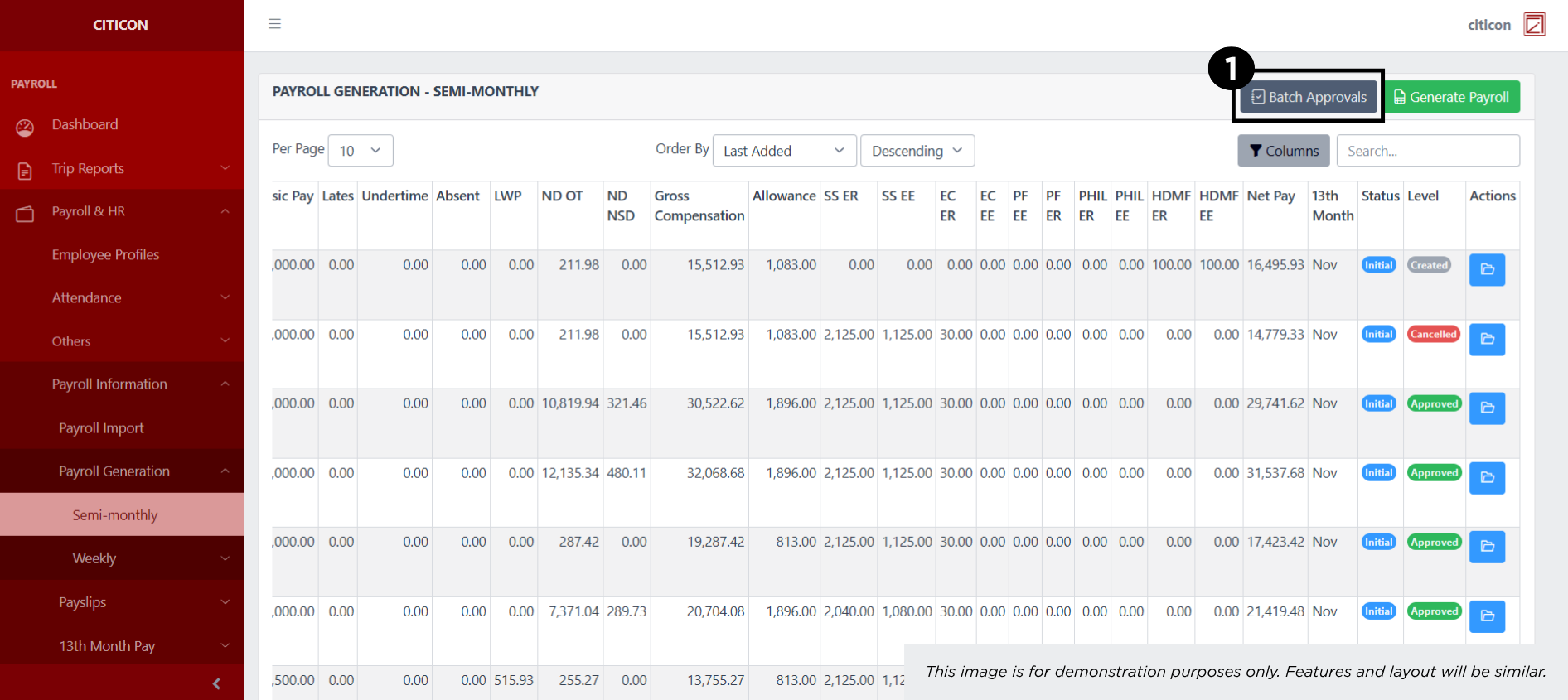
- Select the For Checking tab.
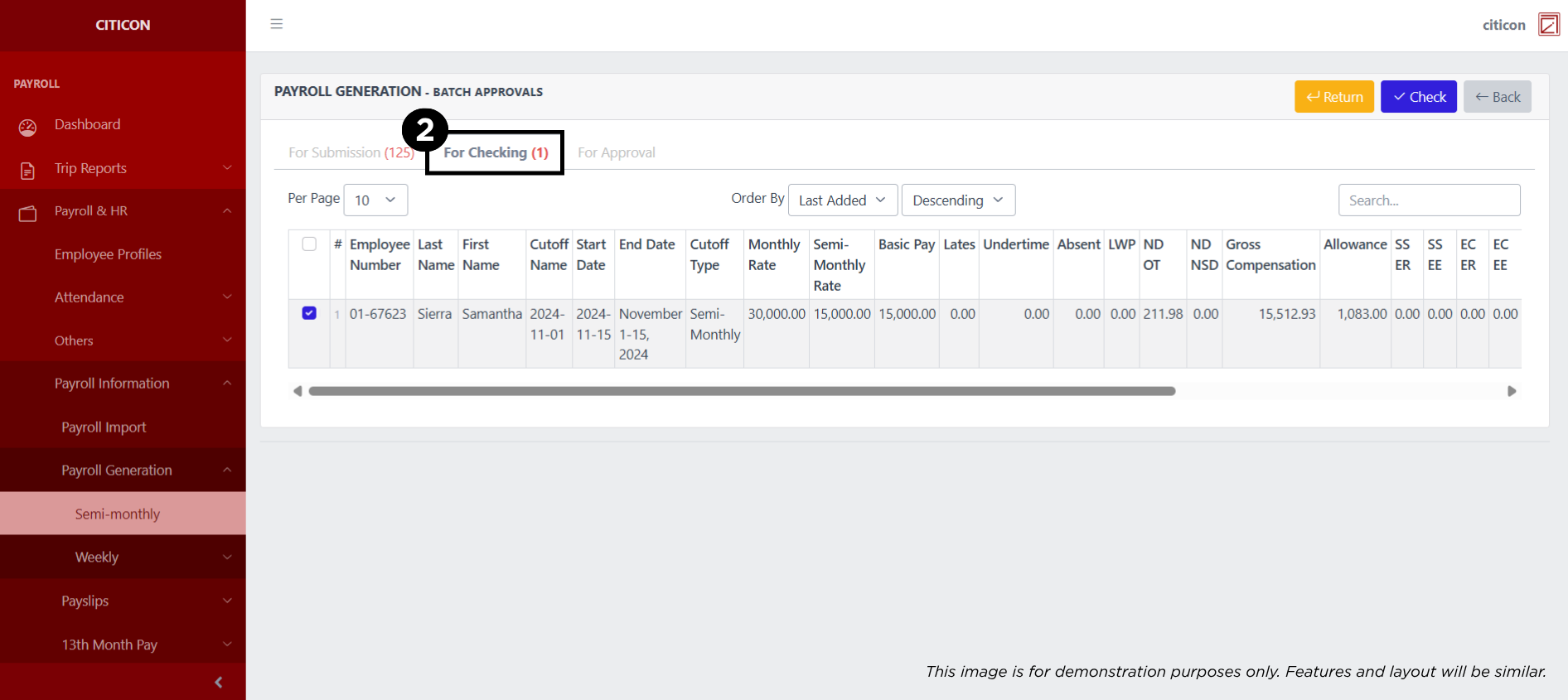
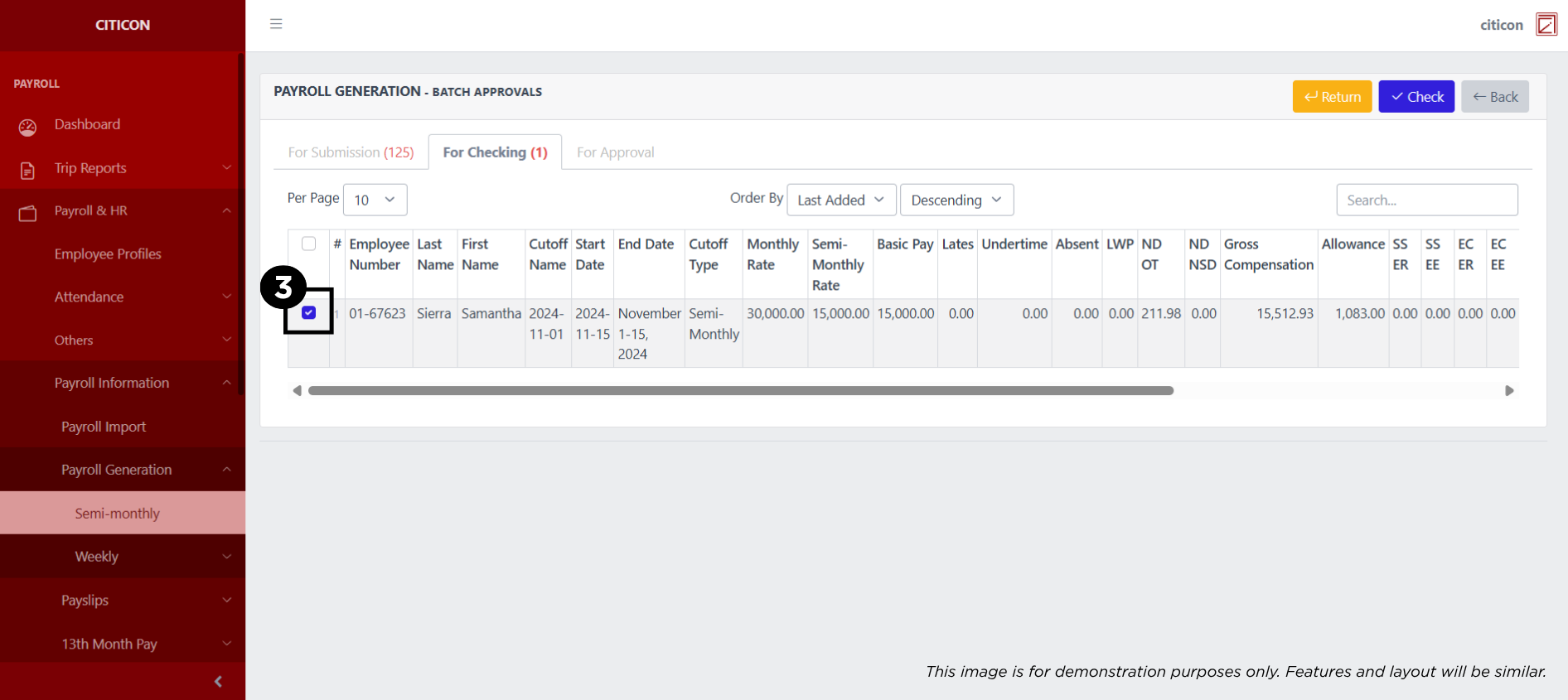
- Select the entry that you want to be checked.
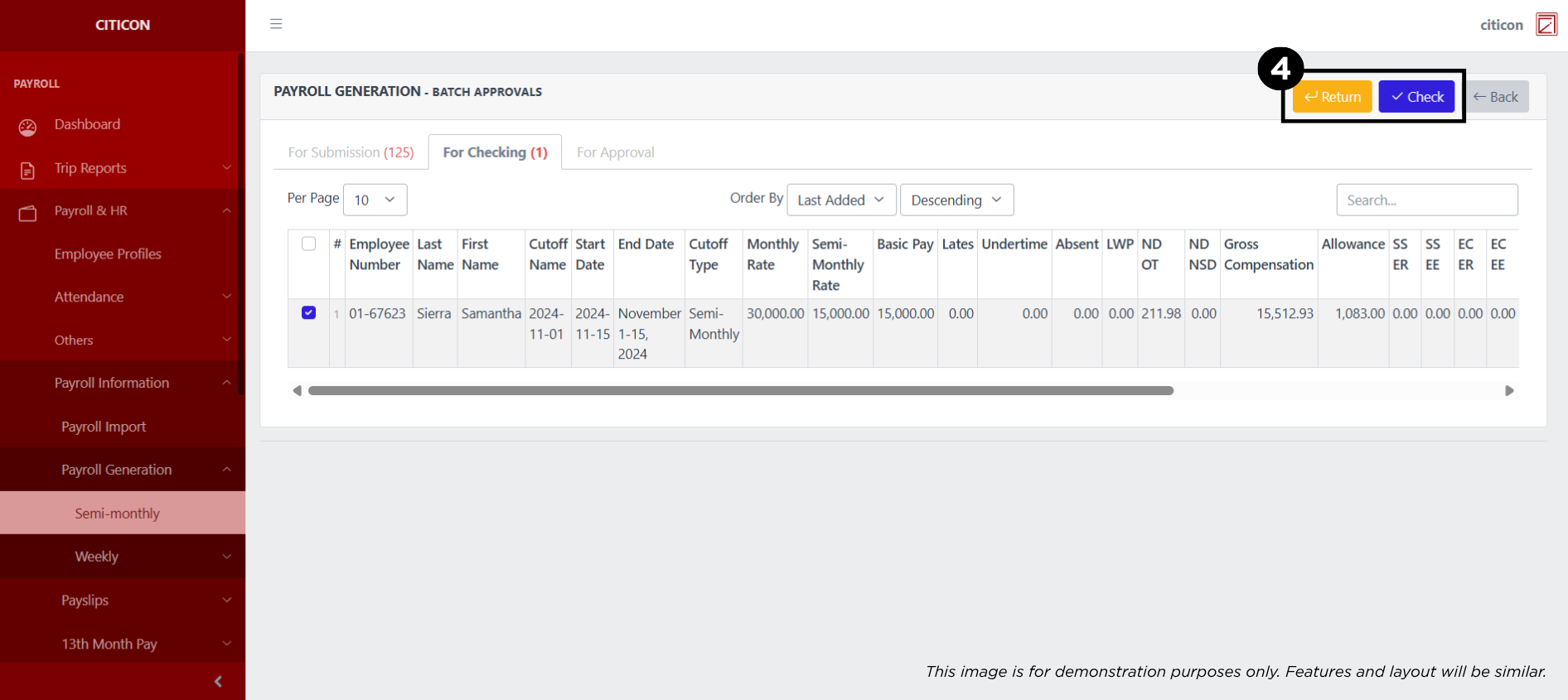
- Select the Check button to check the entry. In cases where you want to return a entry, select the entry you want to return, then select the Return button.
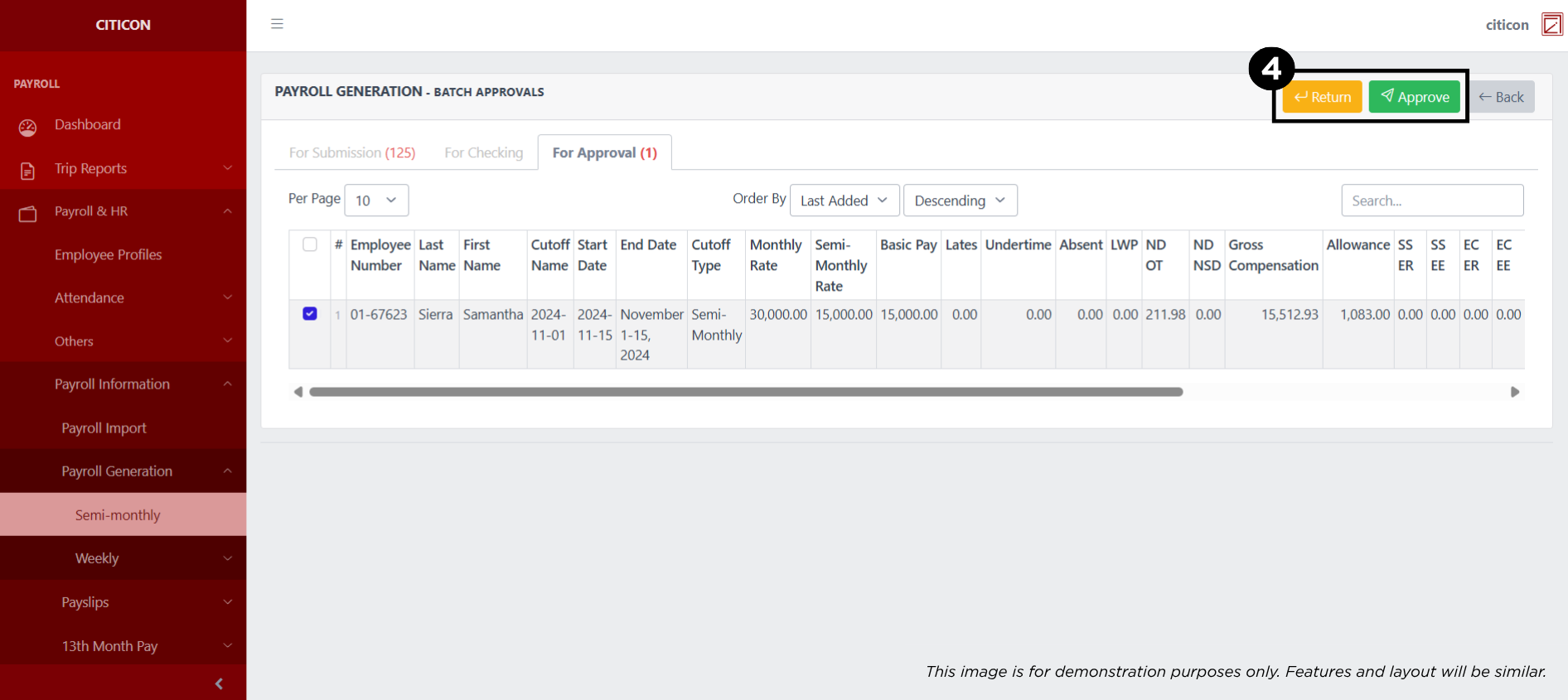
Approve Entry
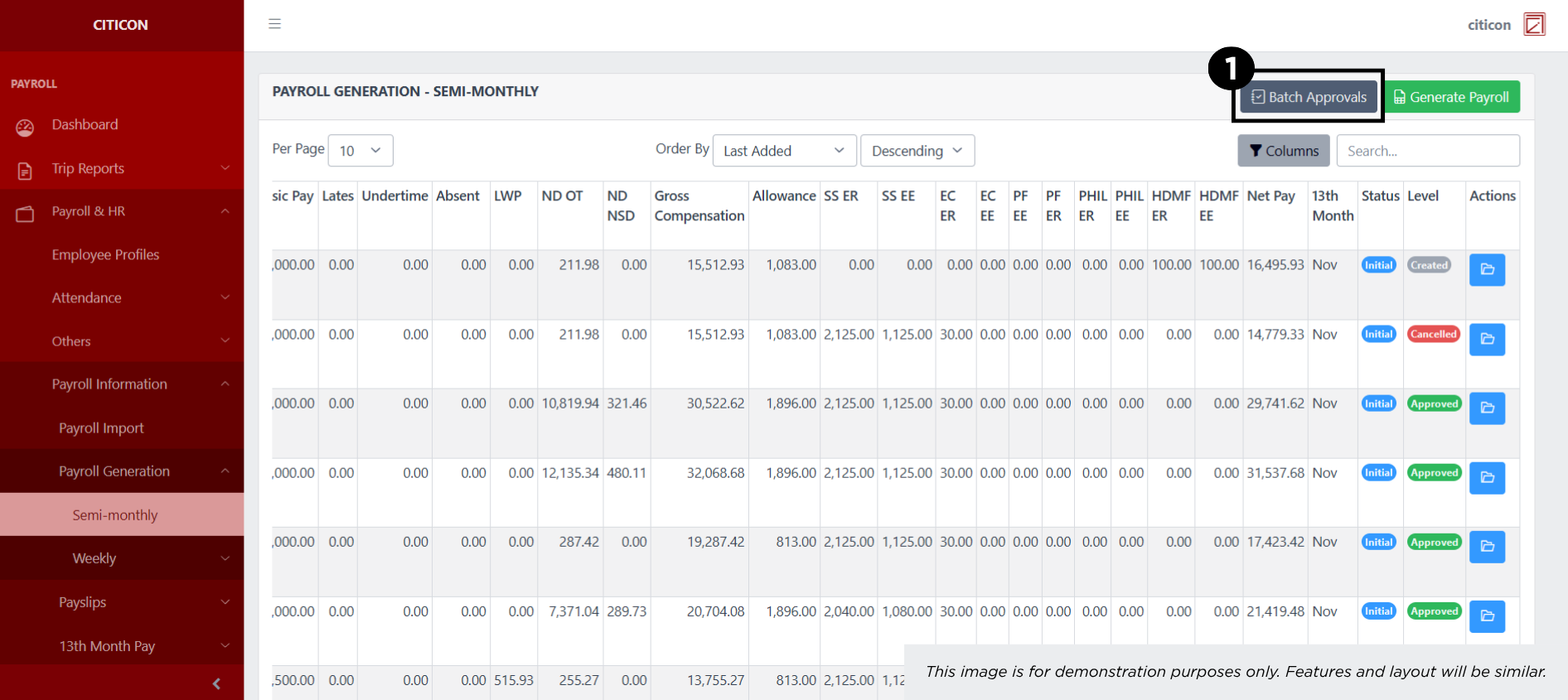
- Select the Batch Approvals button to approve a entry.
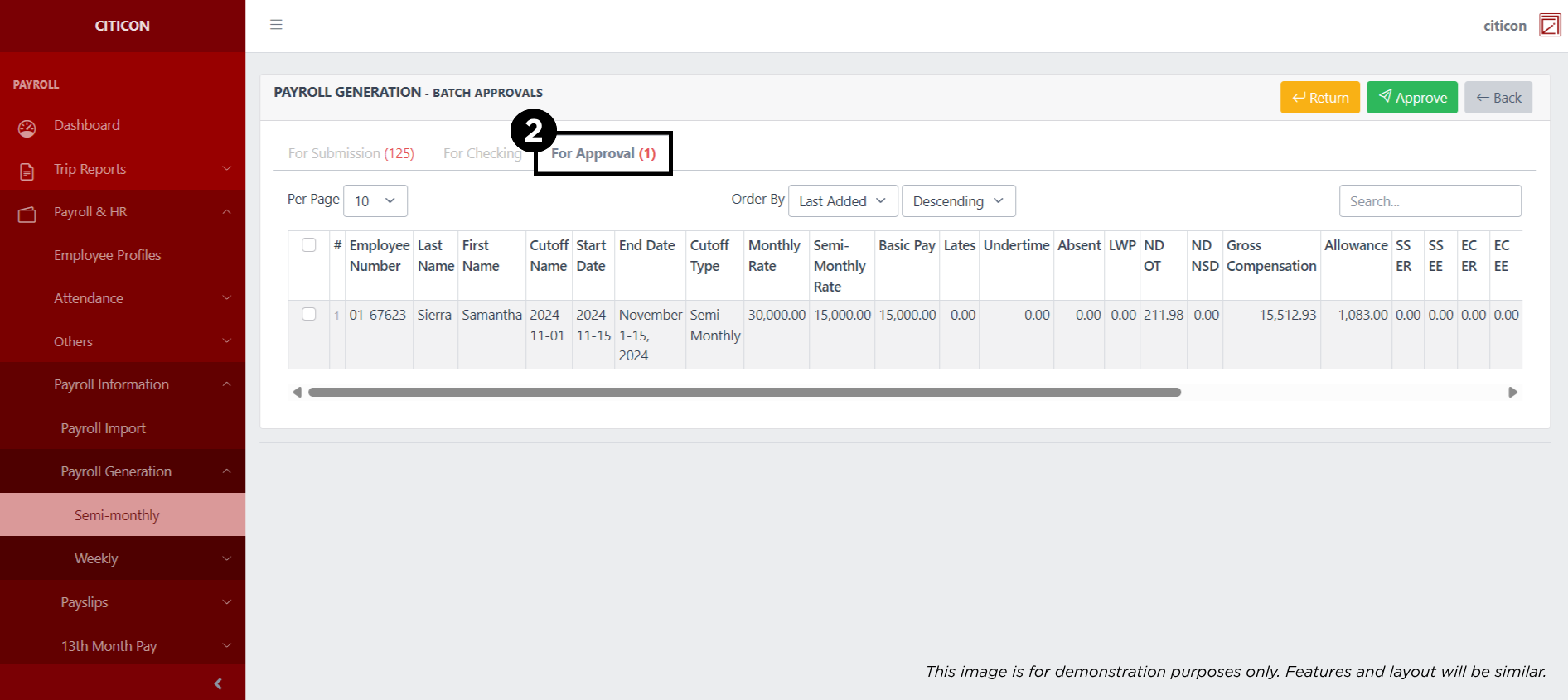
- Select the For Approval tab.
- Select the entry that you want to approve.
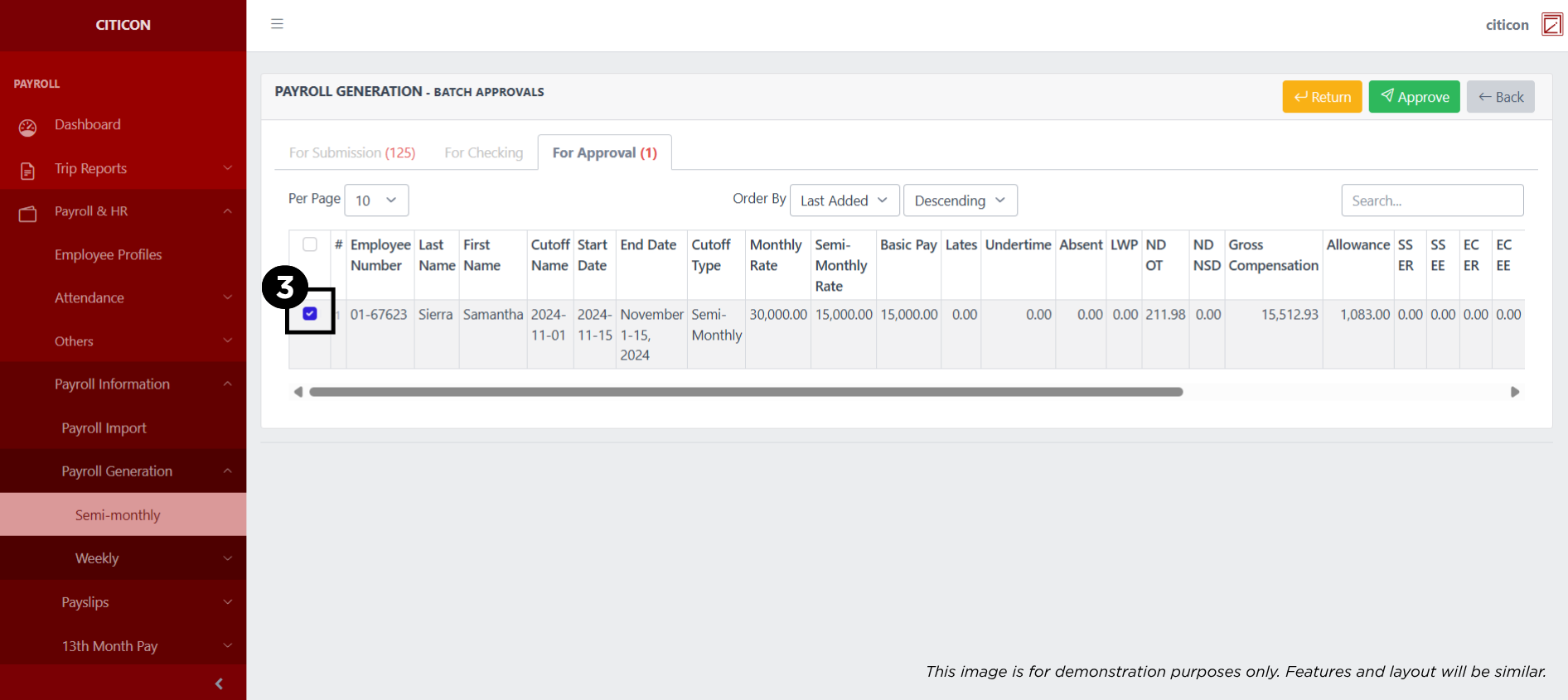
- Select the Approve button to approve the entry. In cases where you want to return a entry to submission section, select the entry you want to return, then select the Return button.