Salary Grades - Transit Mixer Configuration
Welcome to Citicon Payroll and Accounting Systems Configuration for Salary Grade – Transit Mixer. This module helps you set and manage compensation details for transit mixer personnel, ensuring payroll reflects accurate shop and overtime rates based on employment status and role expectations.
Key Purposes
-
Salary Grade Structuring: Define consistent salary grades specific to transit mixer employees for streamlined payroll processing.
-
Trip Allowance Definition: Establish clear trip allowance rates to standardize payouts for transit-based operations.
-
Shop Rate Management: Set both regularized and probationary shop rates, allowing for accurate pay differentiation based on employee status.
-
Overtime Calculation Setup: Configure per-hour overtime rates to ensure fair and precise compensation for extended work hours.
-
Payroll Automation: Enable automated and accurate salary calculations by maintaining a well-documented salary grade structure tailored to transit mixer operations.
Salary Grades - Transit Mixer Module User-Manual
This section provides details, and set-by-step instructions to access, view, and update the Salary Grades - Transit Mixer data stored in the system.
Index Page
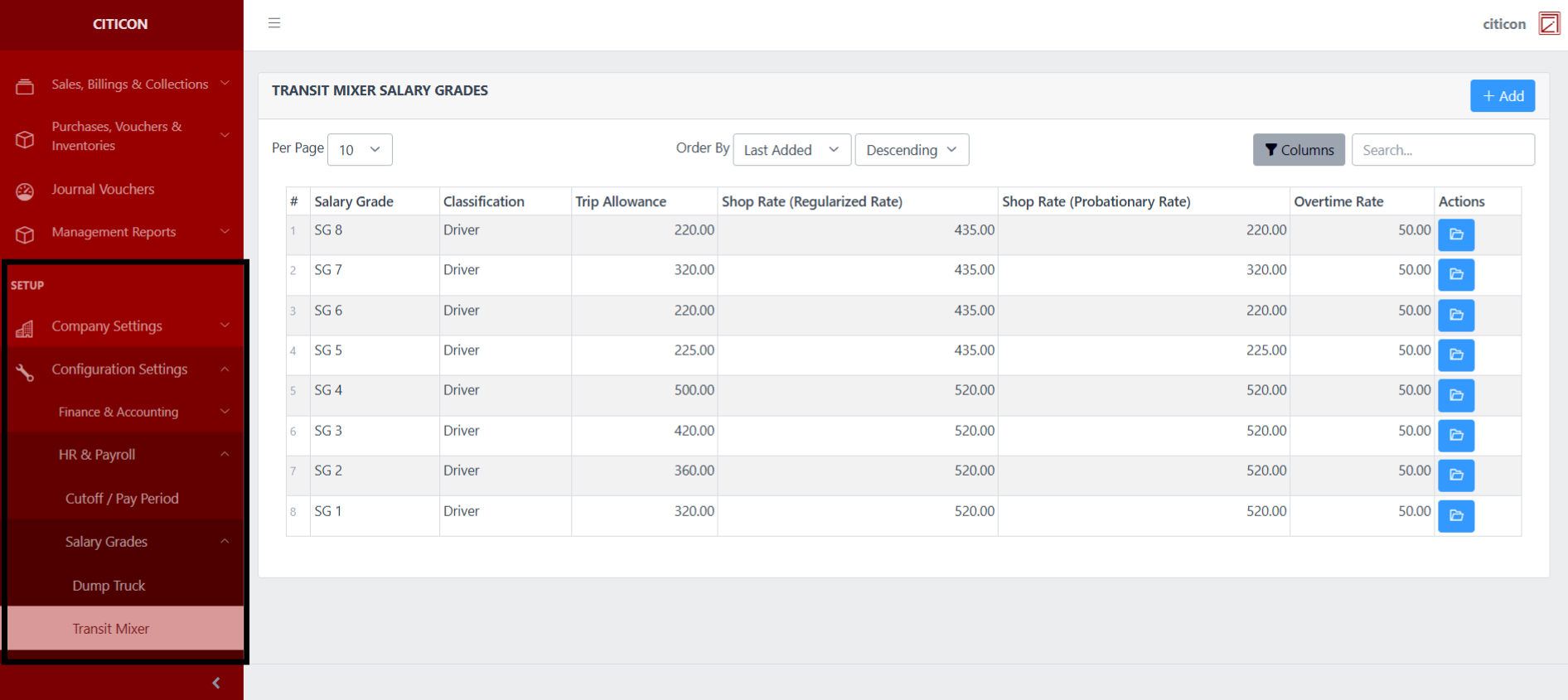
To access the Salary Grades - Transit Mixer Configuration. Go to Setup, select Configuration Settings, select HR & Payroll, select Salary Grades, then select Transit Mixer.
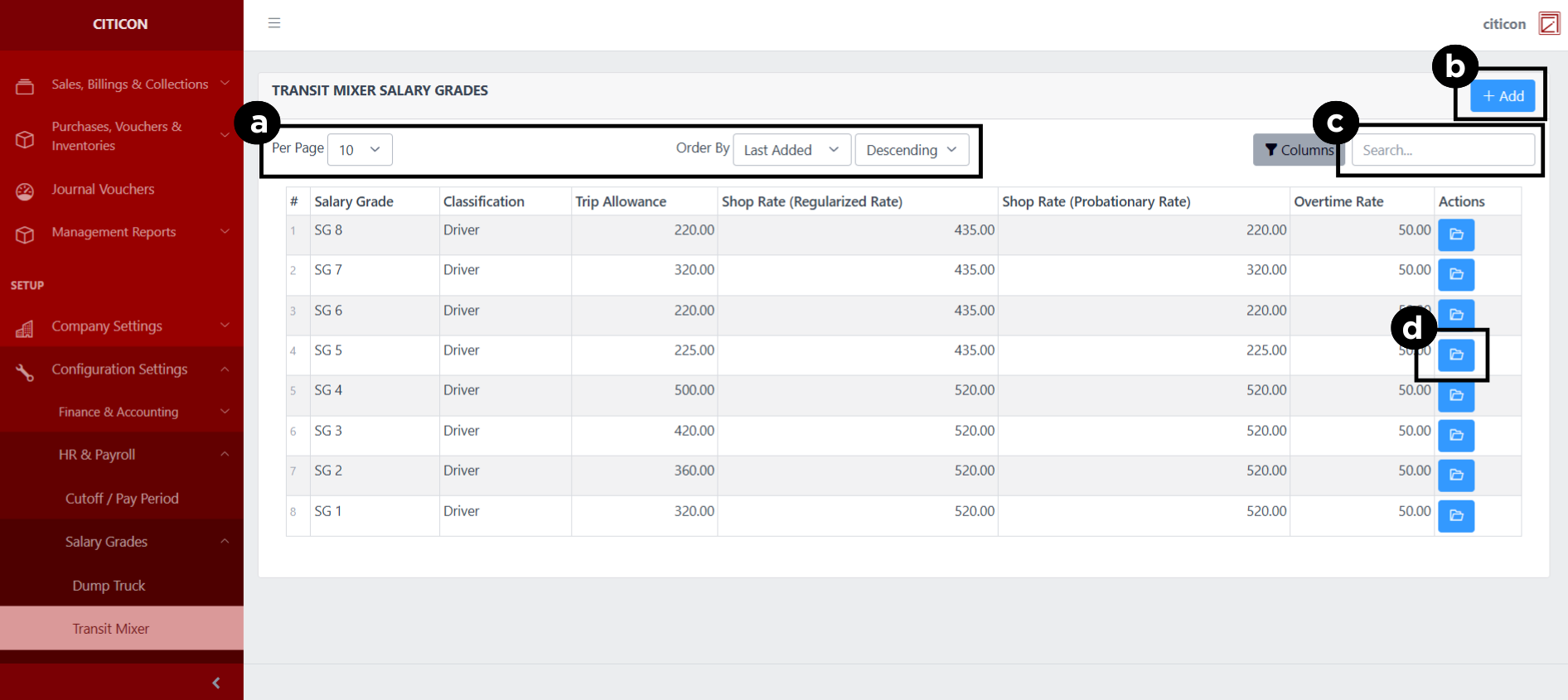
a. Adjust the paging, ordering, and sorting of the Salary Grades - Transit Mixer Page here.
b. Select the Add button to add new data.
c. Search for specific record details using the search bar.
d. View or Edit a record by selecting the folder button.
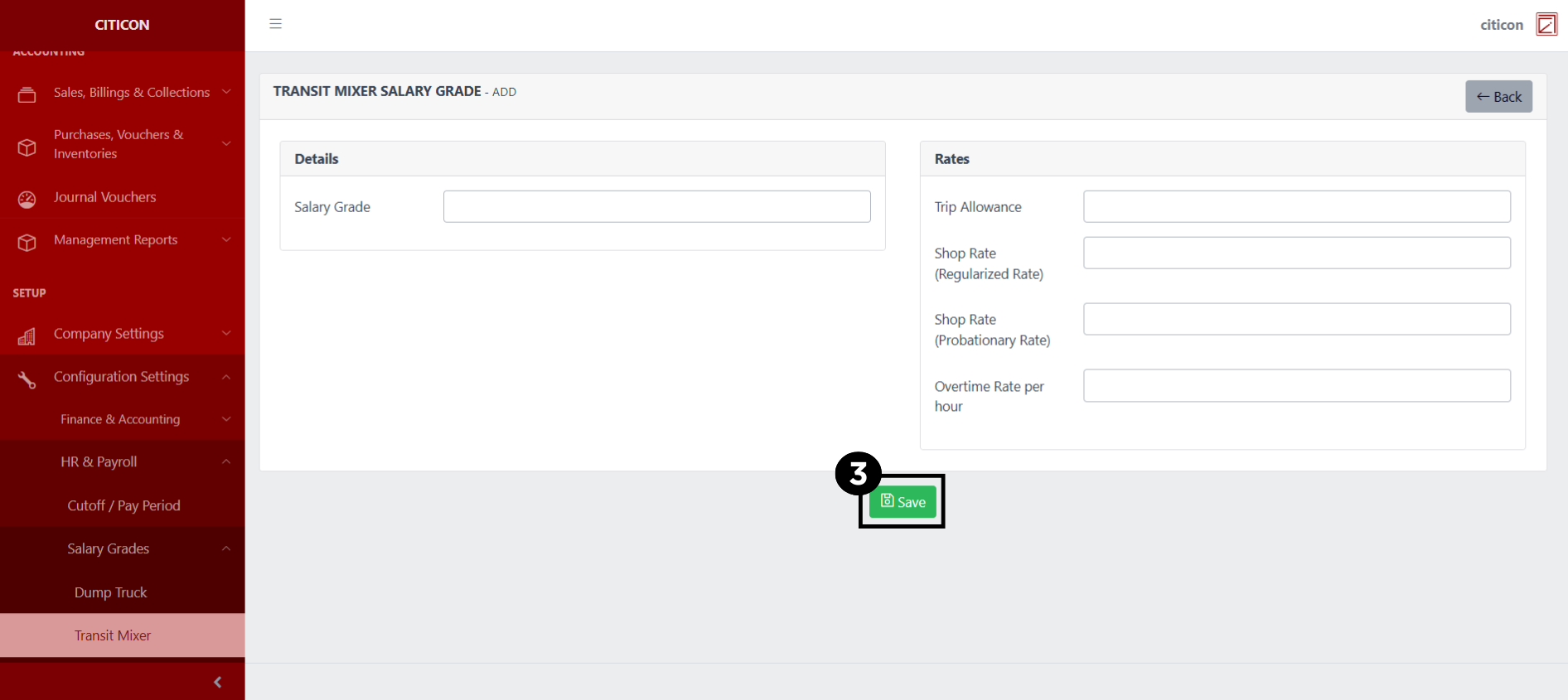
Add Records
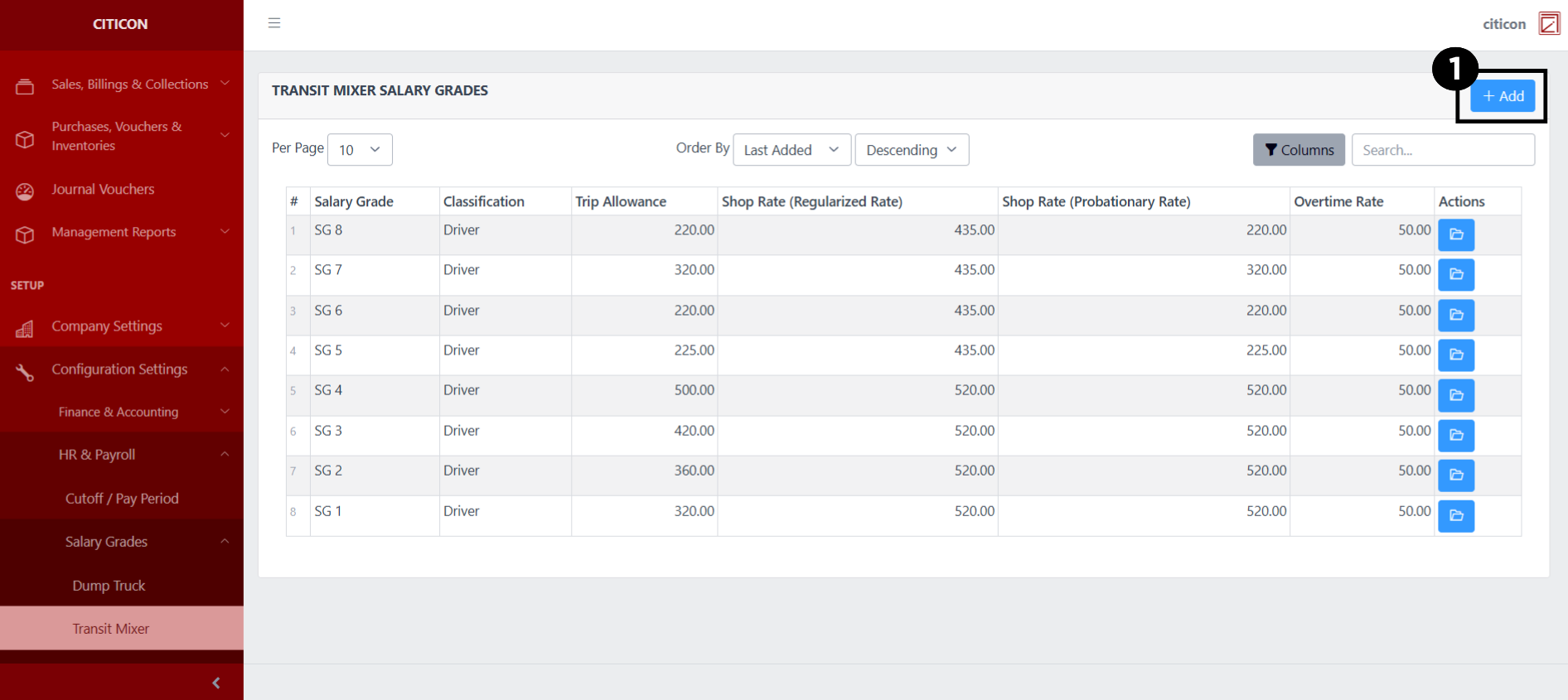
- Select the Add button to add a new record.
- Input the necessary details for your new record.
All fields that has an asterisk (*) are required to be filled up.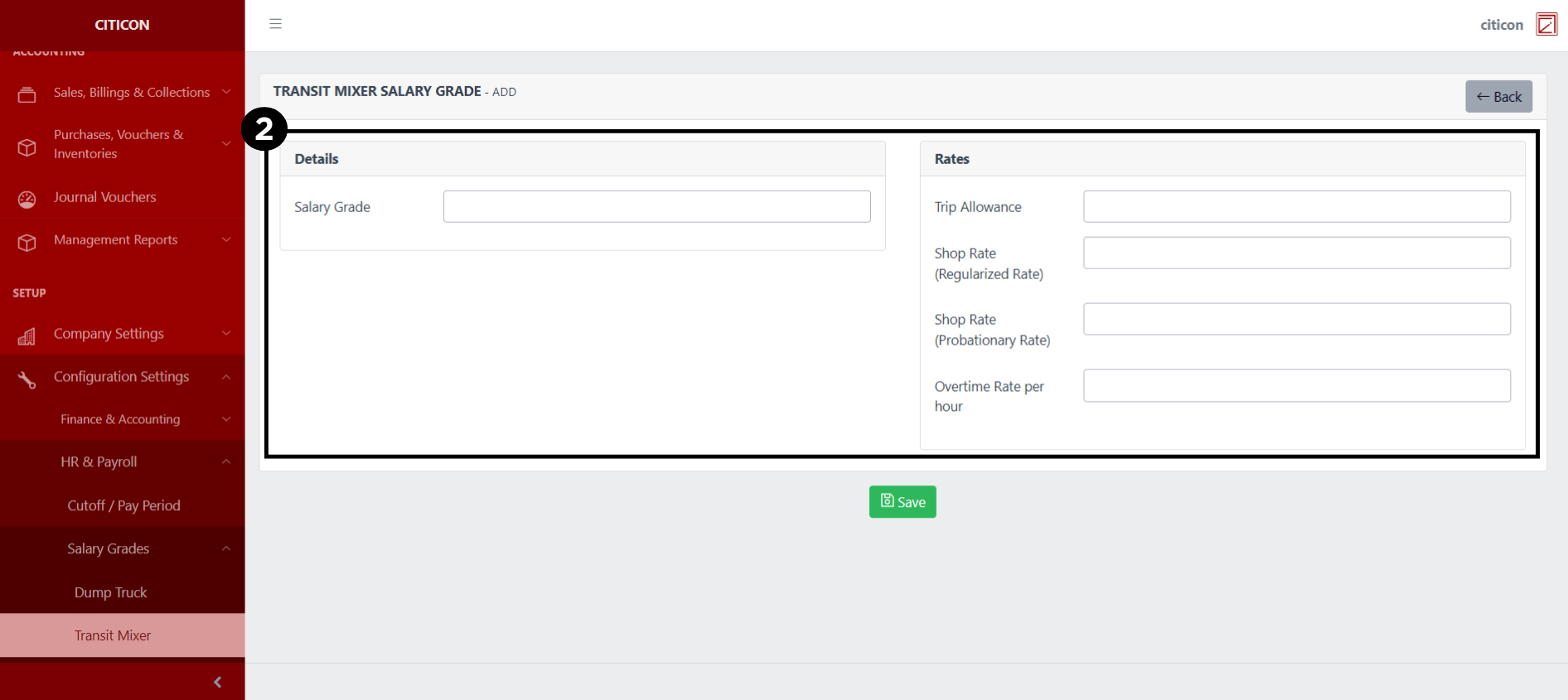
- Select the Save button to save your new record.
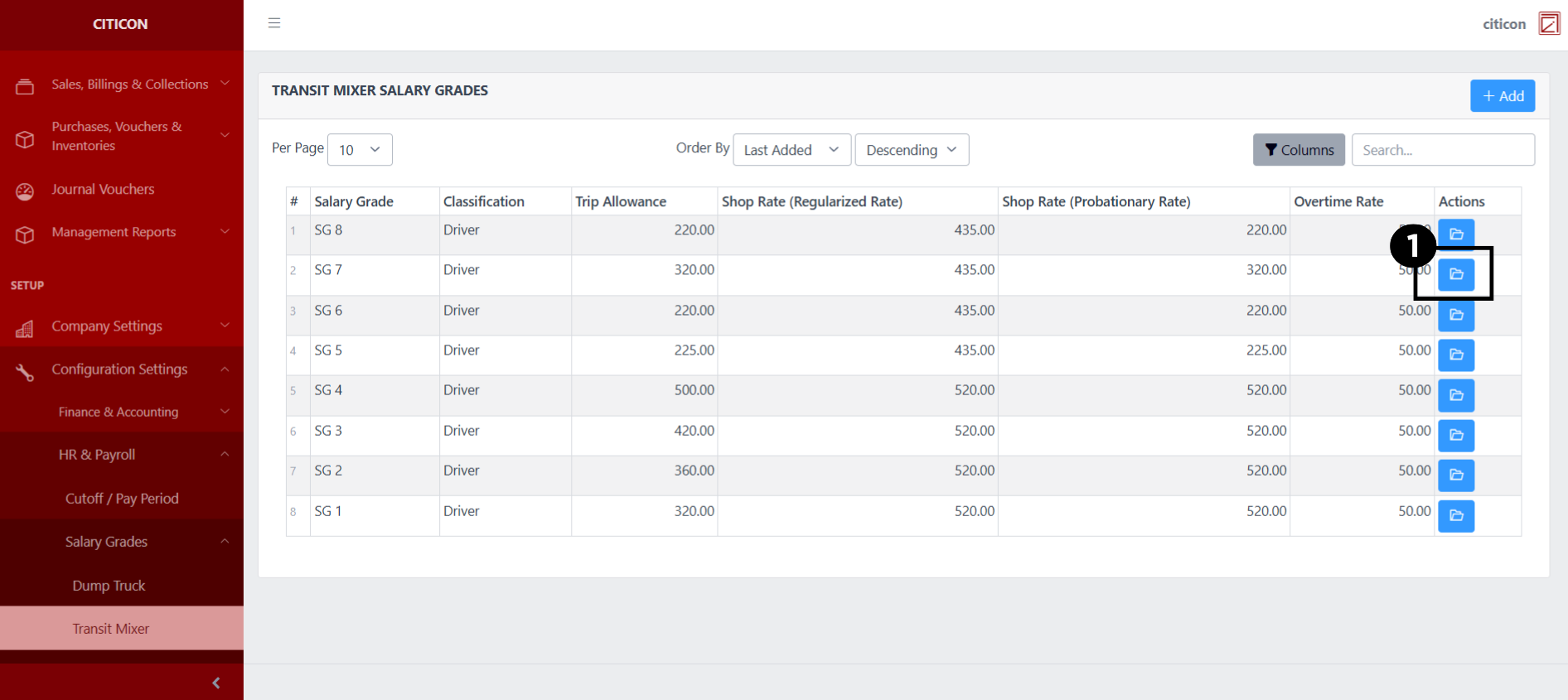
Show Records
- Select the folder button to view a record.
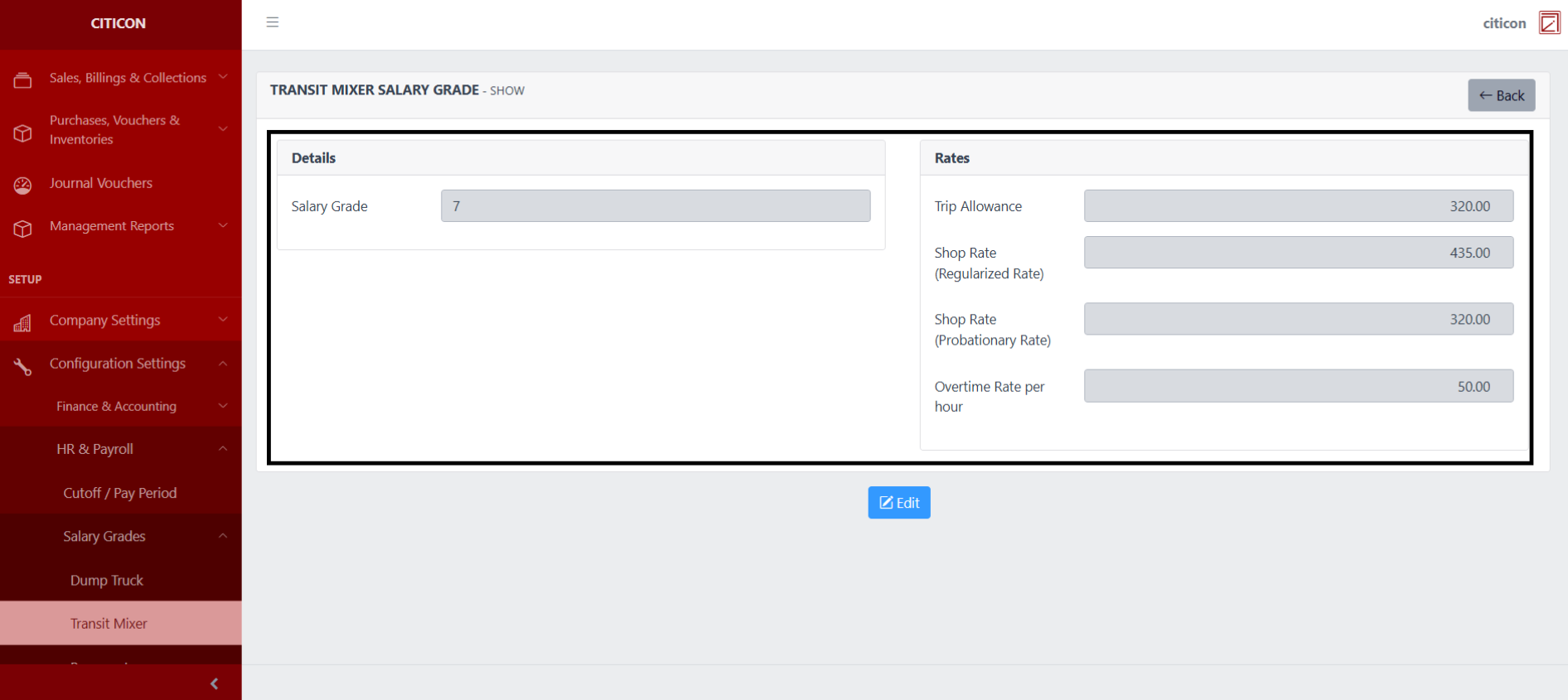
 Here you can view more specific details on the record that you selected.
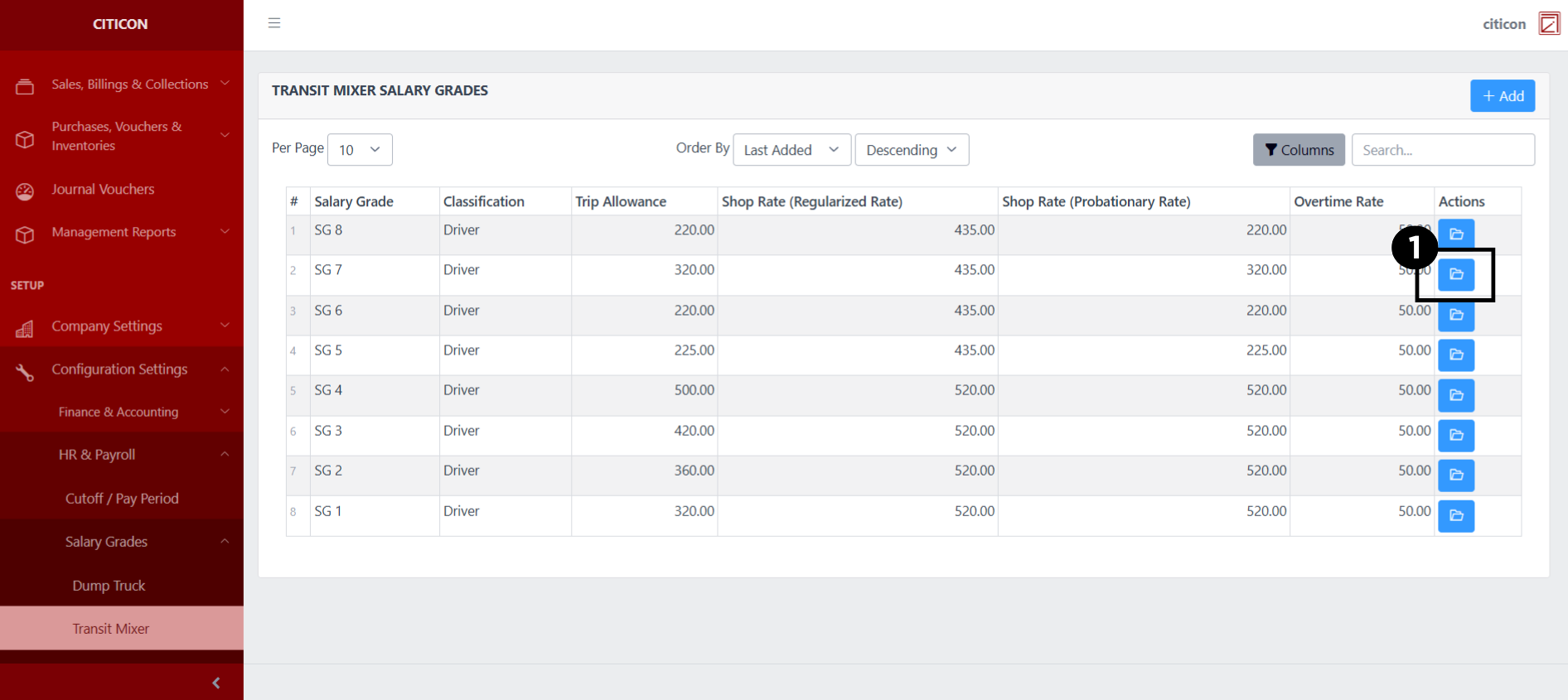
Update Records
- Select the folder button of the record which you want to edit.
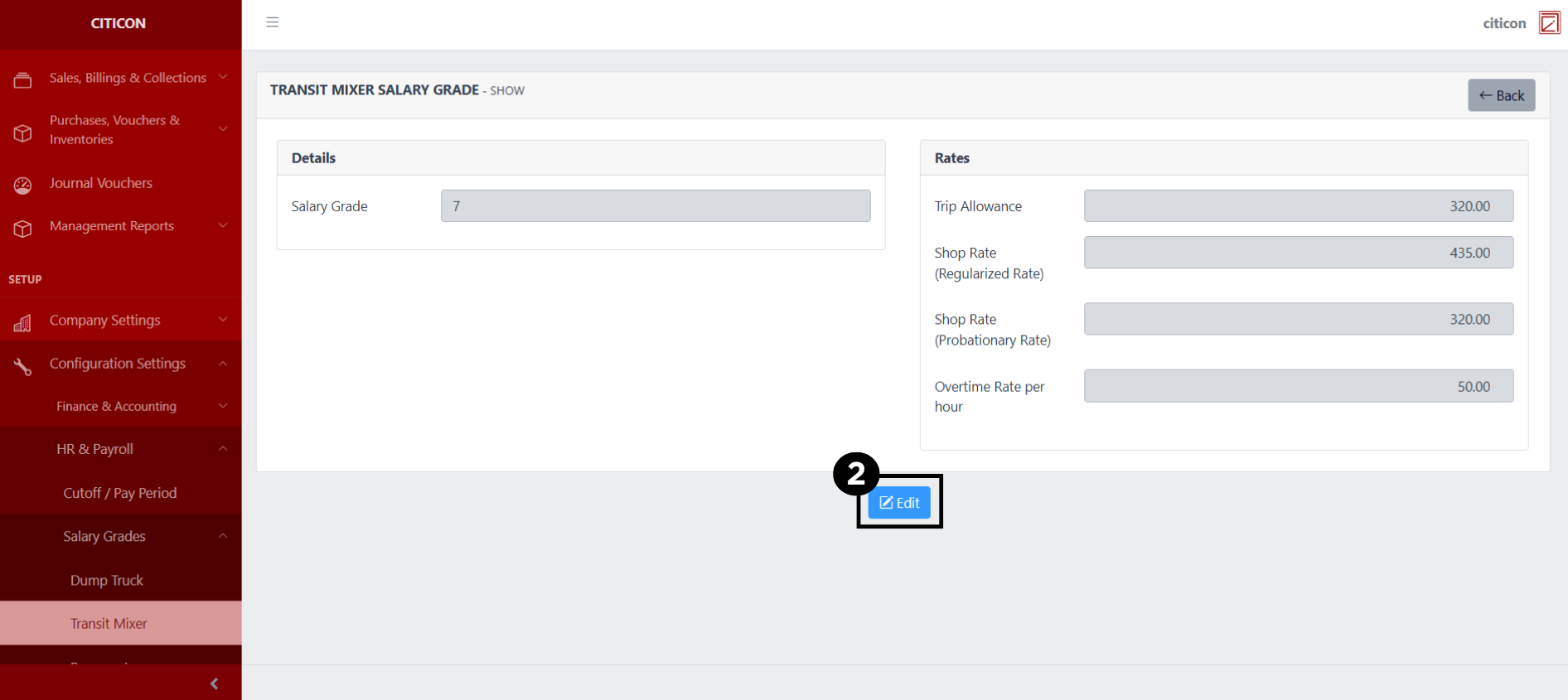
- Select the Edit button to update the details of the record.
- Select a detail section which you want to edit, and enter the necessary changes.
All fields with an asterisk (*) are required to be filled up.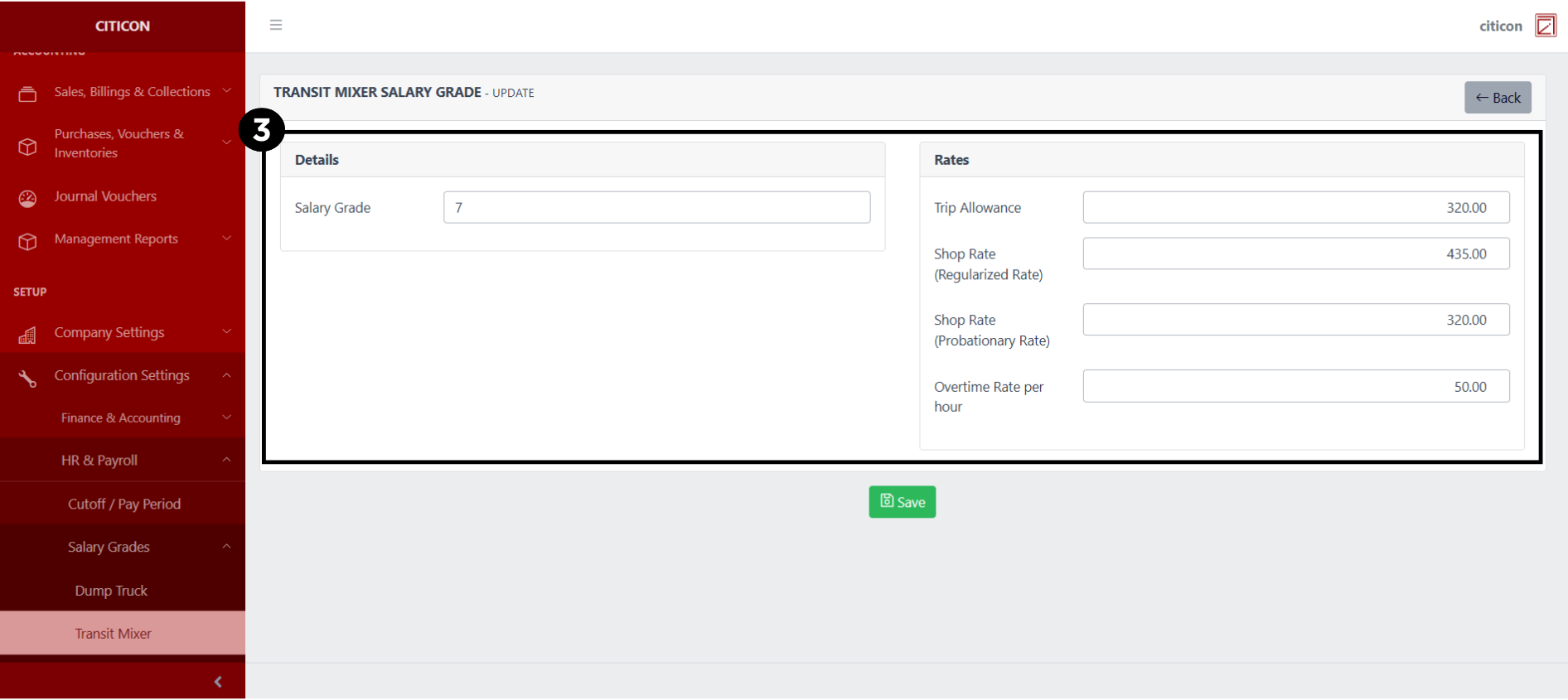
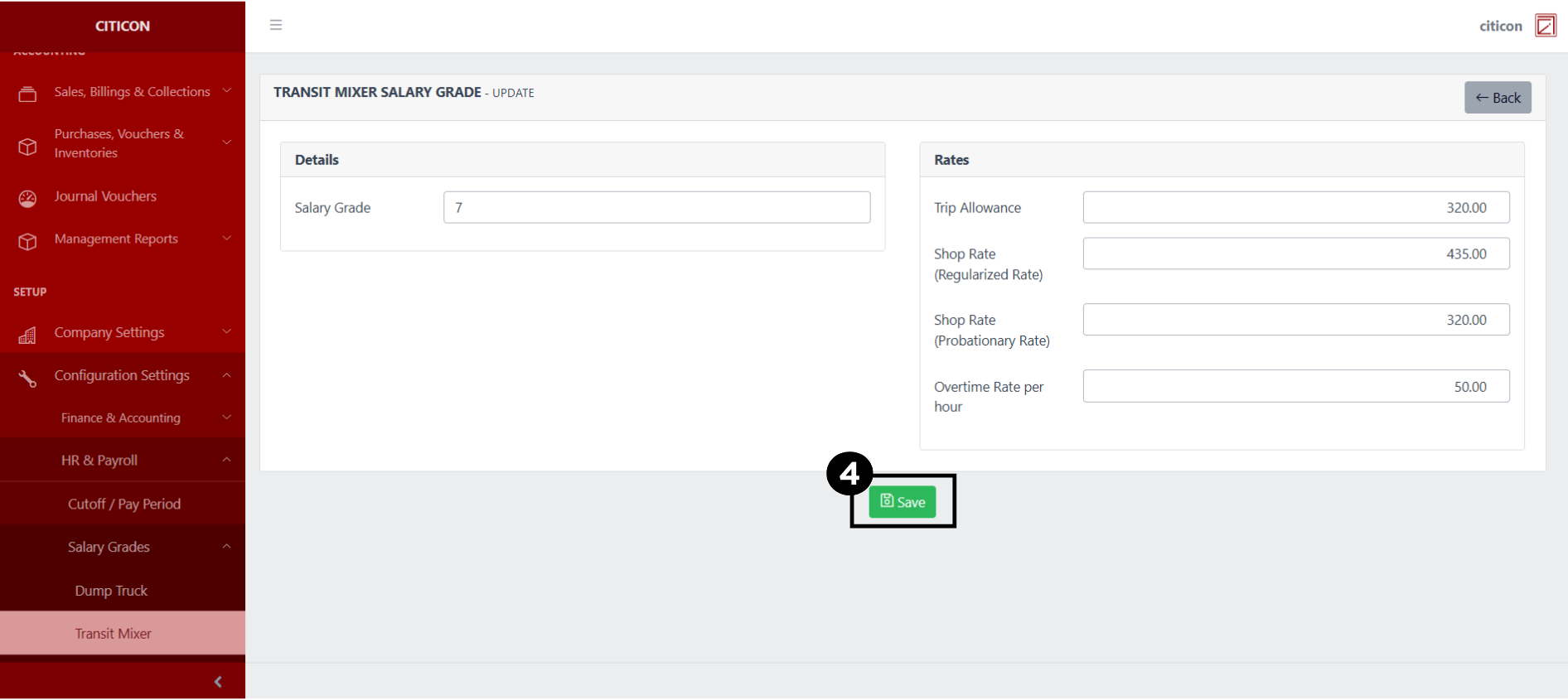
- Select the Save button to save the changes you have made.
Explore Citicon Payroll and Accounting System: Salary Grades - Pumpcrete Configuration