Overtime Configuration
Welcome to Citicon Payroll and Accounting Systems Configuration for Overtime. This section enables you to define and manage overtime compensation rates used across your organization, ensuring fair and accurate payout for hours worked beyond regular schedules.
Key Purposes
- Define Overtime Rates: Set specific overtime rates applicable to different employee categories and work scenarios.
- Track by Entry Details: Use entry numbers and codes to organize and reference different overtime rate entries.
- Label and Describe Overtime Types: Add clear names and descriptions to define each overtime classification and its purpose.
- Maintain Payroll Accuracy: Ensure proper application of overtime calculations in payroll processing.
- Activate or Deactivate Entries: Manage which overtime rate configurations are currently in use for compliance and adaptability.
Overtime Module User-Manual
This section provides details, and set-by-step instructions to access, view, and update the Overtime data stored in the system.
Index Page
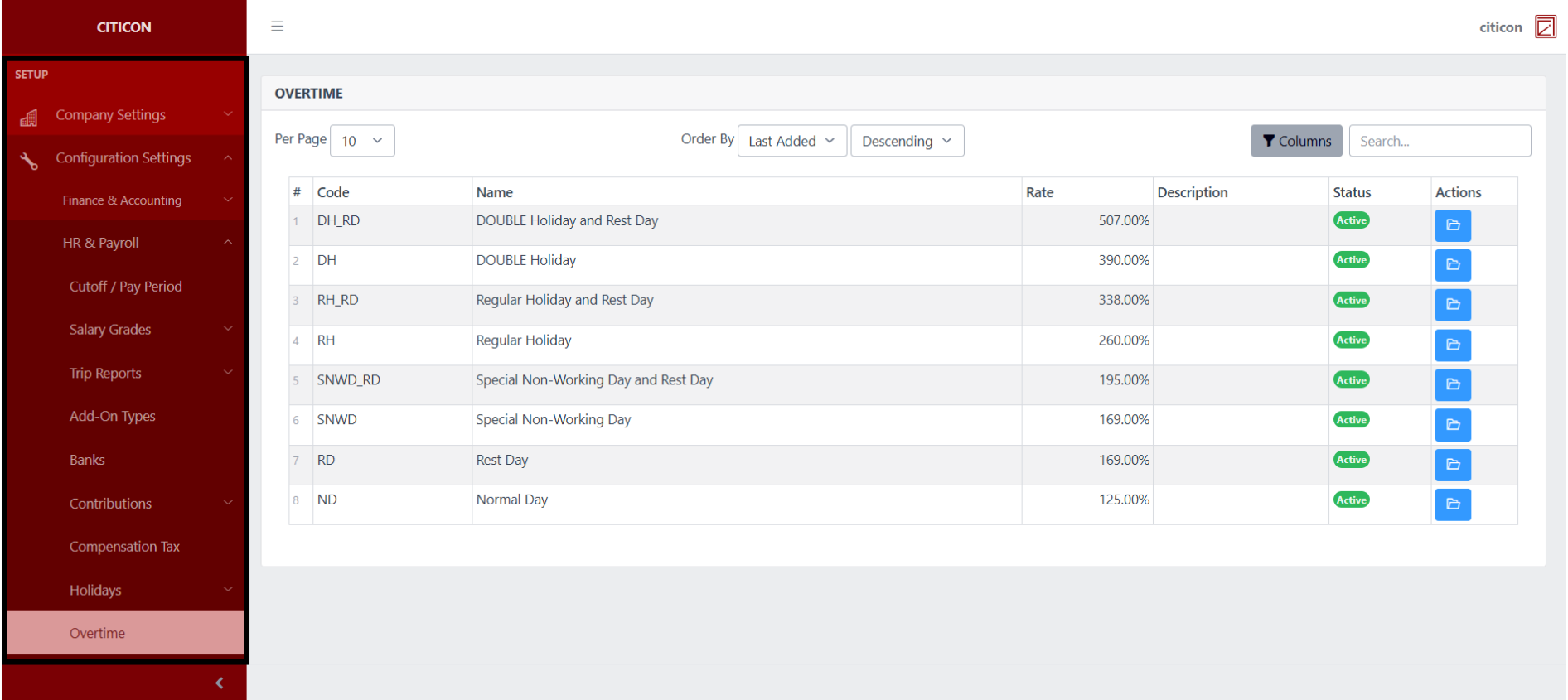
To access the Overtime Configuration. Go to Setup, select Configuration Settings, select HR & Payroll, then select Overtime.
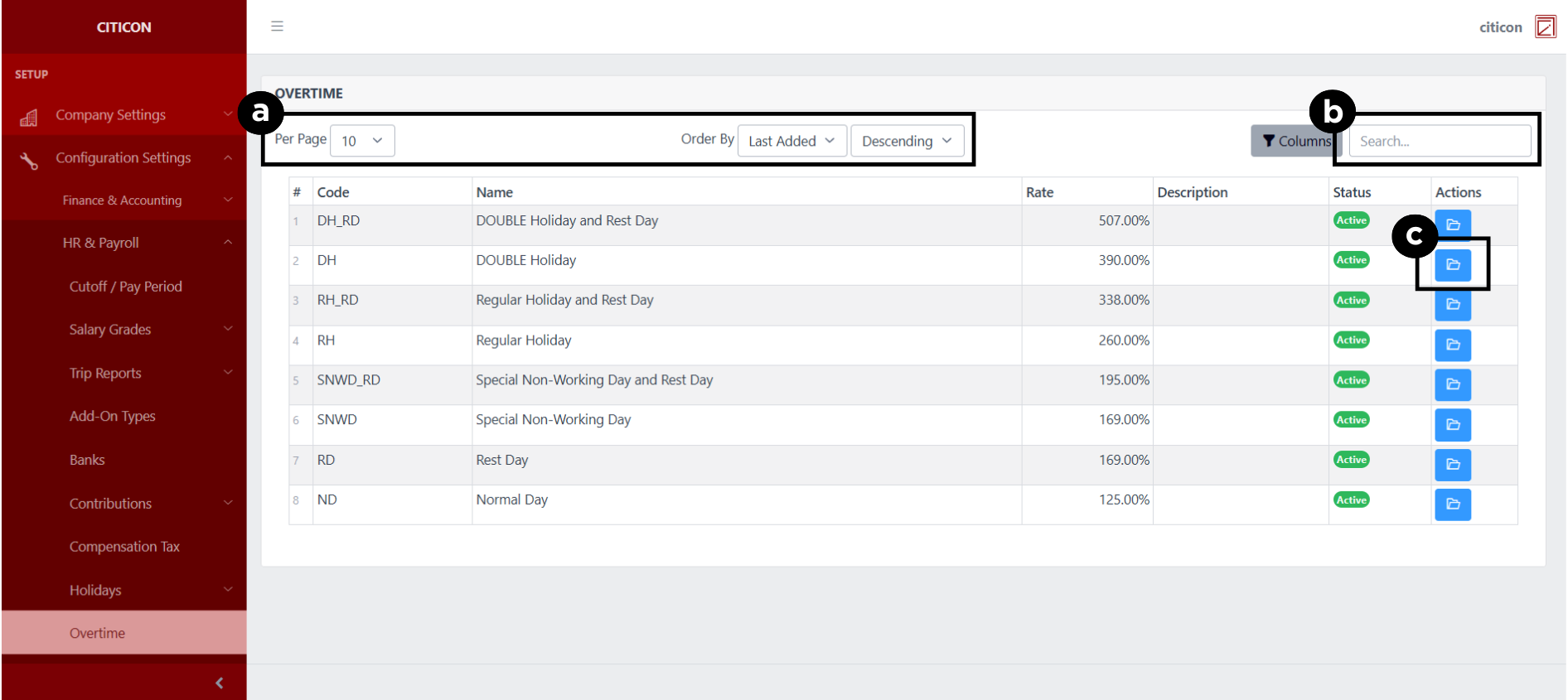
a. Adjust the paging, ordering, and sorting of the Overtime Page here.
b. Search for specific record details using the search bar.
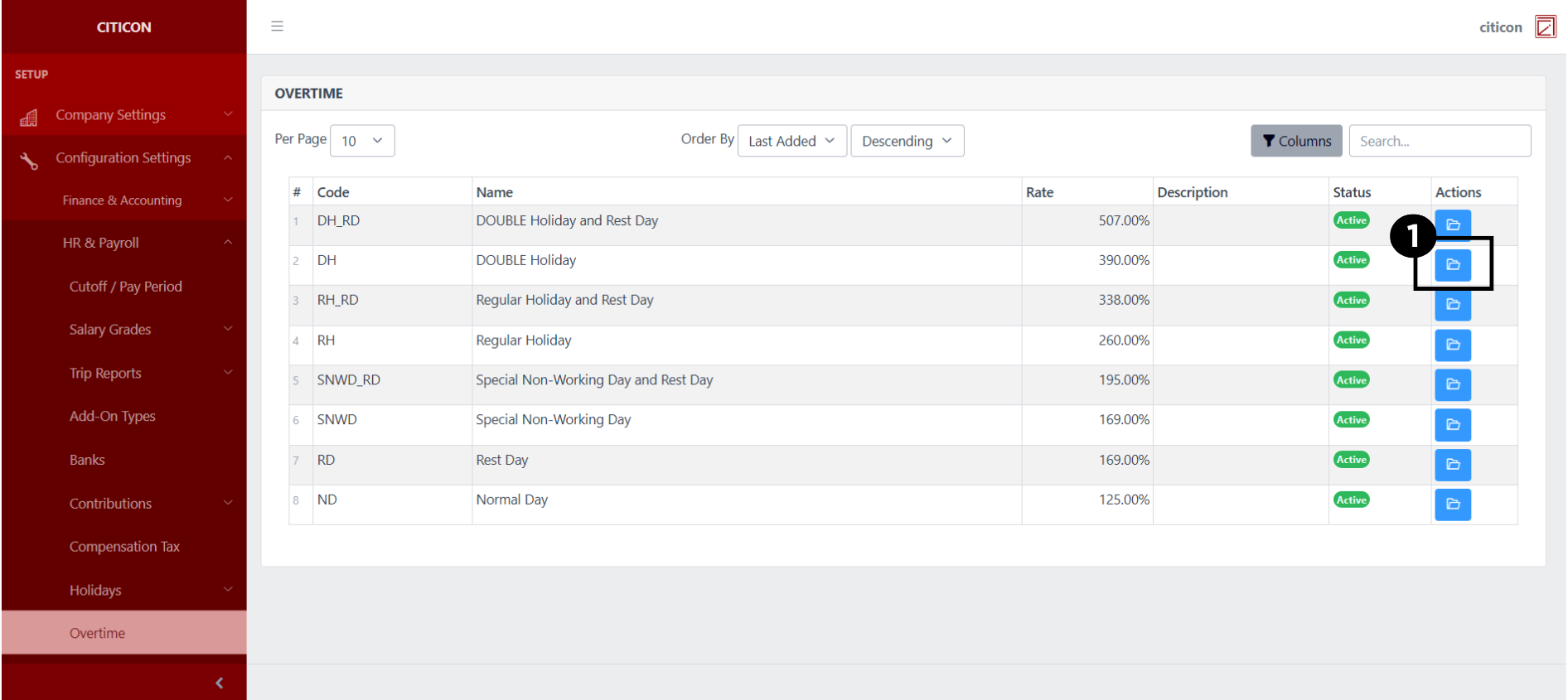
c. View or Edit a record by selecting the folder button.
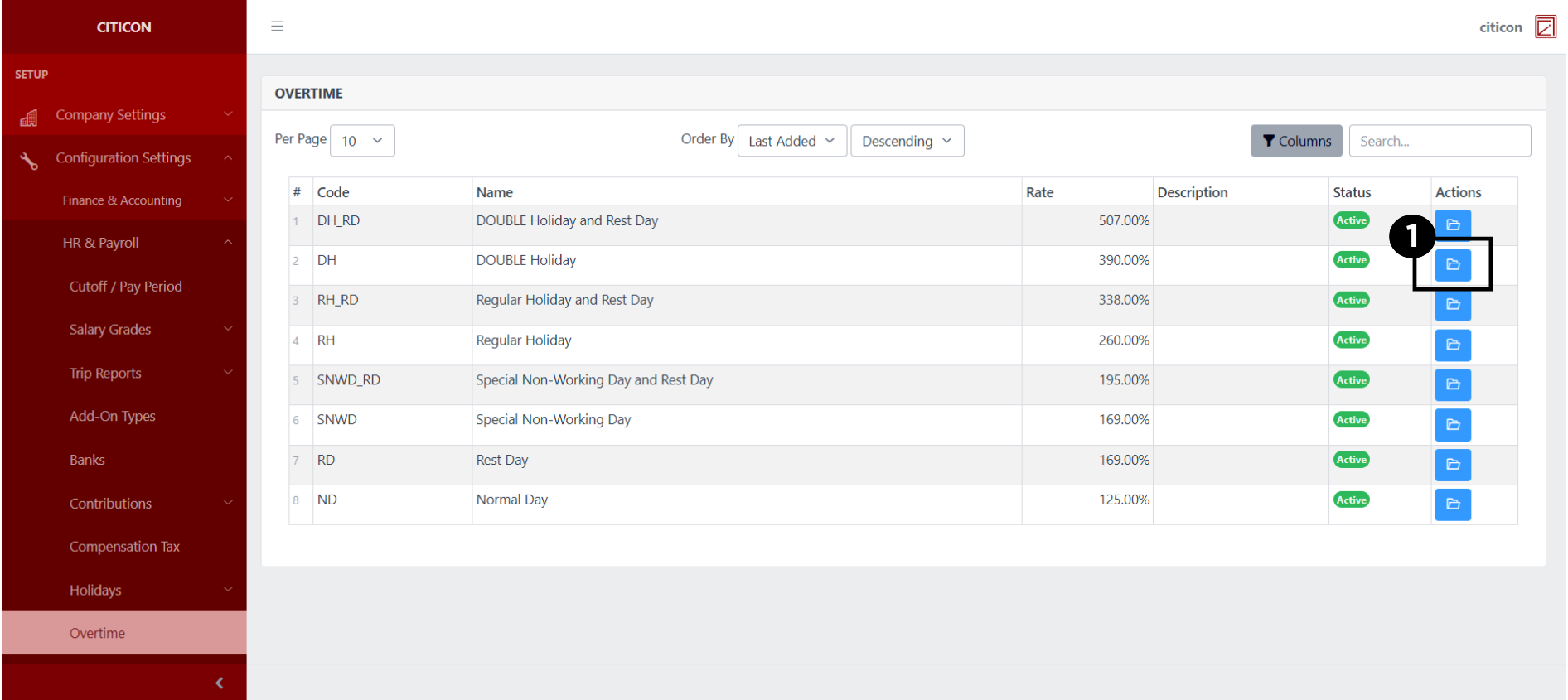
Show Records
- Select the folder button to view a record.
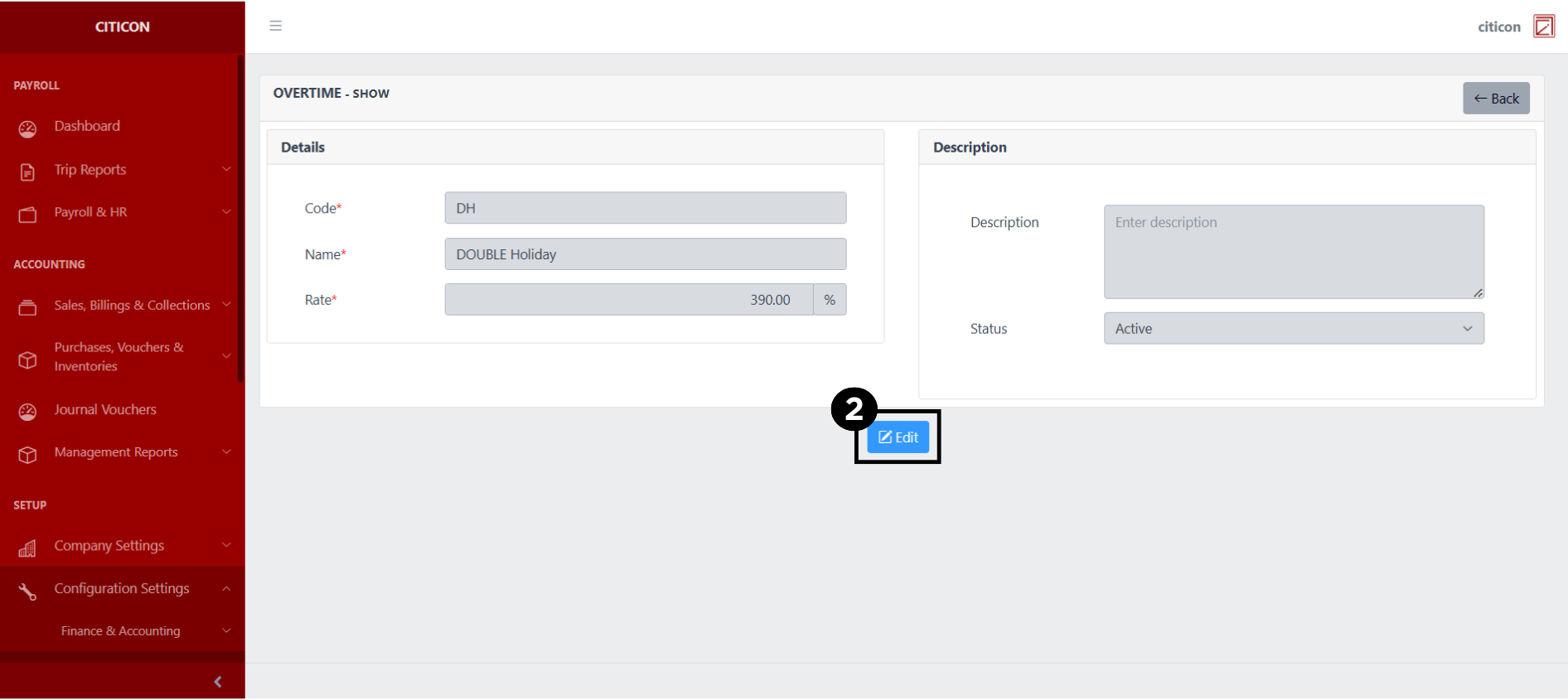
 Here you can view more specific details on the record that you selected.
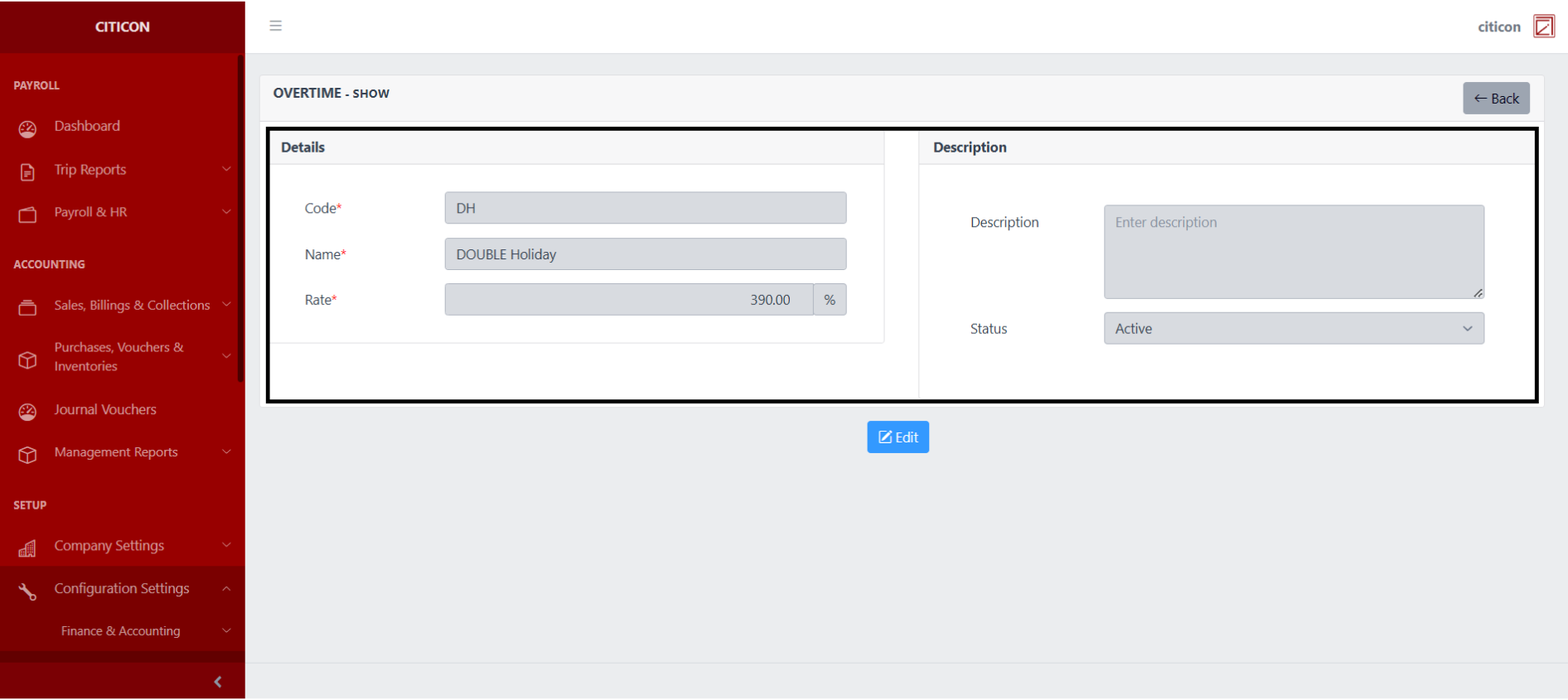
Update Records
- Select the folder button of the record which you want to edit.
- Select the Edit button to update the details of the record.
- Select a detail section which you want to edit, and enter the necessary changes.
All fields with an asterisk (*) are required to be filled up.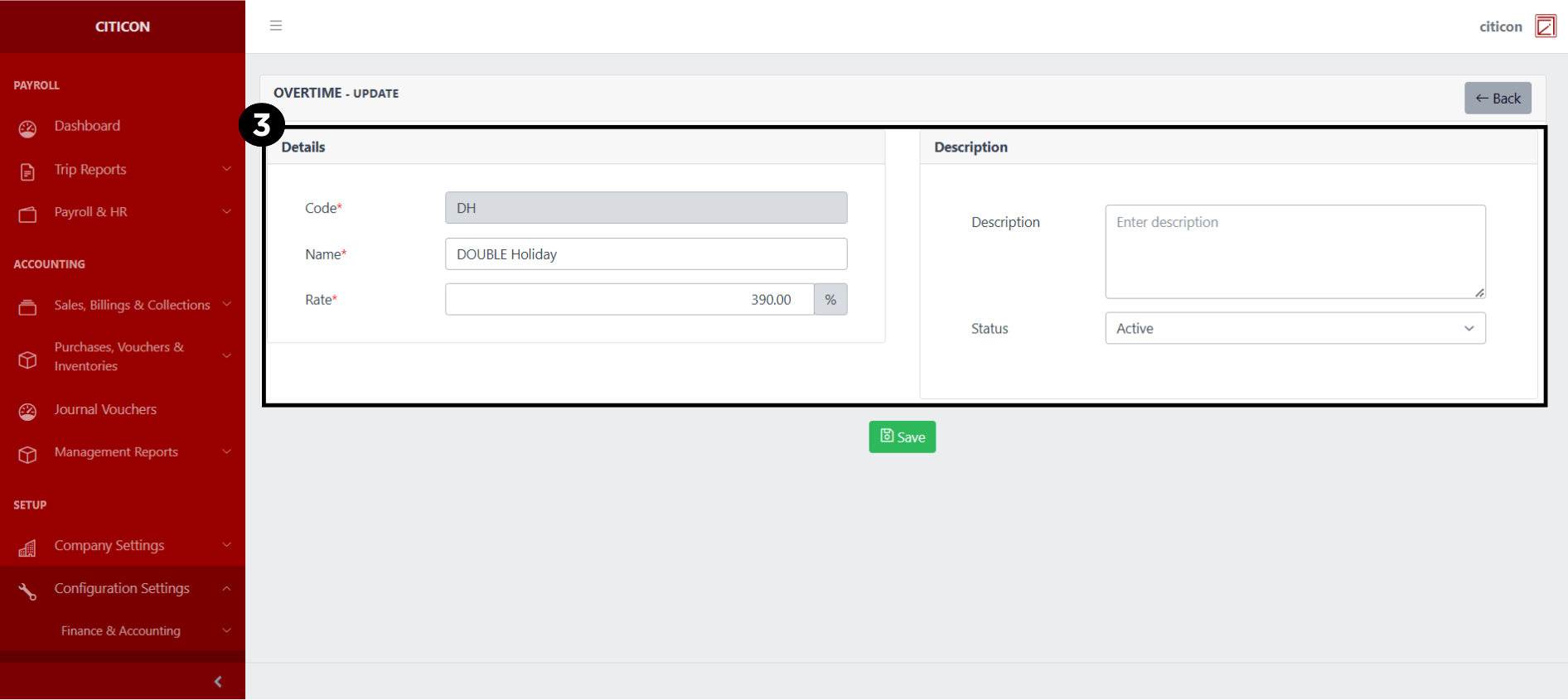
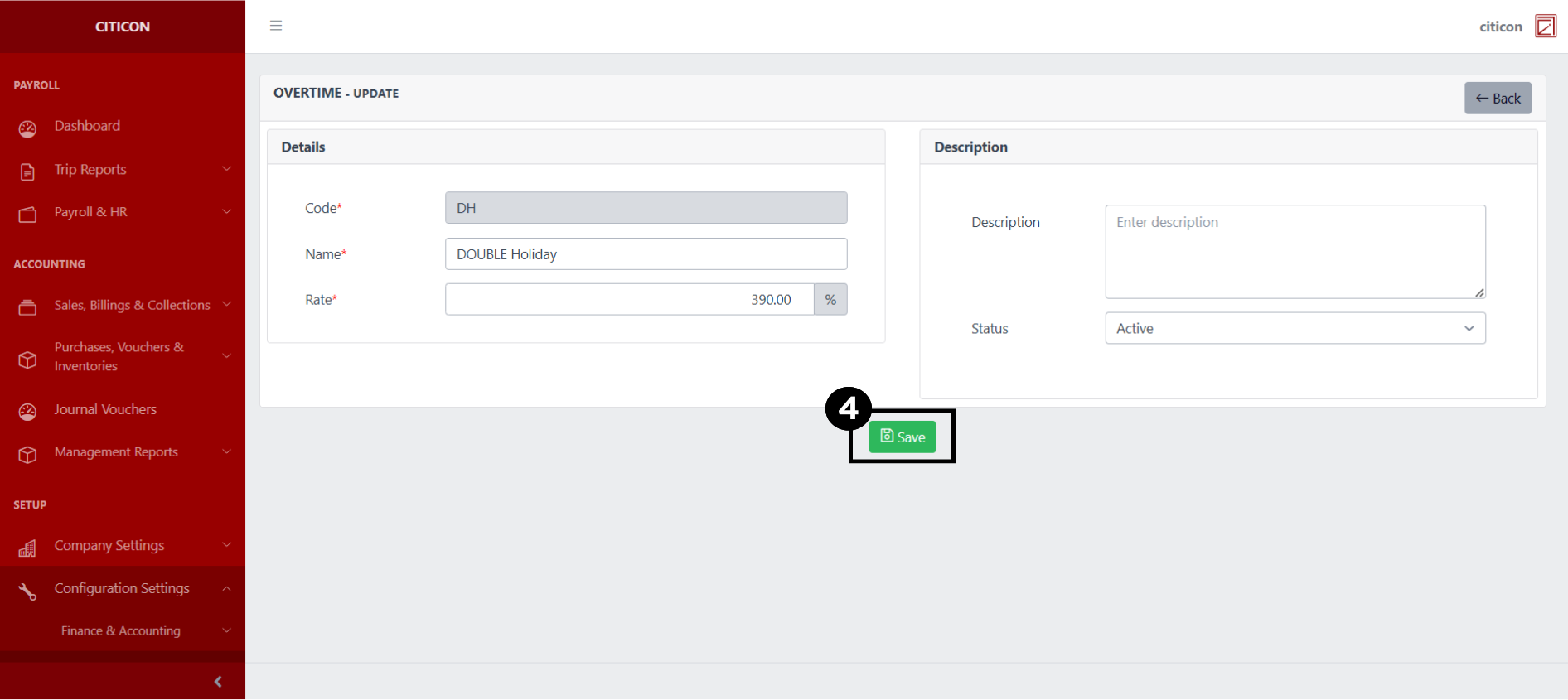
- Select the Save button to save the changes you have made.
Explore Citicon Payroll and Accounting System: Night Differential Configuration