Cutoff / Pay Period Configurations
Welcome to Citicon Payroll and Accounting Systems Configuration for Cutoff / Pay Period. This module allows you to define and manage payroll periods based on your company’s preferred schedule, ensuring accurate and timely salary computation, benefits tracking, and compliance with internal payroll policies.
Key Purposes
-
Payroll Scheduling: Set up the frequency and type of your payroll cycle (weekly, semi-monthly, monthly) to match your company's payment structure.
-
Contribution Handling: Specify contribution types such as full or half, and indicate if contributions apply to a particular cutoff, ensuring accurate deductions.
-
Timely Payouts: Define payout dates for each period, streamlining payroll releases and ensuring employees are paid on time.
-
Record Organization: Assign clear names and descriptions to each cutoff period for easy reference, especially when reviewing payroll history.
-
Regulatory Compliance: Maintain accurate and auditable records of payroll periods and contribution handling, supporting labor and tax compliance.
Cutoff / Pay Period Module User-Manual
This section provides details, and set-by-step instructions to access, view, and update the Cutoff / Pay Period data stored in the system.
Index Page
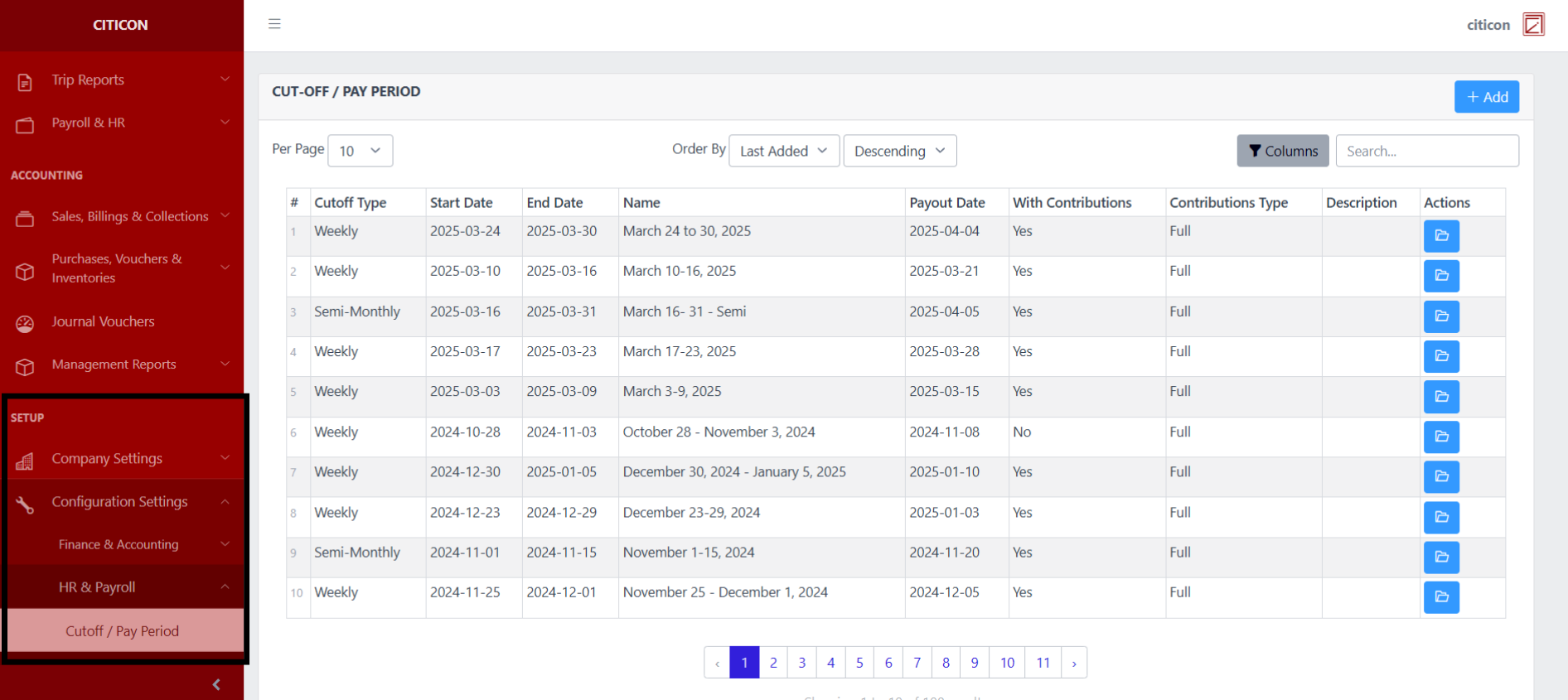
To access the Cutoff / Pay Period Configuration. Go to Setup, select Configuration Settings, select HR & Payroll, then select Cutoff / Pay Period.
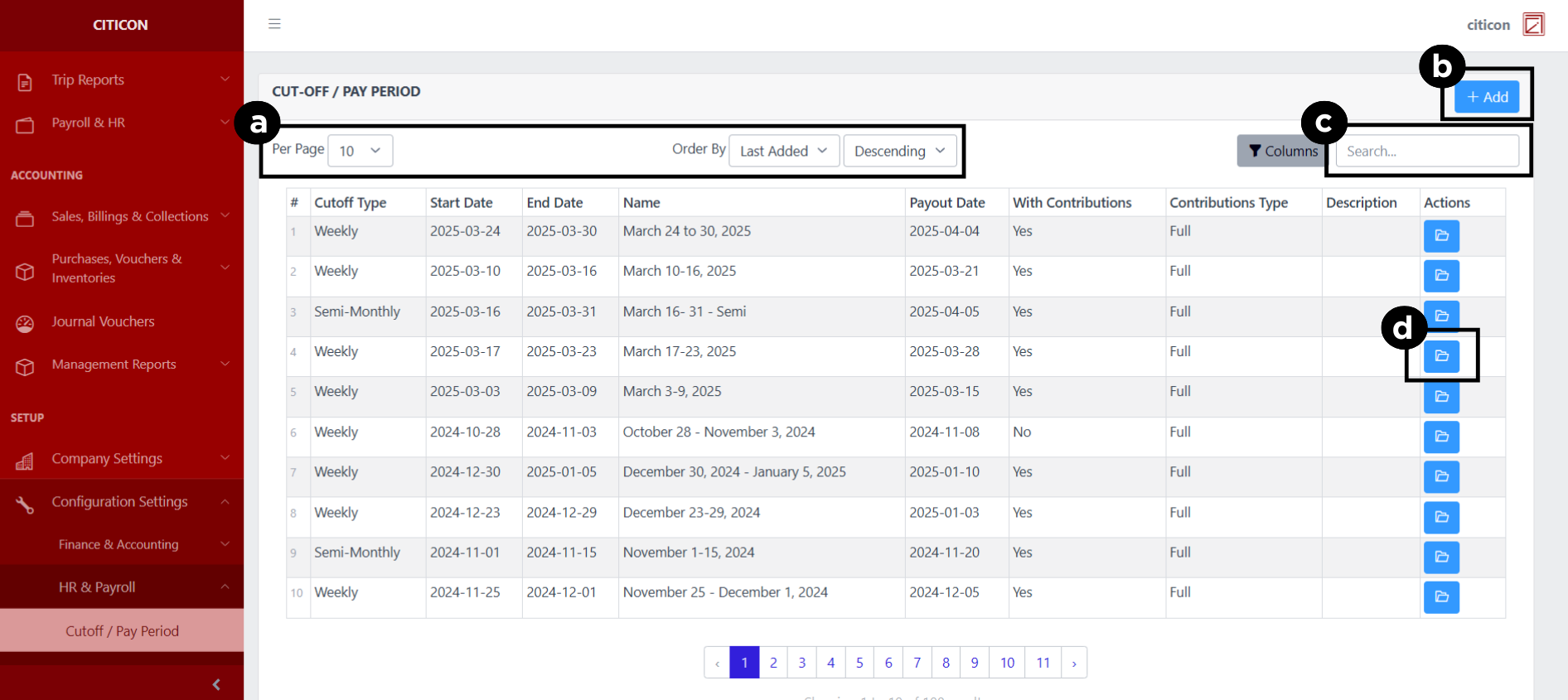
a. Adjust the paging, ordering, and sorting of the Cutoff / Pay Period Page here.
b. Select the Add button to add data.
c. Search for specific record details using the search bar.
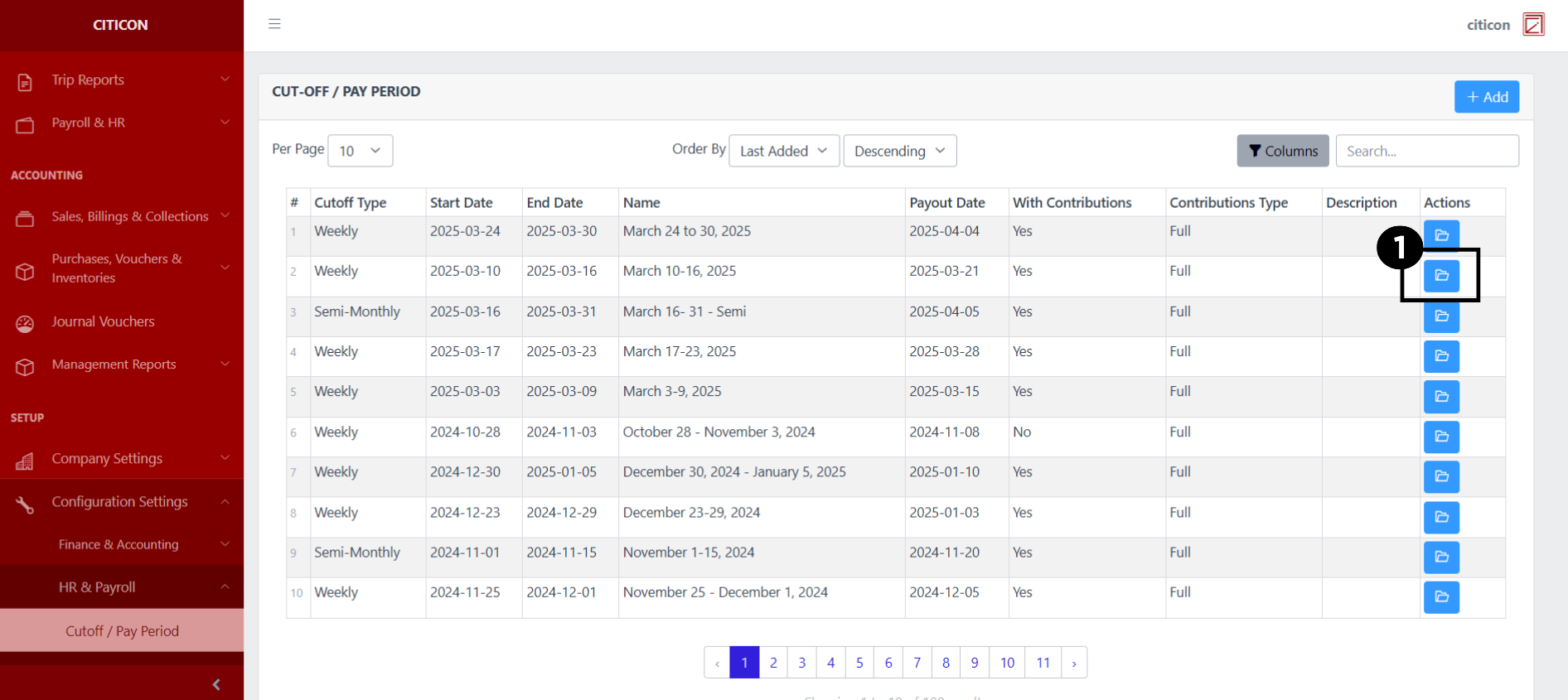
d. View or Edit a record by selecting the folder button.
Add Records
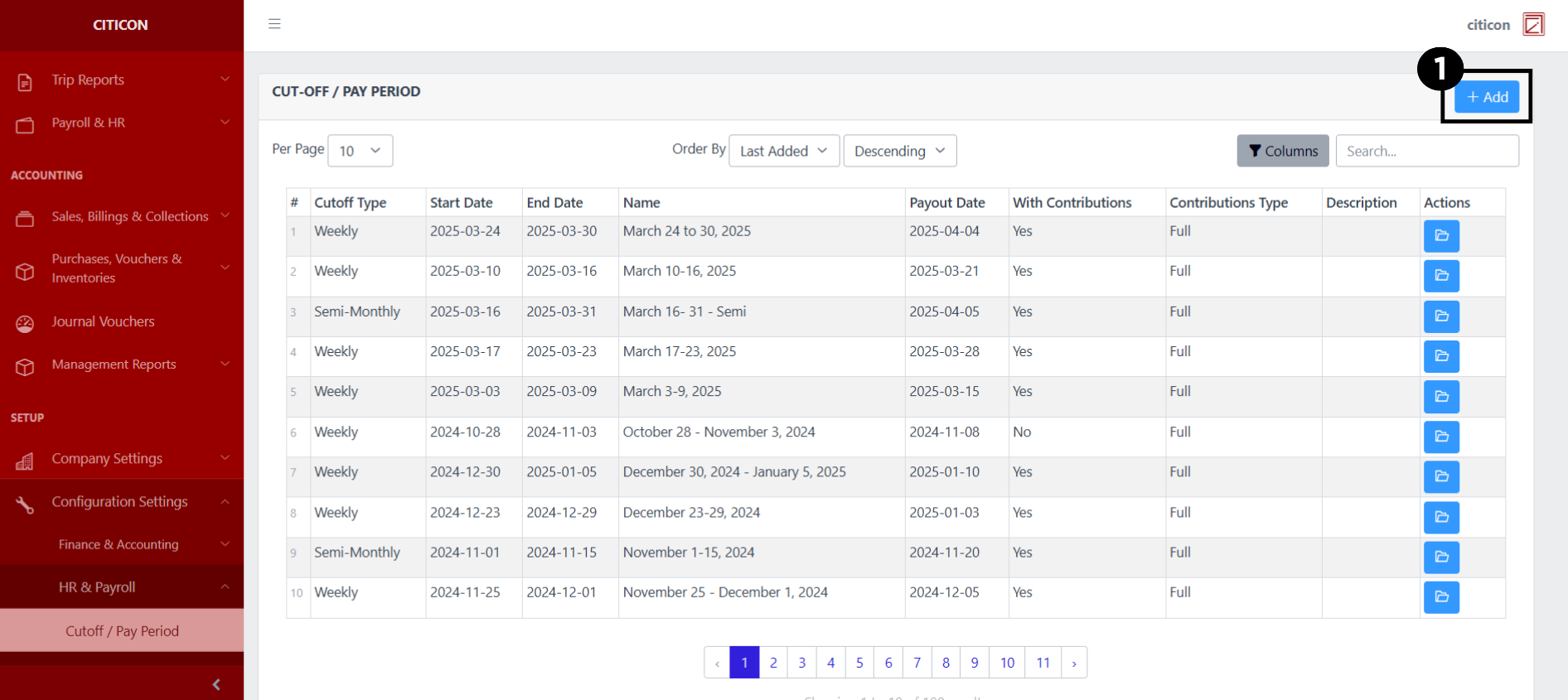
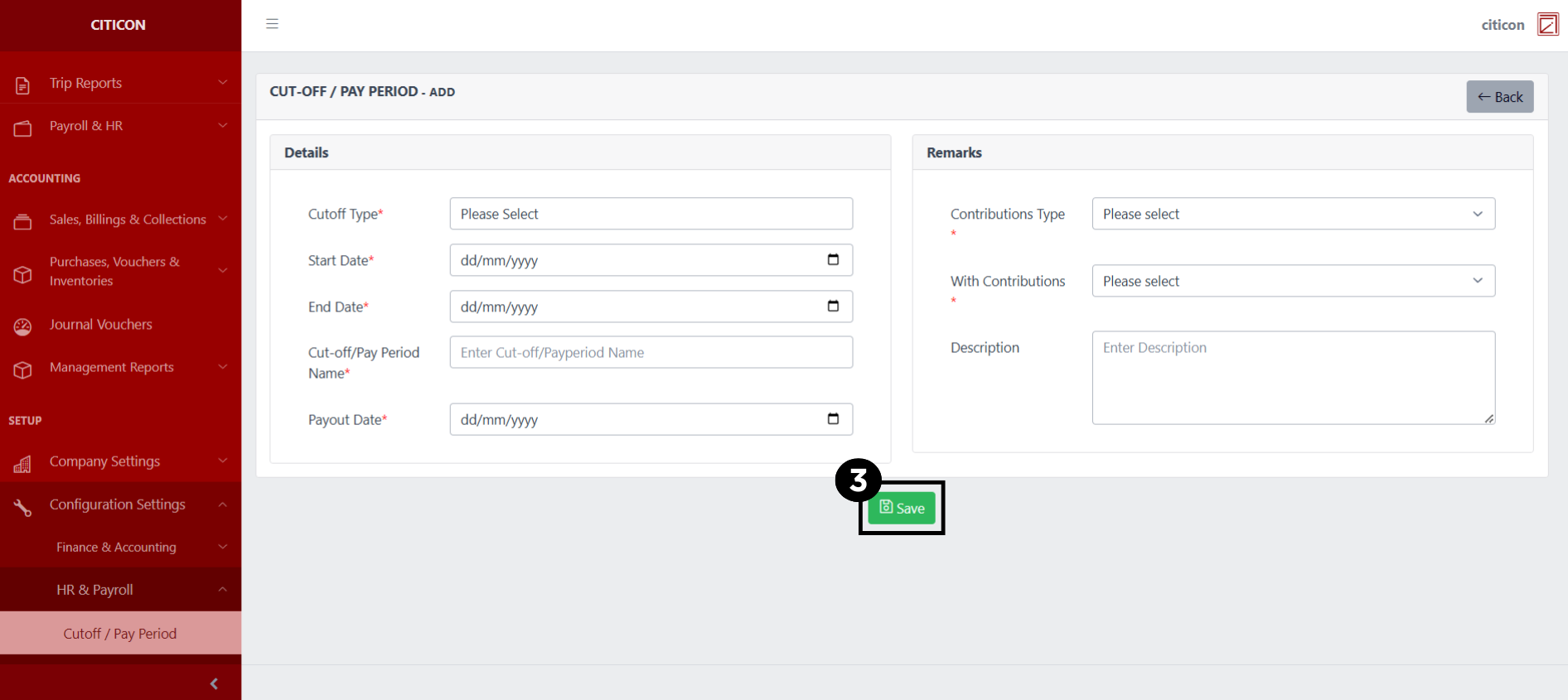
- Select the Add button to add a new record.
- Input the necessary details for your new record.
All fields that has an asterisk (*) are required to be filled up.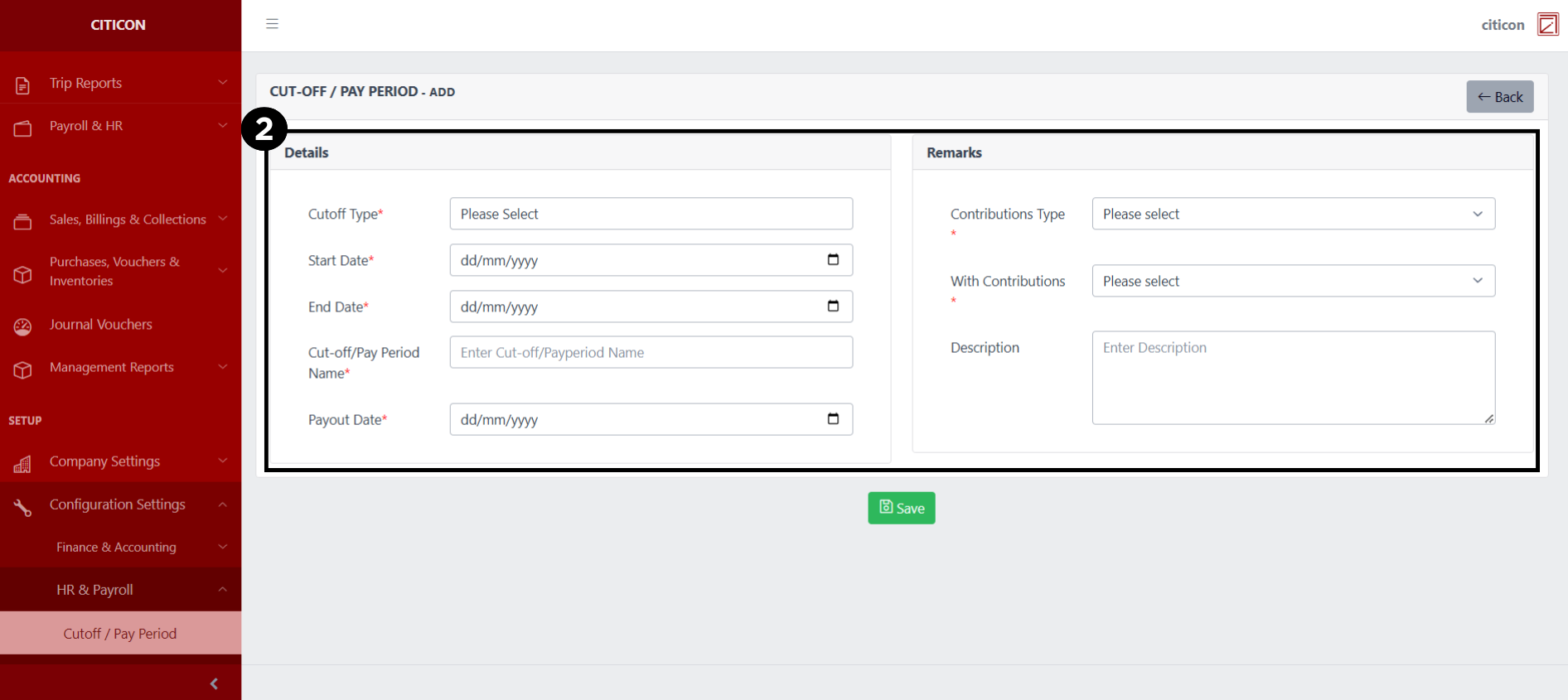
- Select the Save button to save your new record.
Show Records
- Select the folder button to view a record.
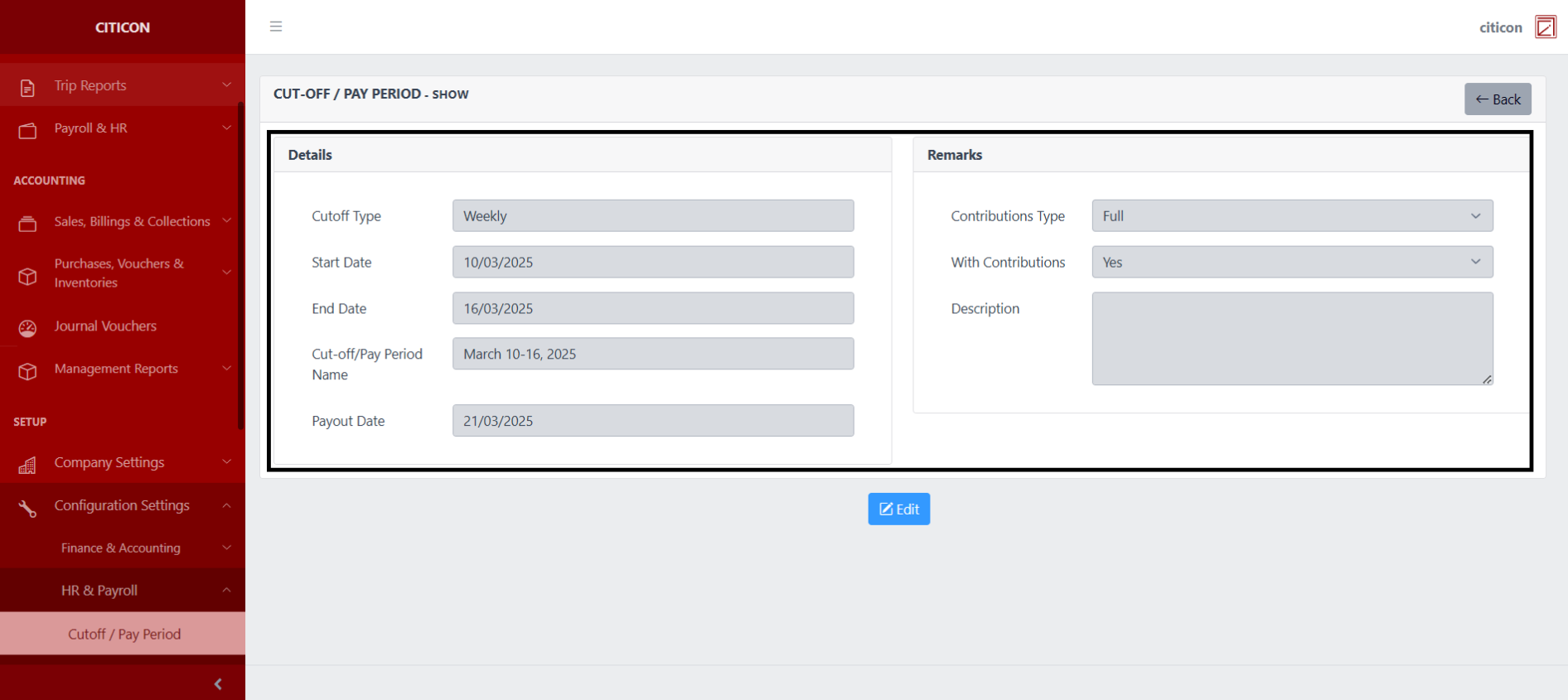
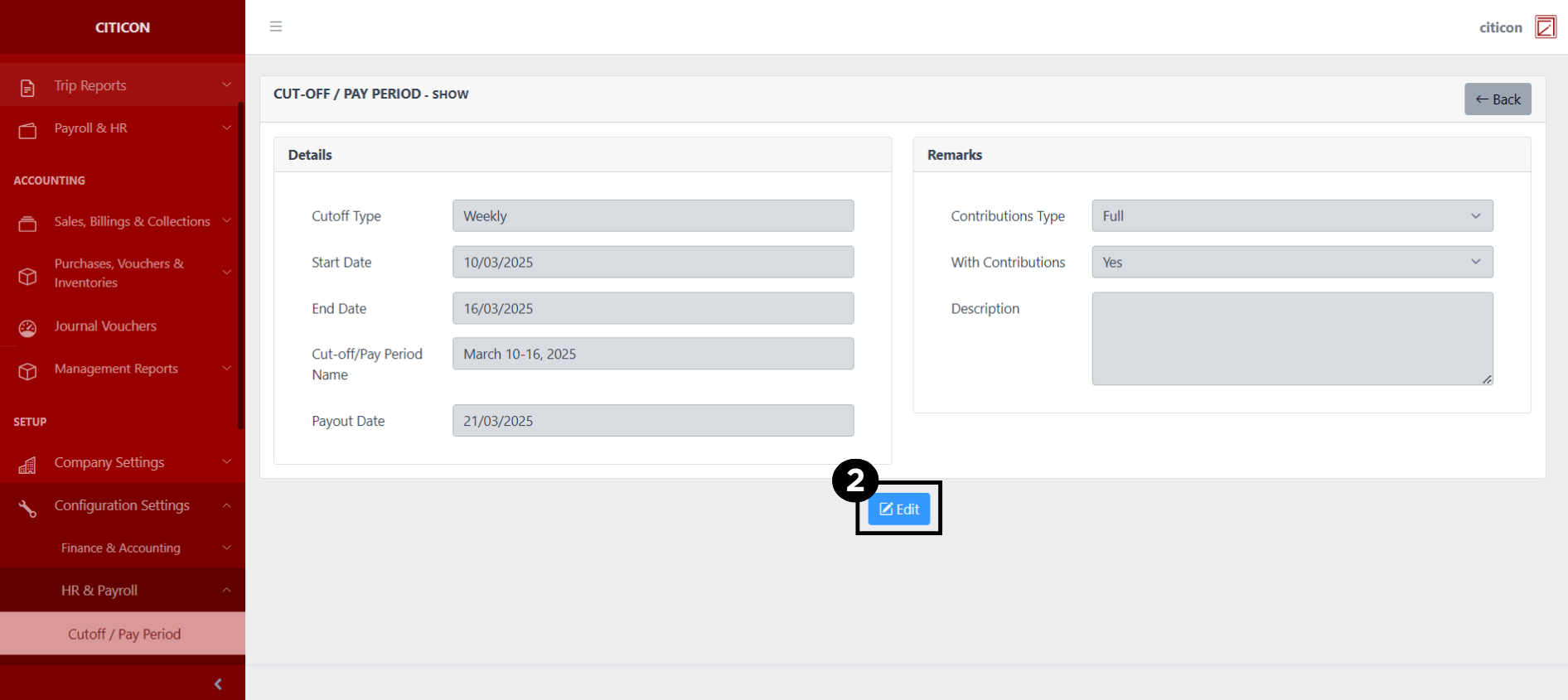
 Here you can view more specific details on the record that you selected.
Update Records
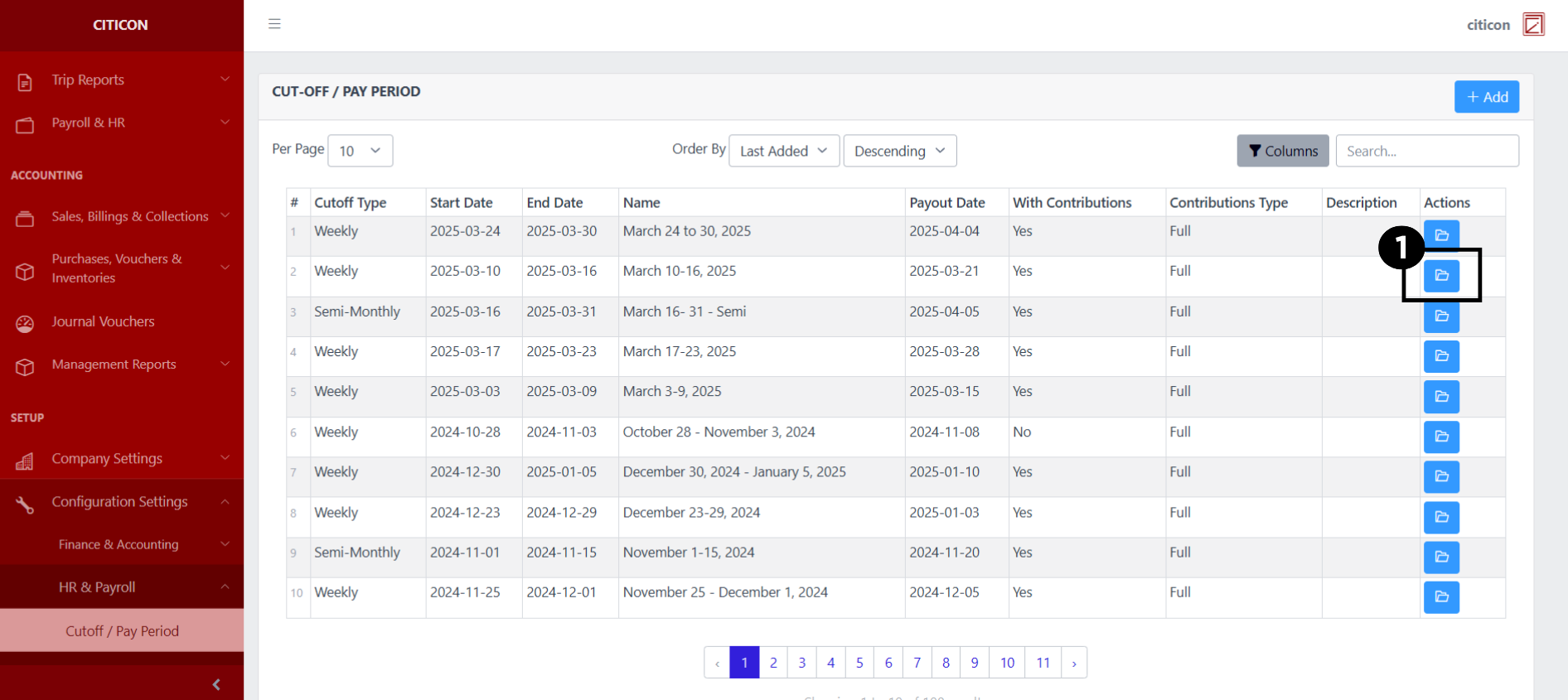
- Select the folder button of the record which you want to edit.
- Select the Edit button to update the details of the record.
- Select a detail section which you want to edit, and enter the necessary changes.
All fields with an asterisk (*) are required to be filled up.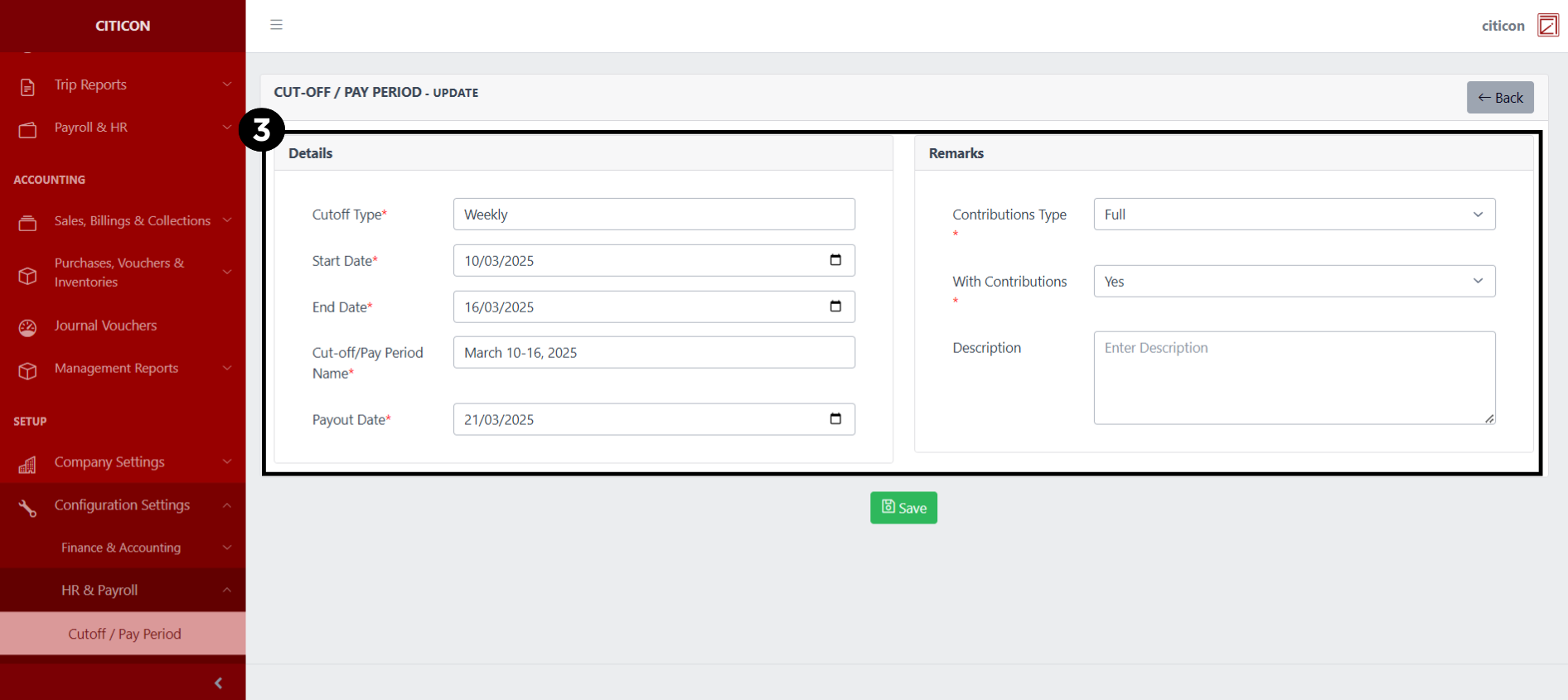
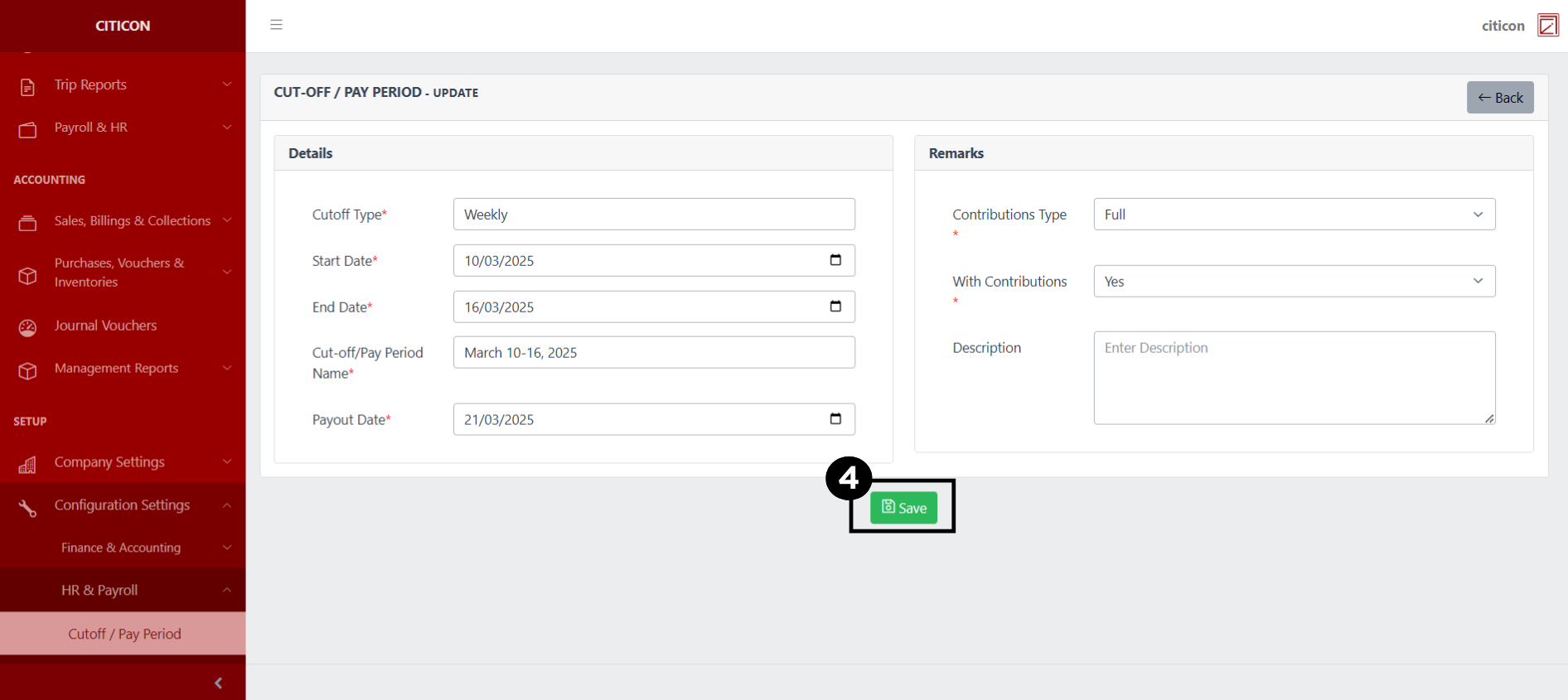
- Select the Save button to save the changes you have made.
Explore Citicon Payroll and Accounting System: Salary Grades - Dump Truck Configuration