Contributions - SSS Configuration
Welcome to Citicon Payroll and Accounting Systems Configuration for SSS Contributions. This section allows you to accurately define and manage Social Security System (SSS) contribution rates for both employers and employees, in line with government-mandated regulations. Proper setup ensures legal compliance and correct payroll deductions.
Key Purposes
- Set Contribution Ranges: Define the minimum and maximum compensation brackets for accurate SSS deductions.
- Differentiate Contribution Types: Manage Regular Social Security, Employees Compensation, and Mandatory Provident Fund rates separately for both employer and employee.
- Align with Cutoff Types: Customize entries based on your selected cutoff period (weekly, semi-monthly, or monthly).
- Year-Specific Configuration: Record and track SSS contribution settings based on applicable fiscal years.
- Ensure Accurate Payroll Deductions: Automate and validate correct SSS contributions across all salary computations to meet compliance and reduce manual errors.
Contributions - SSS Module User-Manual
This section provides details, and set-by-step instructions to access, view, and update the Contributions - SSS data stored in the system.
Index Page
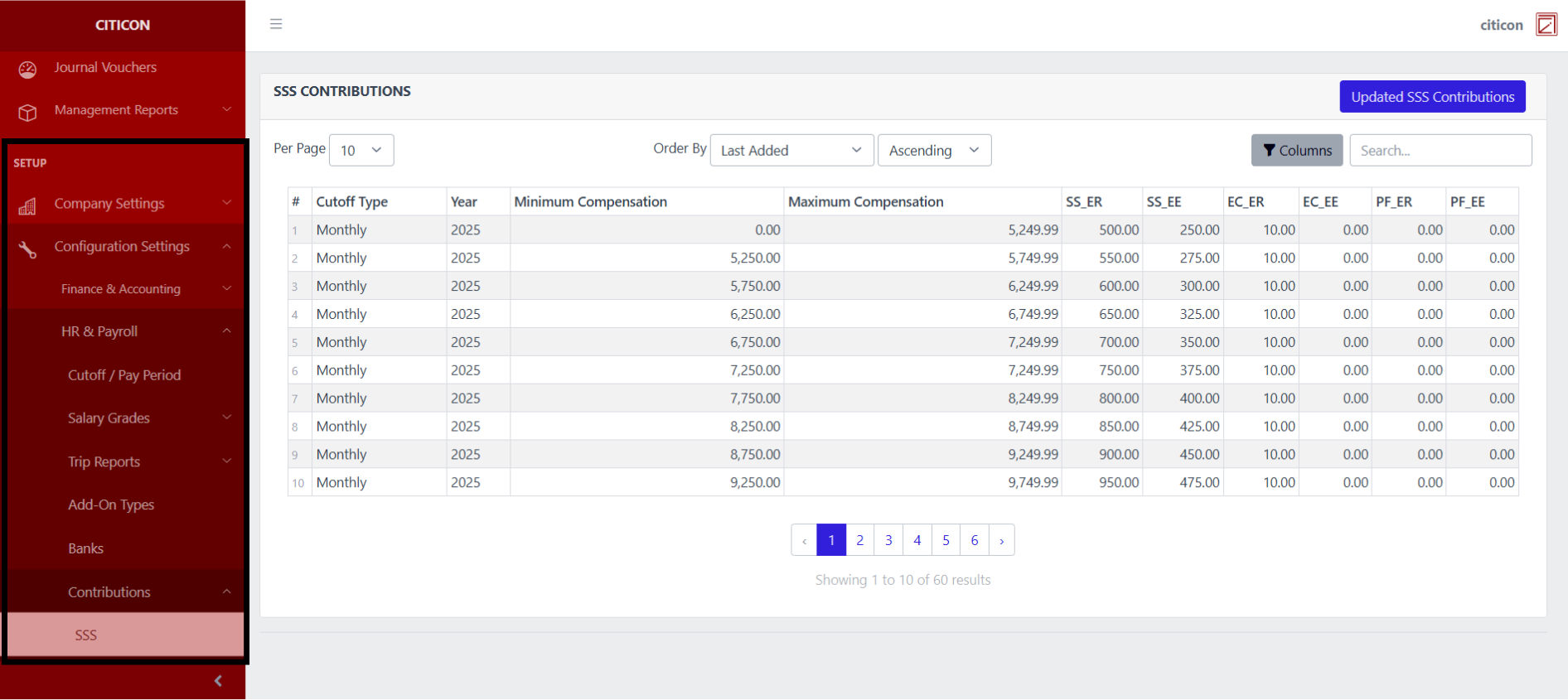
To access the Contributions - SSS Configuration. Go to Setup, select Configuration Settings, select HR & Payroll, then select Contributions - SSS.
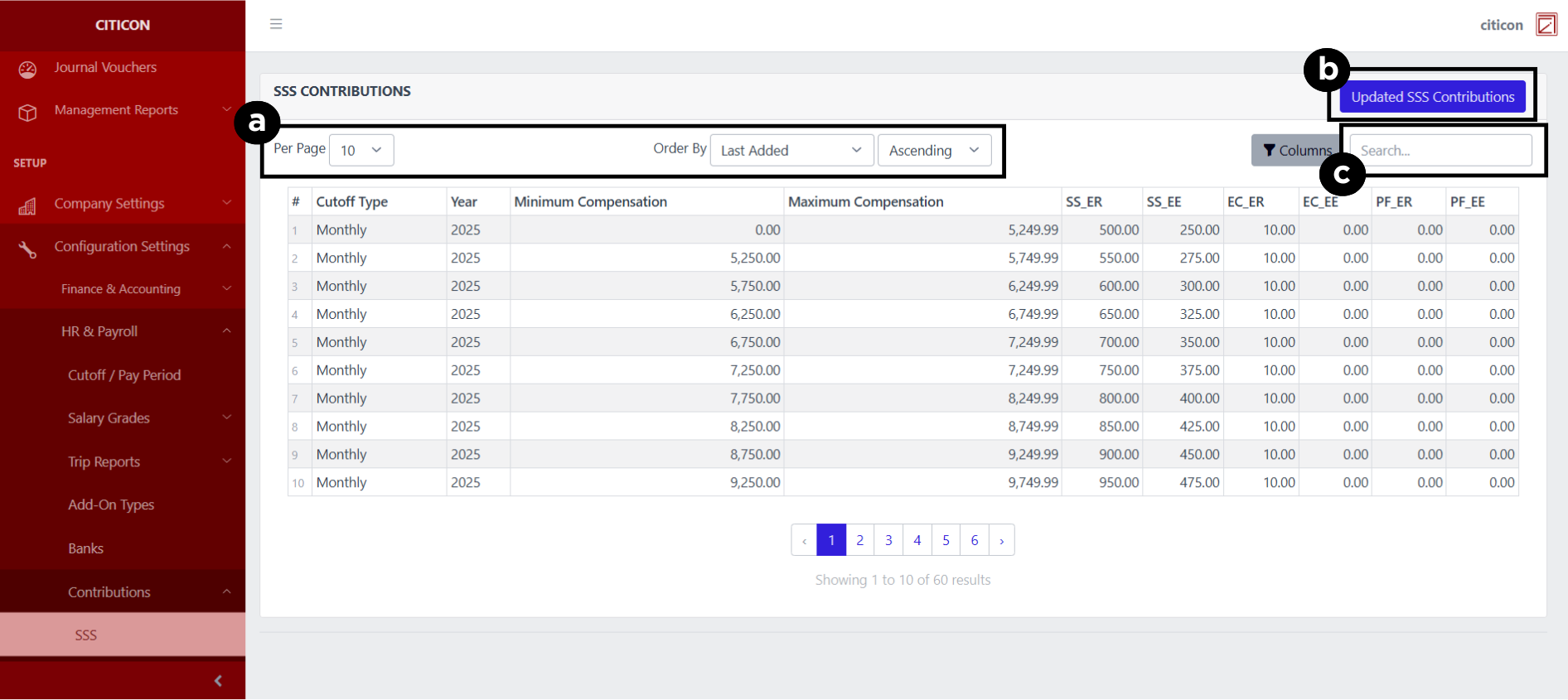
a. Adjust the paging, ordering, and sorting of the Contributions - SSS Page here.
b. Select the Updated SSS Contributions button to update the records shown.
c. Search for specific record details using the search bar.
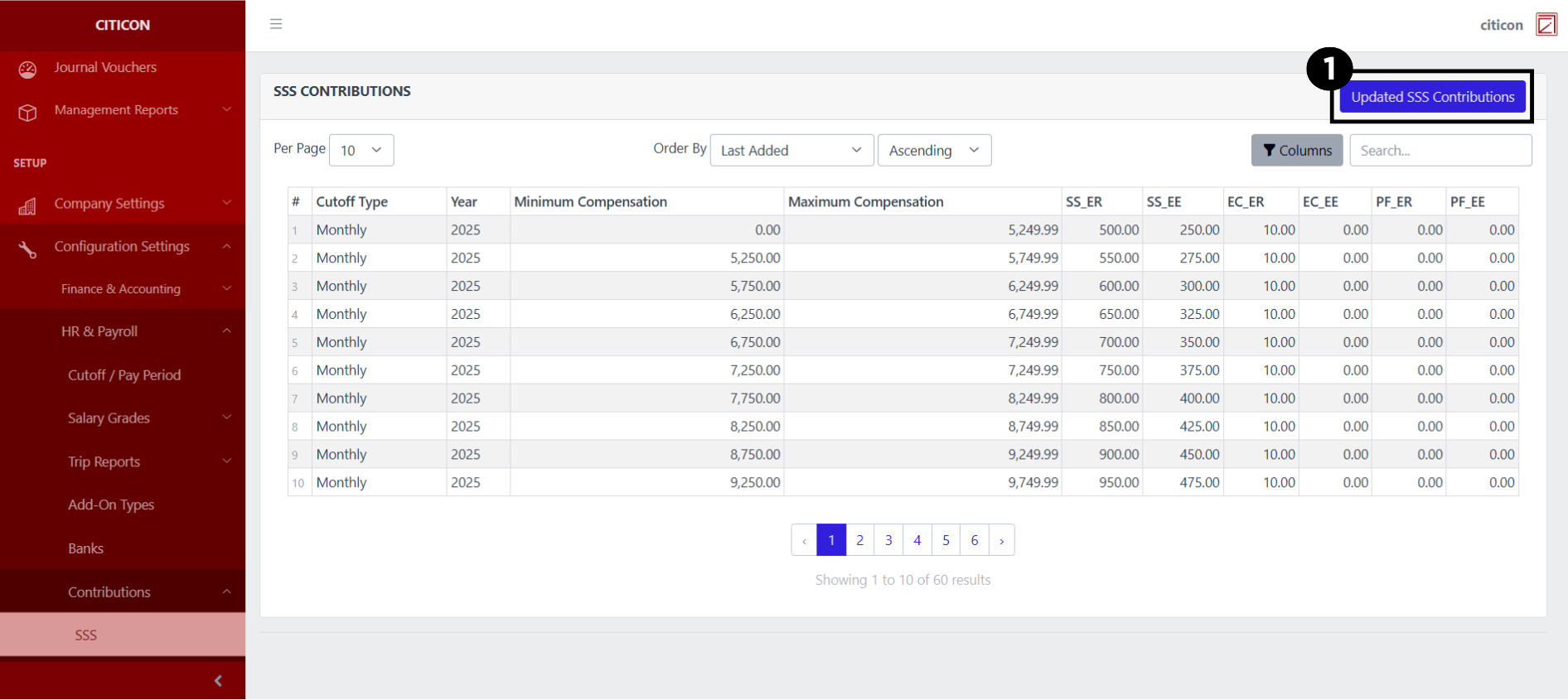
Update Records
- Select the Updated SSS Contributions button to update the records shown.
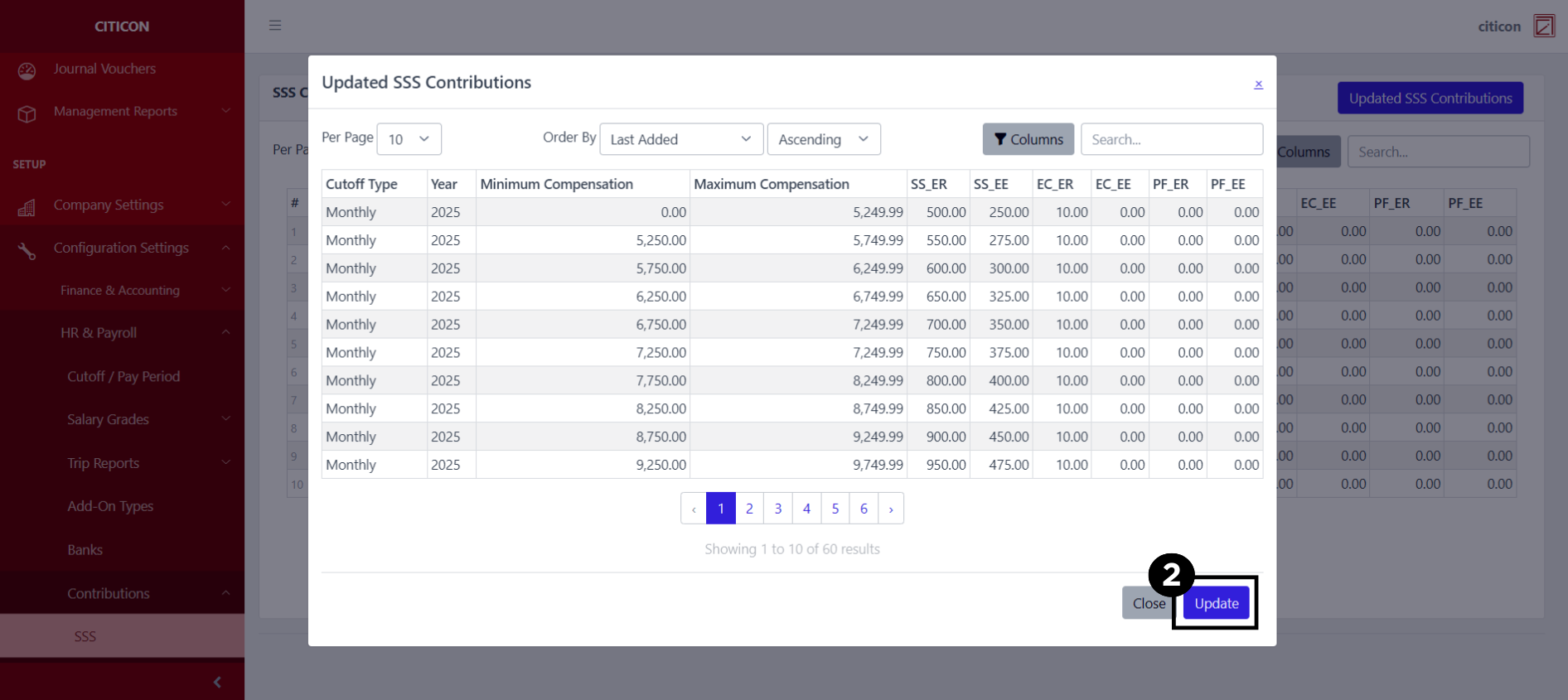
- Select the Update button to refresh the records and show the updated data.
Explore Citicon Payroll and Accounting System: Contributions - PhilHealth Configuration