Contributions - PhilHealth Configuration
Welcome to Citicon Payroll and Accounting Systems Configuration for PhilHealth Contributions. This section enables you to configure employee health insurance contributions according to the most current government-mandated policies. Proper setup ensures timely and accurate premium deductions from employee compensation.
Key Purposes
- Define Compensation Brackets: Set the minimum and maximum salary levels that determine the applicable PhilHealth contribution rate.
- Set Contribution Rates: Configure the applicable percentage rate based on the employee’s salary and the current year’s mandate.
- Track Contribution Changes Per Year: Maintain a historical record of yearly contribution changes to support compliance and audits.
- Automate Payroll Deductions: Integrate contribution rules directly into payroll processing for accurate computation and deductions.
- Ensure Compliance with DOH Guidelines: Align all PhilHealth contribution computations with Department of Health policies and PhilHealth circulars.
Contributions - PhilHealth Module User-Manual
This section provides details, and set-by-step instructions to access, view, and update the Contributions - PhilHealth data stored in the system.
Index Page
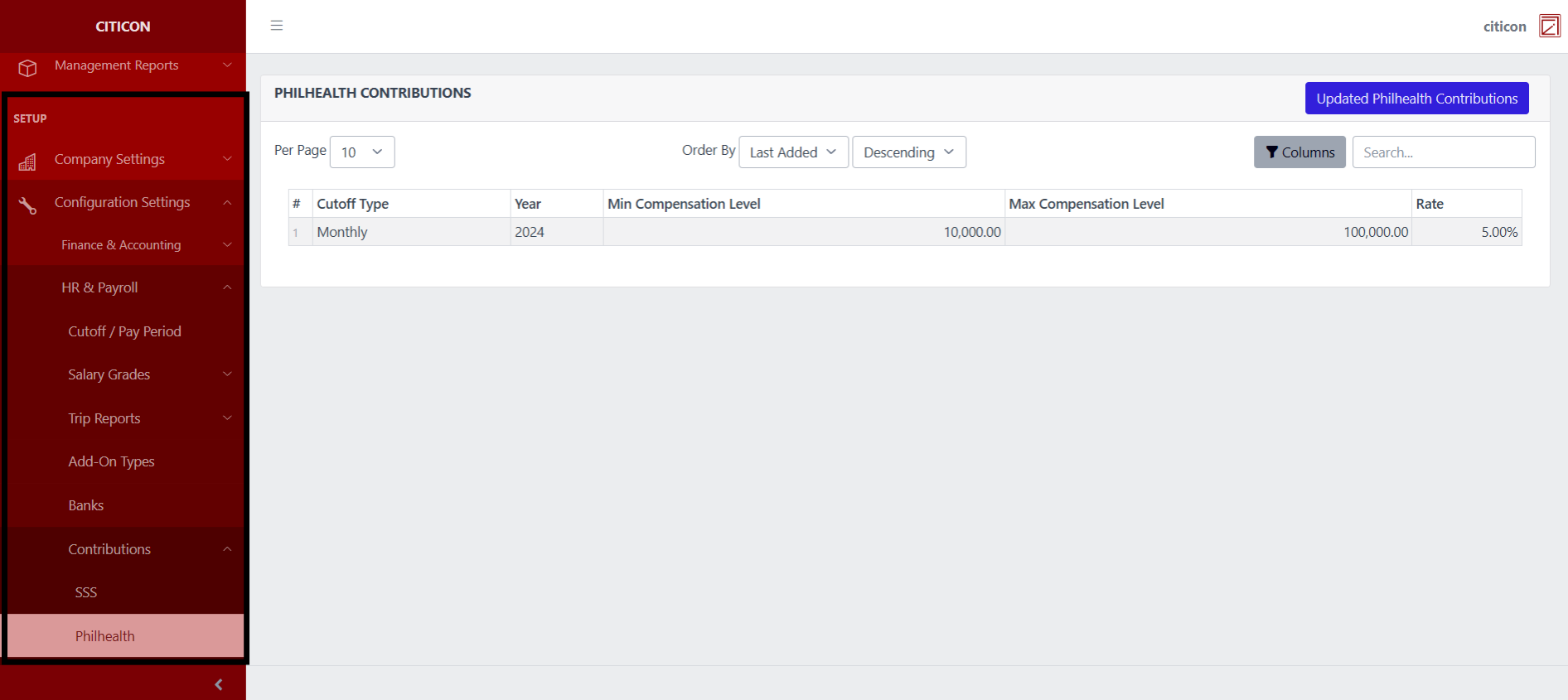
To access the Contributions - Philhealth Configuration. Go to Setup, select Configuration Settings, select HR & Payroll, then select Contributions - Philhealth.
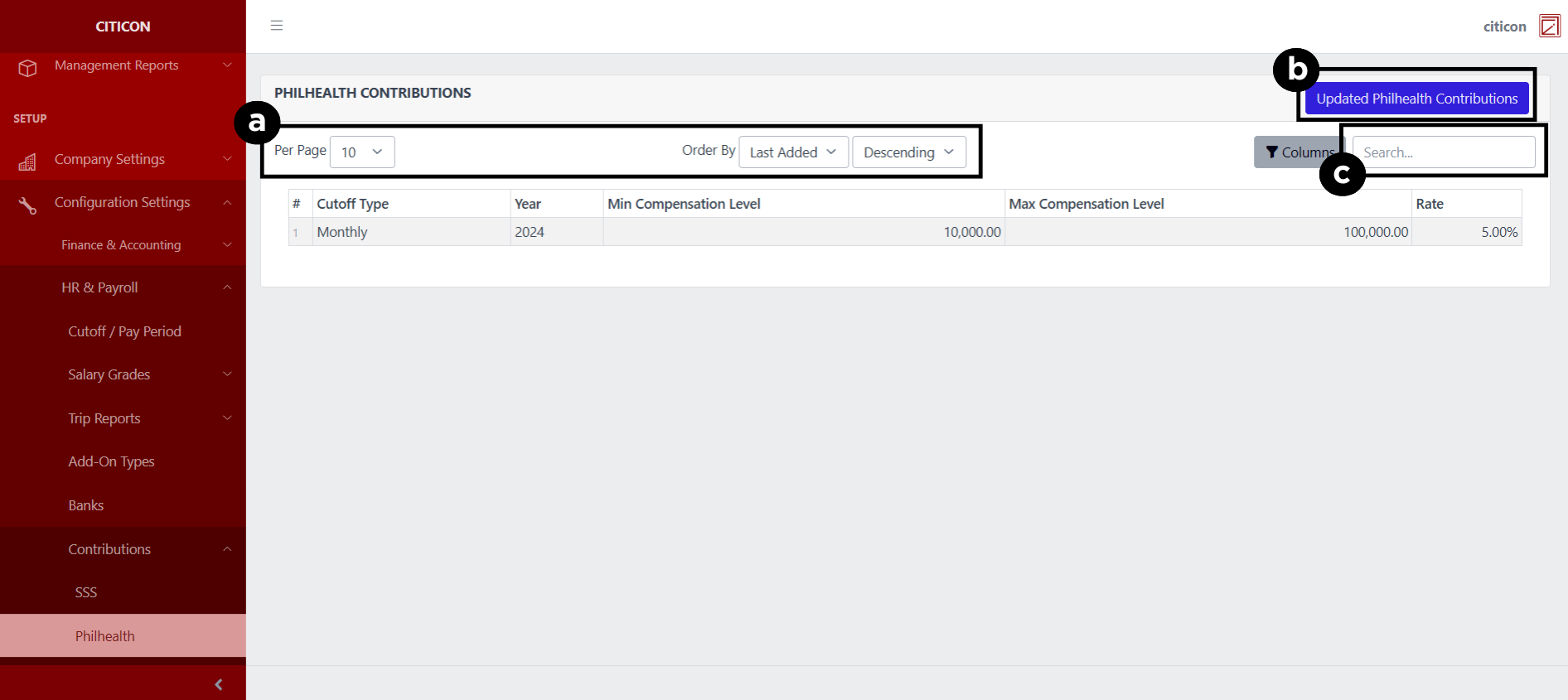
a. Adjust the paging, ordering, and sorting of the Contributions - Philhealth Page here.
b. Select the Updated Philhealth Contributions button to update the records shown.
c. Search for specific record details using the search bar.
Update Records
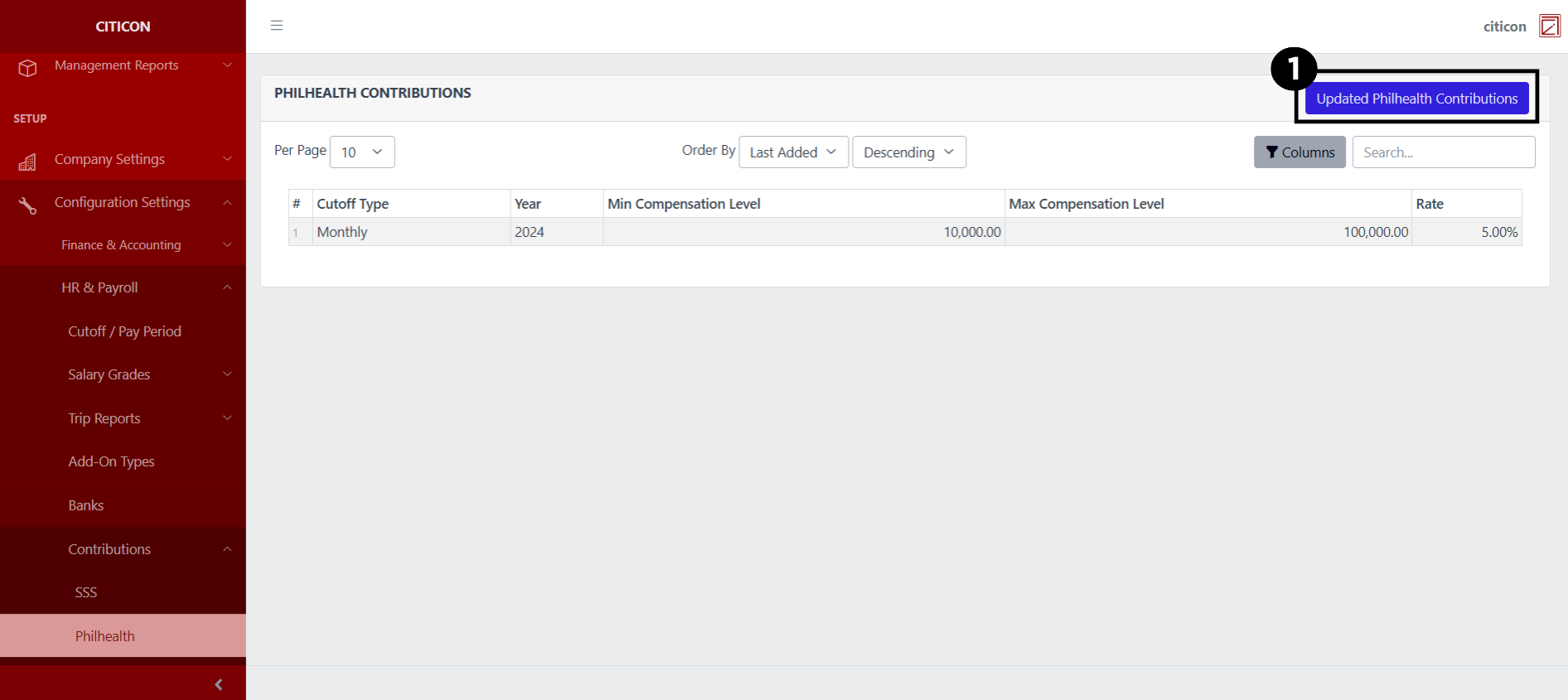
- Select the Updated Philhealth Contributions button to update the records shown.
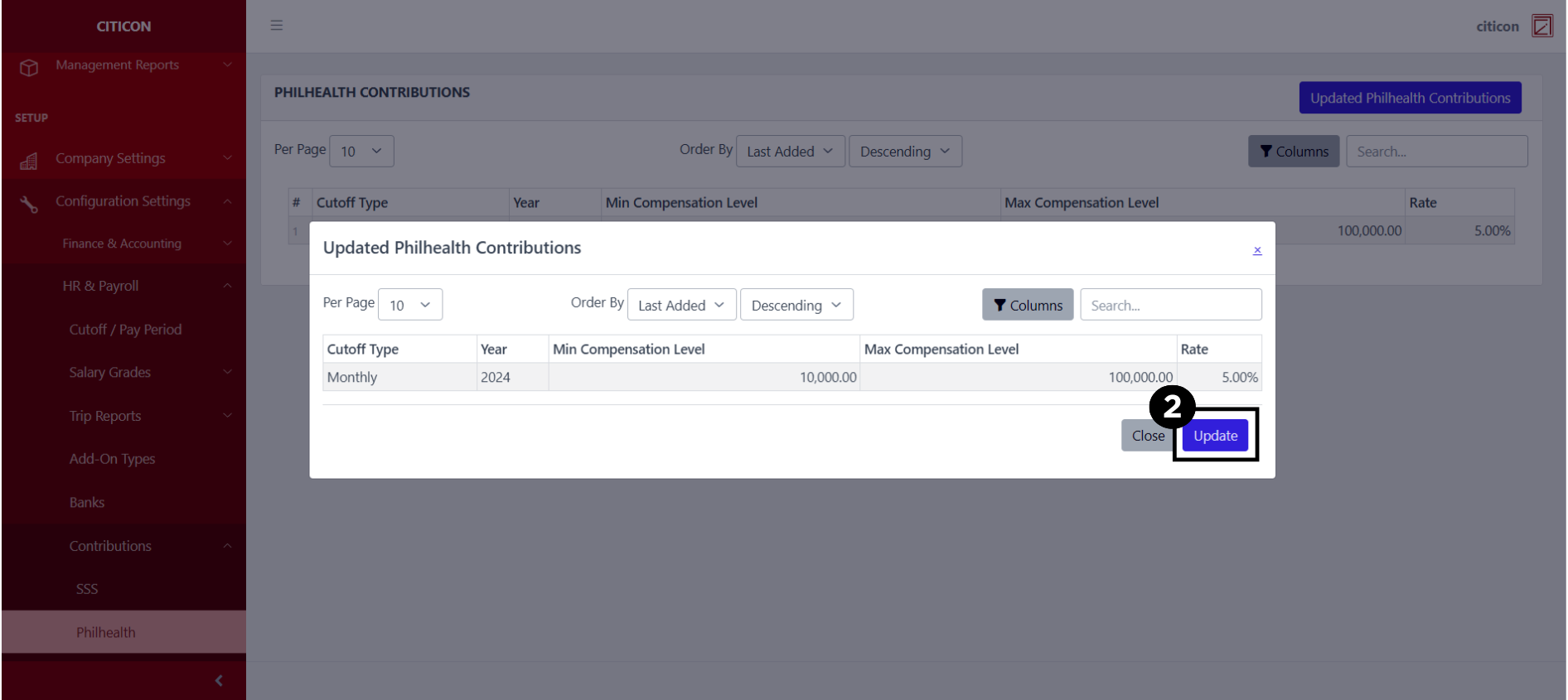
- Select the Update button to refresh the records and show the updated data.
Explore Citicon Payroll and Accounting System: Contributions - HDMF Configuration