Compensation Tax Configuration
Welcome to Citicon Payroll and Accounting Systems Configuration for Compensation Tax. This module allows you to define the rules and tax brackets used for computing withholding taxes based on employee compensation. Accurate configuration ensures proper compliance with government tax regulations and helps streamline payroll deductions.
Key Purposes
-
Define Tax Brackets: Set the minimum and maximum compensation levels to determine applicable withholding tax amounts.
-
Set Prescribed Minimums: Establish threshold values for compensation that trigger tax deductions based on regulatory guidelines.
-
Configure Withholding Tax Rates: Input the correct withholding tax amounts according to the compensation type and year.
-
Support Yearly Updates: Maintain accurate and up-to-date tax rules for each fiscal year to reflect changes in tax laws.
-
Automate Payroll Calculations: Ensure correct and efficient tax deductions during payroll processing to reduce manual errors and maintain compliance.
Compensation Tax Module User-Manual
This section provides details, and set-by-step instructions to access, view, and update the Compensation Tax data stored in the system.
Index Page
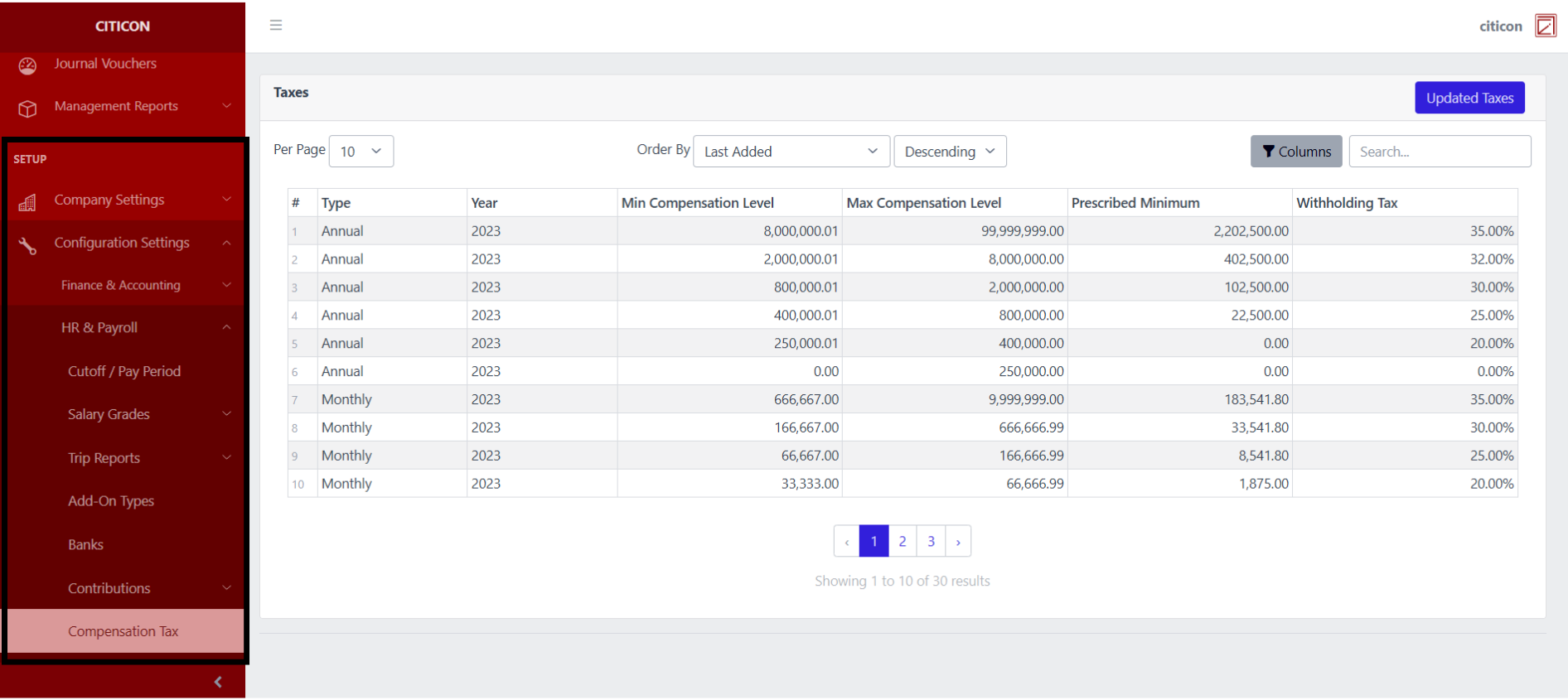
To access the Compensation Tax Configuration. Go to Setup, select Configuration Settings, select HR & Payroll, then select Compensation Tax.
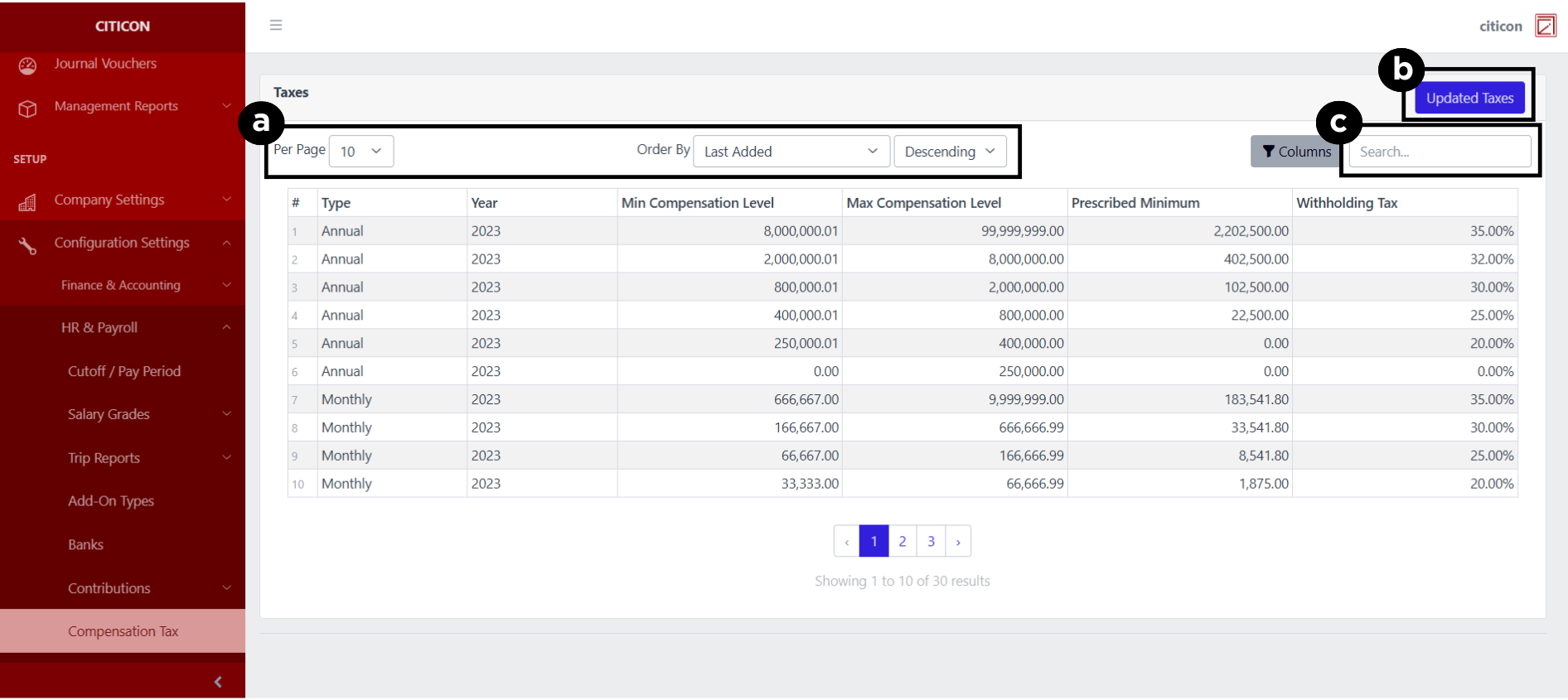
a. Adjust the paging, ordering, and sorting of the Compensation Tax Page here.
b. Select the Updated Taxes button to update the records shown.
c. Search for specific record details using the search bar.
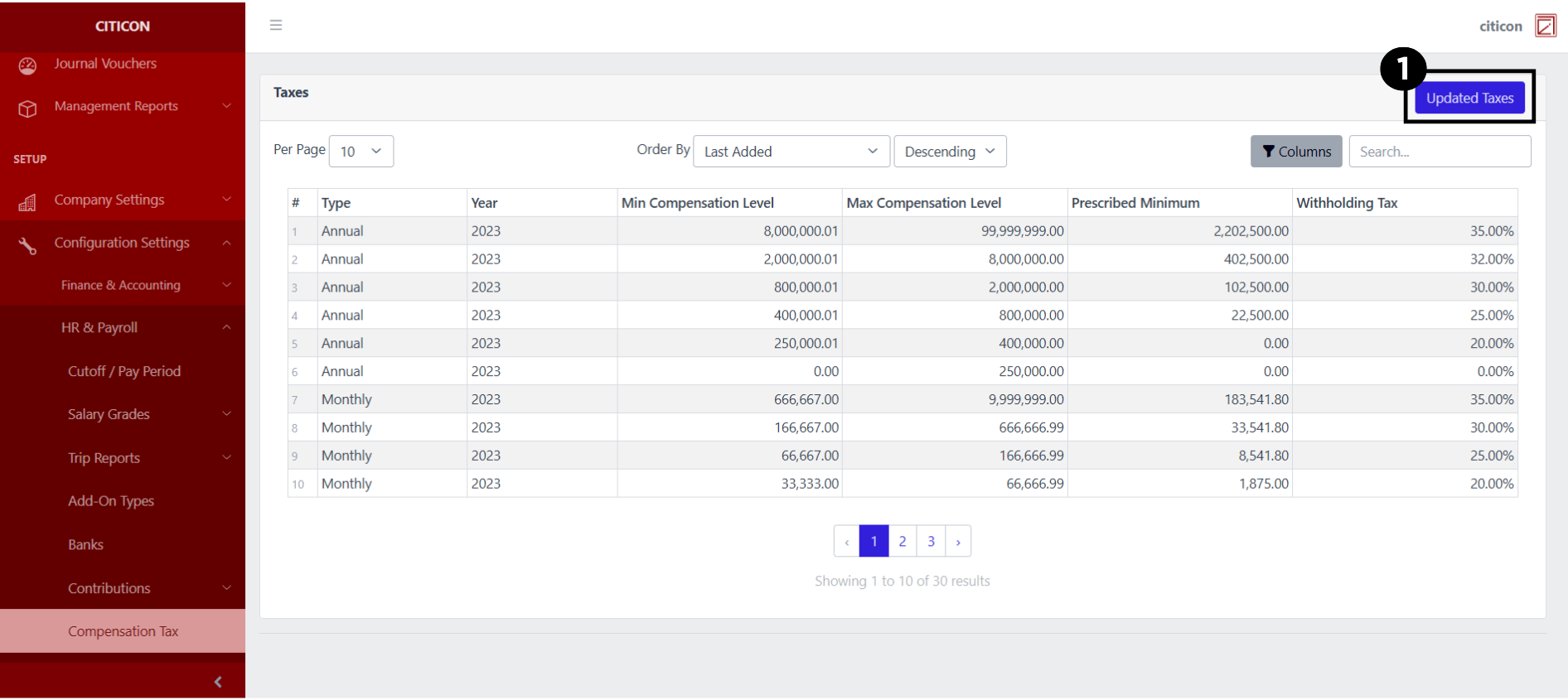
Update Records
- Select the Updated Updated Taxes button to update the records shown.
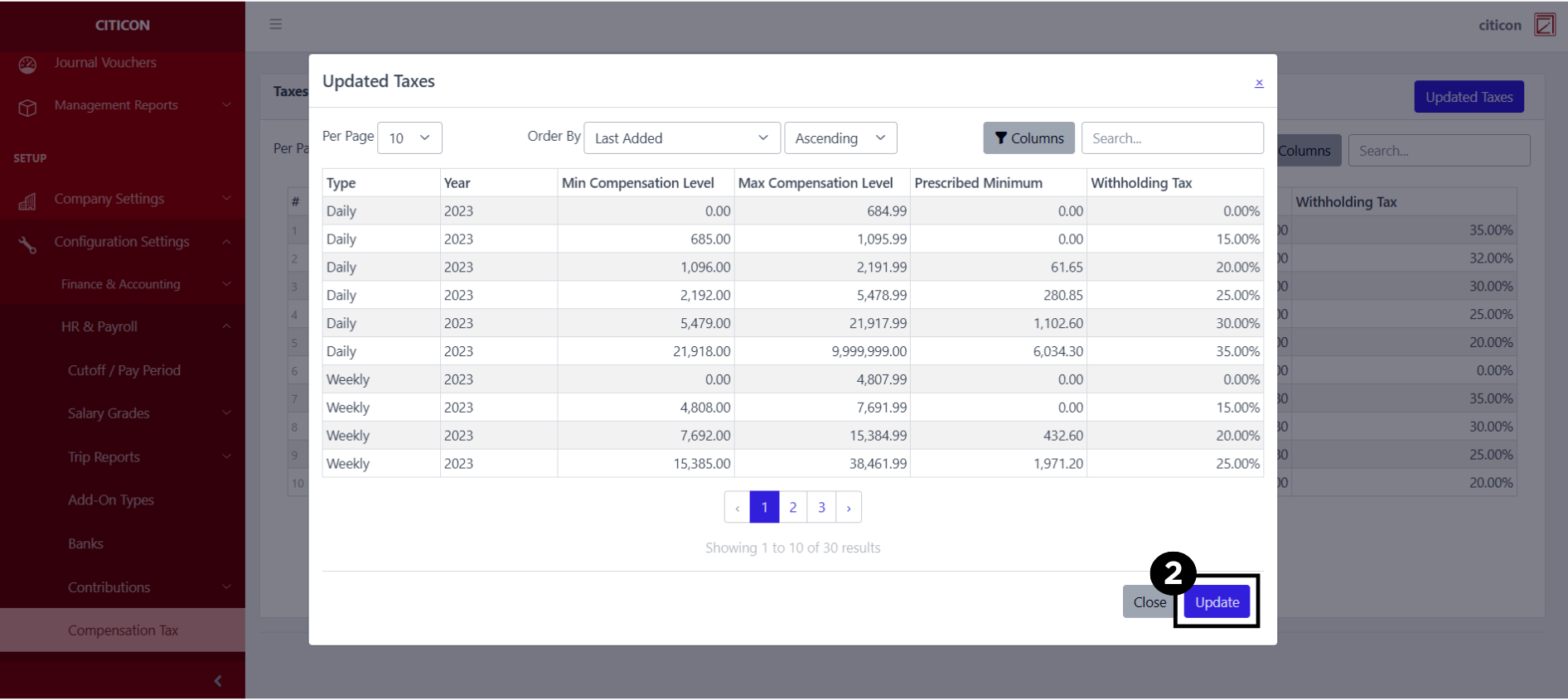
- Select the Update button to refresh the records and show the updated data.
Explore Citicon Payroll and Accounting System: Holidays - Rates Configuration