Banks Configuration
Welcome to Citicon Payroll and Accounting Systems Configuration for Banks. This section is designed to help you manage banking details essential for payroll disbursement and employee salary transactions. Accurate bank setup ensures smooth financial operations and compliance with payroll processing standards.
Key Purposes
-
Register Local Banks: Set up commonly used local banks with a unique Bank Code for quick identification.
-
Bank Name Management: Store full bank names corresponding to their abbreviated codes for formal documentation and reporting.
-
Account Linking: Input designated company bank account numbers for payroll fund allocation and transfers.
-
Add Descriptions: Include helpful descriptions for clarification and future reference on each bank entry.
-
Ensure Accurate Payroll Routing: Provide a reliable and organized way to manage bank information used in employee salary releases and payroll workflows.
Banks Module User-Manual
This section provides details, and set-by-step instructions to access, view, and update the Banks data stored in the system.
Index Page
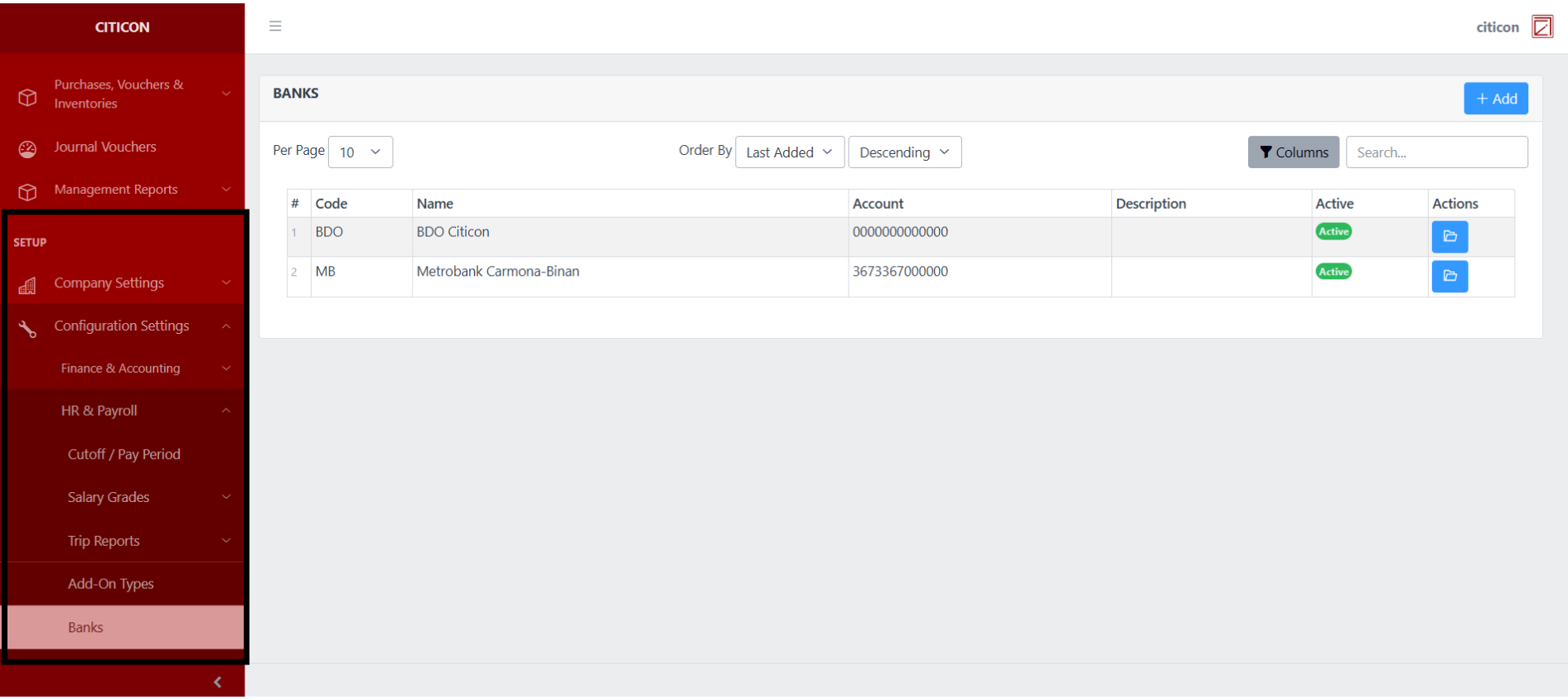
To access the Banks Configuration. Go to Setup, select Configuration Settings, select HR & Payroll, then select Banks.
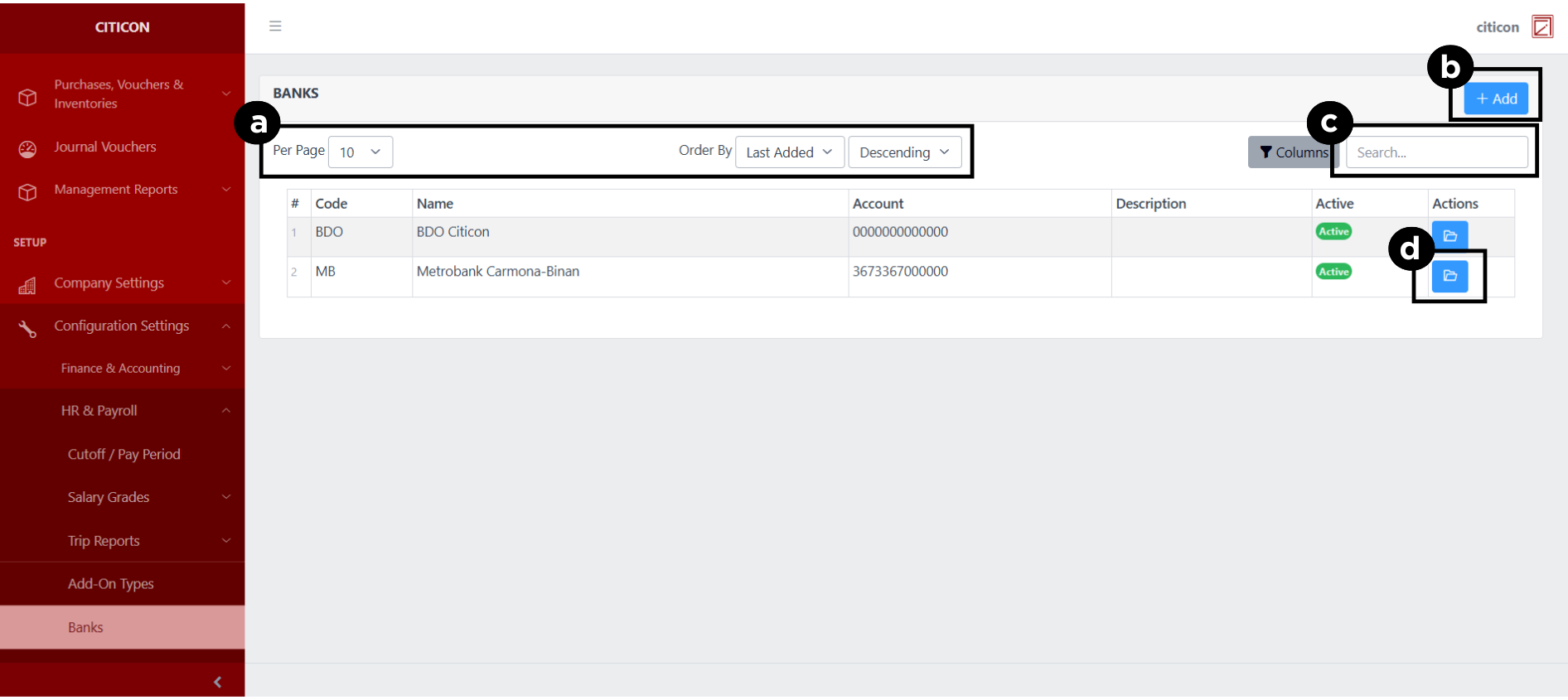
a. Adjust the paging, ordering, and sorting of the Banks Page here.
b. Select the Add button to add new data.
c. Search for specific record details using the search bar.
d. View or Edit a record by selecting the folder button.
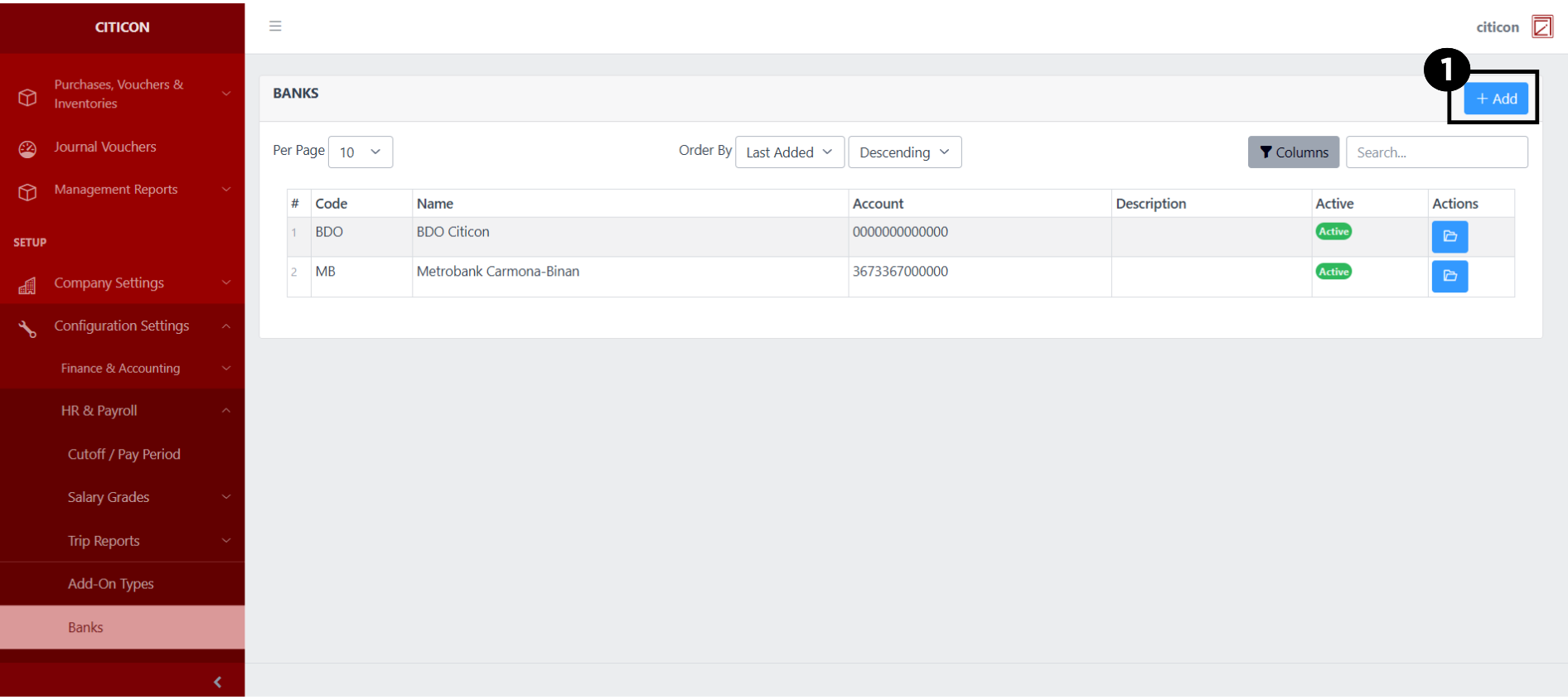
Add Records
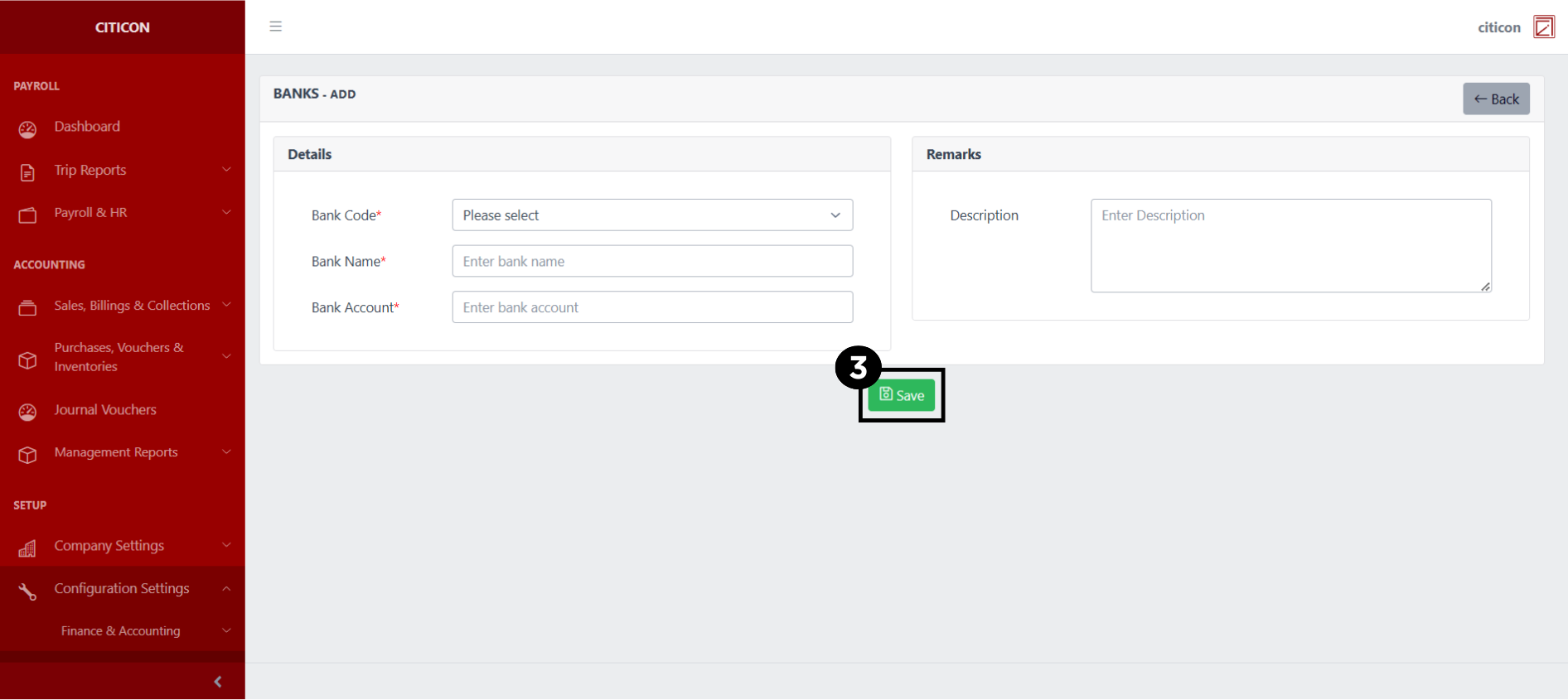
- Select the Add button to add a new record.
- Input the necessary details for your new record.
All fields that has an asterisk (*) are required to be filled up.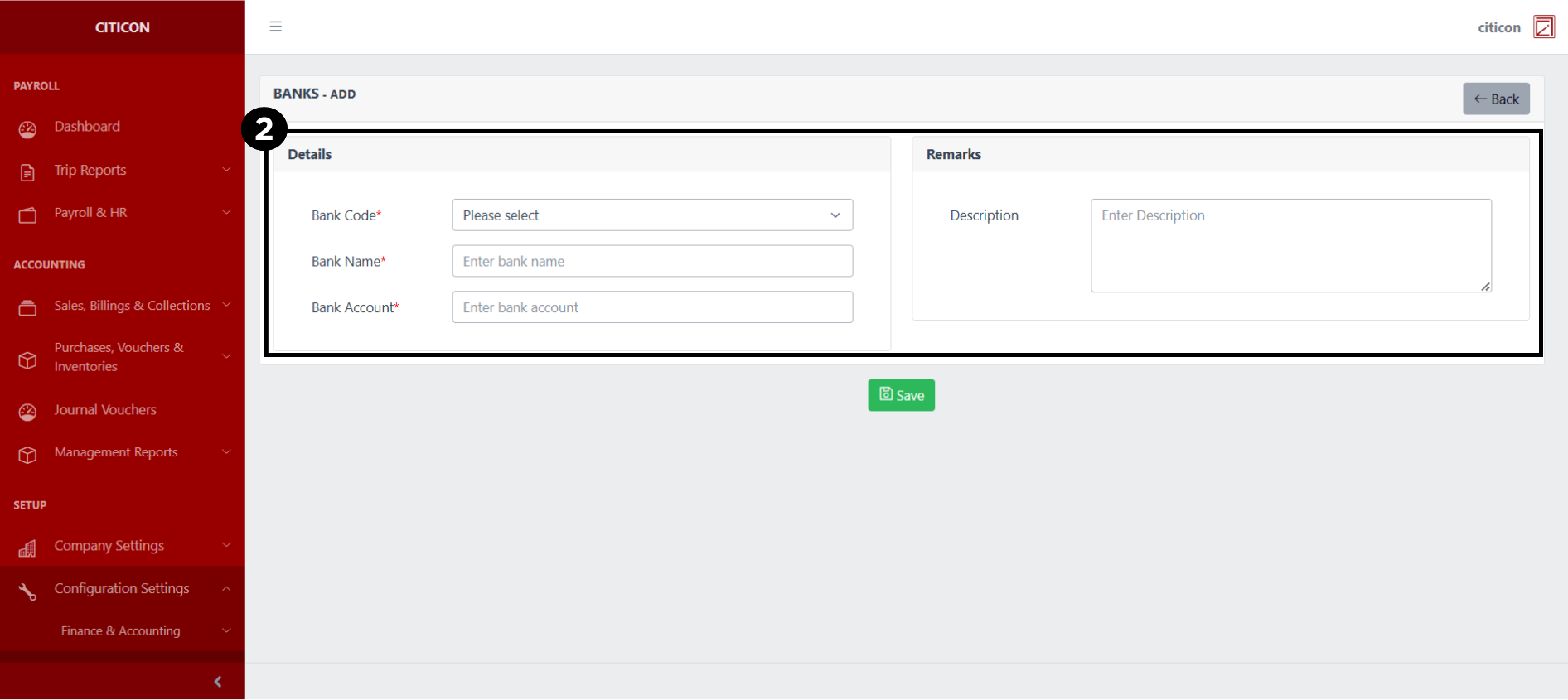
- Select the Save button to save your new record.
Show Records
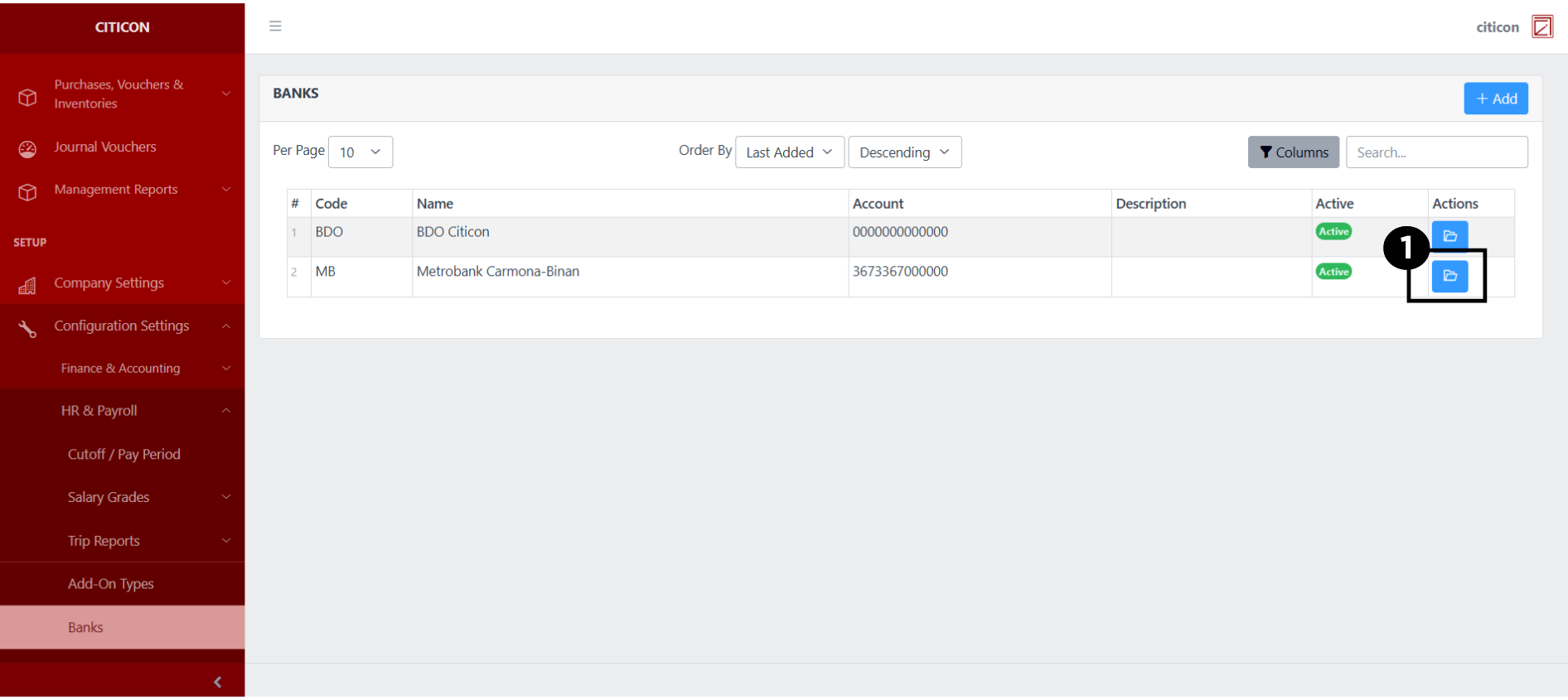
- Select the folder button to view a record.
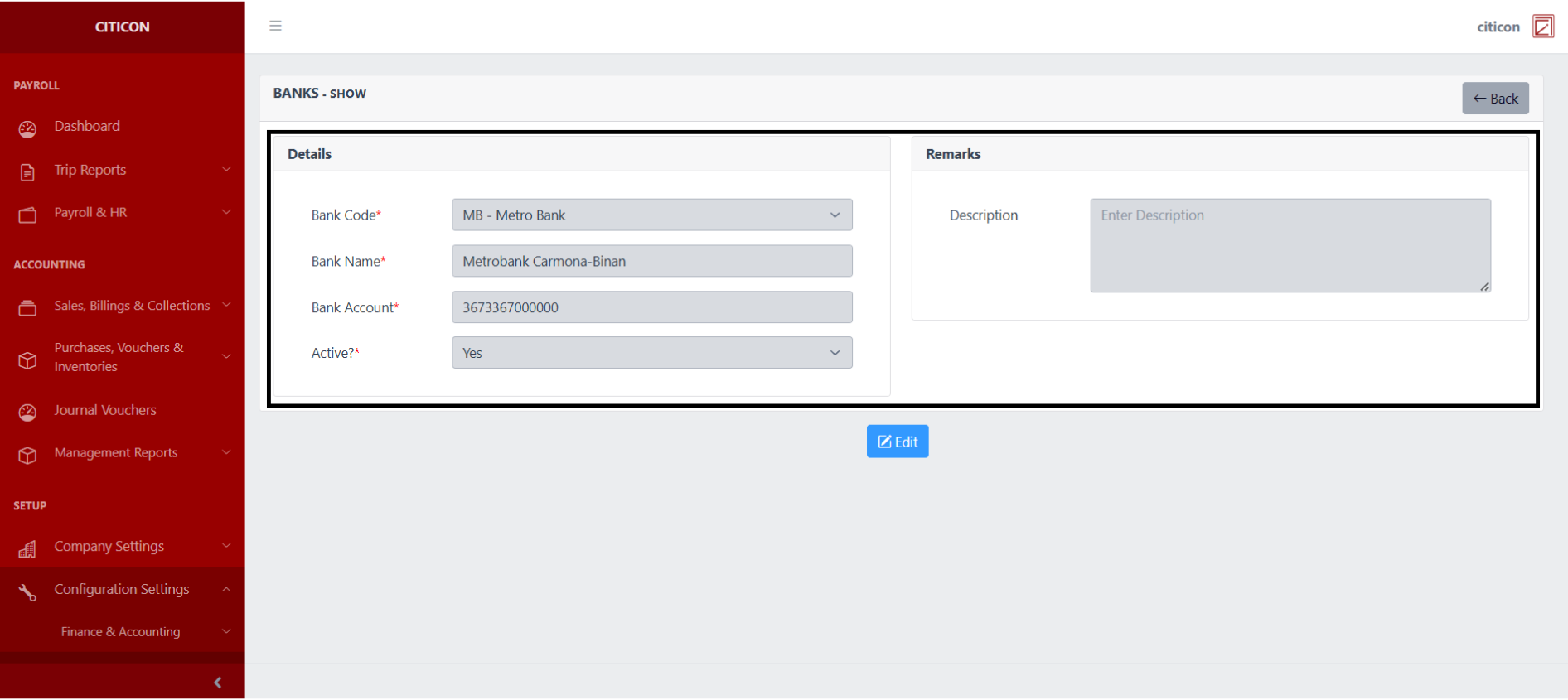
 Here you can view more specific details on the record that you selected.
Update Records
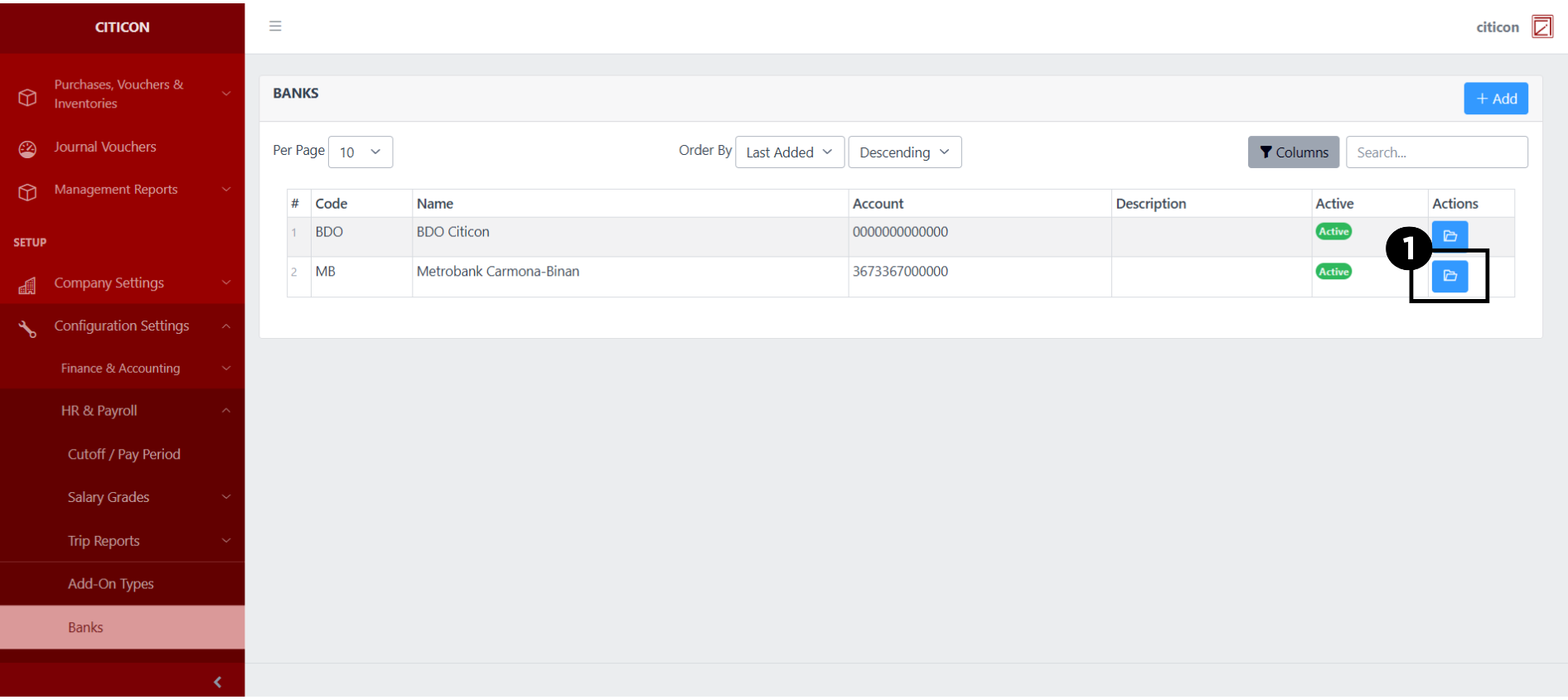
- Select the folder button of the record which you want to edit.
- Select the Edit button to update the details of the record.
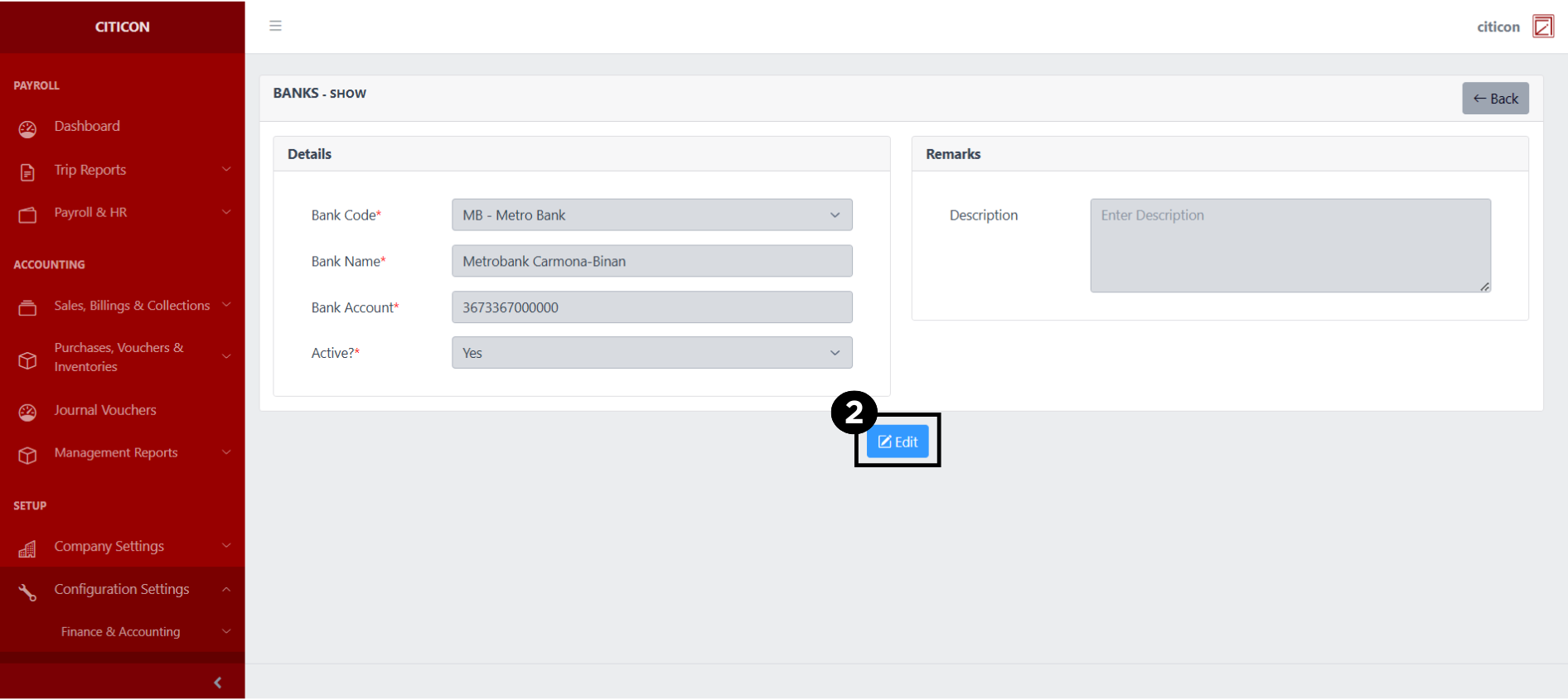
- Select a detail section which you want to edit, and enter the necessary changes.
All fields with an asterisk (*) are required to be filled up.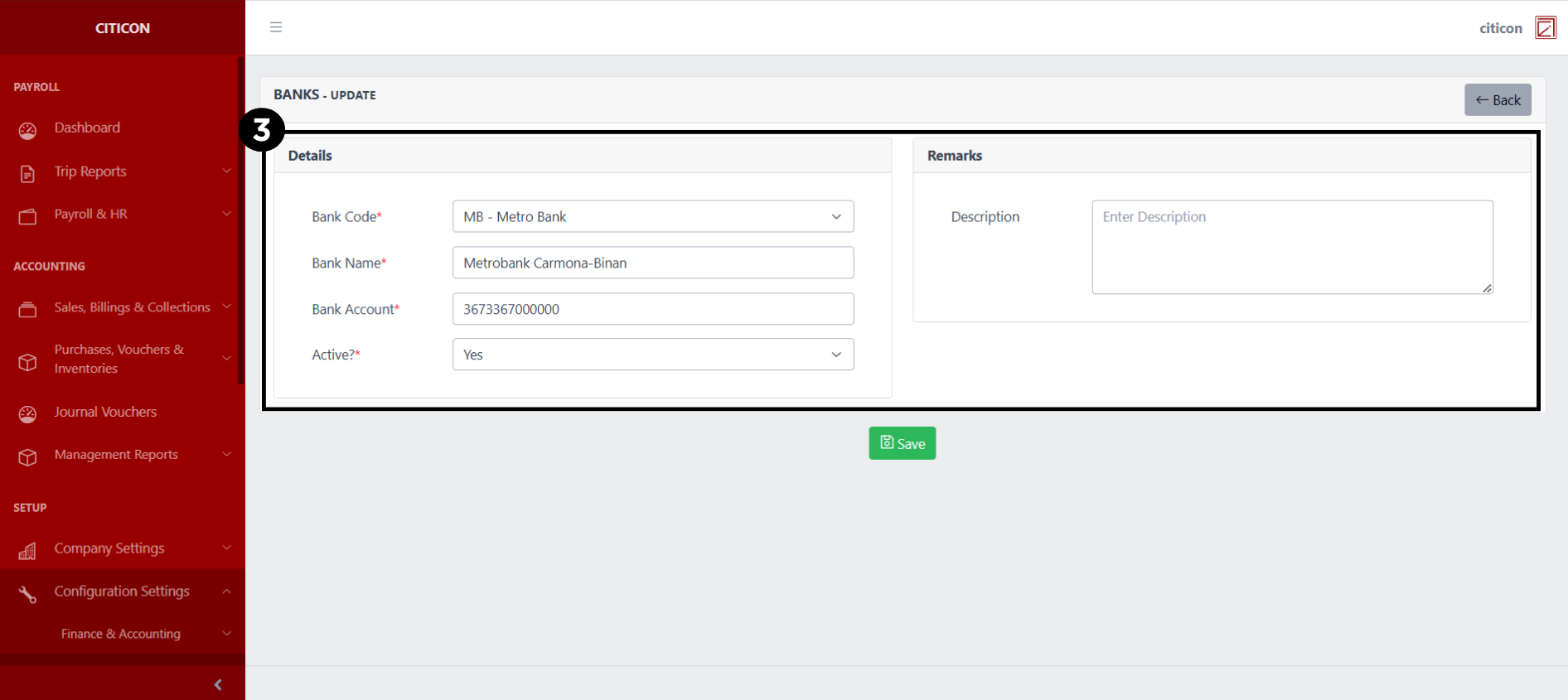
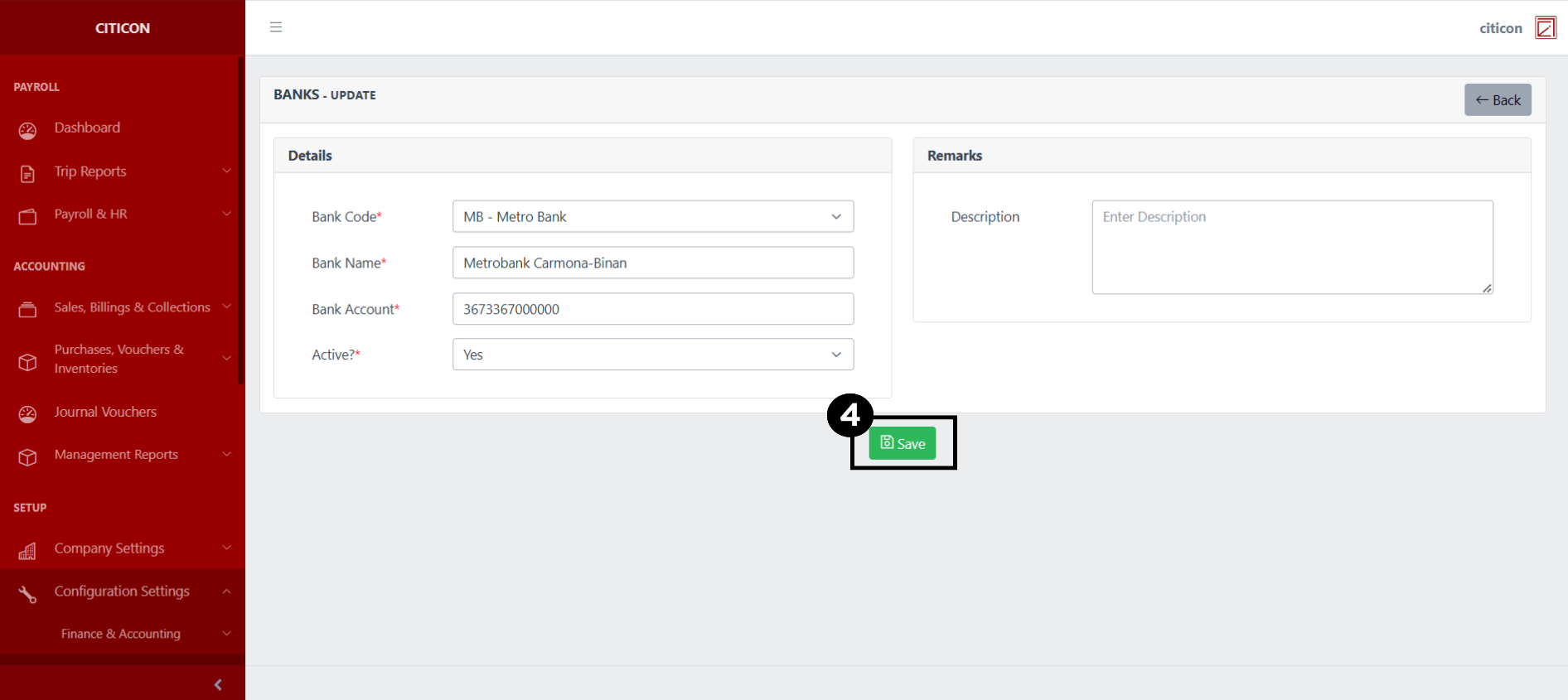
- Select the Save button to save the changes you have made.
Explore Citicon Payroll and Accounting System: Contributions - SSS Configuration