Add-On Types Configuration
Welcome to Citicon Payroll and Accounting Systems Configuration for Add-On Types. This section allows you to define and manage various add-on types used in computing employee compensation across different classifications such as Dump Truck, Transit Mixer, and Pumpcrete operations.
Key Purposes
-
Add-On Setup: Create and label specific add-on types used in trip rate or payroll calculations.
-
Default Value Assignment: Establish default numerical values for each add-on type to streamline computations.
-
Classification Mapping: Assign add-ons to relevant vehicle classifications (Dump Truck, Transit Mixer, Pumpcrete) to ensure contextual accuracy.
-
Remarks for Clarity: Include descriptive remarks to specify the purpose or special conditions of each add-on type.
-
Flexible Payroll Customization: Enable the system to adapt to various payroll scenarios and special earning configurations.
Add-On Types Module User-Manual
This section provides details, and set-by-step instructions to access, view, and update the Add-On Types data stored in the system.
Index Page
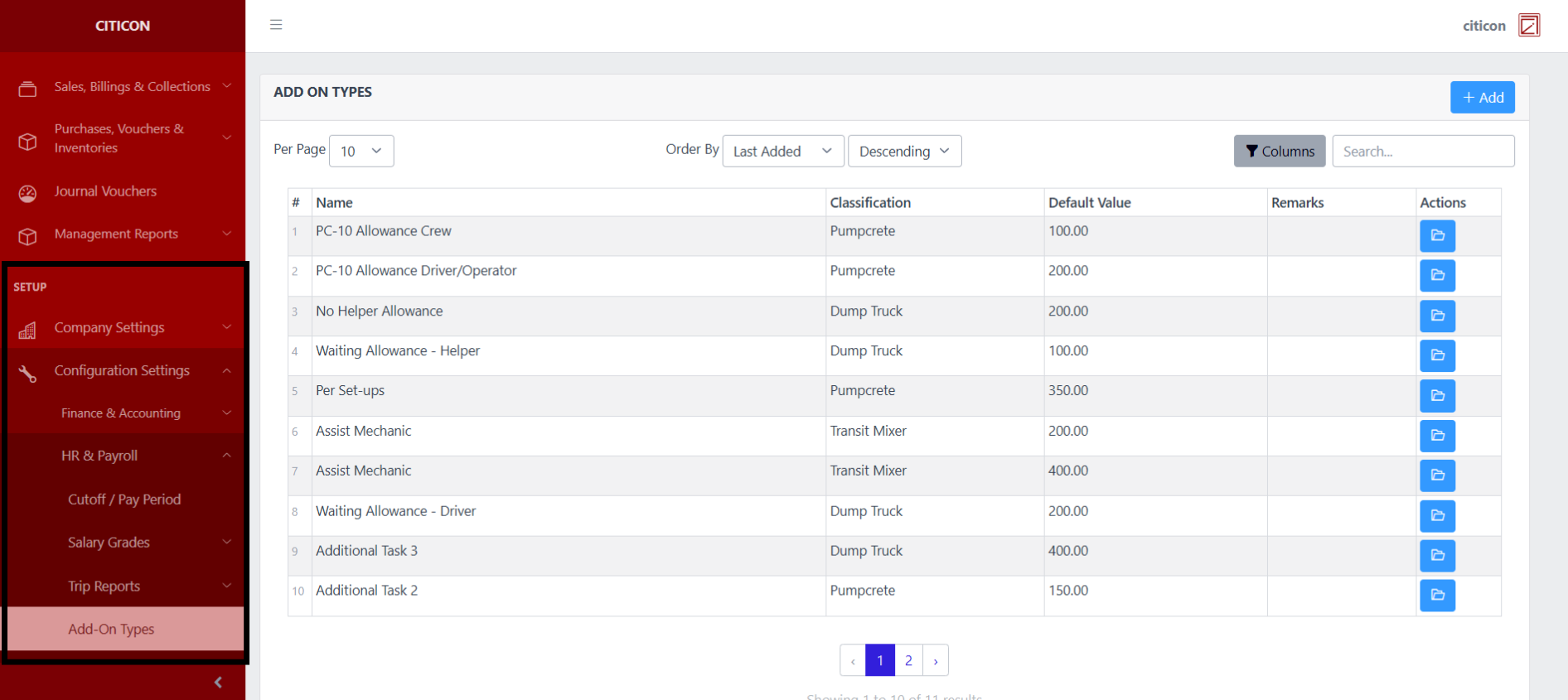
To access the Add-On Types Configuration. Go to Setup, select Configuration Settings, select HR & Payroll, then select Add-On Types.
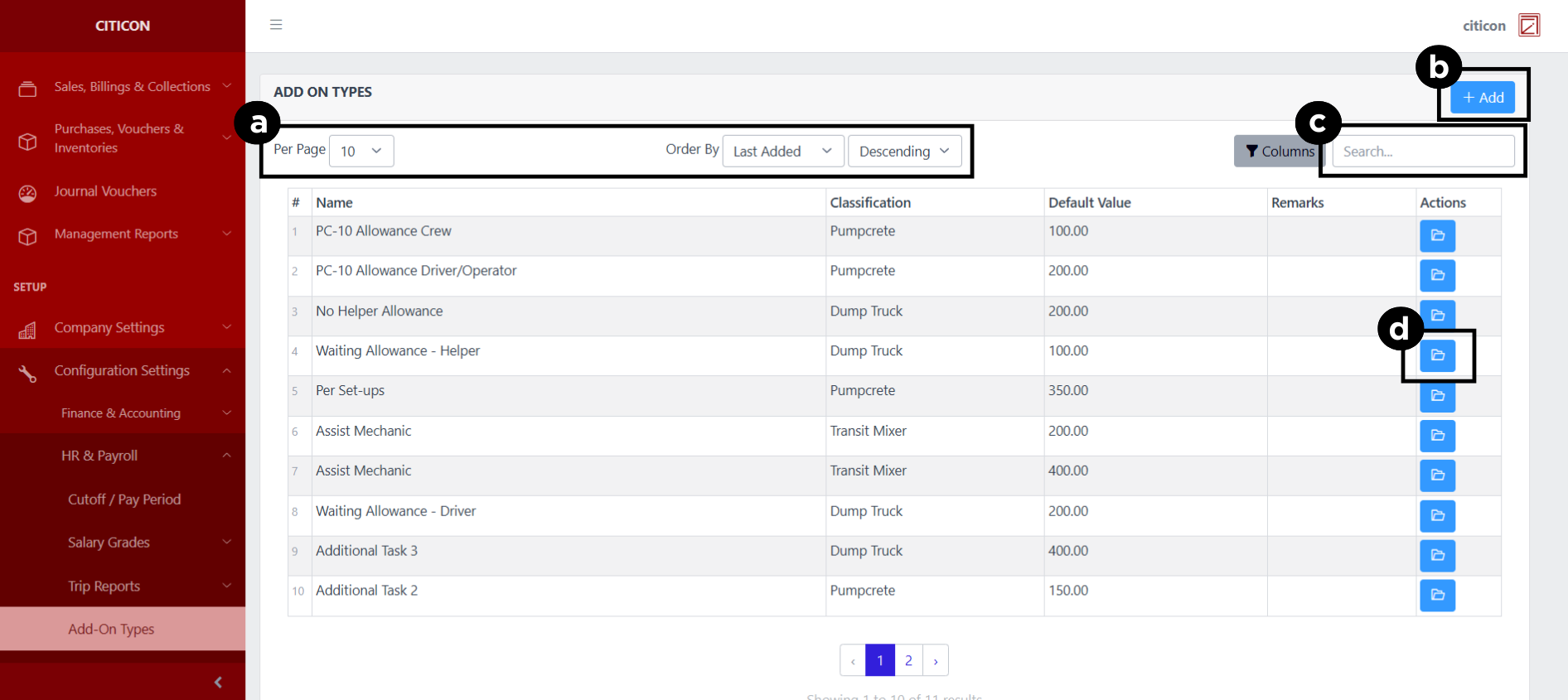
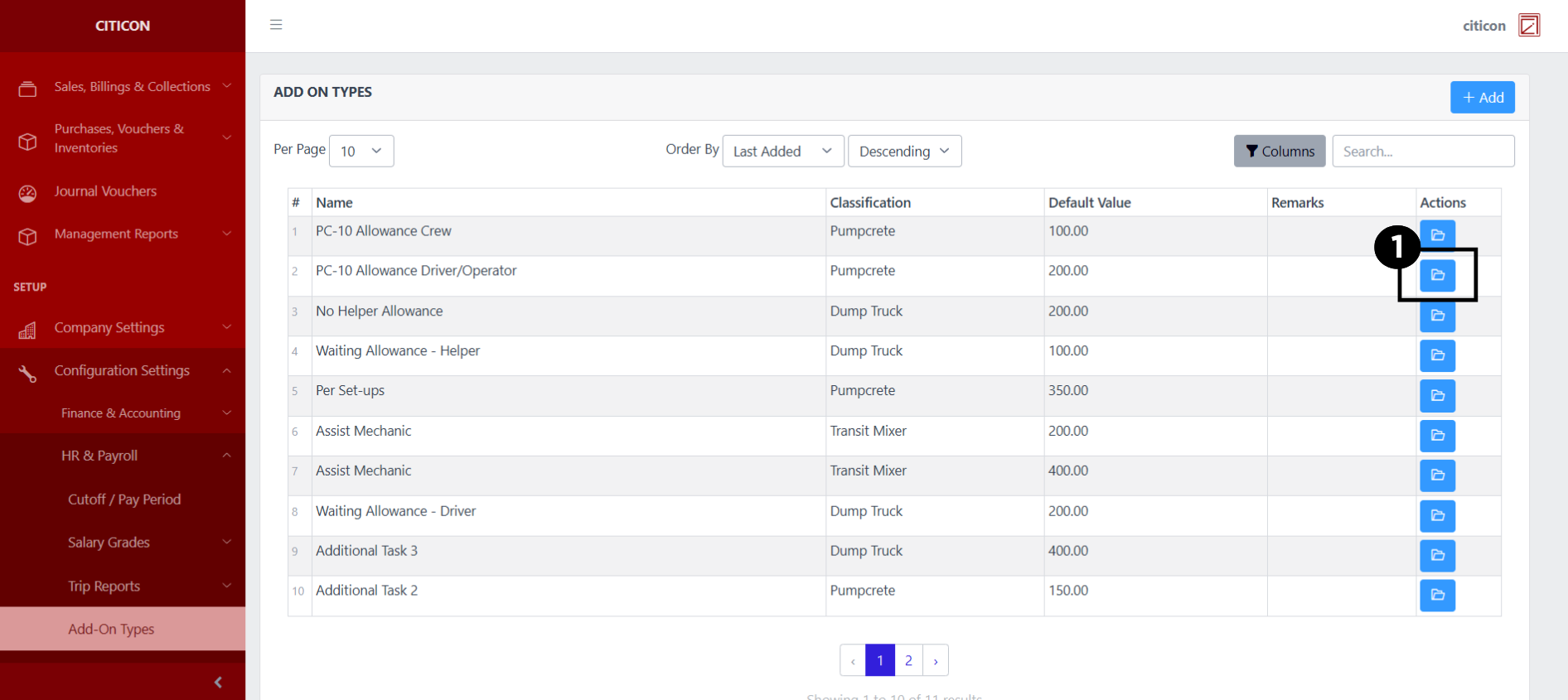
a. Adjust the paging, ordering, and sorting of the Add-On Types Page here.
b. Select the Add button to add new data.
c. Search for specific record details using the search bar.
d. View or Edit a record by selecting the folder button.
Add Records
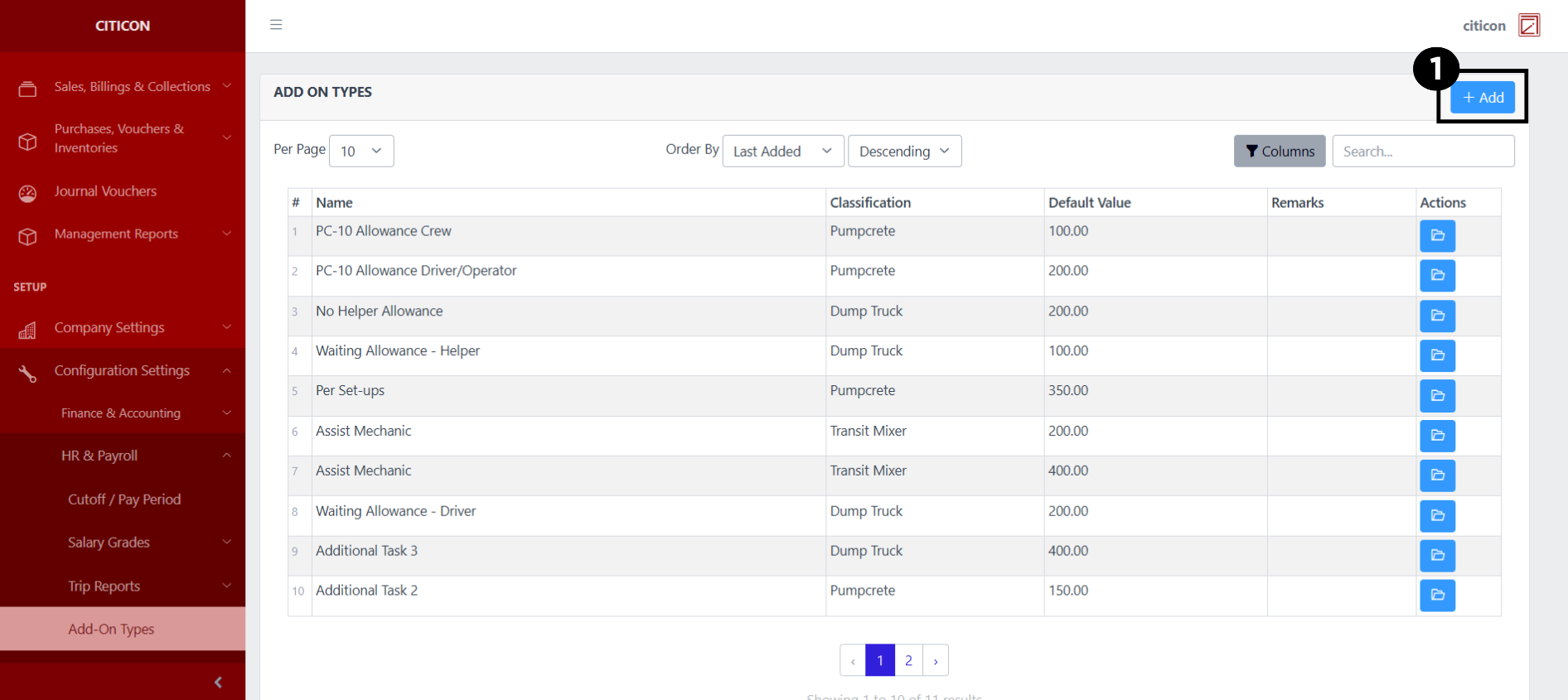
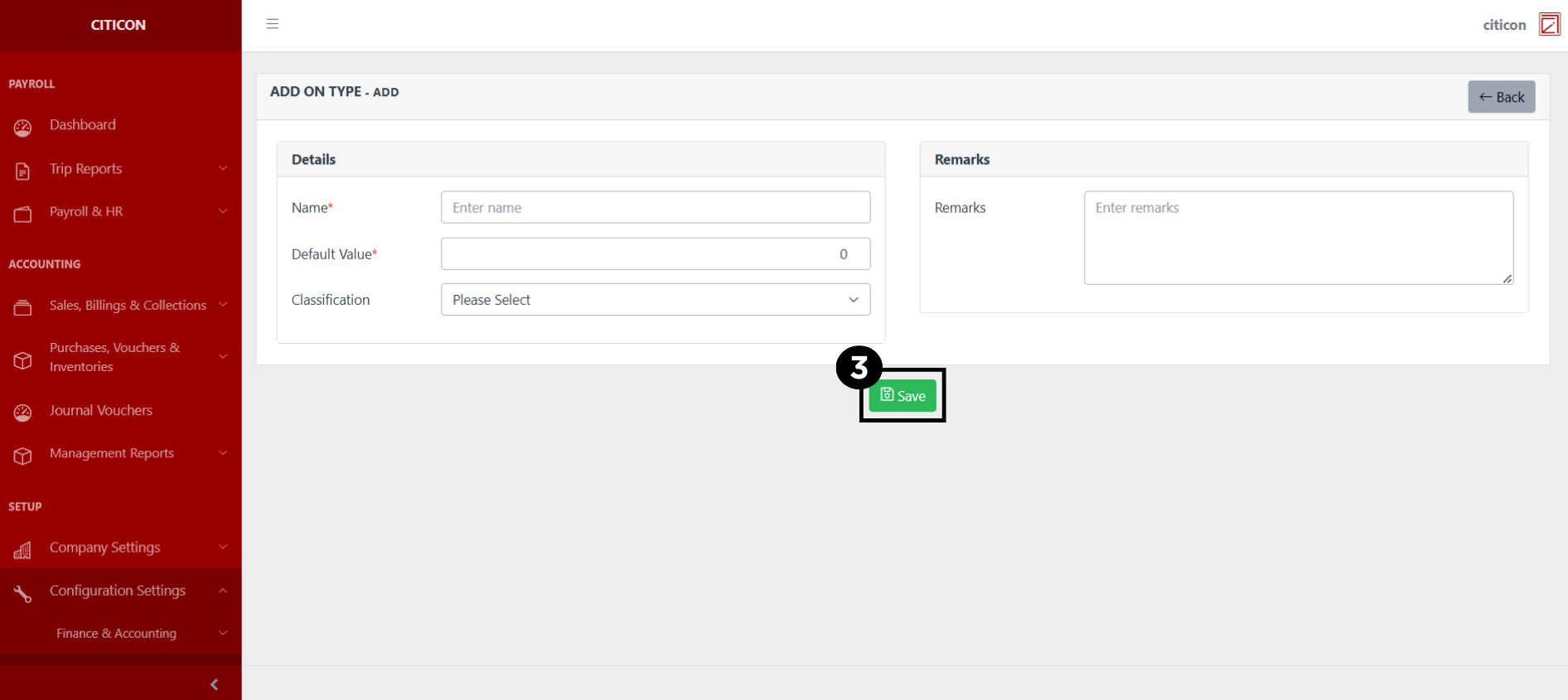
- Select the Add button to add a new record.
- Input the necessary details for your new record.
All fields that has an asterisk (*) are required to be filled up.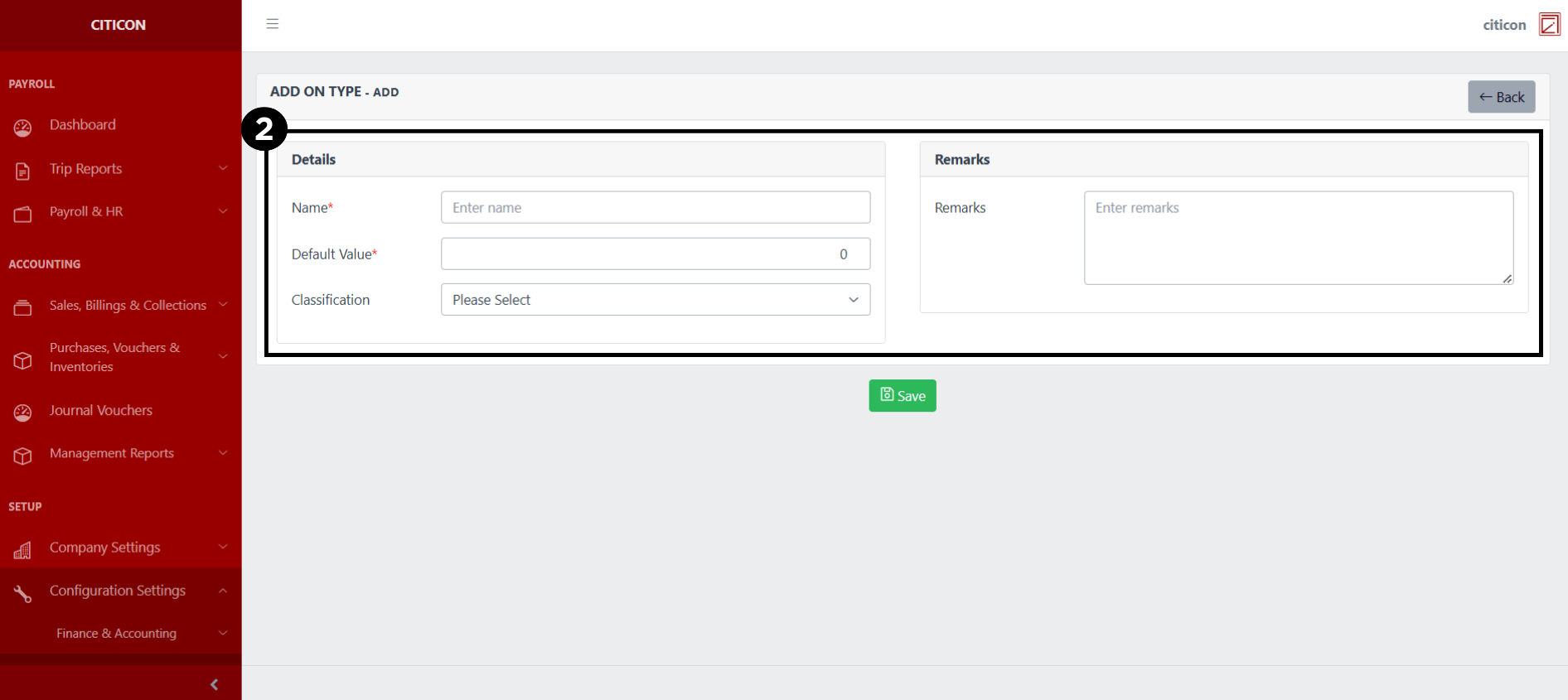
- Select the Save button to save your new record.
Show Records
- Select the folder button to view a record.
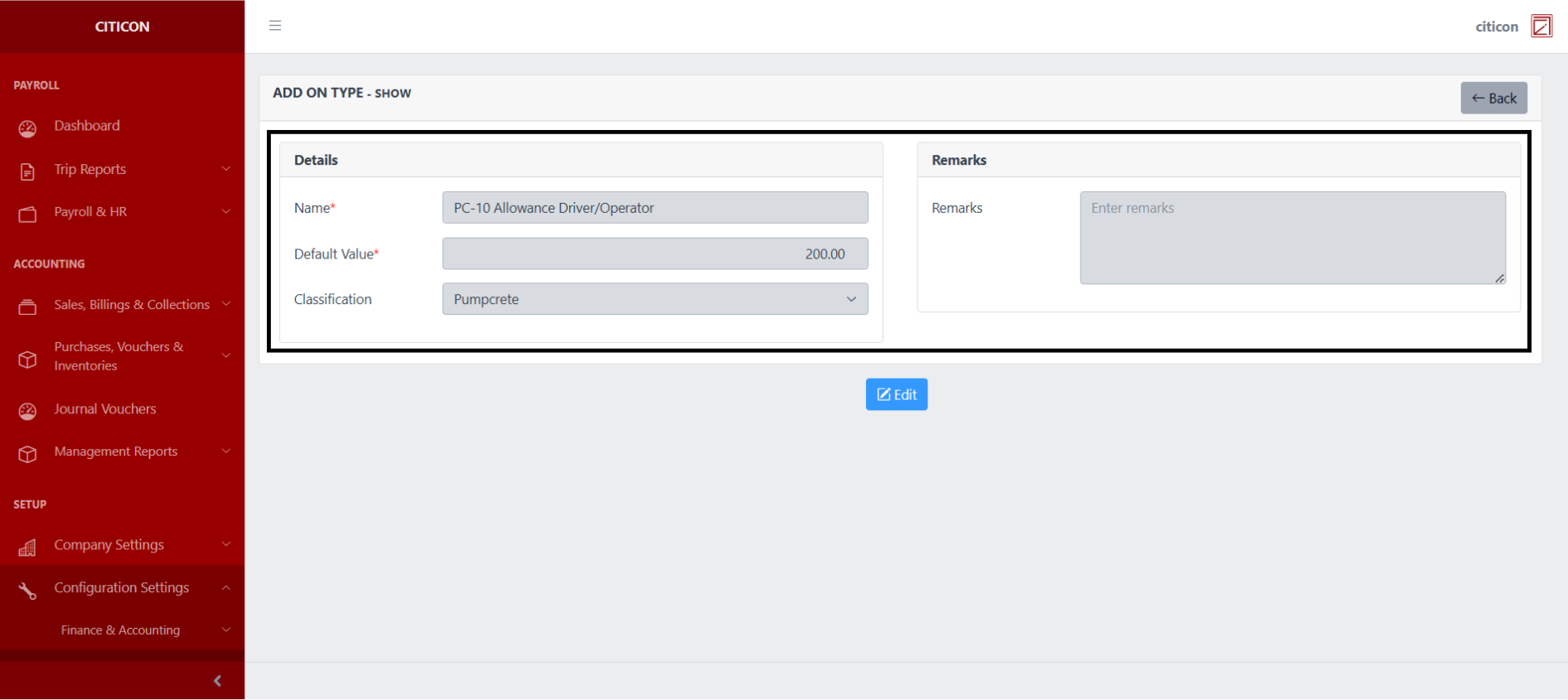
 Here you can view more specific details on the record that you selected.
Update Records
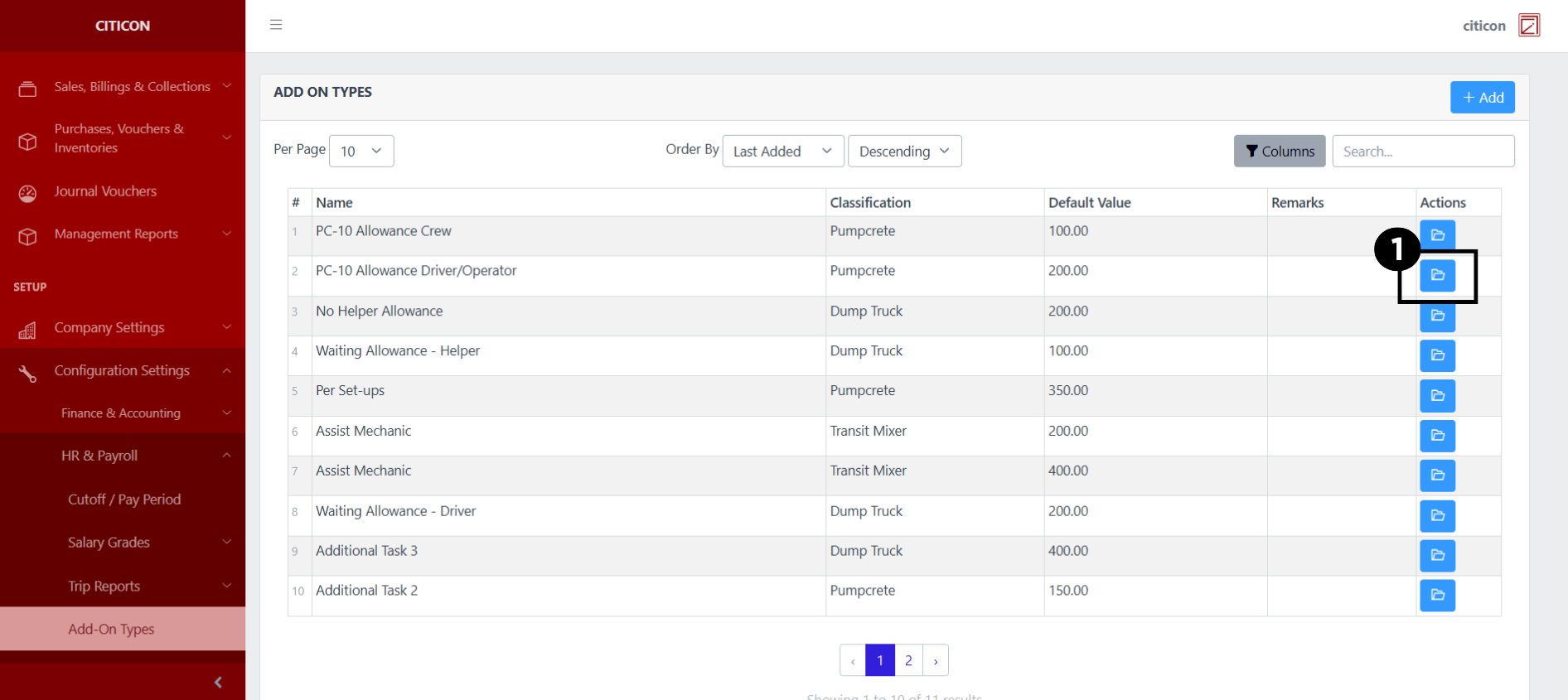
- Select the folder button of the record which you want to edit.
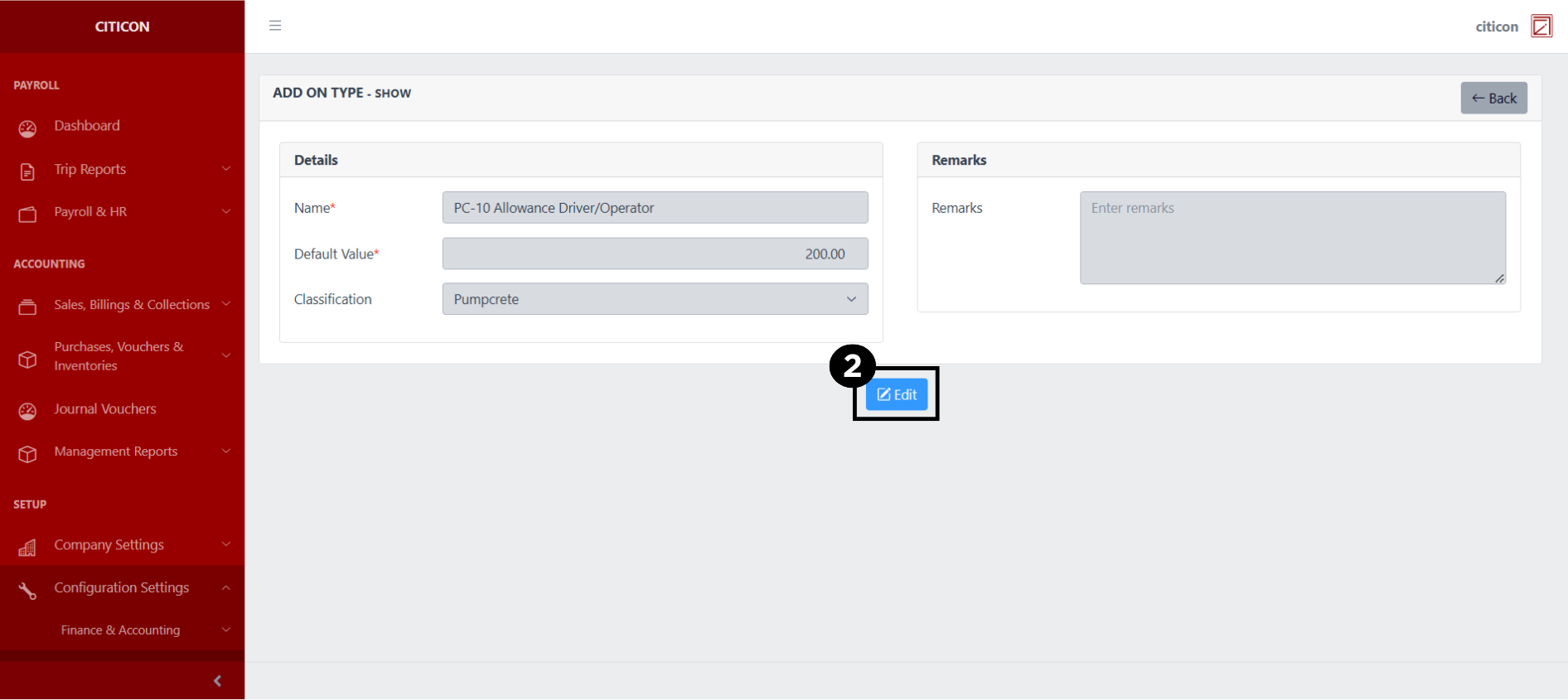
- Select the Edit button to update the details of the record.
- Select a detail section which you want to edit, and enter the necessary changes.
All fields with an asterisk (*) are required to be filled up.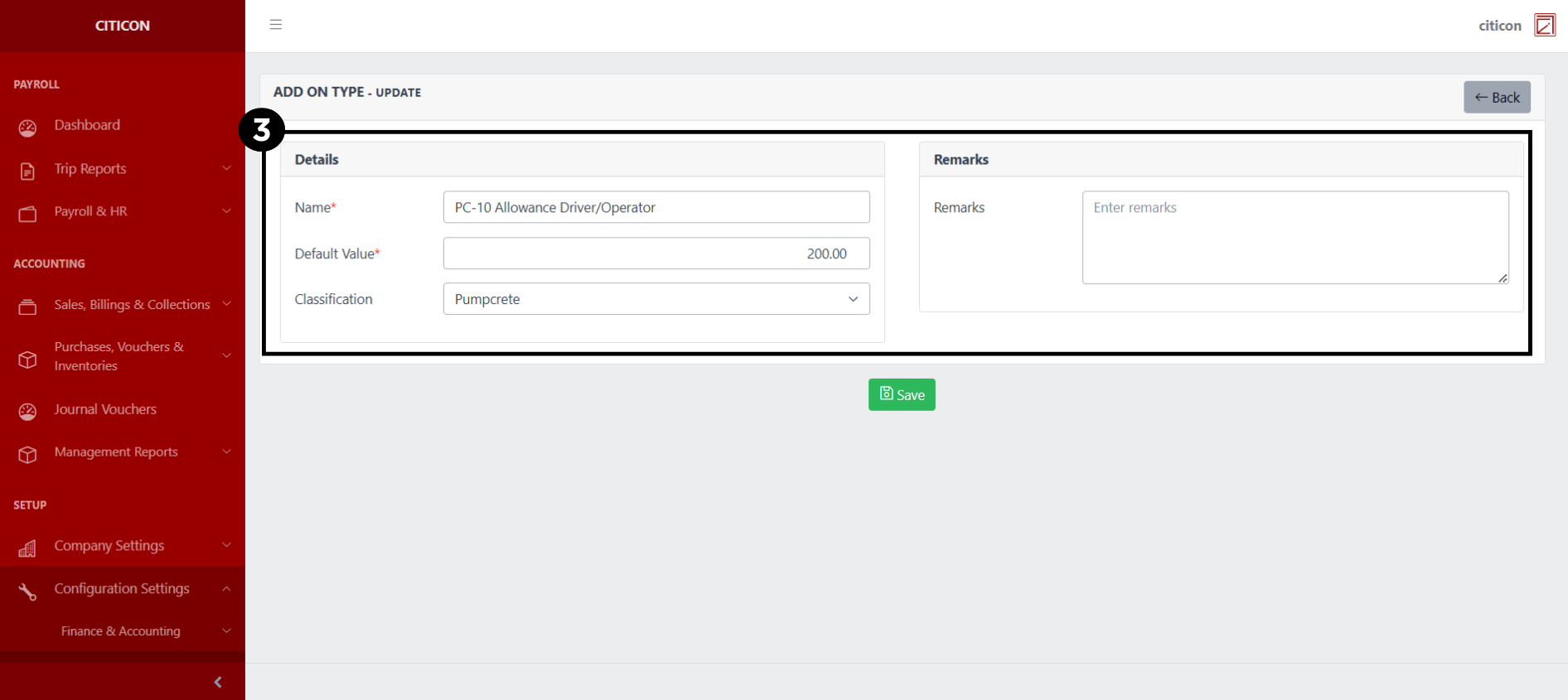
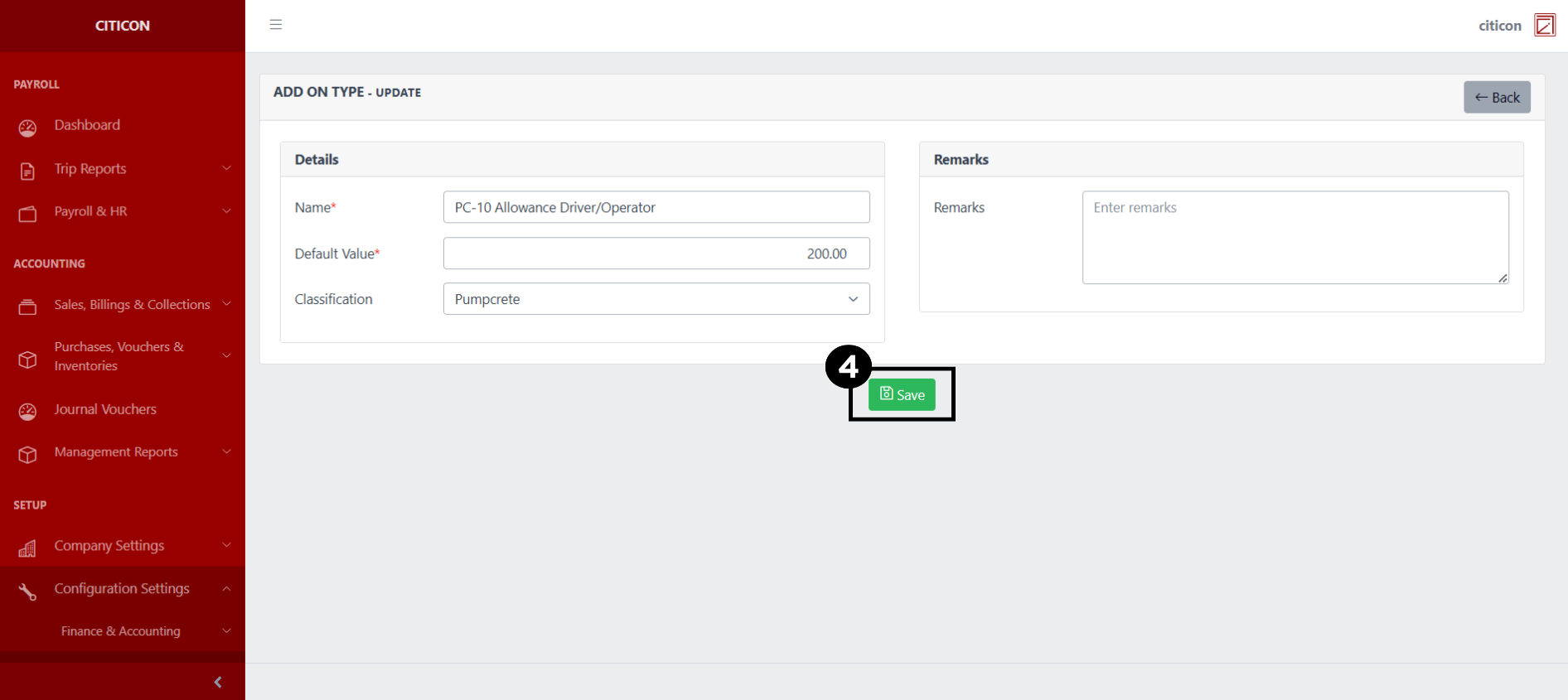
- Select the Save button to save the changes you have made.
Explore Citicon Payroll and Accounting System: Banks Configuration