Vendors Configuration
Welcome to Citicon Payroll and Accounting Systems Configuration for Vendors. The Vendors Configuration serves as a central repository for managing vendor and customer relationships within the accounting system. It enables efficient data entry, streamlines transaction processes, and facilitates accurate record-keeping, ultimately contributing to improved organizational efficiency and effectiveness.
Key Purposes
1. Managing Vendor and Customer Information: The module allows users to store and manage detailed information about vendors and customers, including contact details, banking information, tax identification numbers (TIN), payment terms, and other relevant data.
2. Facilitating Transactions: By maintaining accurate vendor and customer records, the module streamlines transactions such as purchase orders, invoices, and payments. Users can easily reference vendor and customer information when conducting business transactions within the system.
3. Efficient Data Entry: Users can add vendors and customers individually through a simple interface, entering specific details such as codes, names, types (vendor, customer, or both), and contact information. This streamlines the process of inputting new records into the system.
4. Bulk Importing: The module supports bulk importing of vendor and customer data using a template. This feature enables users to efficiently upload large volumes of vendor and customer records into the system, saving time and effort.
5. Customization and Configuration: Users can customize various parameters within the module, such as vendor/customer codes, types, and terms. This flexibility allows organizations to tailor the module to their specific requirements and industry standards.
6. Data Management and Reporting: The module provides tools for editing, managing, and exporting vendor and customer data. Users can update records, change status (active or inactive), and generate export files containing lists of vendors or customers for reporting and analysis purposes.
Vendors Module User-Manual
This section provides details, and set-by-step instruction to access, view, and update the Vendors data stored in the system.
Index Page
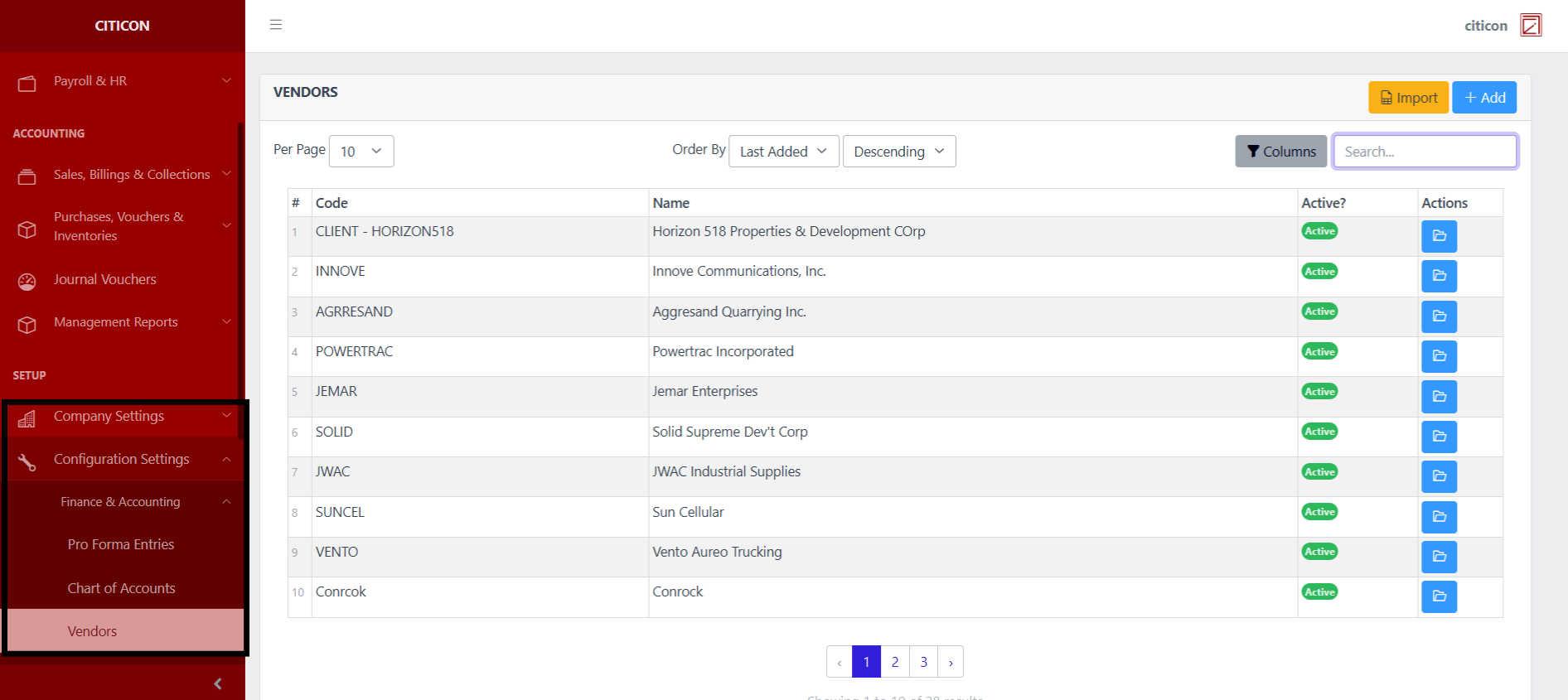
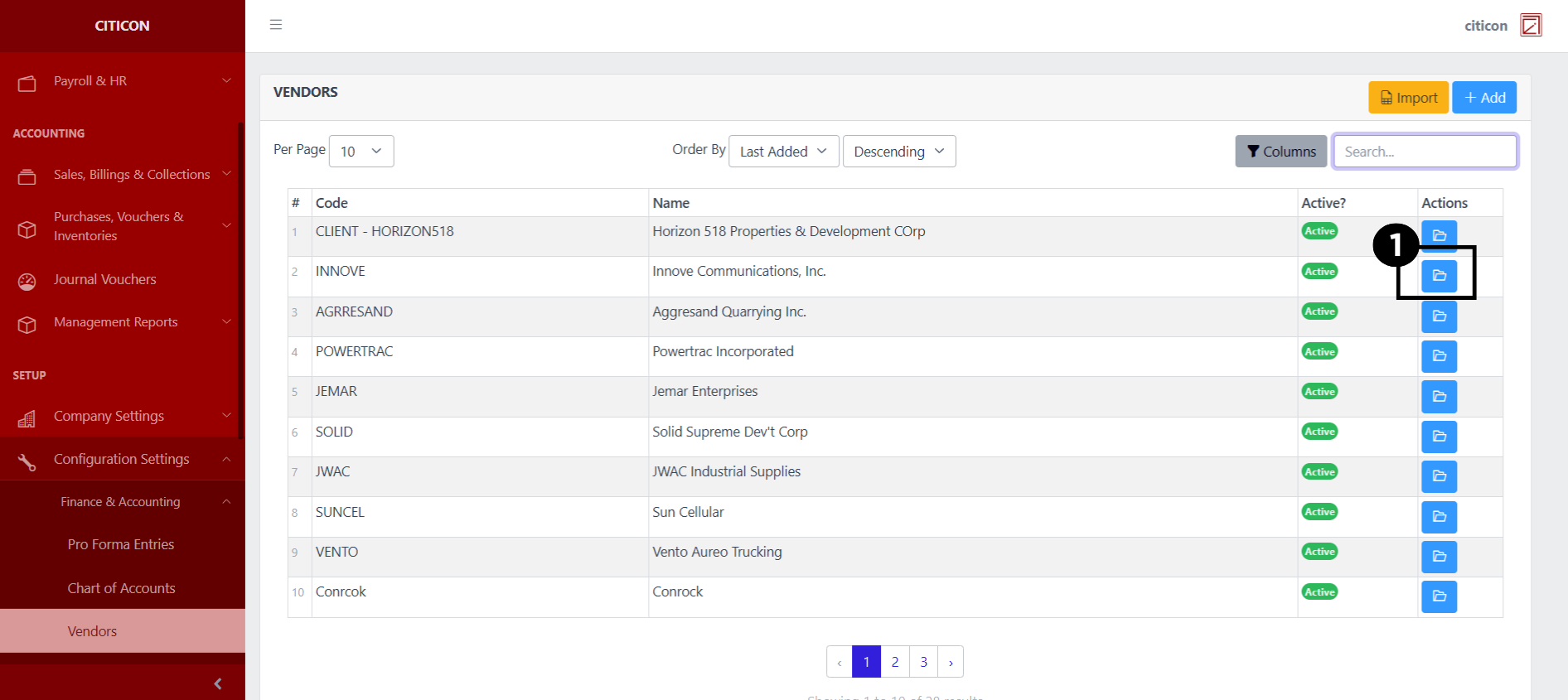
To access the Vendors Configuration. Go to Setup, select Configuration Settings, select Finance & Accounting, then select Vendors.
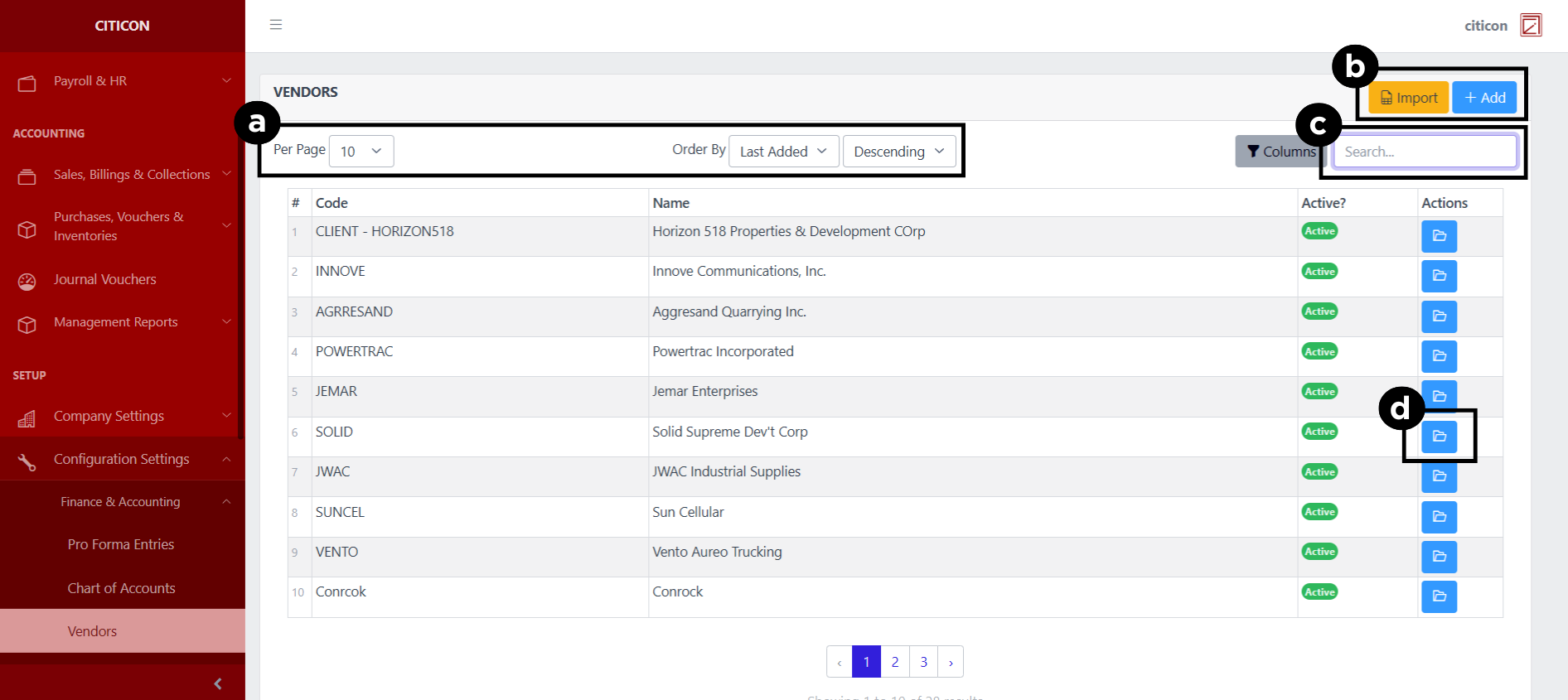
a. Adjust the paging, ordering, and sorting of the Vendors Page here.
b. Select the respective button to either Import or Add data.
c. Search for specific record details using the search bar.
d. View or Edit a record by selecting the folder button.
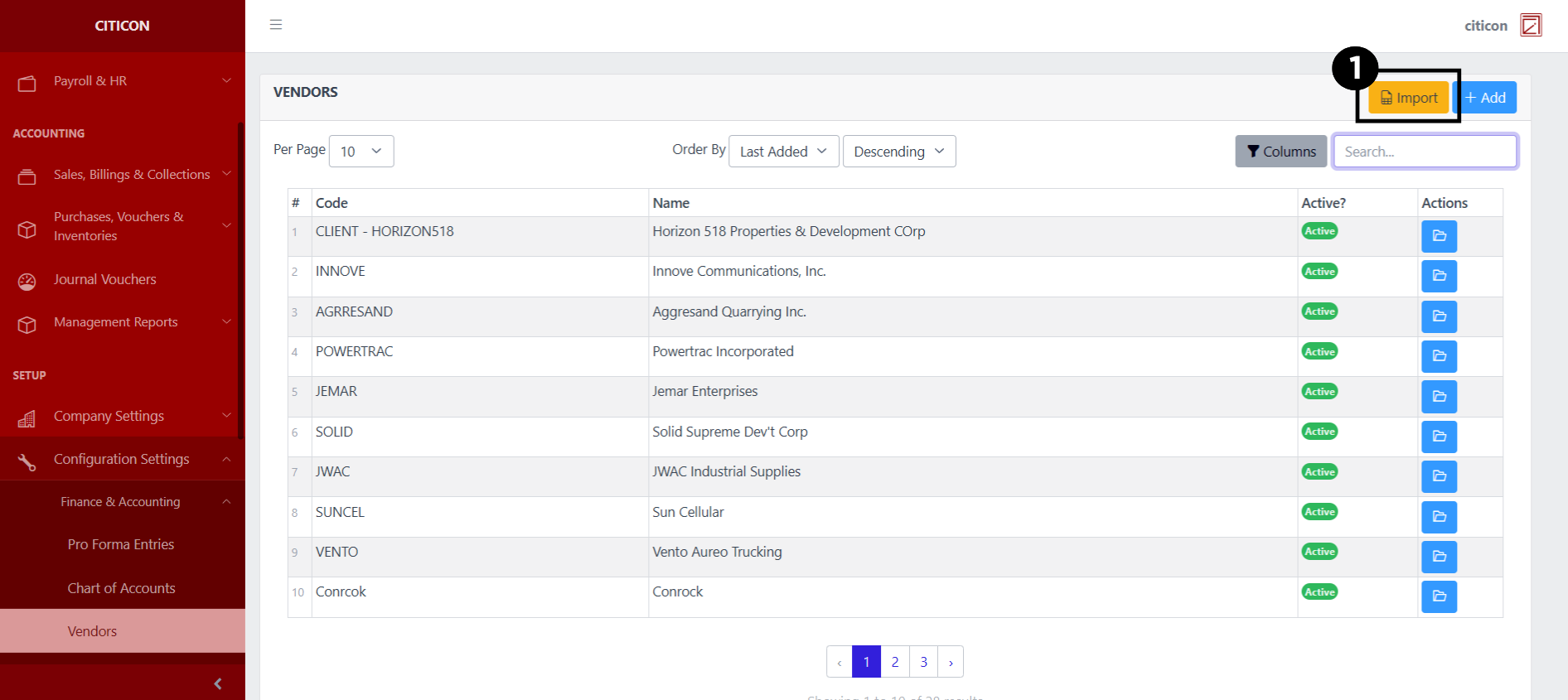
Import Records
- Select the Import button to import new records.
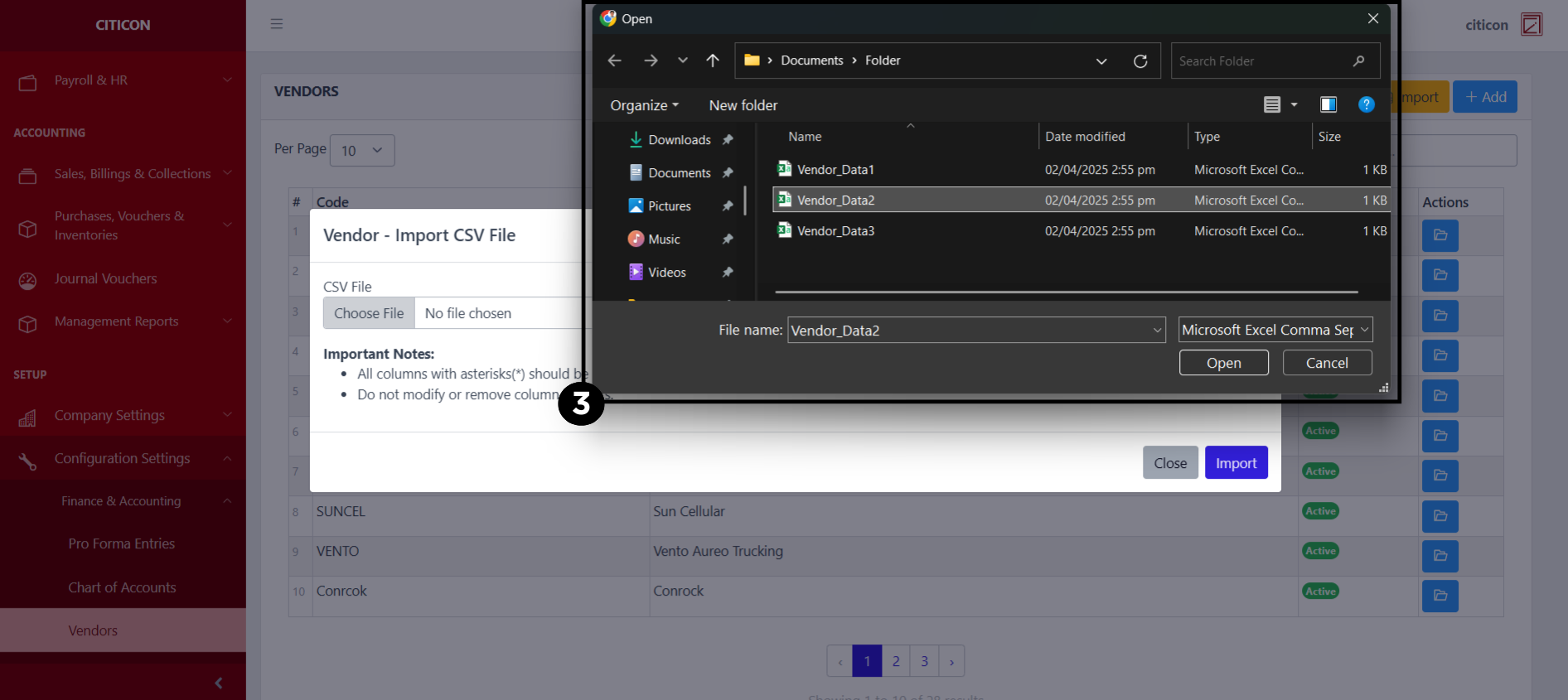
- Select the Choose File button.
Select the Download Template button to view the required format for imported data, including the number of columns, and mandatory fields to be filled.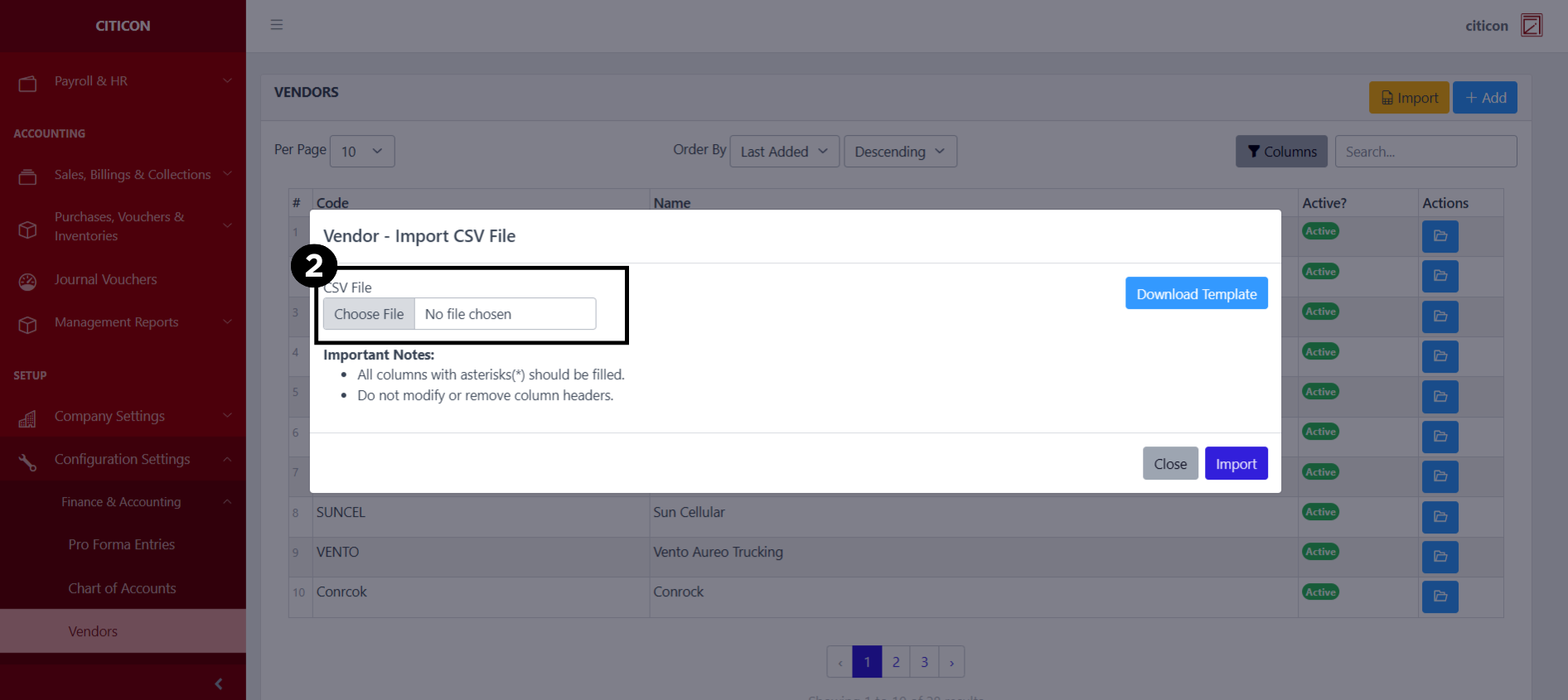
- From your local storage, select the file you want to import, then select the Open button.
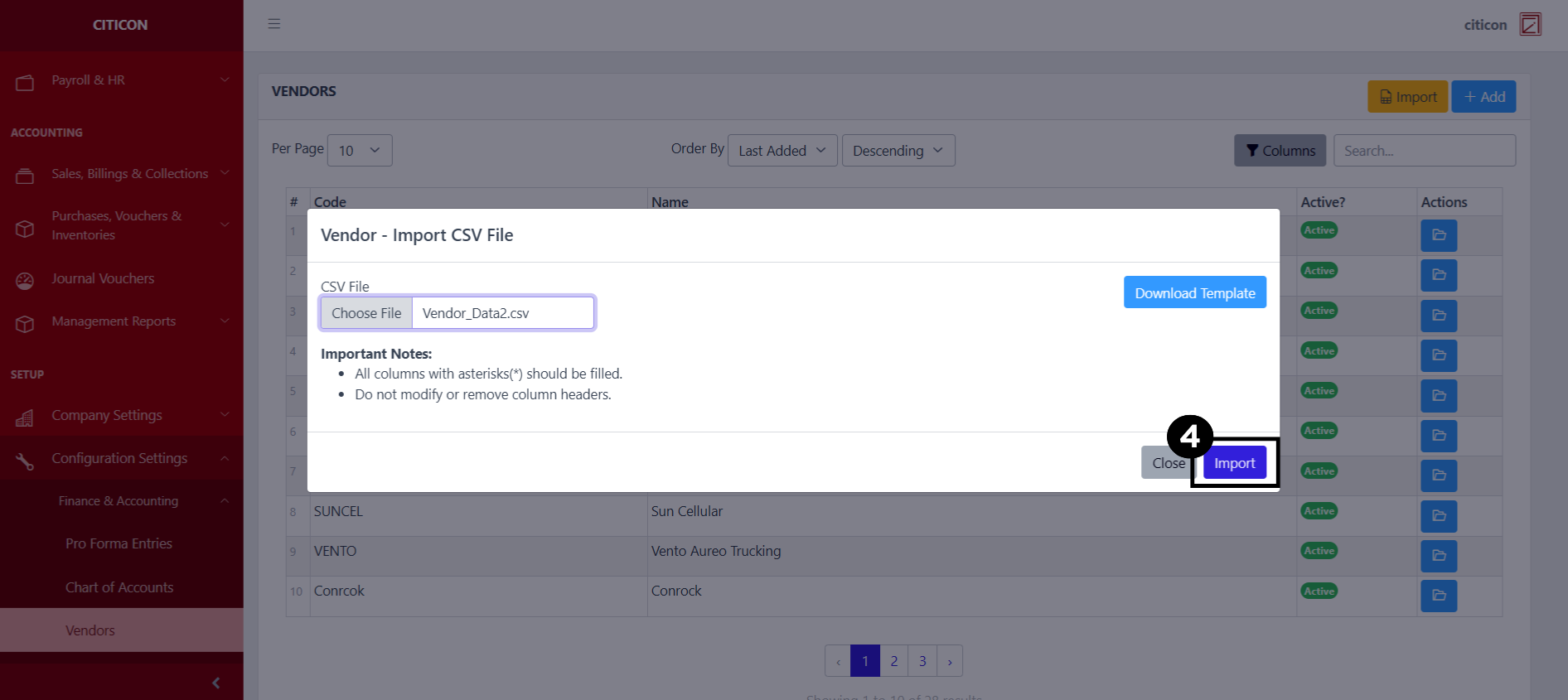
- Select the Import button
Add Records
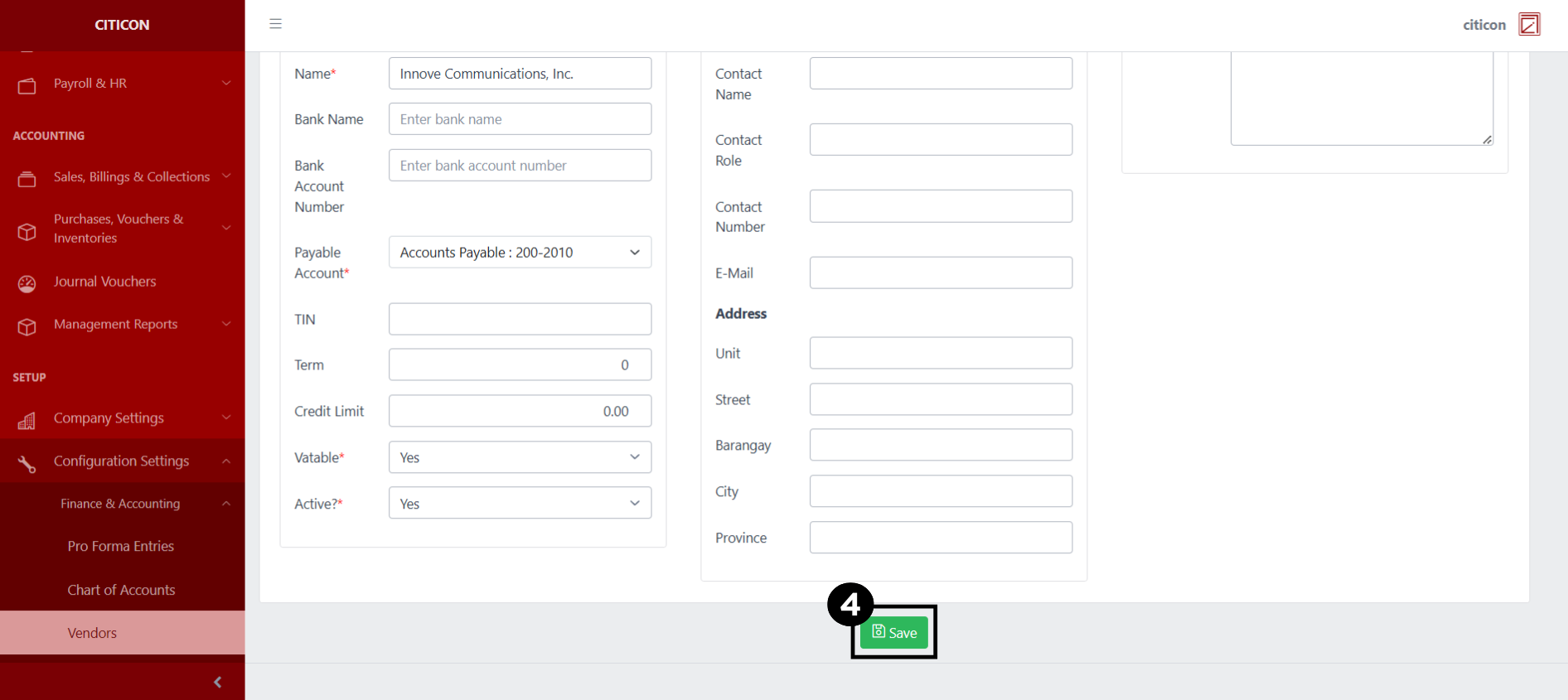
- Select the Add button to add a new Vendors record.

- Input the necessary details for your new Vendors record.
All fields that has an asterisk (*) are required to be filled up.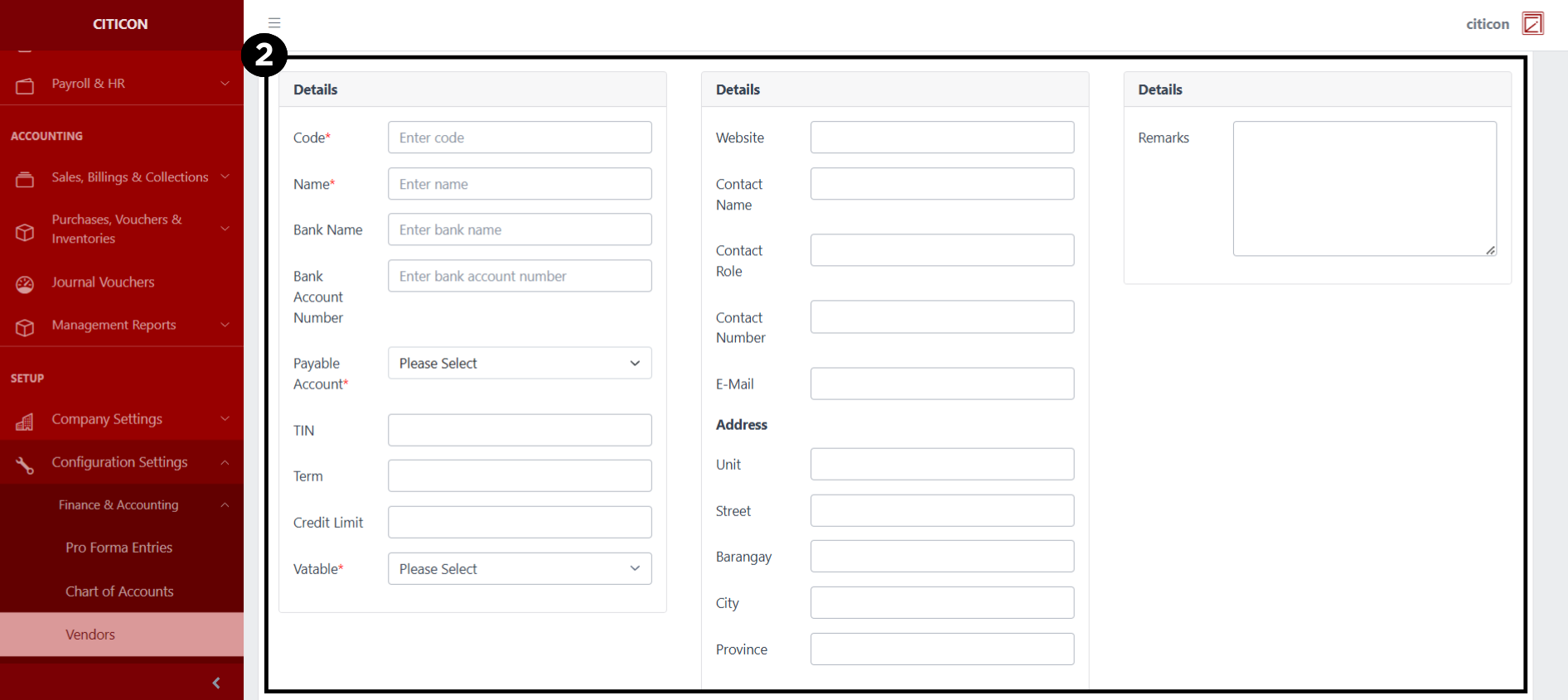
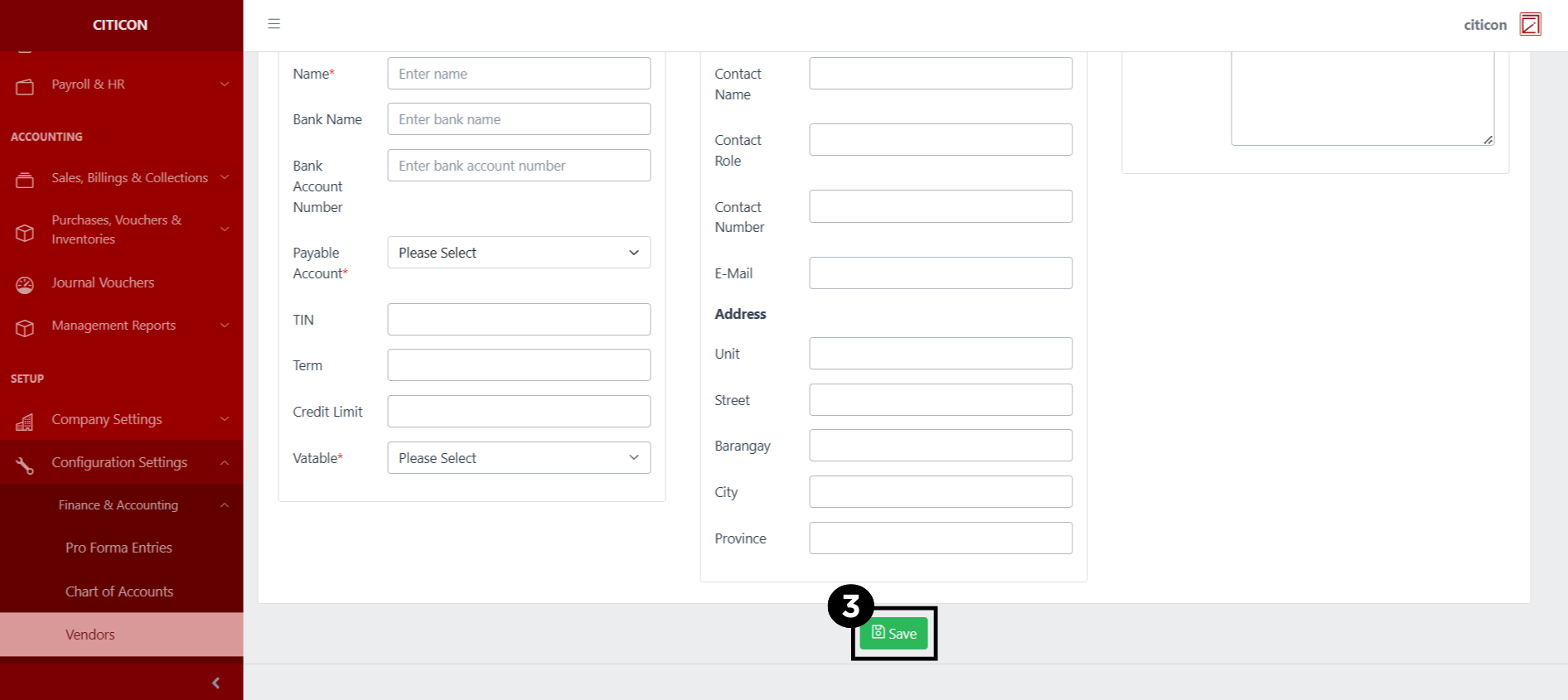
- Select the Save button to save your new Vendors record.
Show Records
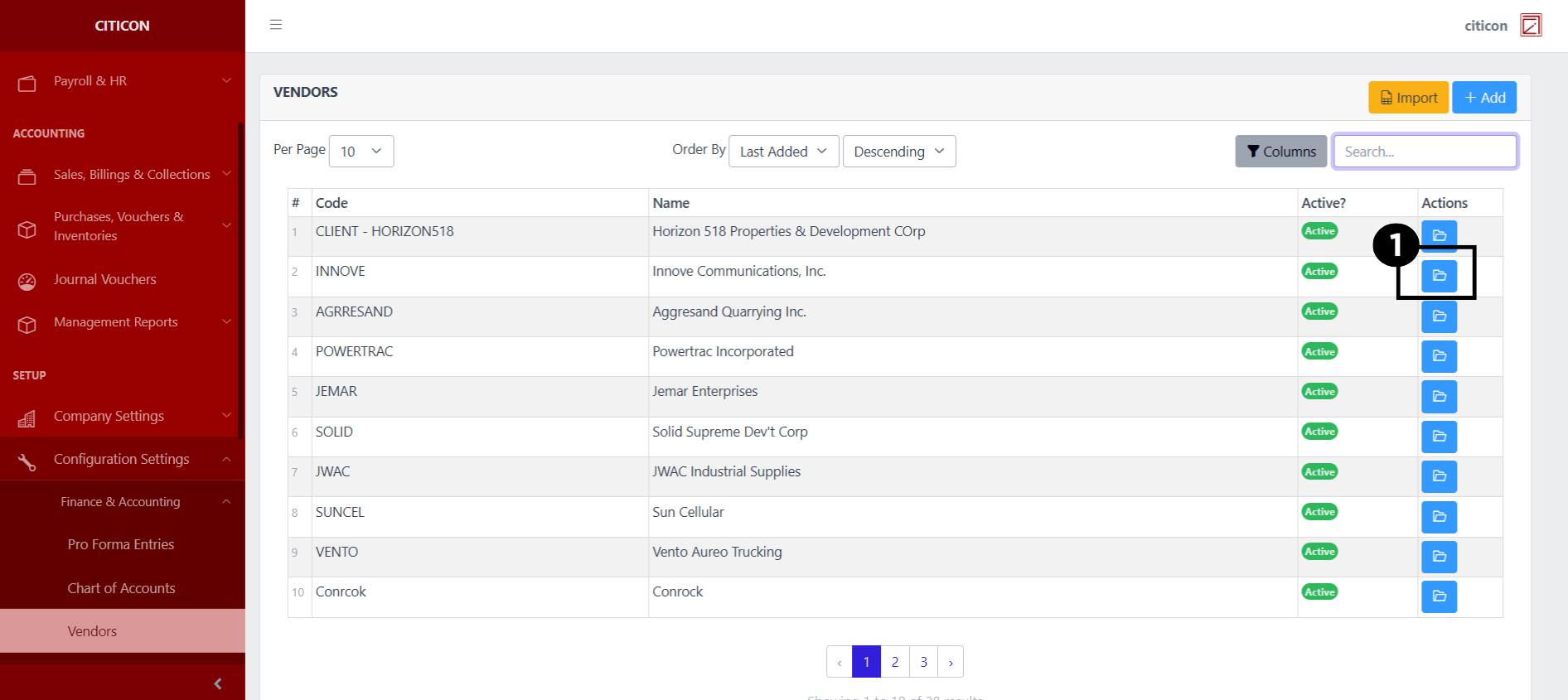
- Select the folder button to view a record.
 Here you can view more specific details on the Vendor record that you selected.

Update Records
- Select the folder button of the Vendor record which you want to edit.
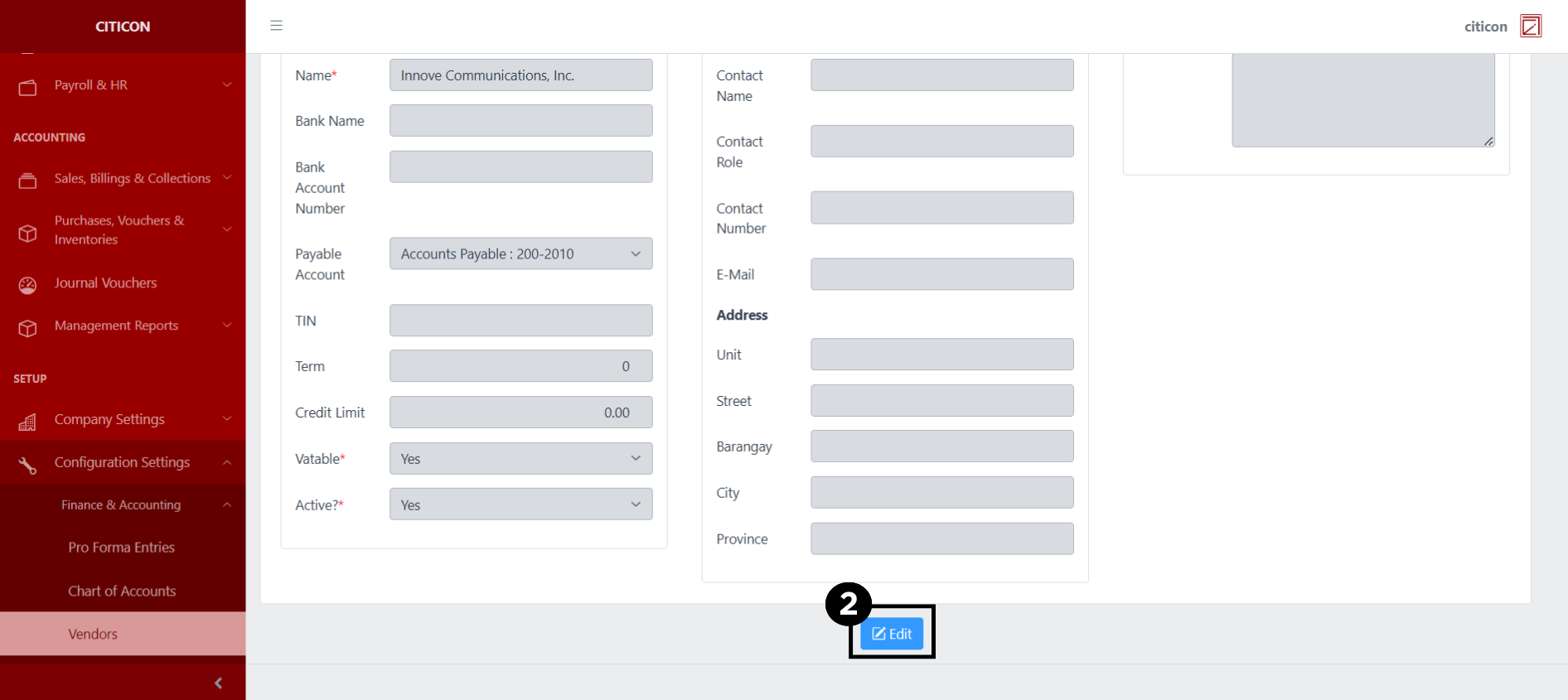
- Select the Edit button to update the details of the Vendor record.
- Select a detail section which you want to edit, and enter the necessary changes.
All fields with an asterisk (*) are required to be filled up.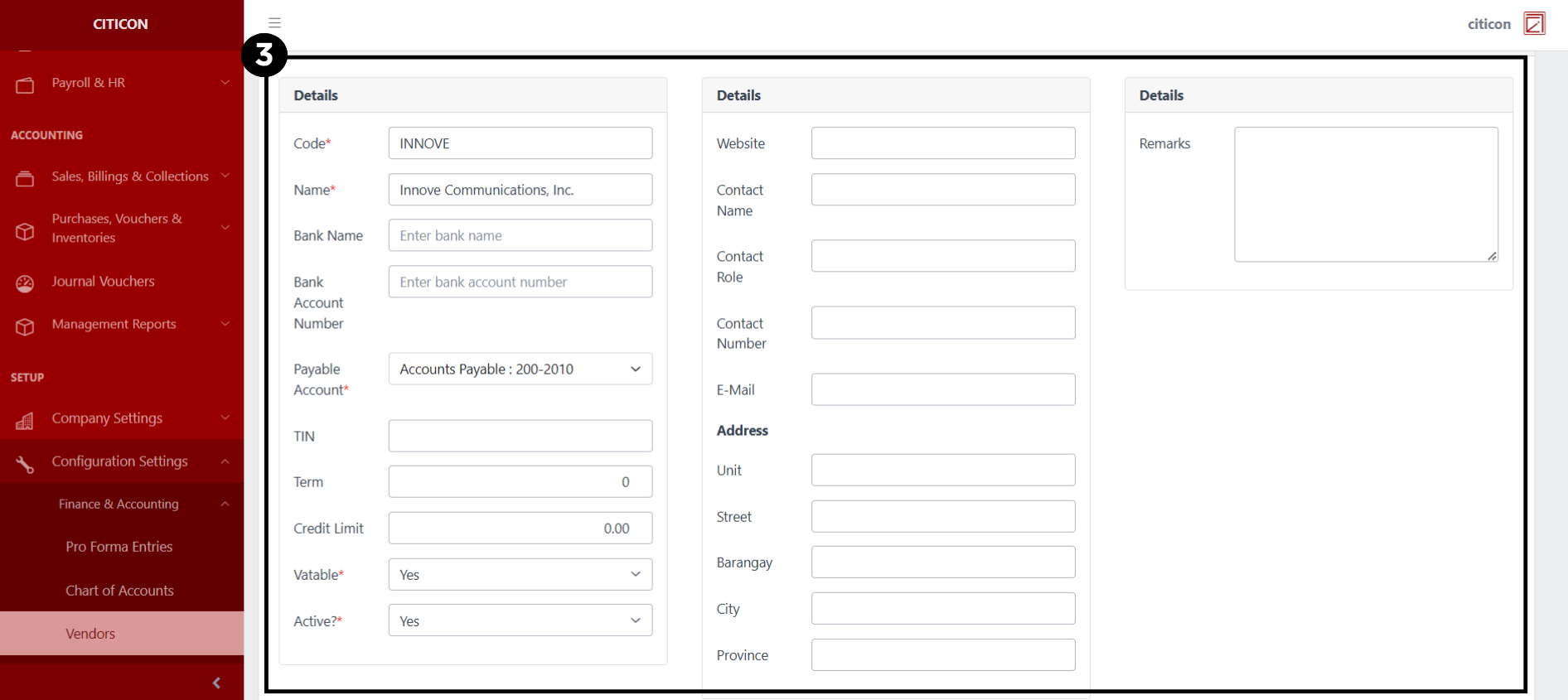
- Select the Save button to save the changes you have made.
Explore Citicon Payroll and Accounting System: Clients Configuration