Taxes - WHT Configuration
Welcome to Citicon Payroll and Accounting System Configurations of Taxes - WHT. This module tracks all your transactions subject to Withholding Tax (WHT). You can add, edit, and manage all your taxable payments and deductions in one place. Plus, you can upload them all at once. You can also customize it to fit your business needs. This module ensures that your tax-related transactions are well-organized, making it easier to handle deductions, allows efficient operation, ensures compliance with regulations, and keeps your financial records accurate.
Key Purposes
1. Organization and Categorization: The module allows users to organize and categorize payments and deductions subject to WHT within the accounting system, enabling better management and tracking of tax liabilities and remittances.
2. Transaction Preparation: Before initiating any transaction, users are required to input details of the payments subject to WHT. The module facilitates this process by providing fields to specify payment codes, types, rates, and descriptions.
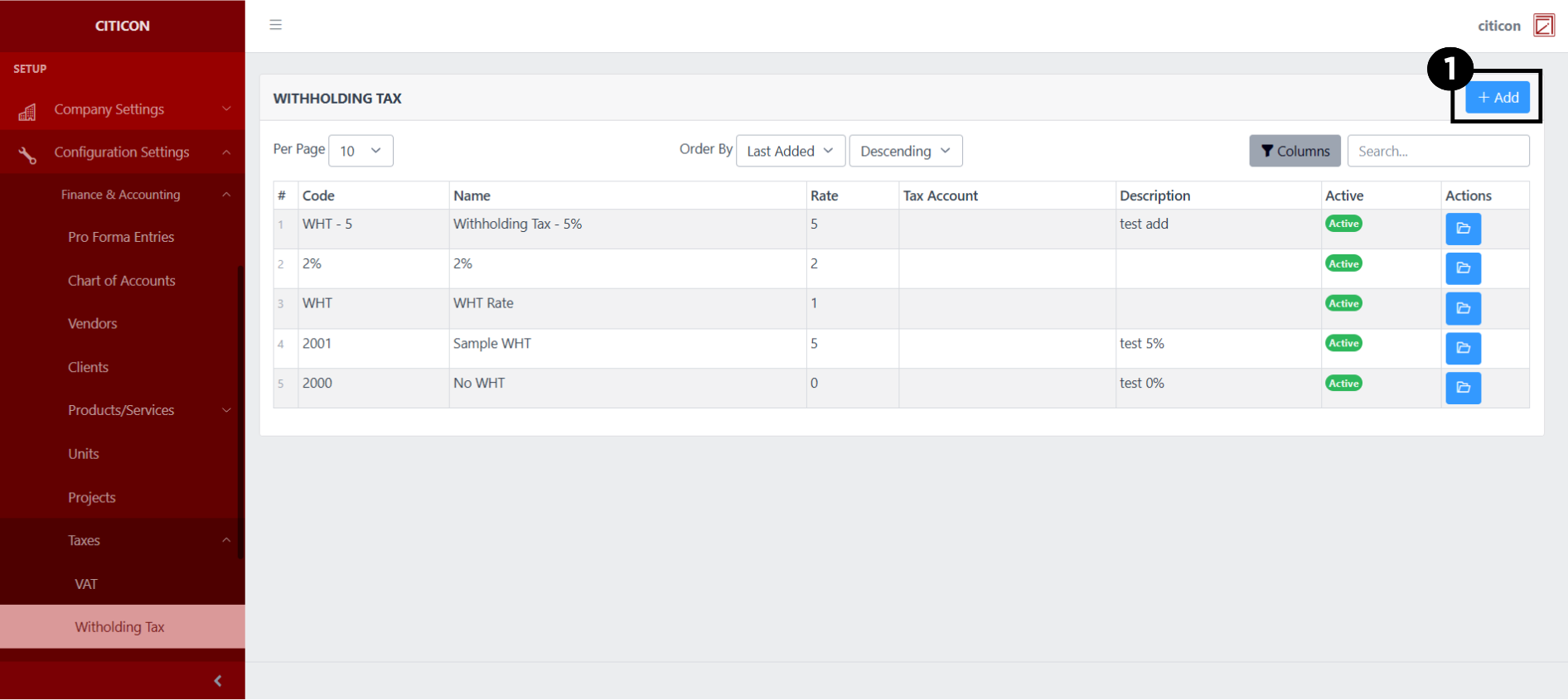
3. Adding New Transactions: Users can easily add new payments subject to WHT to the system by clicking the "Add" button and filling out the necessary details, such as unique codes, types (interest, dividends, services), applicable WHT rates, and descriptions.
4. Bulk Importing: The module supports bulk importing of payments subject to WHT using a template. Users can fill out the template with multiple items and then import it into the system, saving time and effort, especially for businesses with numerous transactions.
5. Editing and Managing: Users can edit and manage existing WHT-related transactions within the system. They can update details such as descriptions, WHT rates, payment amounts, and status (active/inactive) as needed.
6. Customization: The module offers flexibility in customization, allowing users to set unique codes and descriptions for each payment subject to WHT, as well as specify the type of payment and applicable WHT rate.
7. Data Exporting: Users have the option to export a summary list of all payments subject to WHT in the system for reference or further analysis, providing insights into the tax liabilities and compliance status.
8. Ensuring Data Integrity: By requiring unique codes for each payment and providing guidelines for data input, the module helps ensure data integrity and reduces the risk of duplication or errors in the system.
Withholding Tax Module User-Manual
This section provides details, and set-by-step instructions to access, view, and update the Withholding Tax data stored in the system.
Index Page
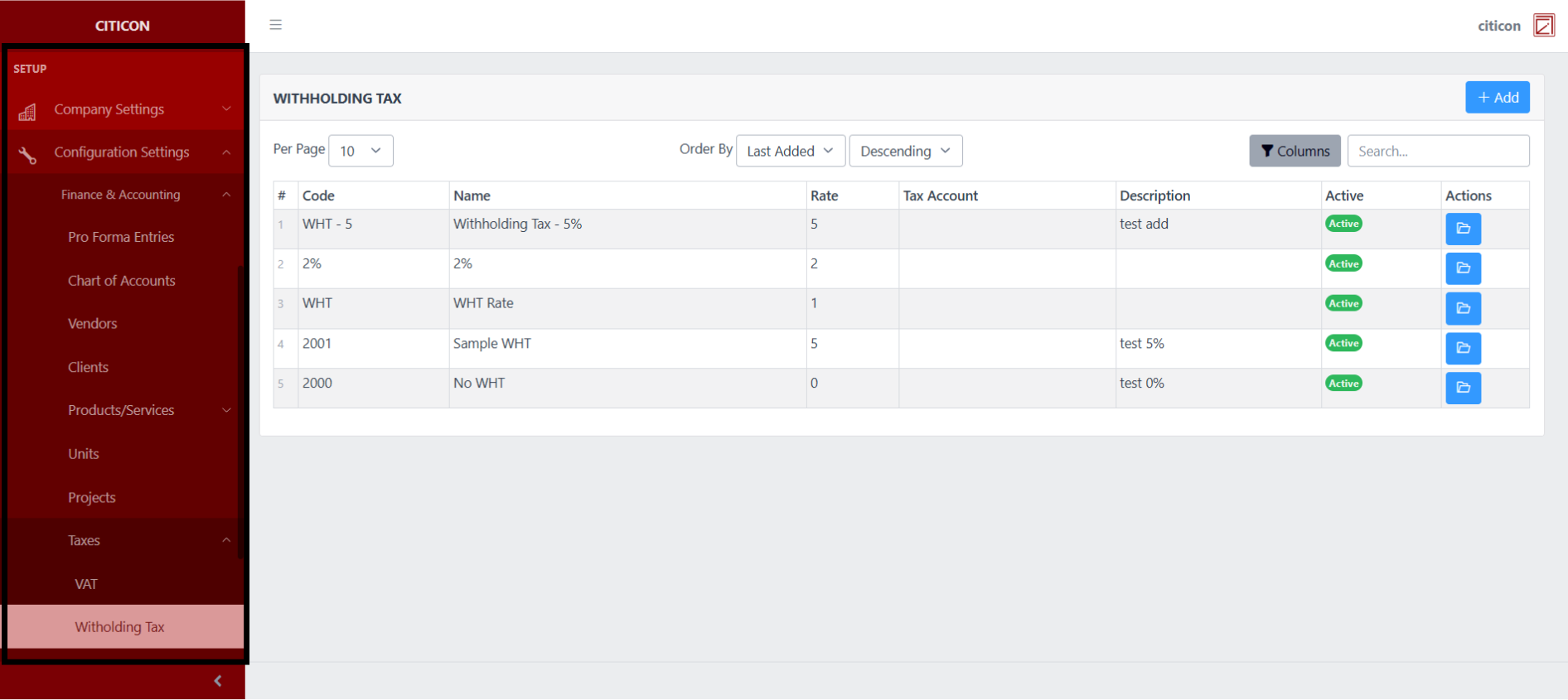
To access the Withholding Tax Configuration. Go to Setup, select Configuration Settings, select Finance & Accounting, then select Withholding Tax.
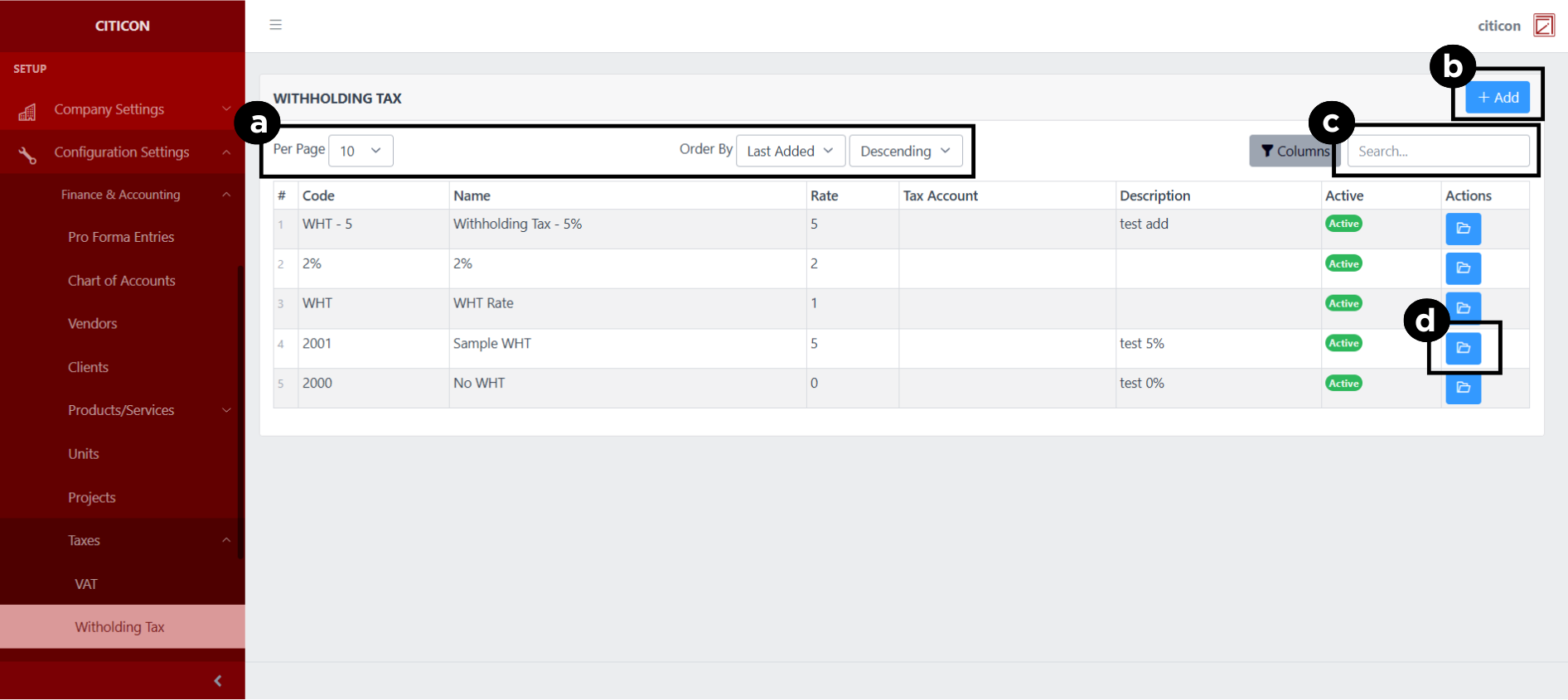
a. Adjust the paging, ordering, and sorting of the Withholding Tax Page here.
b. Select the Add button to add data.
c. Search for specific record details using the search bar.
d. View or Edit a record by selecting the folder button.
Add Records
- Select the Add button to add a new record.
- Input the necessary details for your new record.
All fields that has an asterisk (*) are required to be filled up.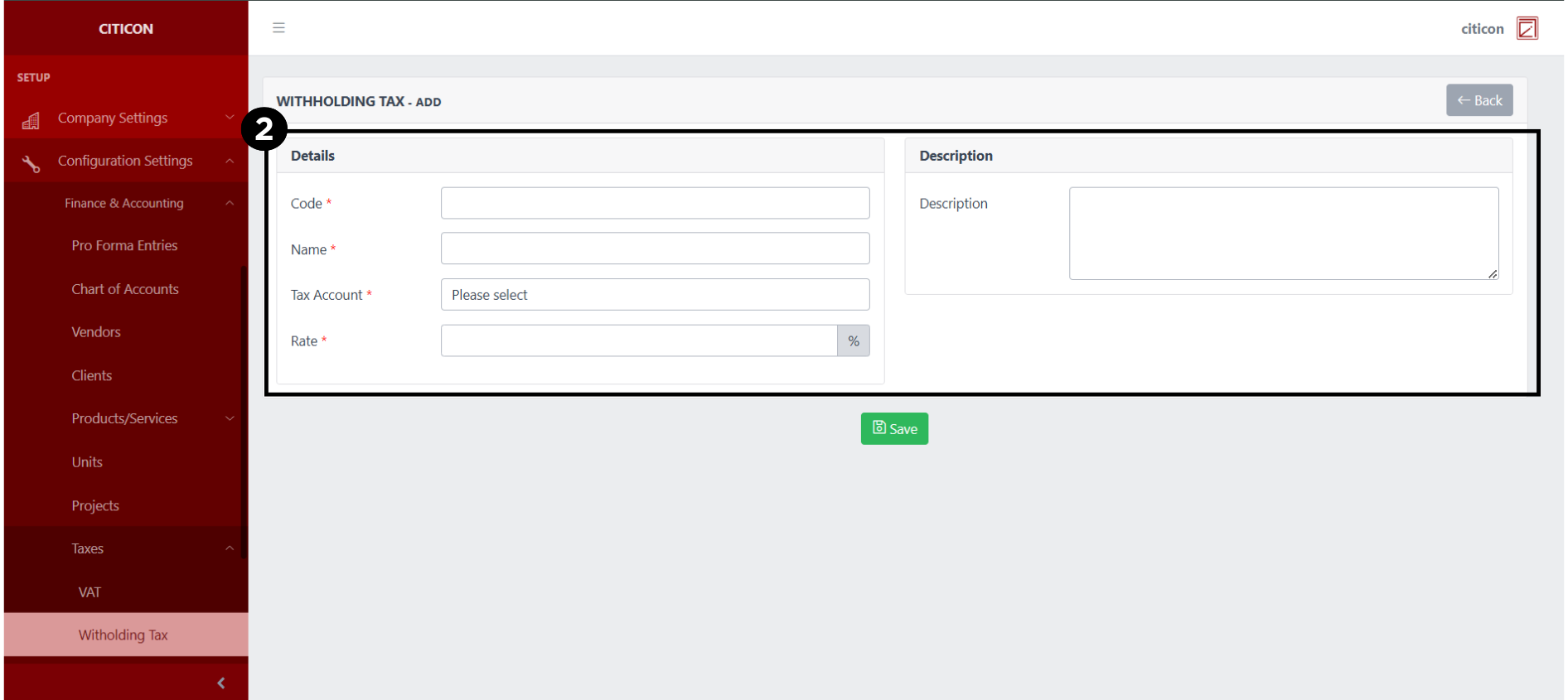
- Select the Save button to save your new record.
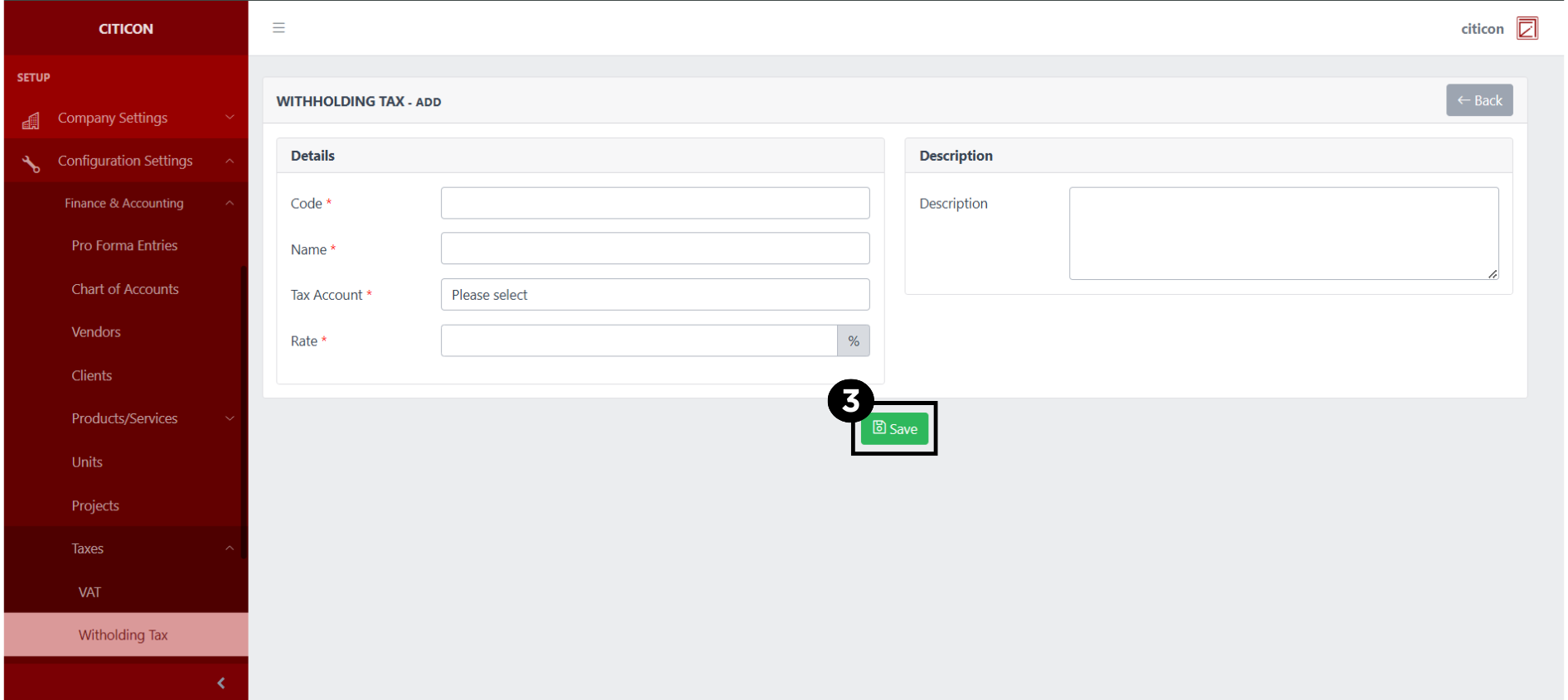
Show Records
- Select the folder button to view a record.
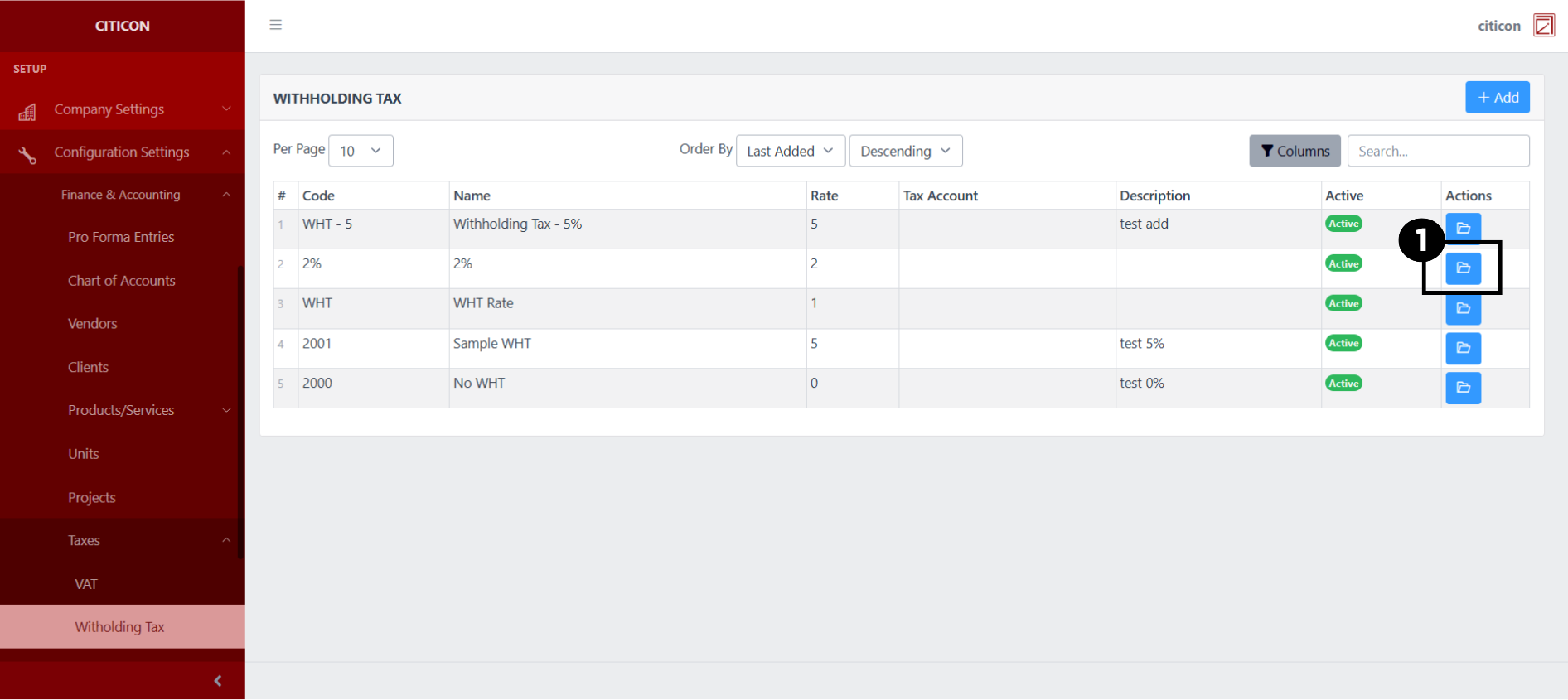 Here you can view more specific details on the record that you selected.
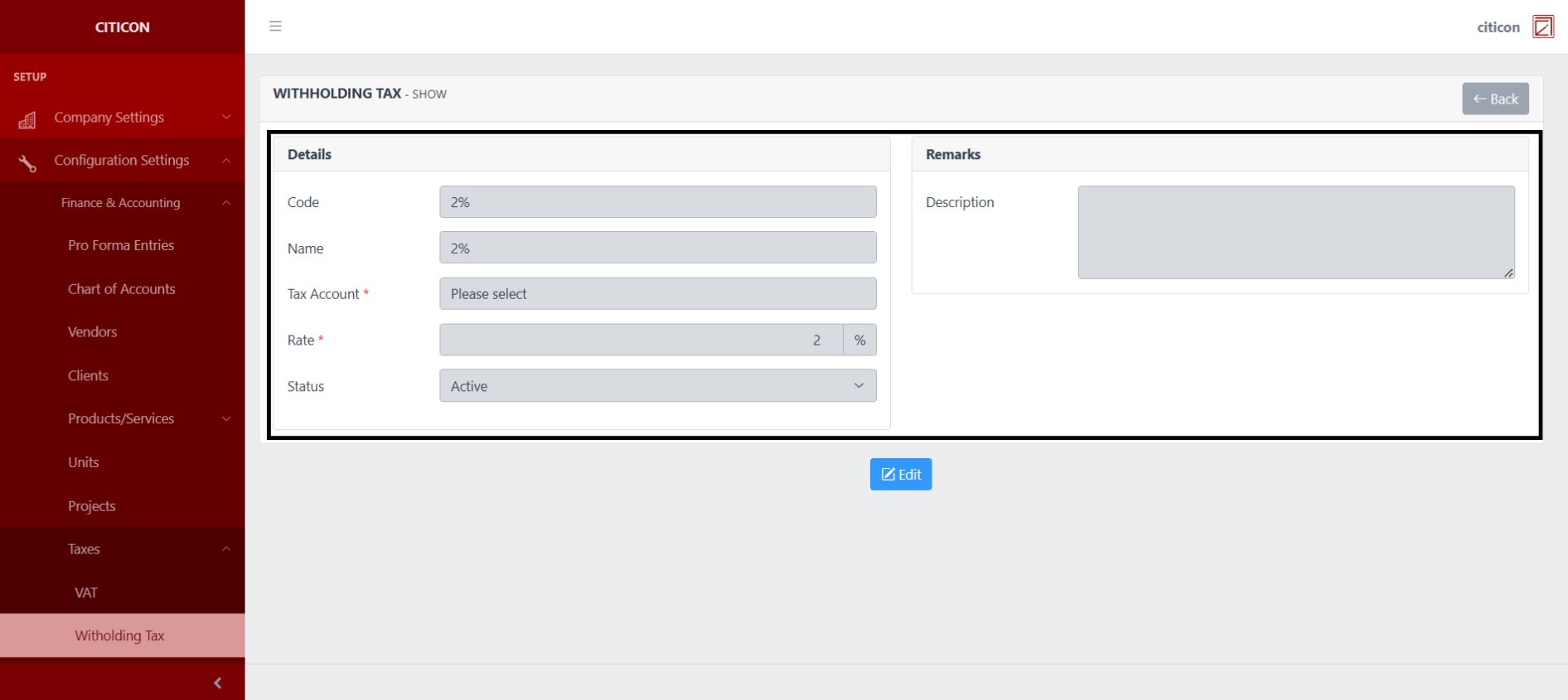
Update Records
- Select the folder button of the record which you want to edit.
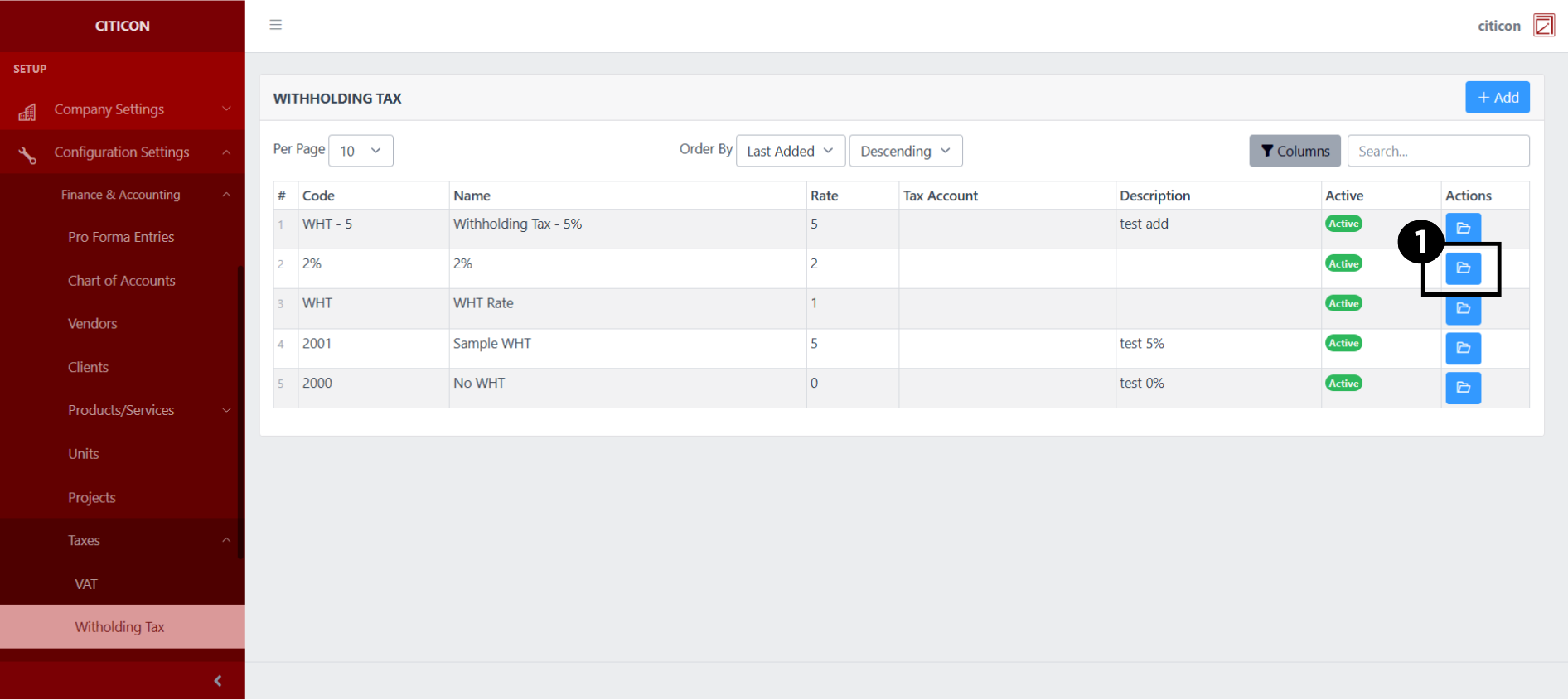
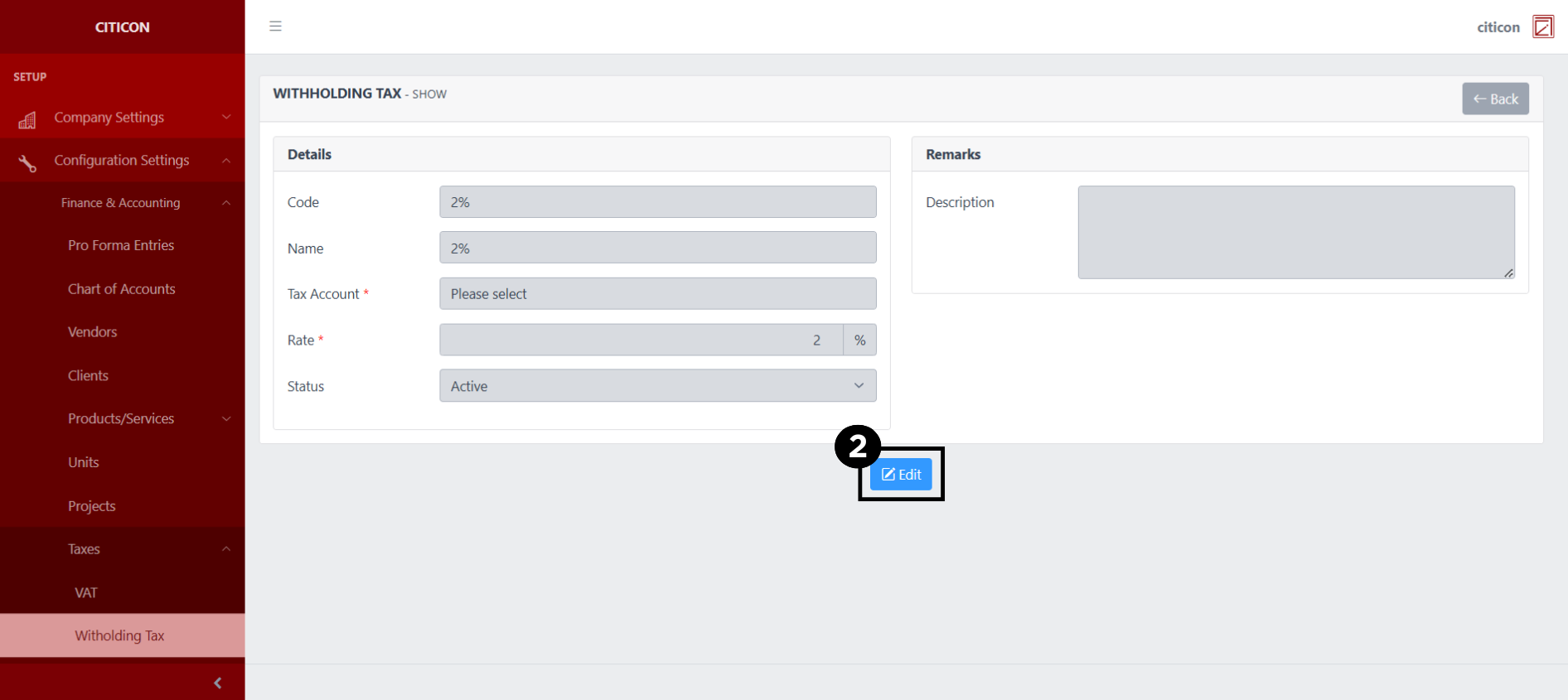
- Select the Edit button to update the details of the record.
- Select a detail section which you want to edit, and enter the necessary changes.
All fields with an asterisk (*) are required to be filled up.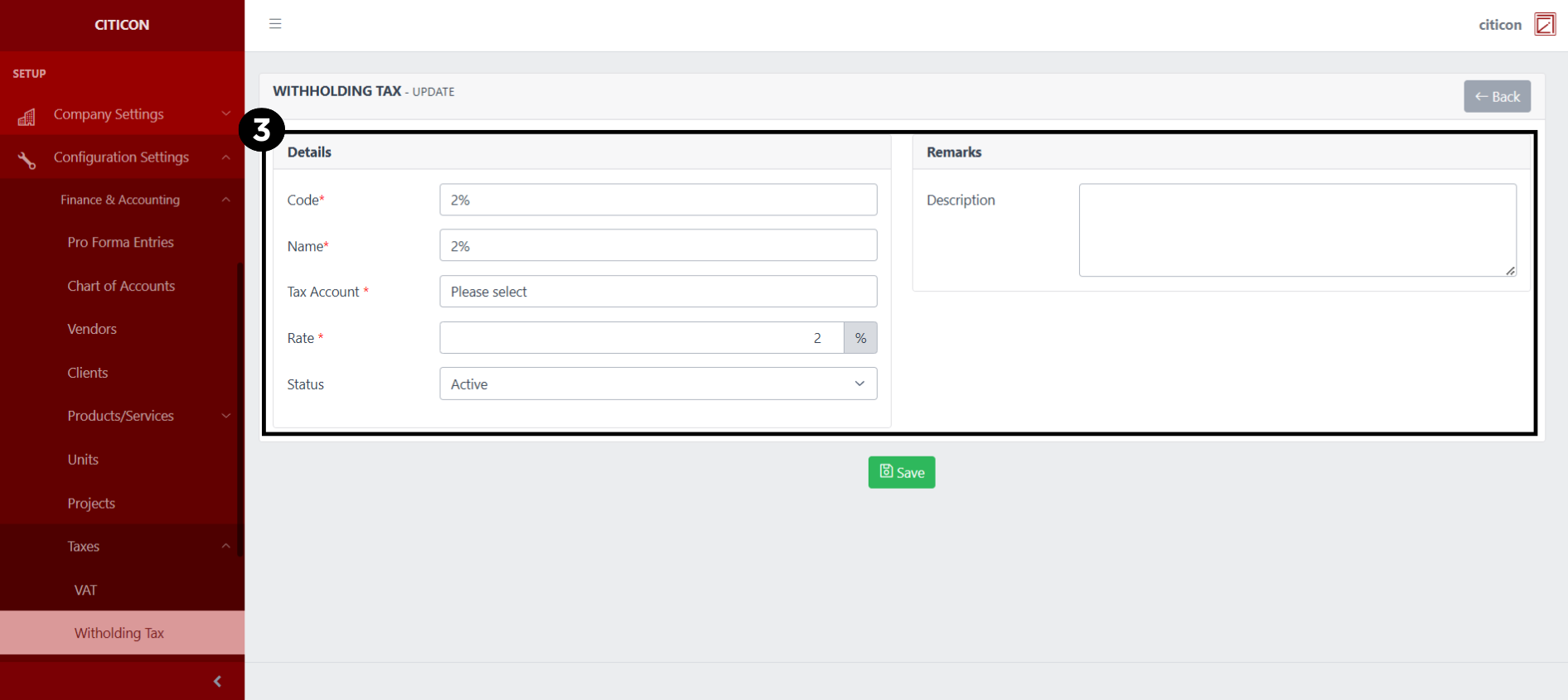
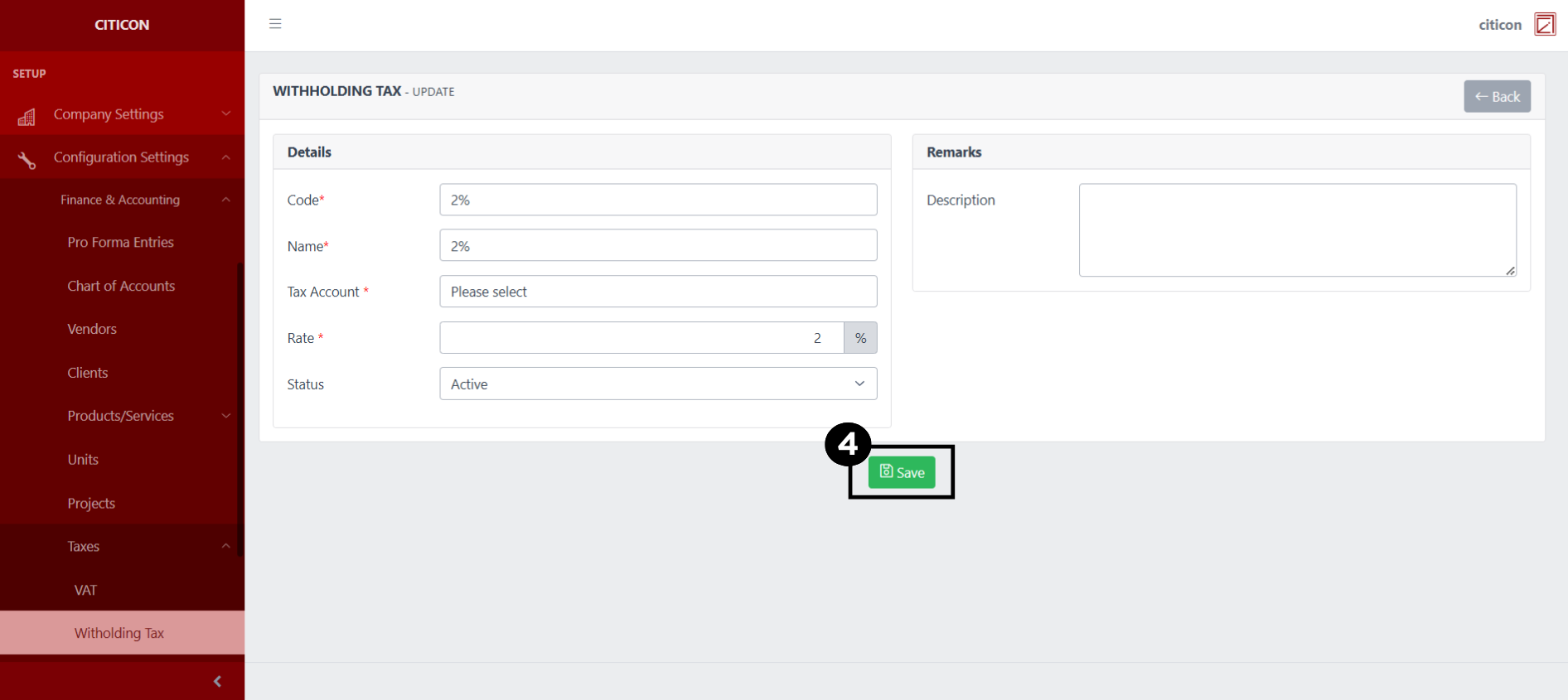
- Select the Save button to save the changes you have made.
Explore Citicon Payroll and Accounting System: Billing Add-Ons Configuration