Chart of Accounts Configuration
Welcome to Citicon Payroll and Accounting Systems Configurations for Chart of Accounts. Chart of Accounts serves as the backbone of your financial recording process, providing a structured framework for categorizing and organizing all financial transactions within your business or organization.
This guide will walk you through the fundamental principles of designing and implementing a Chart of Accounts tailored to meet the specific needs and requirements of your entity. Whether you are establishing a new COA from scratch or refining an existing one, understanding the significance of each account and its placement within the hierarchy is crucial for accurate financial reporting and decision-making.
We will explore the key components of a Chart of Accounts, including the classification of accounts by type, the importance of a standardized numbering system, and the considerations for accommodating the unique aspects of your business operations. Additionally, we will discuss best practices for maintaining flexibility and scalability within your COA to adapt to changes in your organization's structure, industry dynamics, and regulatory requirements.
By the end of this guide, you will have the knowledge and insights necessary to develop and set-up a robust Chart of Accounts that not only facilitates efficient financial management but also serves as a strategic tool for driving business growth and success. Let's embark on this journey to optimize your accounting system and unlock the full potential of your financial data.
Key Purposes
1. Recording Financial Transactions: The COA is used to systematically record all transactions in the company's or organization's general ledger. This ensures that all financial activities are accurately documented and categorized.
2. Organizing Financial Data: The COA groups accounts into categories such as assets, liabilities, equity, revenue, and expenses. This organization helps in maintaining a clear and structured financial record.
3. Providing Unique Identifiers: Each account in the COA is assigned a unique code to prevent duplication. This uniqueness is crucial for maintaining data integrity and ensuring that transactions are recorded correctly without errors.
4. Customizing and Adding Accounts: The system allows users to add new accounts to the COA, specifying the type (asset, liability, equity, revenue, or expense) and providing descriptions. This flexibility enables users to tailor the COA to their specific needs.
5. Editing and Managing Accounts: Users can edit existing accounts and update their details as needed. The ability to mark accounts as active or inactive allows for better management and control of financial data.
6. Bulk Importing Accounts: The system provides a feature to import multiple accounts using a predefined template. This functionality is essential for efficiently setting up or updating the COA, especially when dealing with a large number of accounts.
7. Exporting Accounts for Reporting: The COA can be exported for use in other reporting contexts. This feature is useful for generating comprehensive financial reports and ensuring that all necessary account information is readily available for analysis or compliance purposes.
Chart of Account Types
Chart of Account Types is the list of all subclassification of the different chart of account. The Chart of Accounts (COA) in the accounting system is categorized into the following types:
1. Assets: Accounts related to the resources owned by the company, such as cash, accounts receivable, inventory, and property.
2. Liabilities: Accounts representing the company's obligations or debts, such as accounts payable, loans, and mortgages.
3. Equity: Accounts that reflect the owner's interest in the company, including common stock, retained earnings, and additional paid-in capital.
4. Revenue: Accounts for income earned from the company's primary business activities, such as sales revenue and service income.
5. Expenses: Accounts that track the costs incurred in the process of earning revenue, such as salaries, rent, utilities, and supplies.
These categories are used to systematically record and organize financial transactions in the company's general ledger, ensuring comprehensive and structured financial reporting.
Chart of Accounts Module User-Manual
This section provides details, and set-by-step instruction to access, view, and update the Chart of Accounts data stored in the system.
Index Page
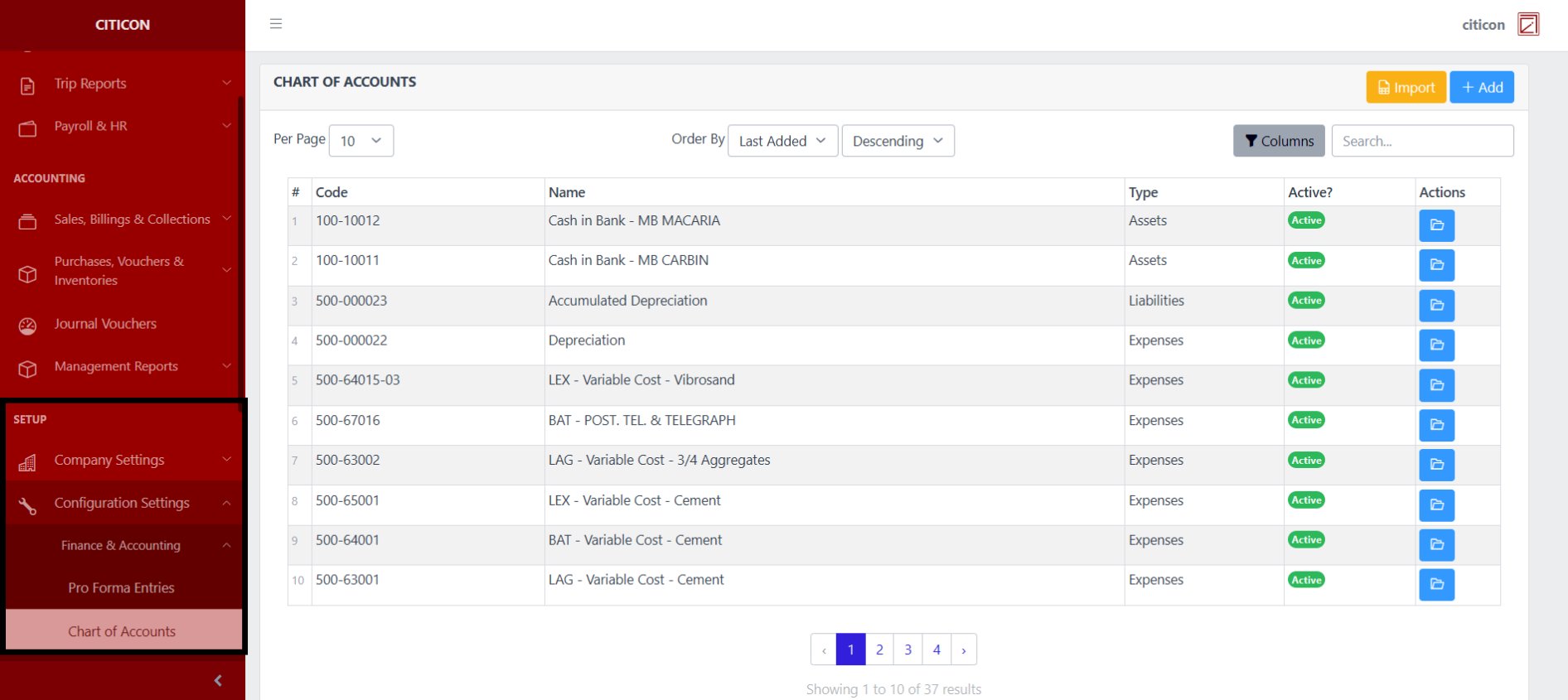
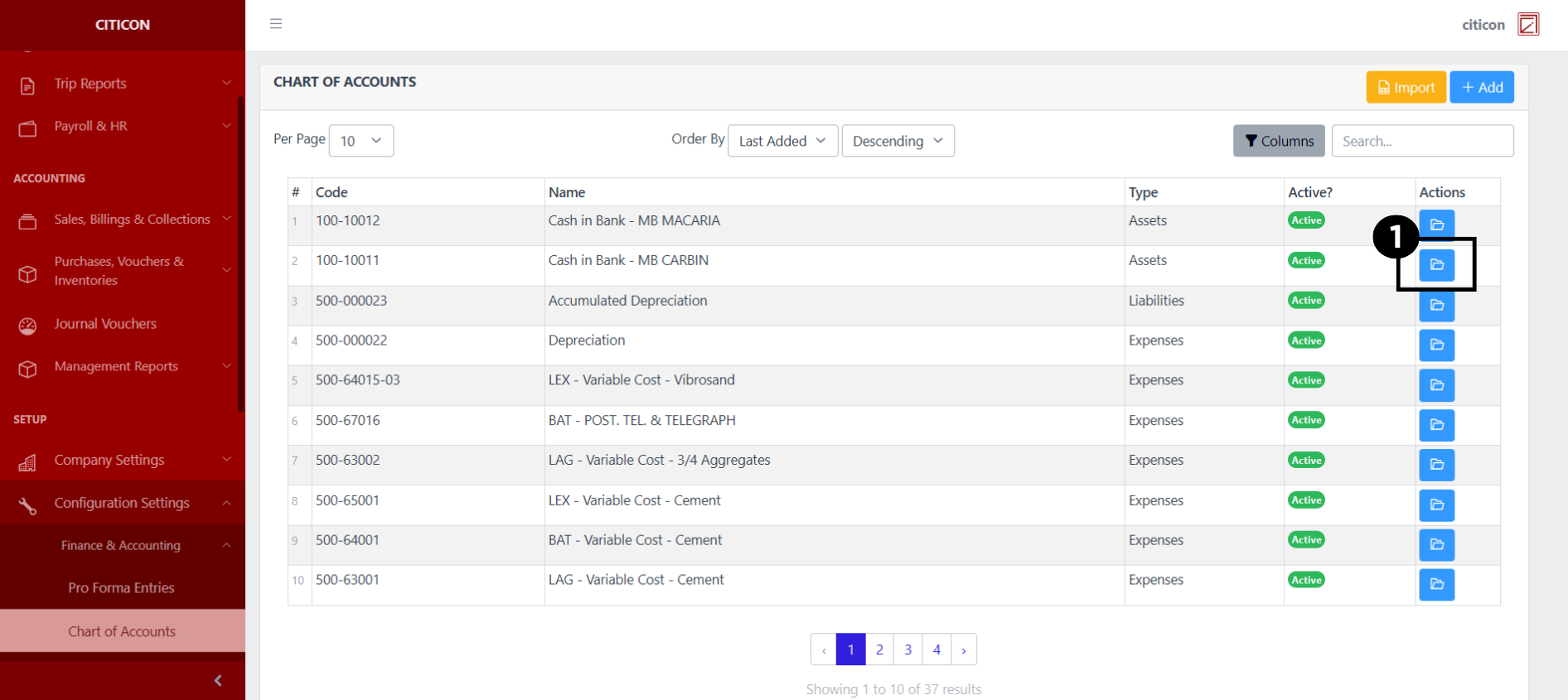
To access the Chart of Accounts Configuration. Go to Setup, select Configuration Settings, select Finance & Accounting, then select Chart of Accounts.
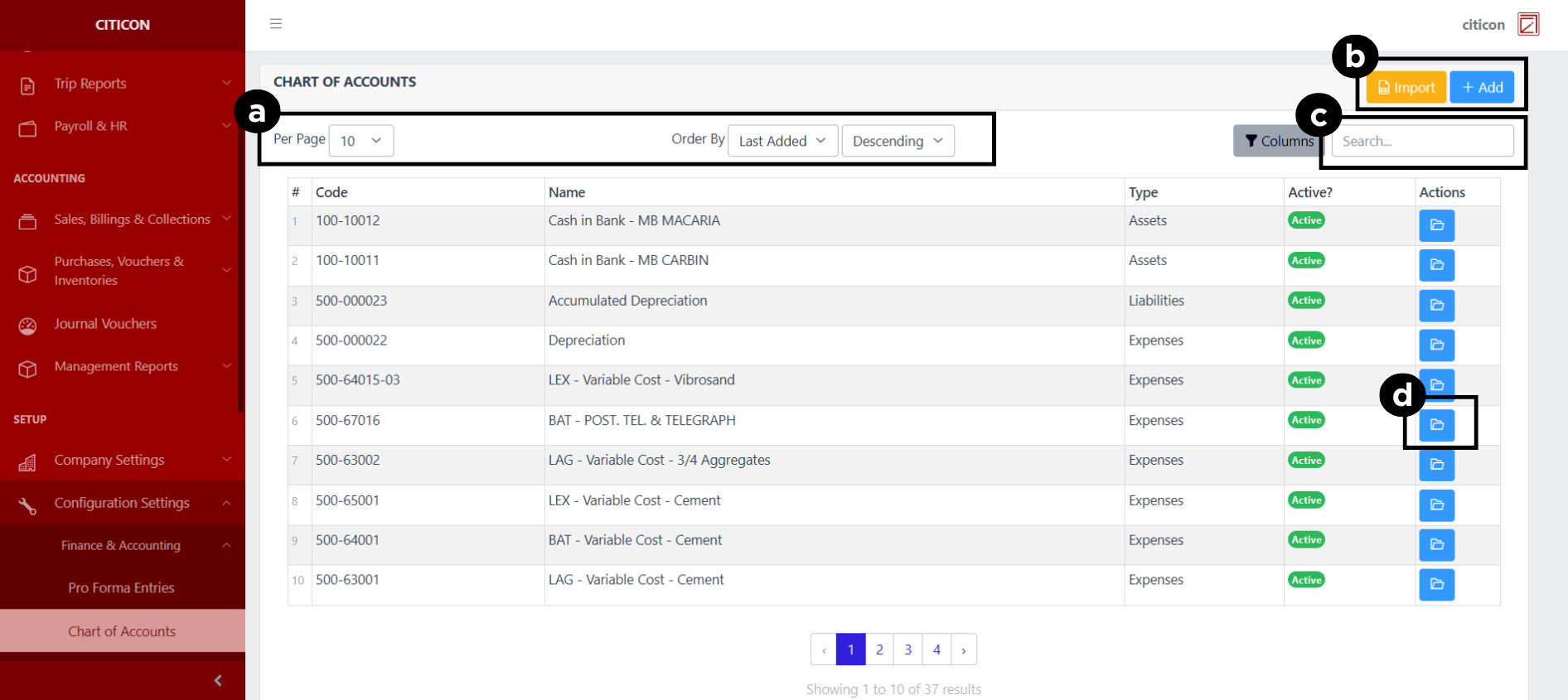
a. Adjust the paging, ordering, and sorting of the Chart of Accounts Page here.
b. Select the respective button to either Import or Add data.
c. Search for specific record details using the search bar.
d. View or Edit a record by selecting the folder button.
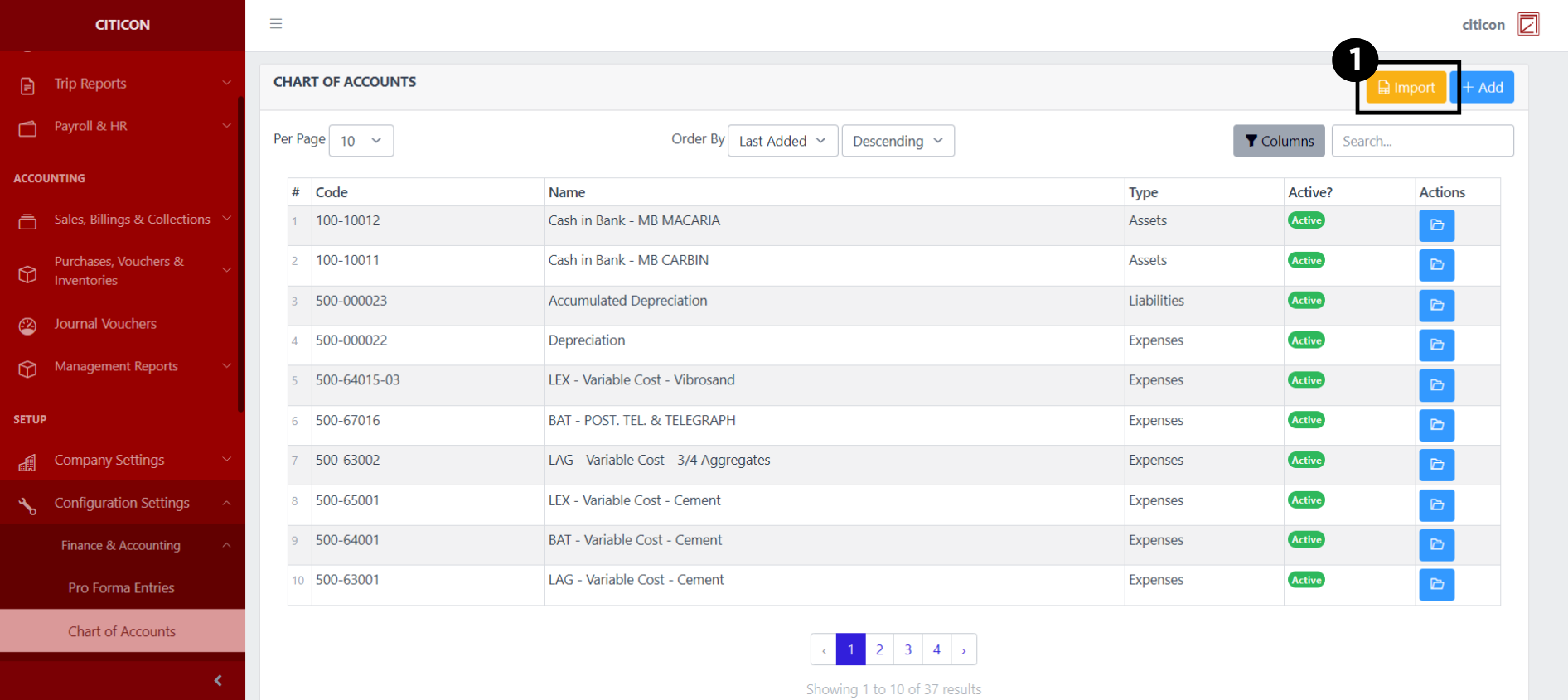
Import Records
- Select the Import button to import new records.
- Select the Choose File button.
Select the Download Template button to view the required format for imported data, including the number of columns, and mandatory fields to be filled.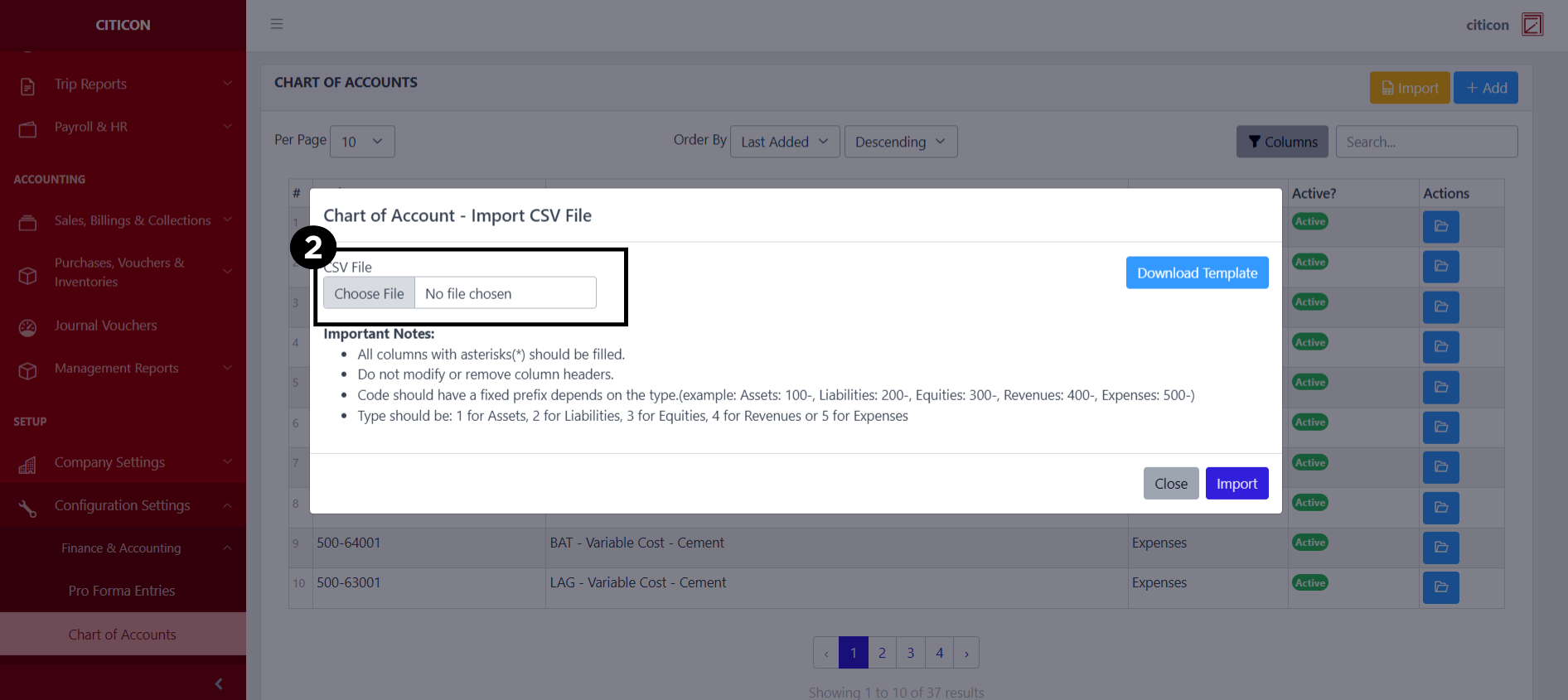
- From your local storage, select the file you want to import, then select the Open button.
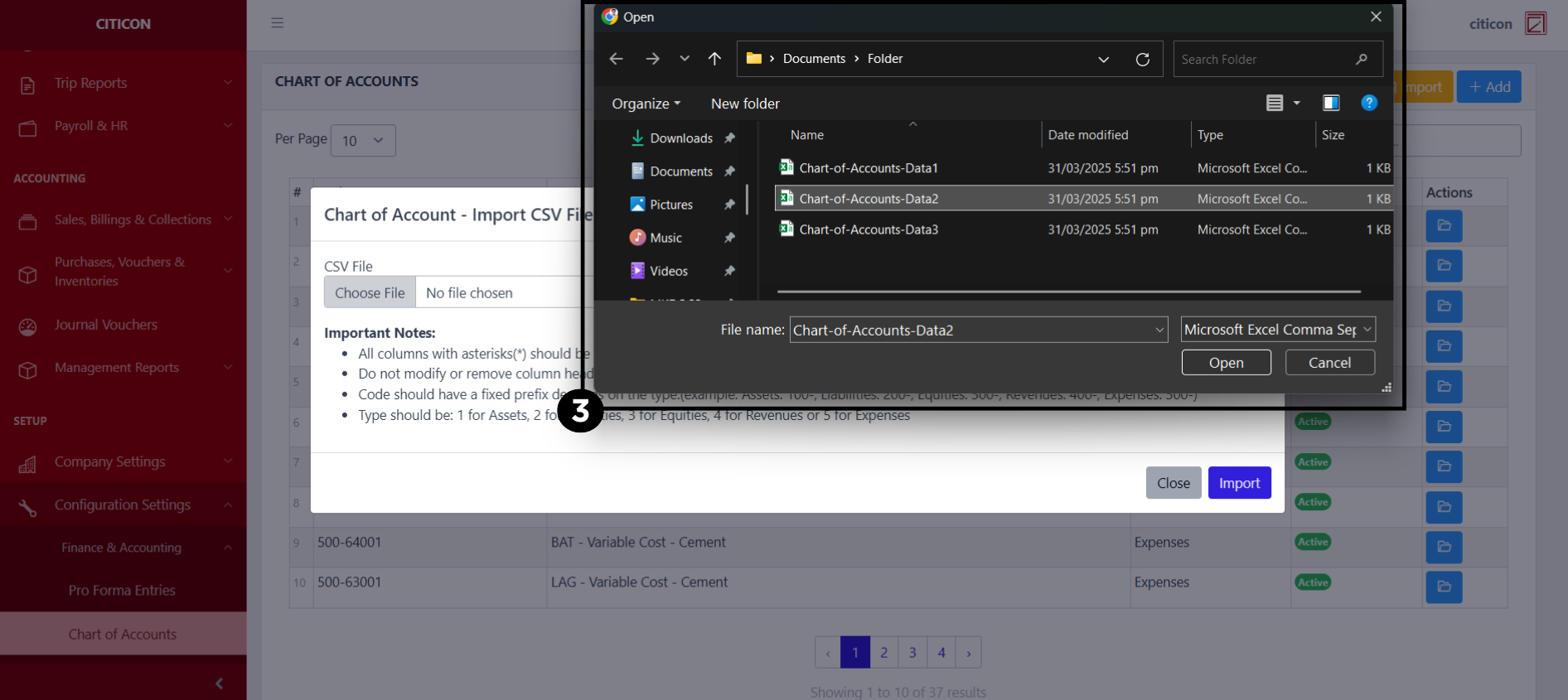
- Select the Import button.
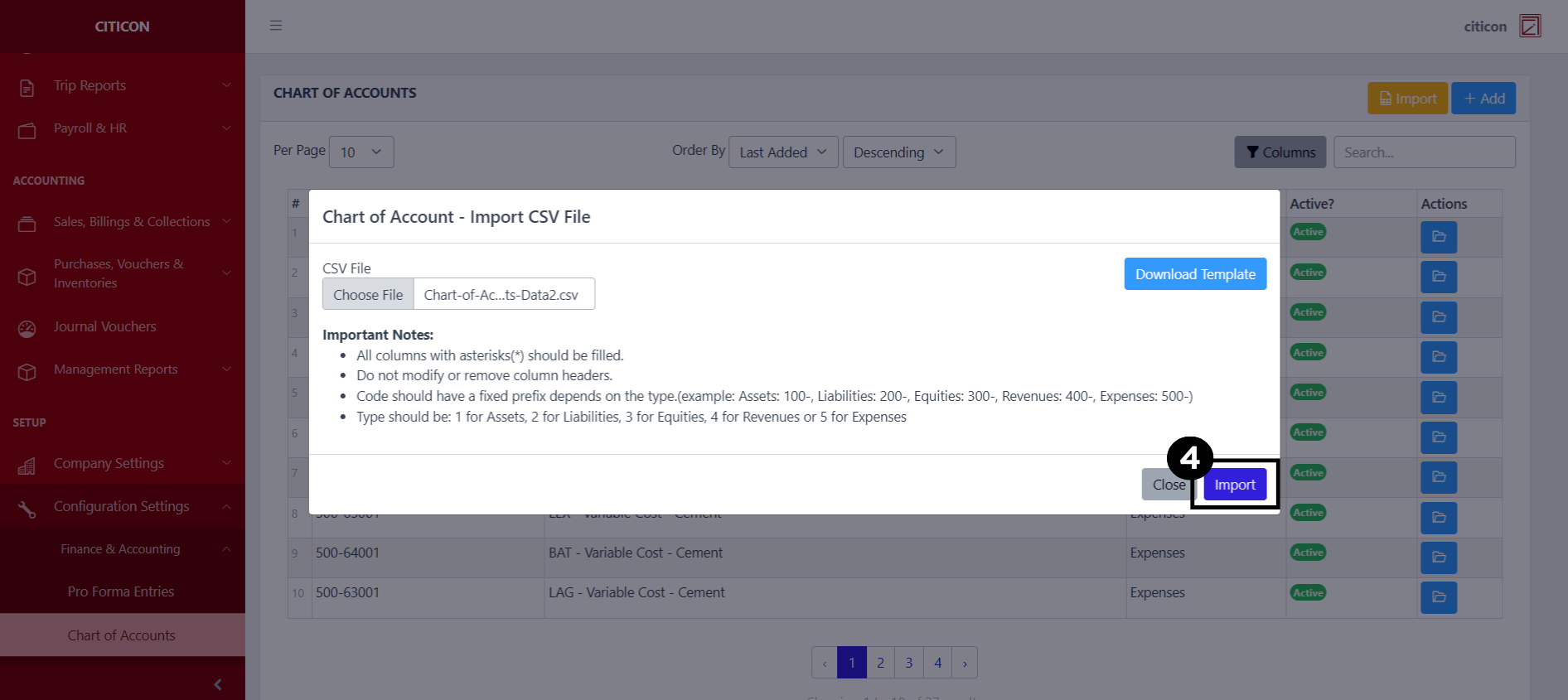
Add Records
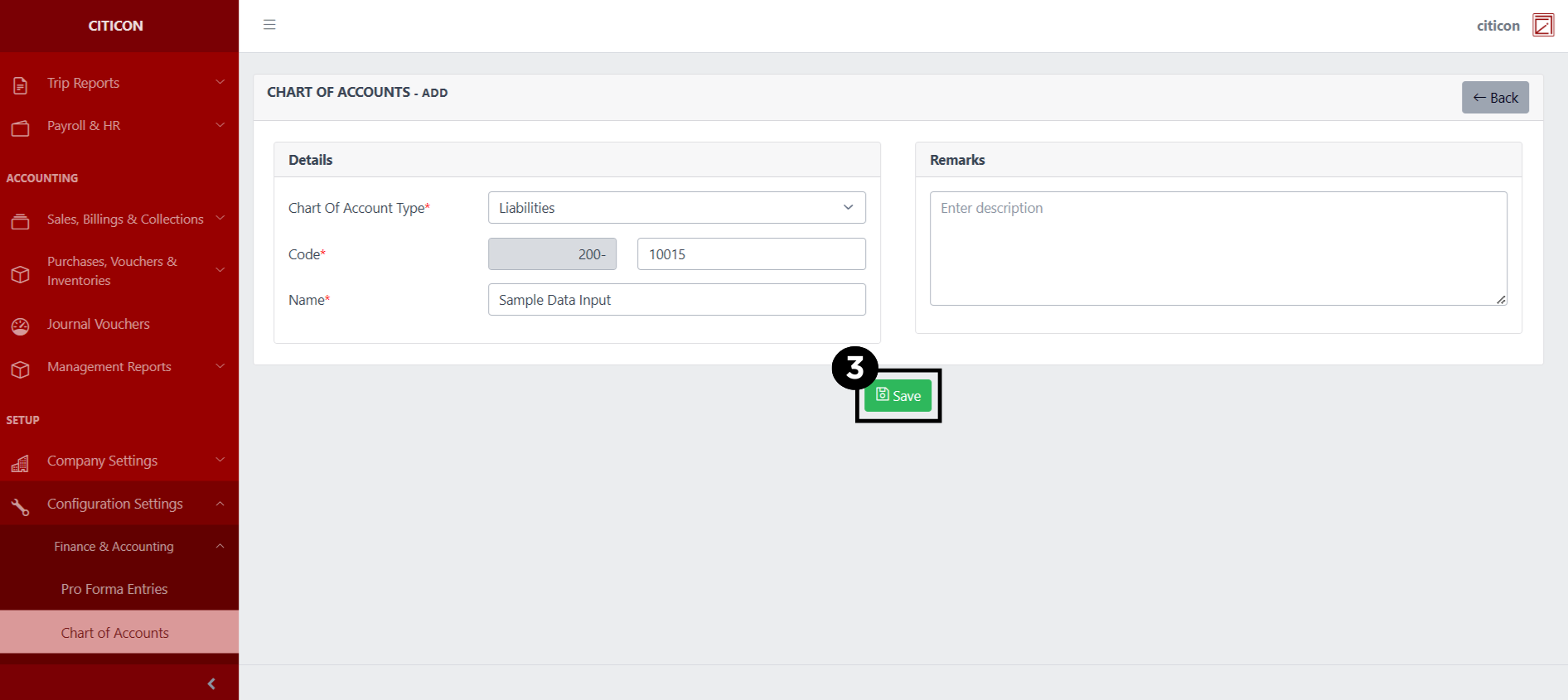
- Select the Add button to add a new Chart of Account data.
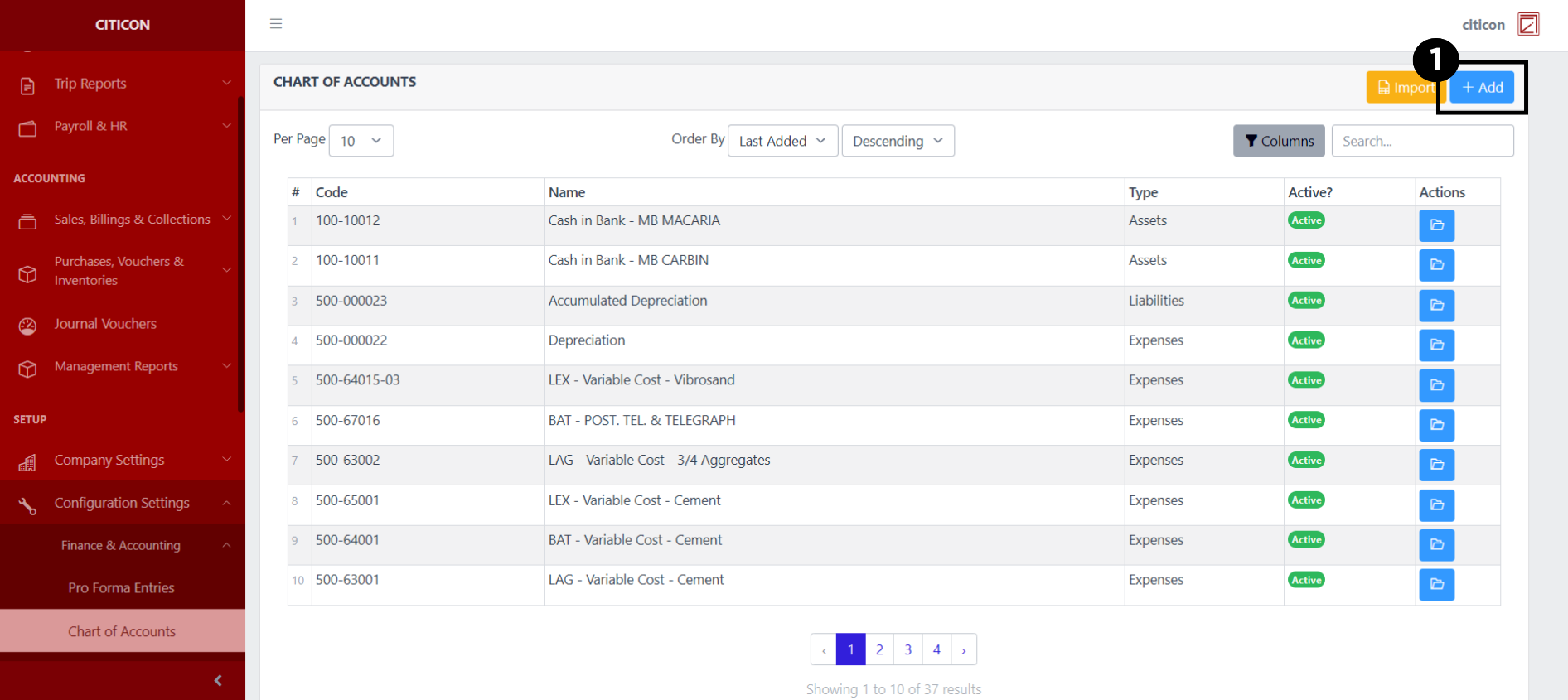
- Input the necessary details for your new Vendors record.
All fields that has an asterisk (*) are required to be filled up.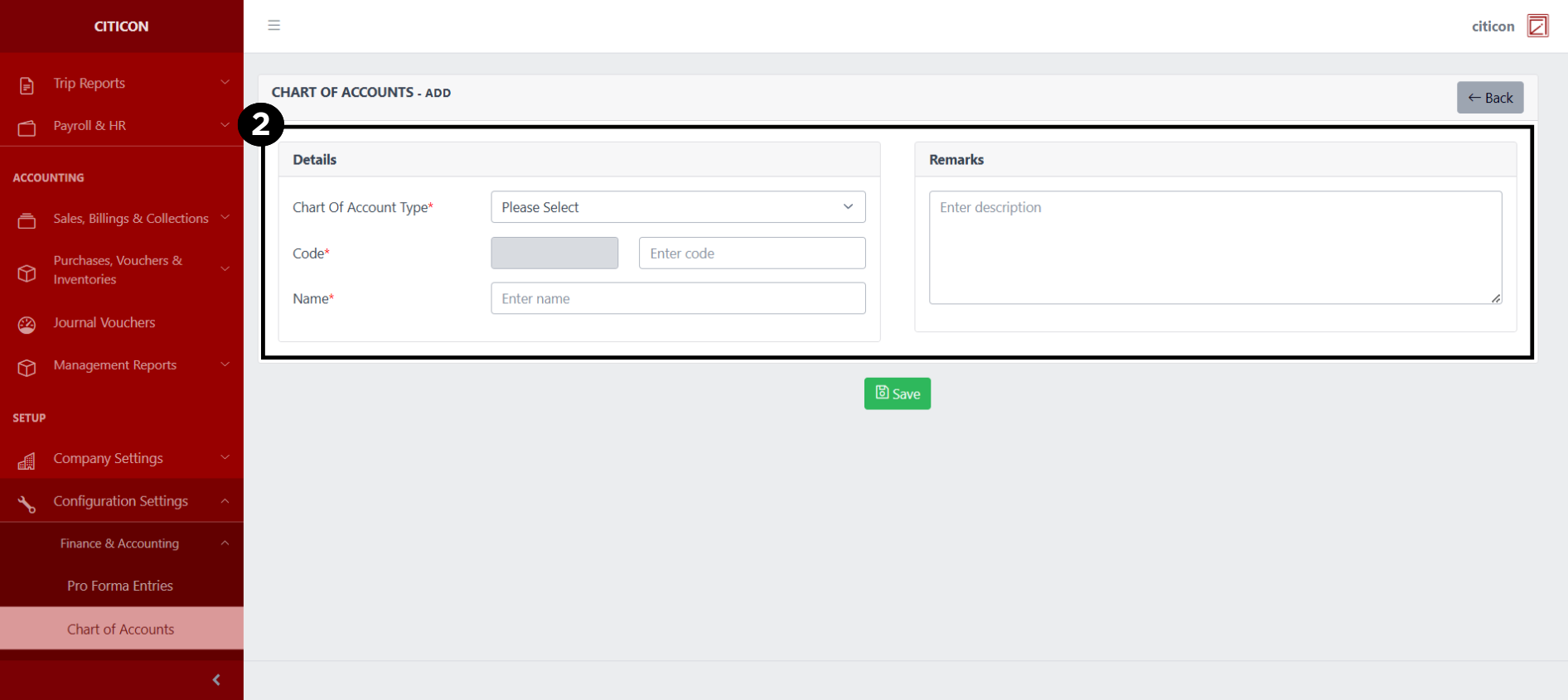
- Select the Save button to save your new Chart of Account record.
Show Records
- Select the folder button to view a record.
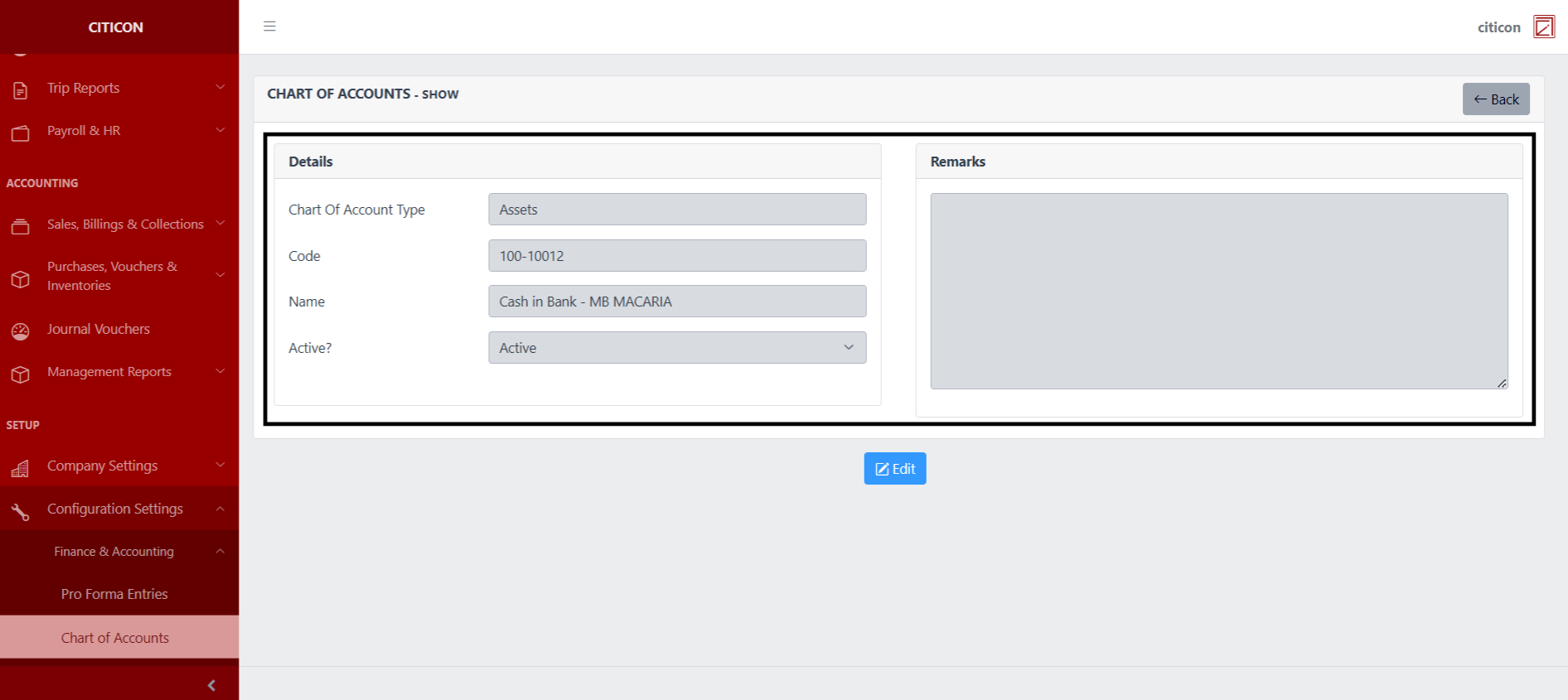
 Here you can view more specific details on the Chart of Accounts record that you selected.
Update Records
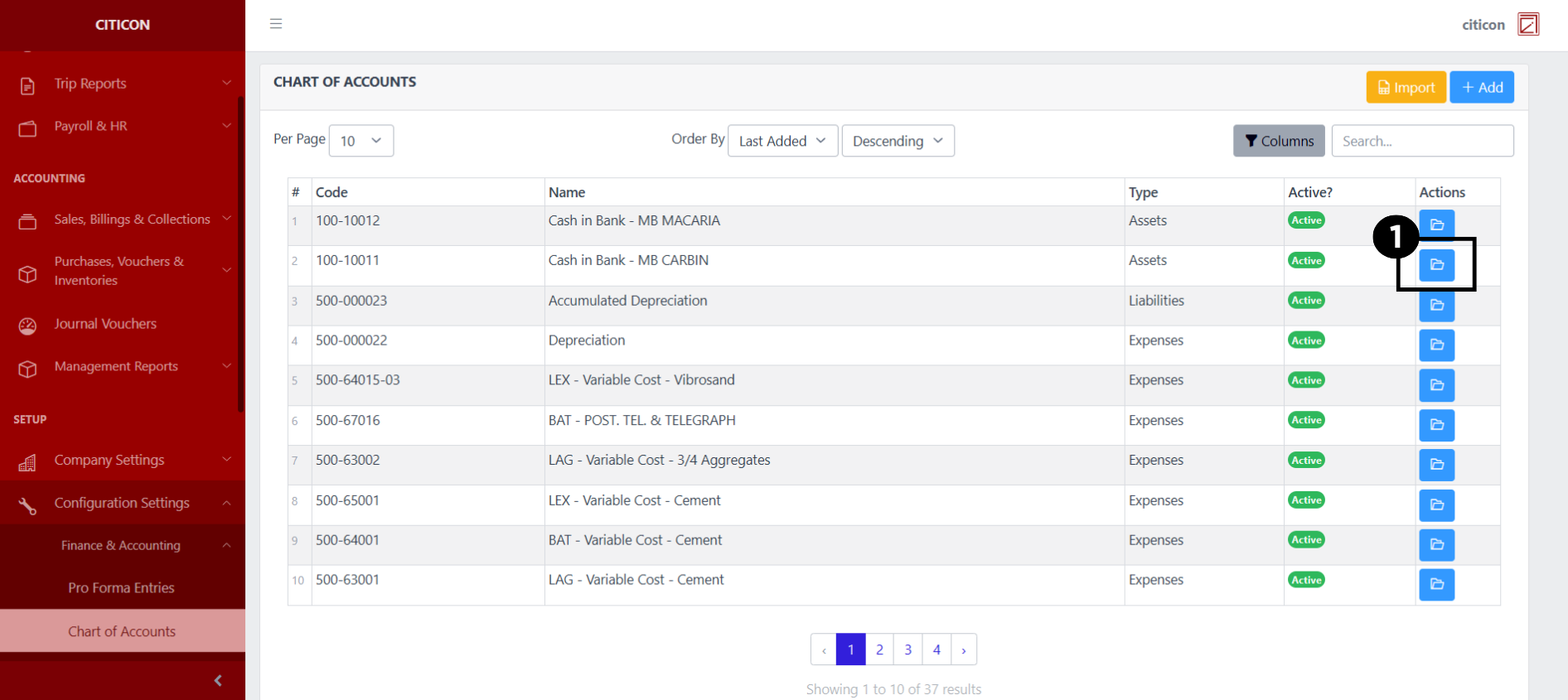
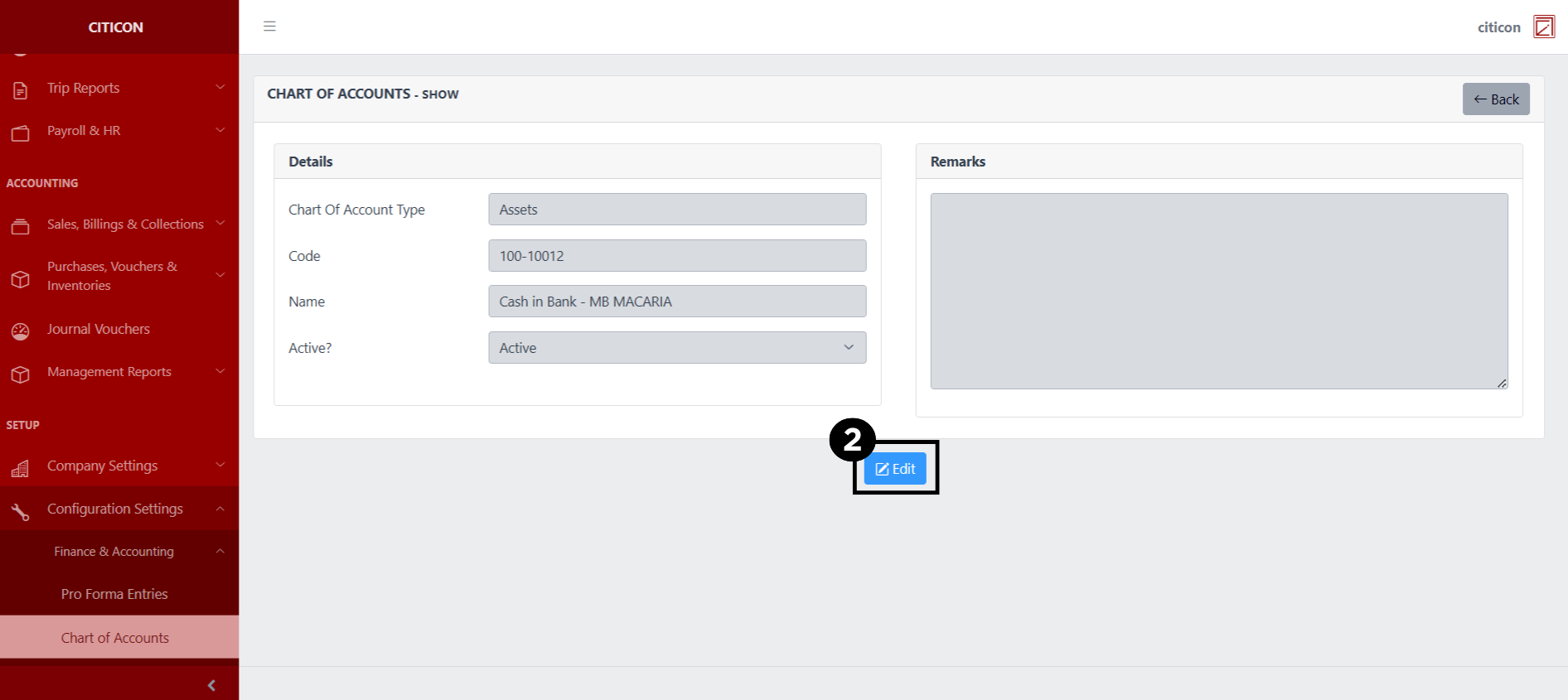
- Select the folder button of the Chart of Account data which you want to edit.
- Select the Edit button to update the details of the Chart of Account record.
- Select a detail section which you want to edit, and enter the necessary changes.
All fields with an asterisk (*) are required to be filled up.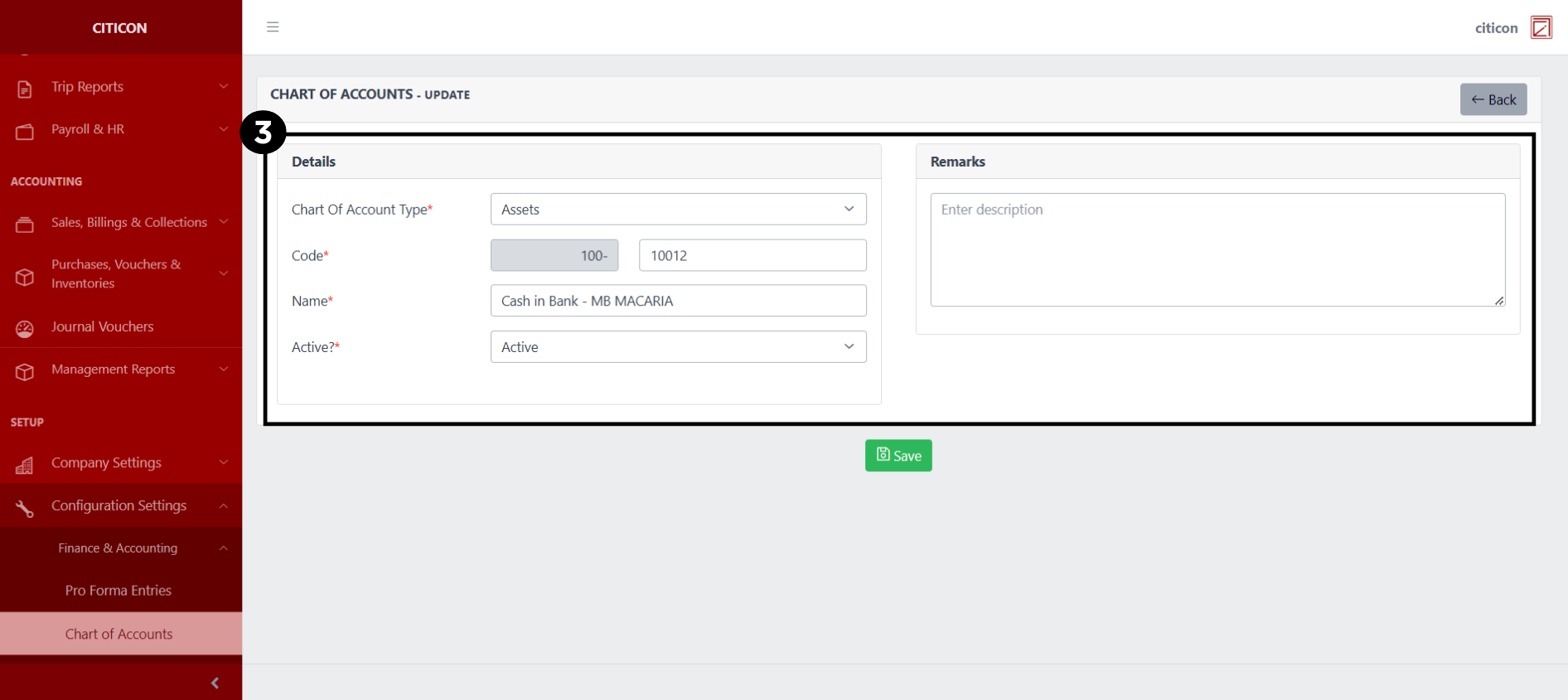
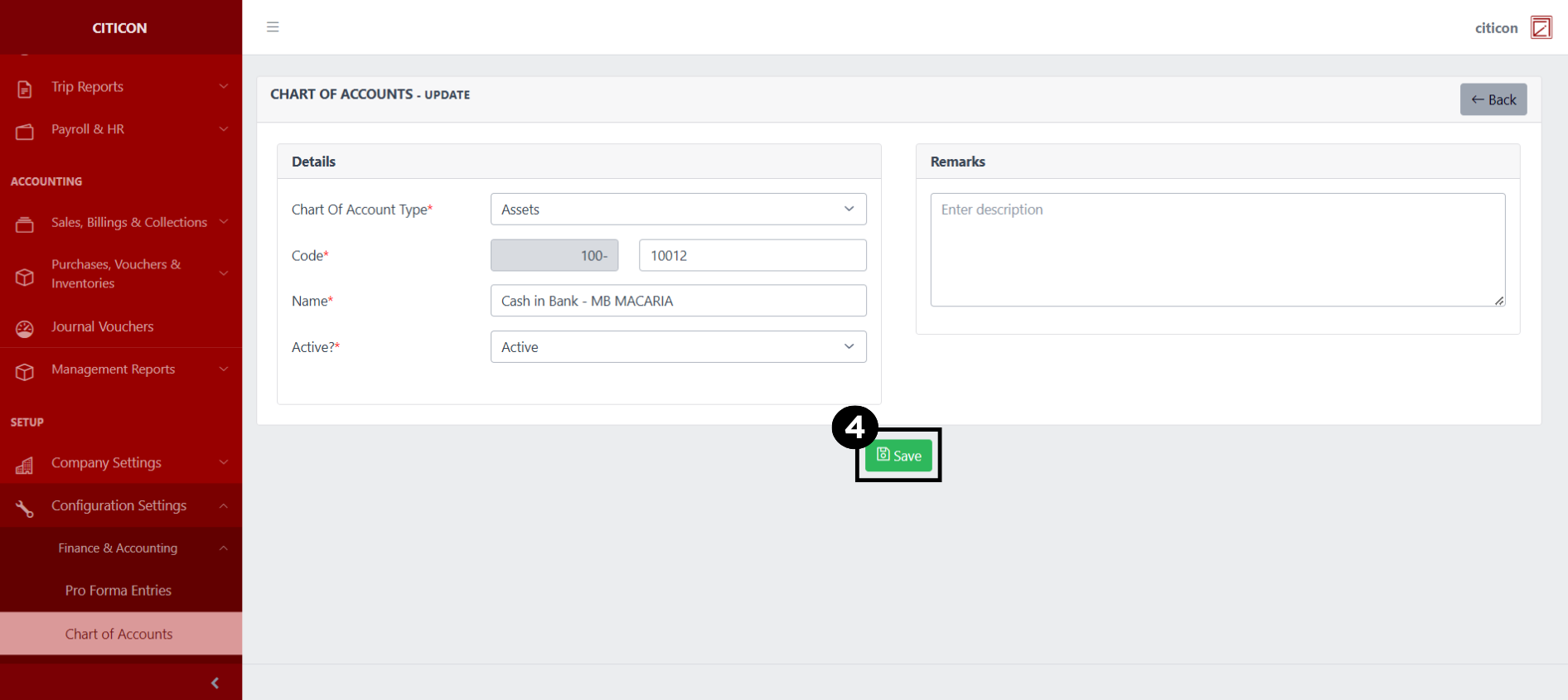
- Select the Save button to save the changes you have made.
Explore Citicon Payroll and Accounting System: Vendors Configuration