Accounting Year Configuration
Welcome to Citicon Payroll and Accounting Systems Configuration for Accounting Year. This module defines fiscal years, providing the foundation for all financial reporting and system-generated transactions.
Key Purposes
1. Fiscal Period Definition: Set the duration of each accounting year for financial statements and reports.
2. Transaction Validation: Ensures that financial entries fall within valid periods.
3. Historical Tracking: Maintain multiple years for auditing, review, and comparative analysis.
4. Time-Based Controls: Allow filtering and analysis of financial data by specific fiscal years.
5. Report Generation Support: Enable period-based generation of key financial documents, ensuring accurate compliance and analysis.
Accounting Year Module User-Manual
This section provides details, and set-by-step instructions to access, and set the Accounting Year of the system.
Index Page
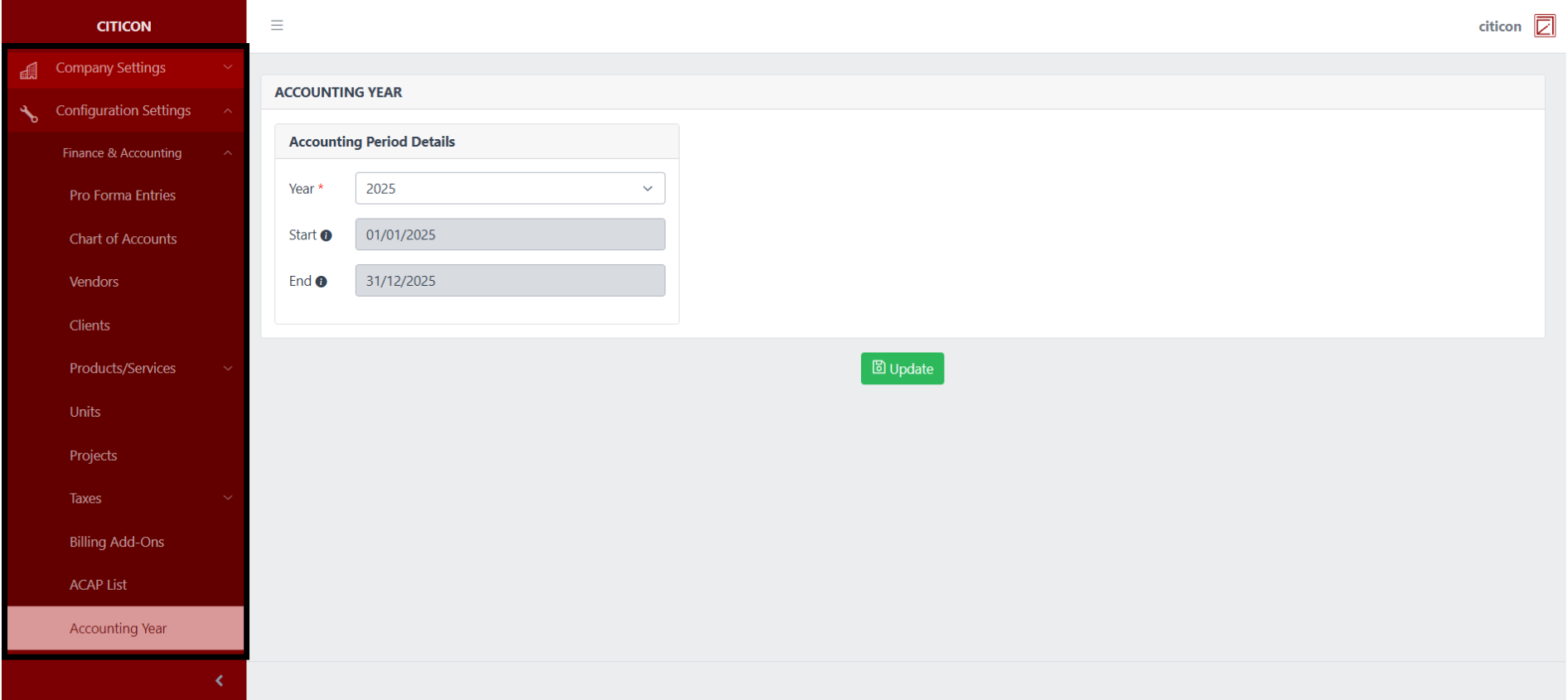
To access the Accountingk Year Configuration. Go to Setup, select Configuration Settings, select Finance & Accounting, then select Accounnting Year.
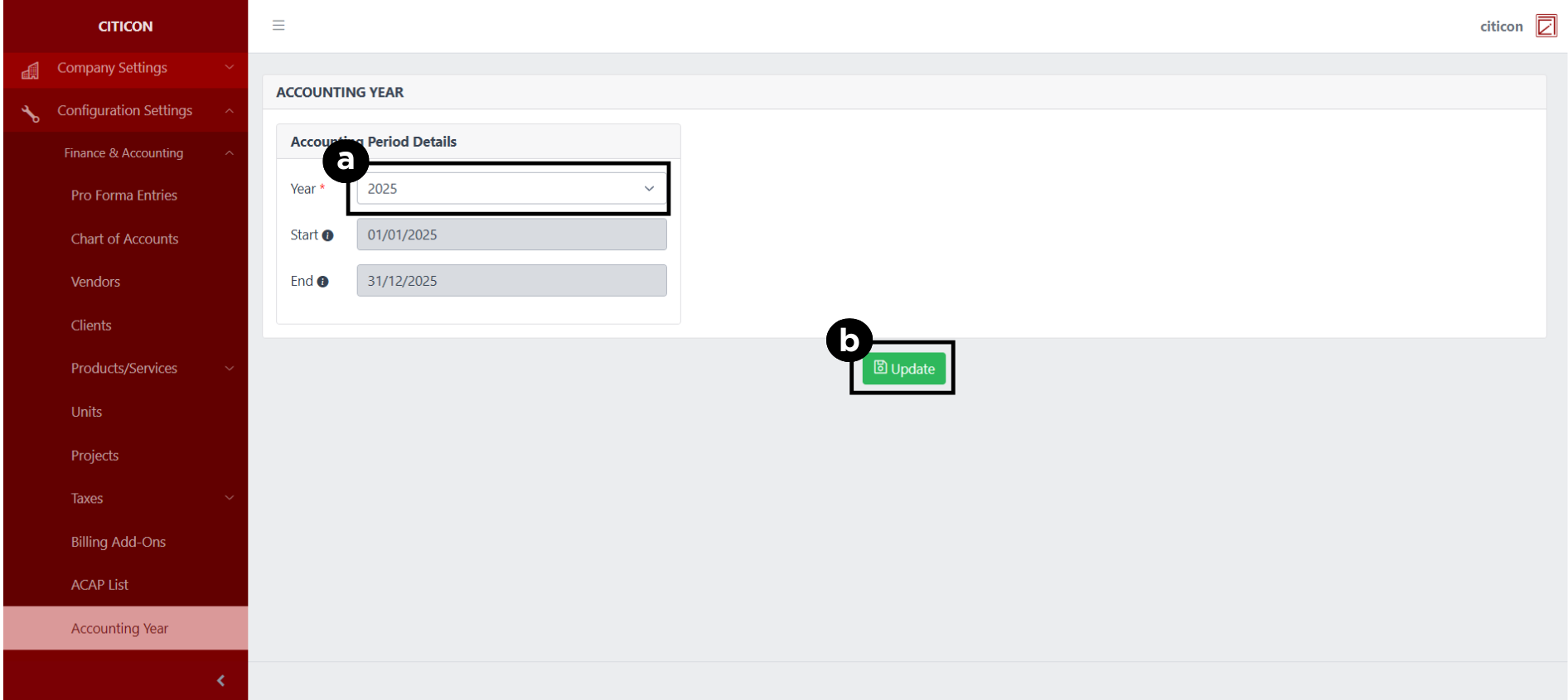
a. Select the Accounting Year that you wish to be applied.
b. Selecte the Update button to save your changes.
Explore Citicon Payroll and Accounting System: Cutoff/Pay Period Configuration