ACAP List Configuration
Welcome to Citicon Payroll and Accounting Systems Configuration for ACAP List. This module is used to configure key quality and mix design details used in construction and materials management, especially for concrete design.
Key Purposes
1. Material Quality Tracking: Maintain a reference list of ACAP specifications, including PSI ratings and mix aggregates.
2. Project and Batch Accuracy: Ensure each mix meets requirements with proper curing times and specifications.
3. Financial Integration: Keep track of standard costs associated with each mix design for accurate project costing.
4. Construction Compliance: Help ensure material specifications meet project and regulatory requirements.
5. Consistent Specifications: Standardize mix designs to maintain product integrity and repeatability.
ACAP List Module User-Manual
This section provides details, and set-by-step instructions to access, view, and update the ACAP List data stored in the system.
Index Page
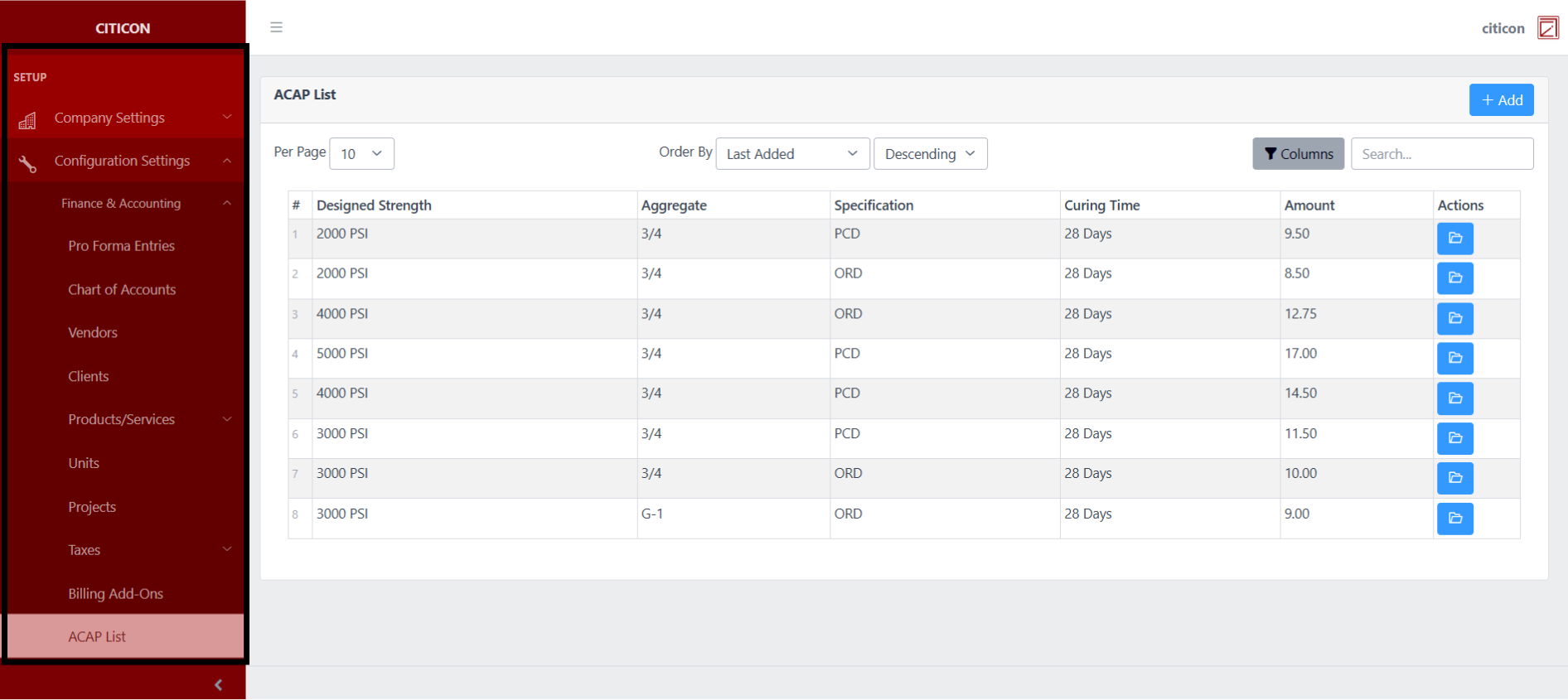
To access the ACAP List Configuration. Go to Setup, select Configuration Settings, select Finance & Accounting, then select ACAP List.
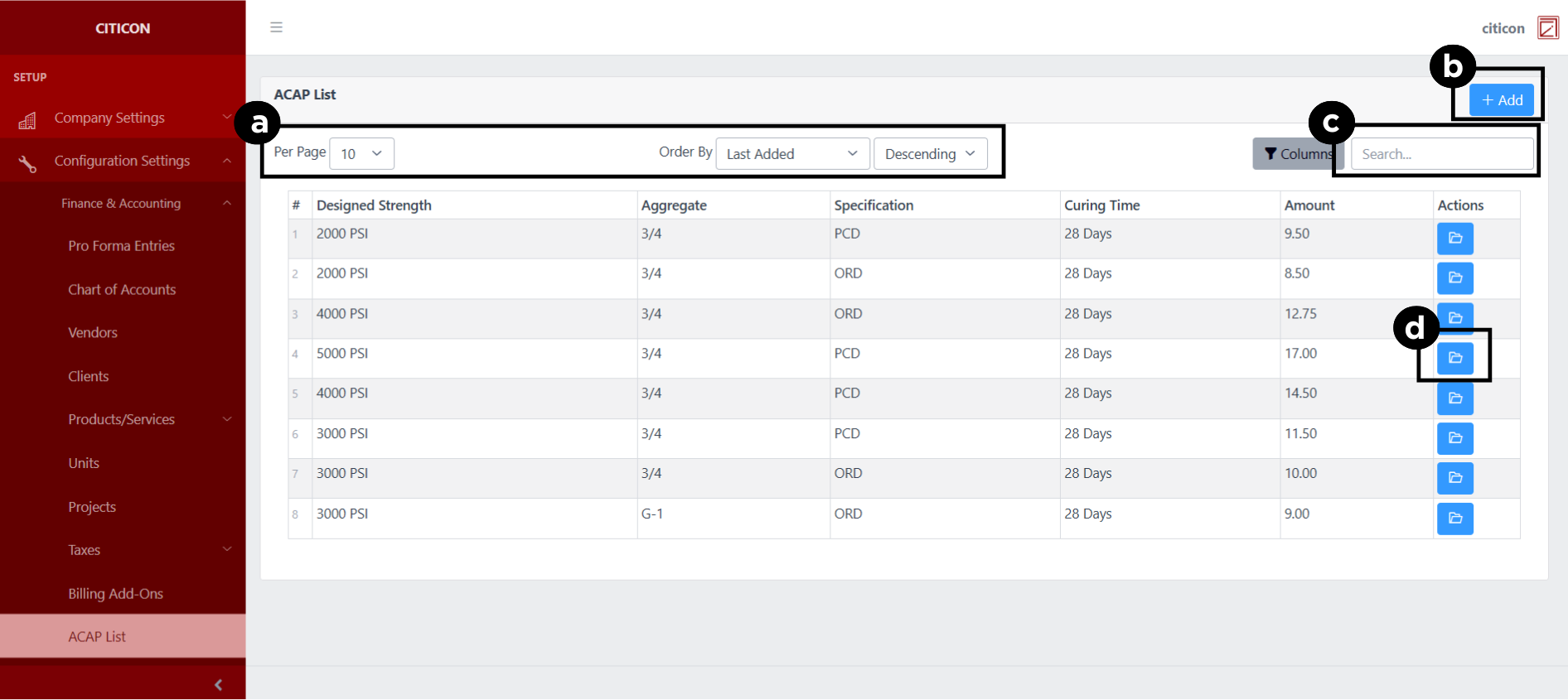
a. Adjust the paging, ordering, and sorting of the ACAP List Page here.
b. Select the Add button to add data.
c. Search for specific record details using the search bar.
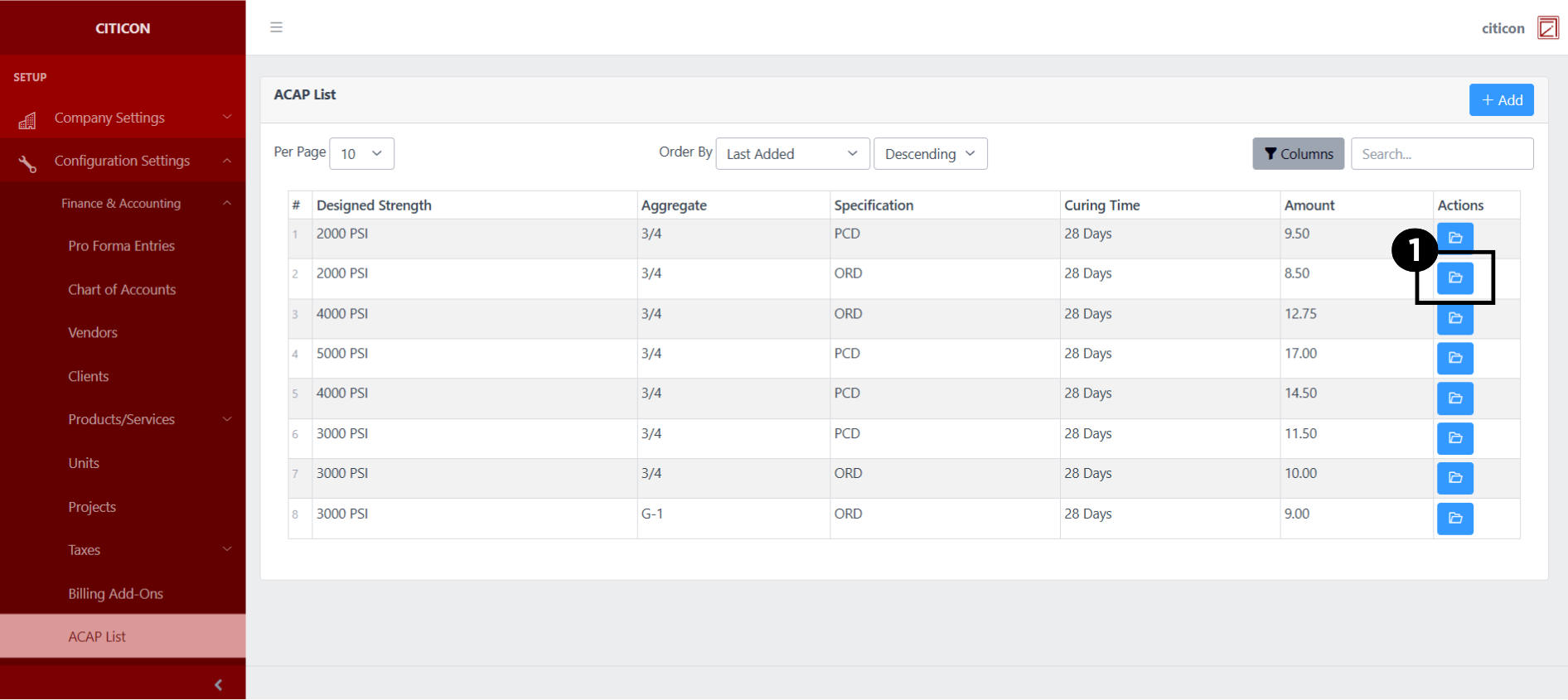
d. View or Edit a record by selecting the folder button.
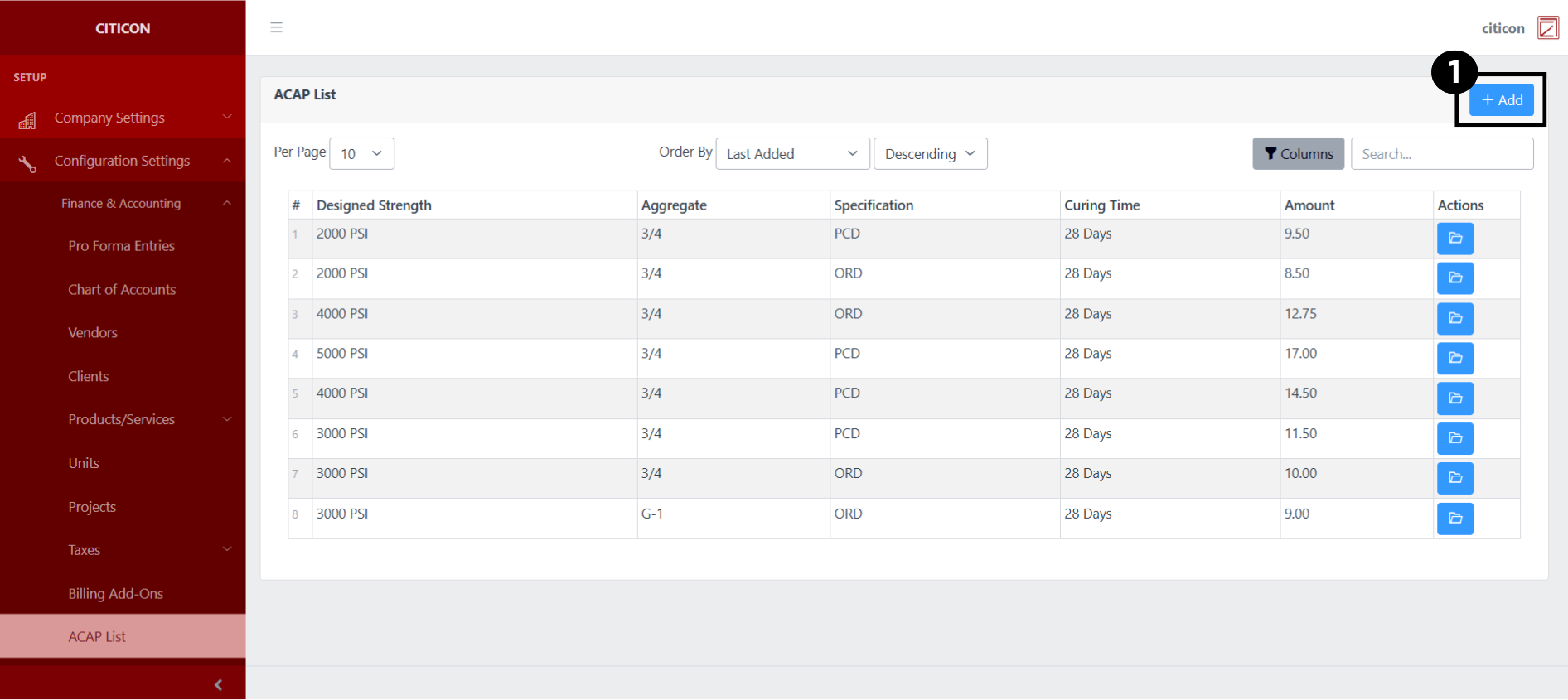
Add Records
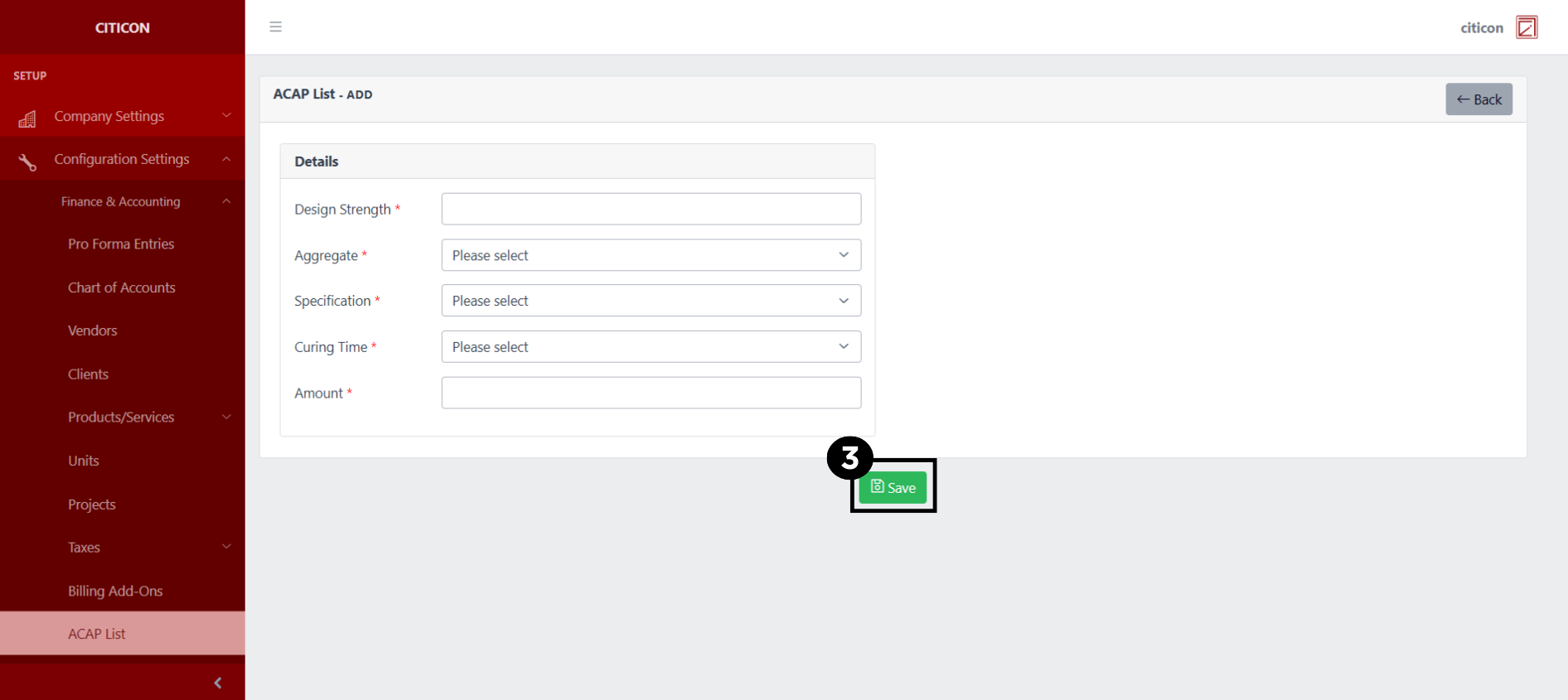
- Select the Add button to add a new record.
- Input the necessary details for your new record.
All fields that has an asterisk (*) are required to be filled up.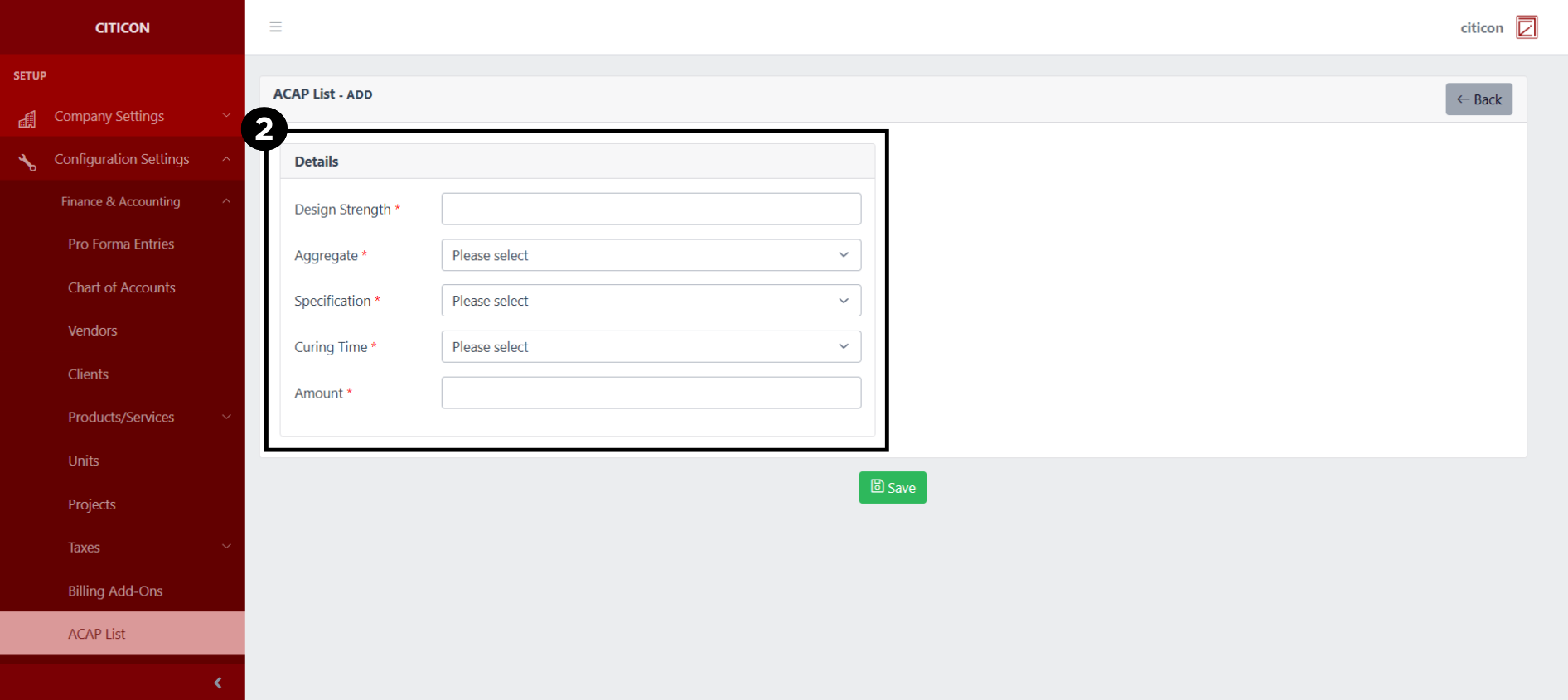
- Select the Save button to save your new record.
Show Records
- Select the folder button to view a record.
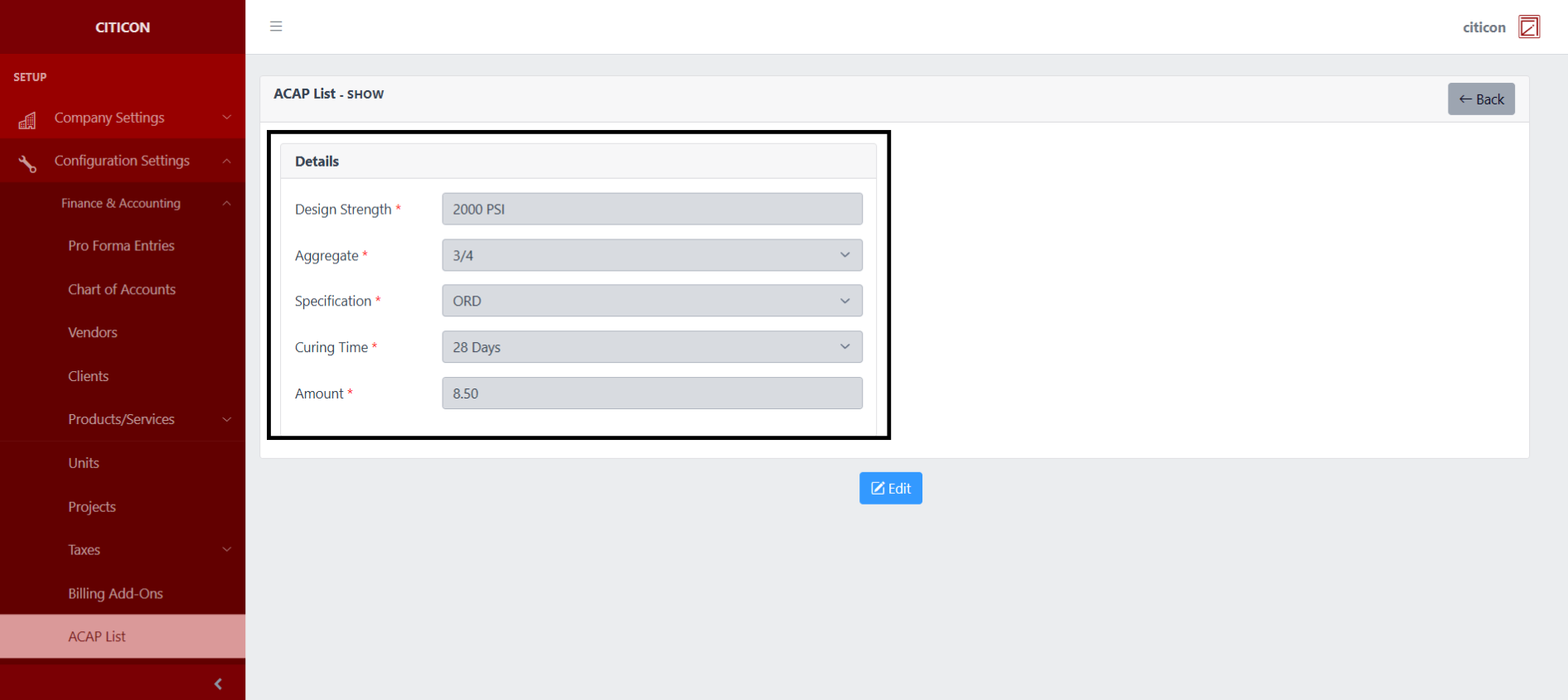
 Here you can view more specific details on the record that you selected.
Update Records
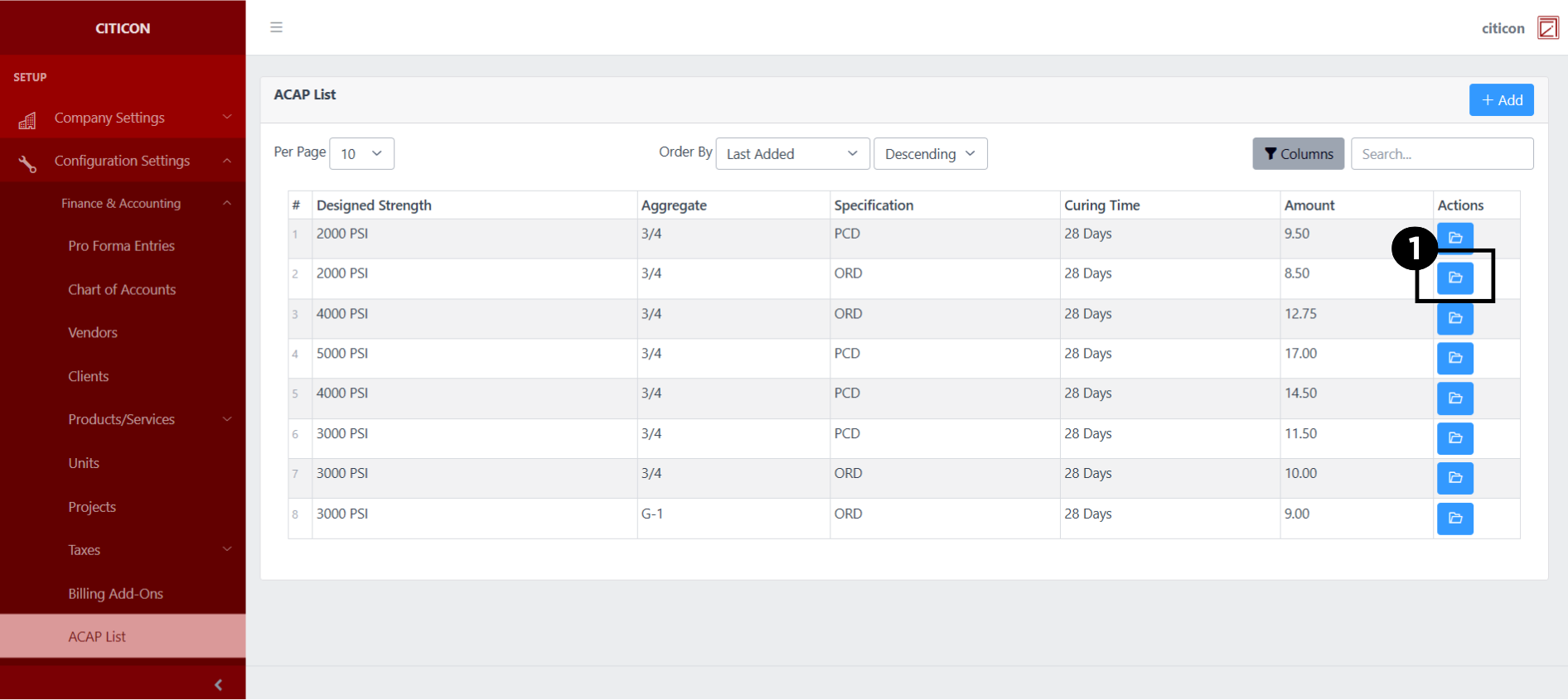
- Select the folder button of the record which you want to edit.
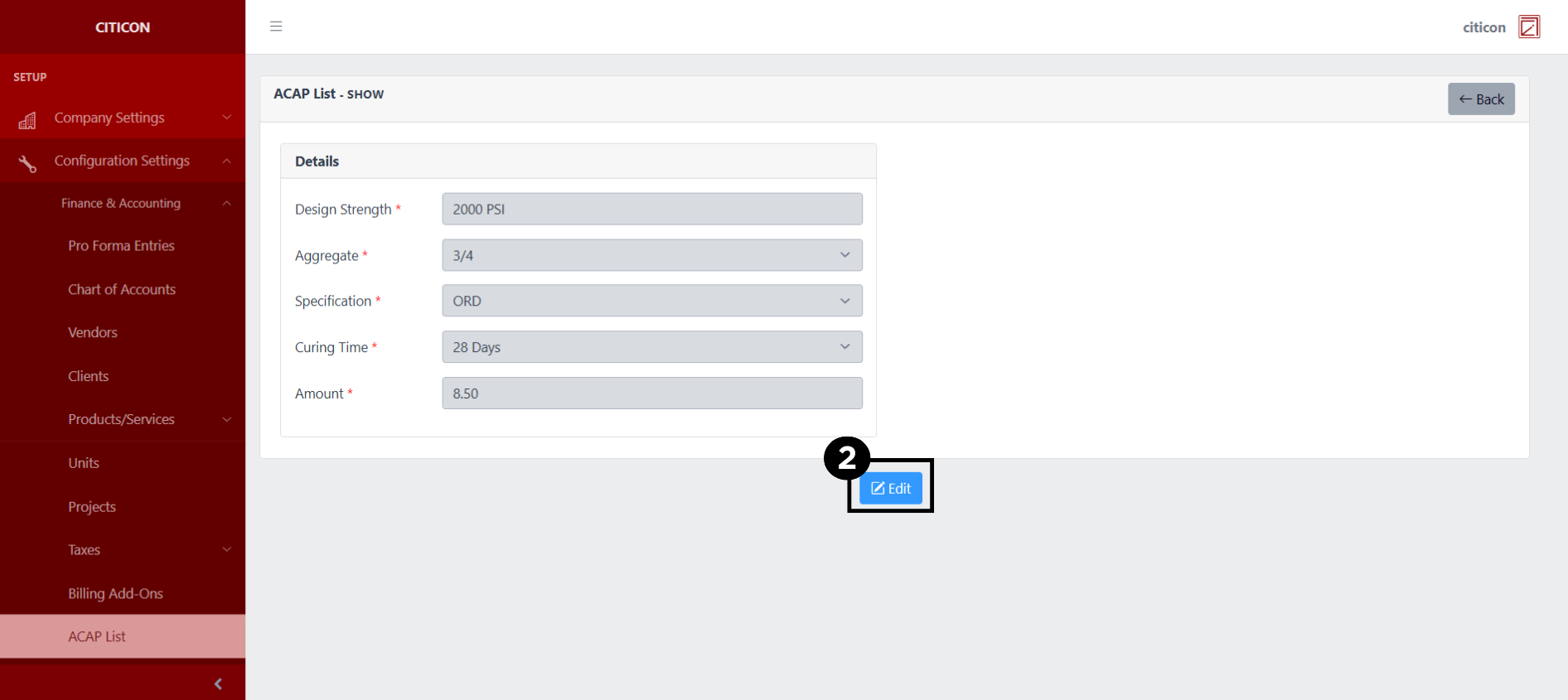
- Select the Edit button to update the details of the record.
- Select a detail section which you want to edit, and enter the necessary changes.
All fields with an asterisk (*) are required to be filled up.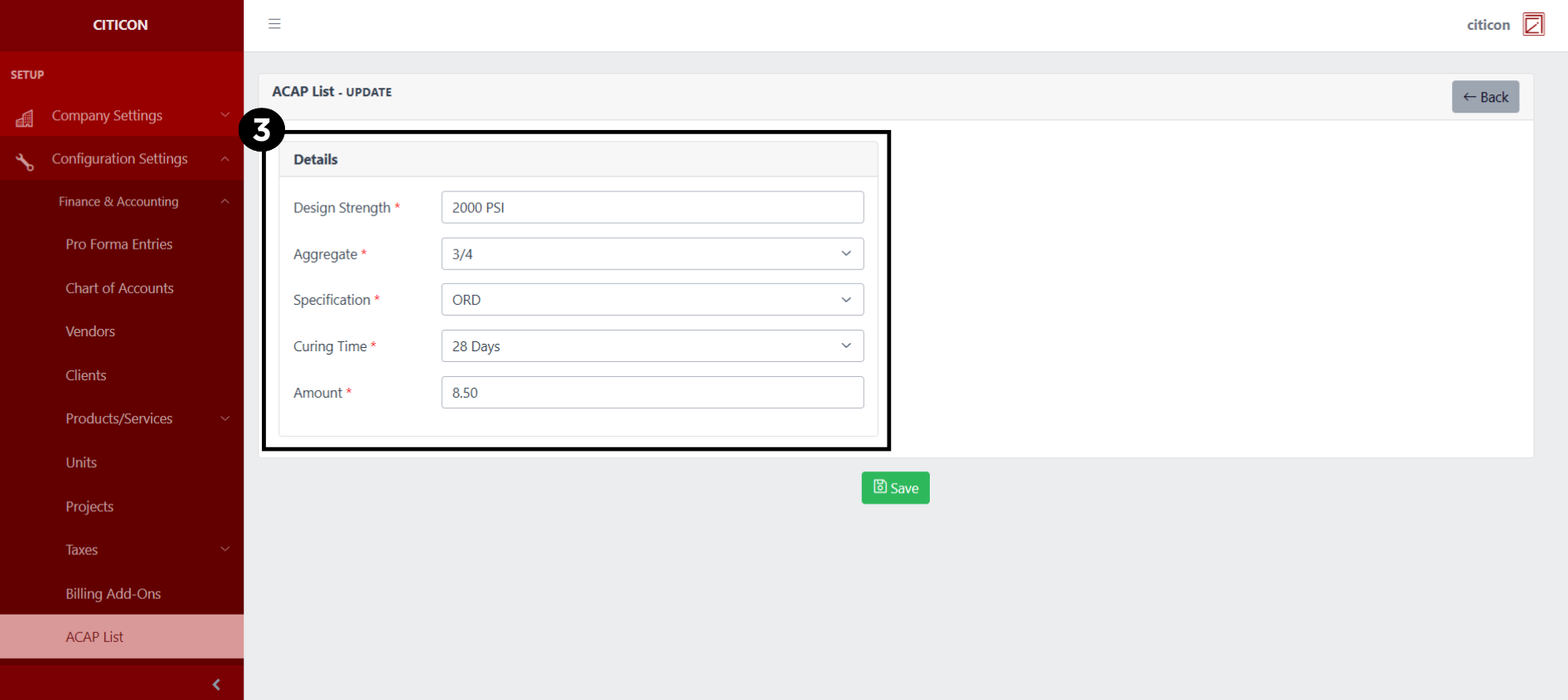
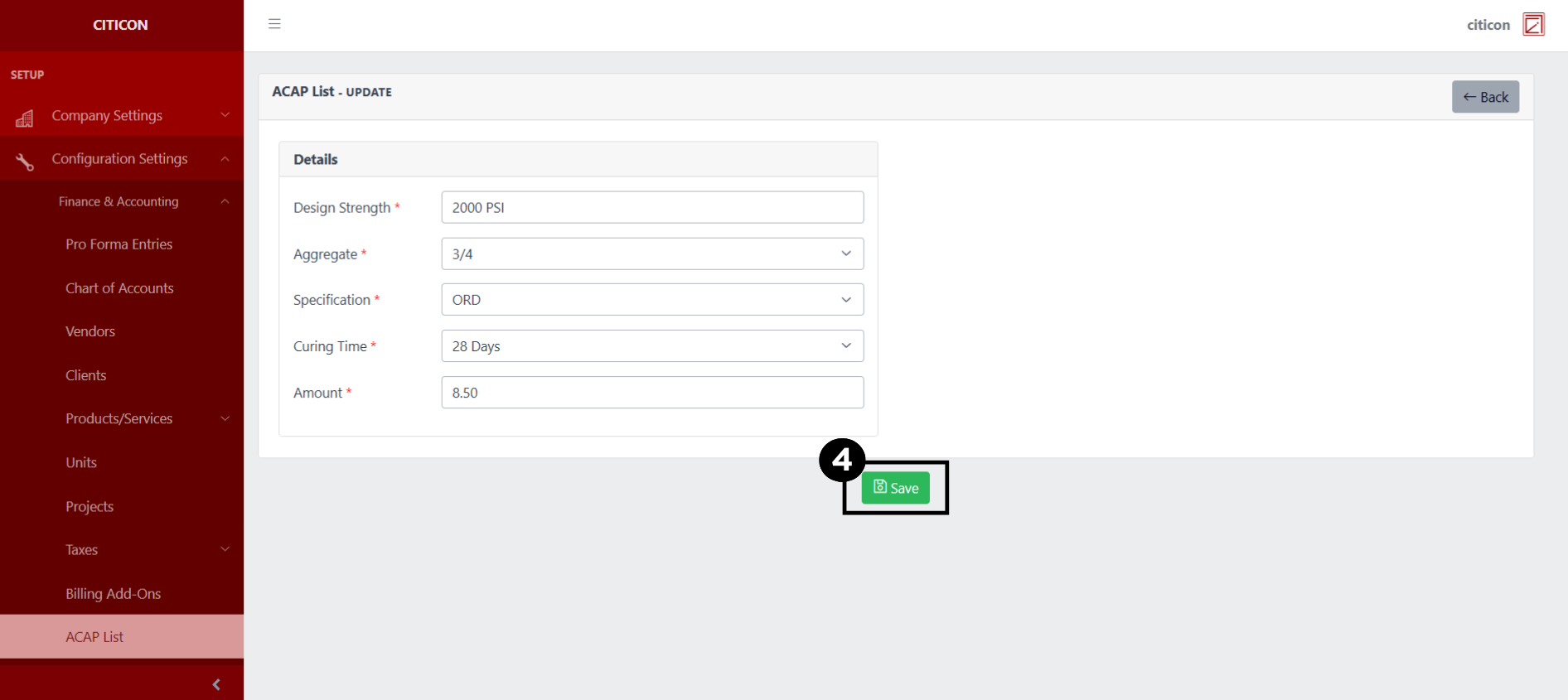
- Select the Save button to save the changes you have made.
Explore Citicon Payroll and Accounting System: Accounting Year Configuration