Company Settings Positions
Welcome to Citicon Payroll and Accounting Systems Configuration for Positions. This section allows you to manage and organize job positions within your company, forming the basis for role assignments and HR operations.
Key Purposes
- Establish Job Roles: Define and catalog all official positions using unique codes and names to standardize role assignments across departments.
- Activate or Deactivate Roles: Maintain up-to-date organizational structure by activating current positions and archiving obsolete ones.
- Support HR Processes: Facilitate employee onboarding, promotion tracking, and job classification through a structured list of positions.
- Centralize Position Information: Store key role details and additional remarks in one accessible location for quick reference and edits.
- Improve Payroll Mapping: Link positions to specific payroll rules and compensation plans, enhancing efficiency and accuracy in salary processing.
Positions Module User-Manual
This section provides details, and set-by-step instructions to access, view, and update the Positions data stored in the system.
Index Page
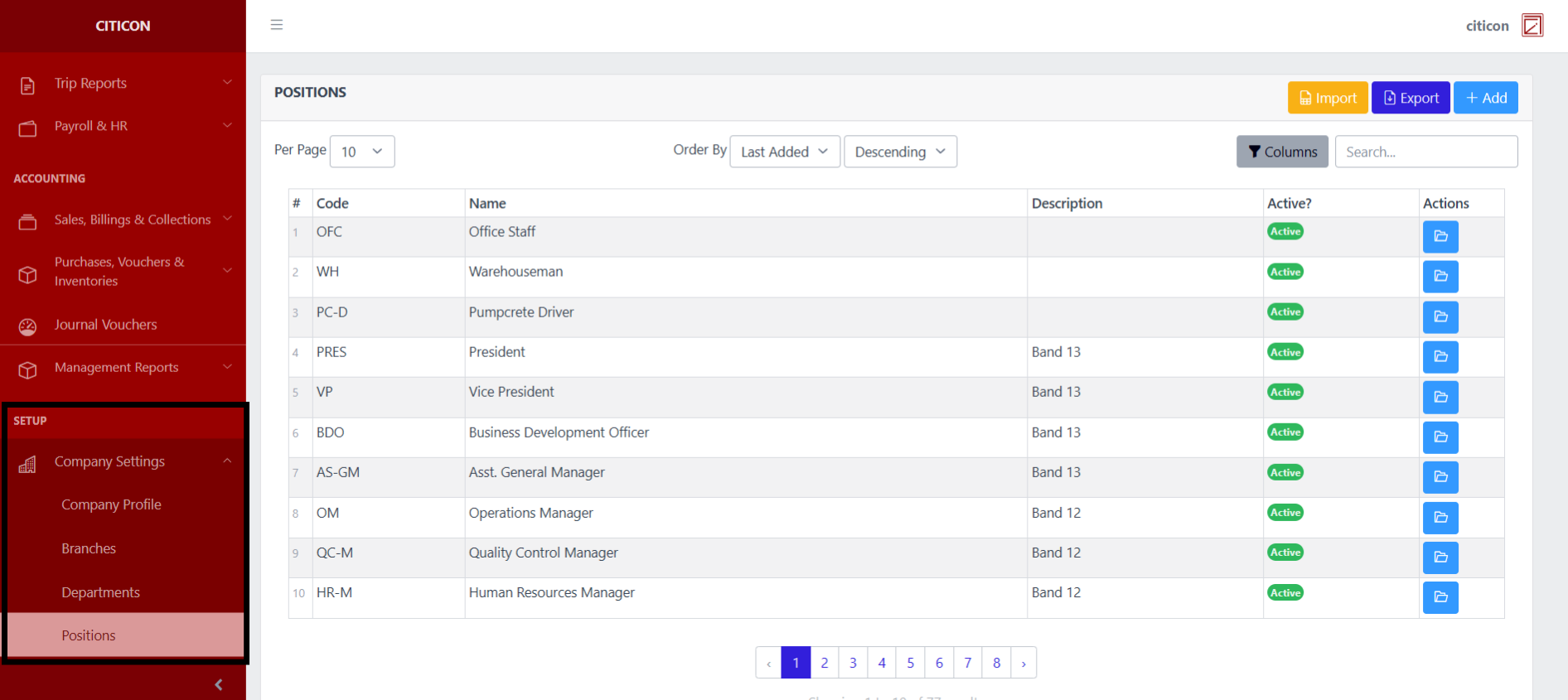
To access the Positions Settings. Go to Setup, select Company Settings, then select Positions.
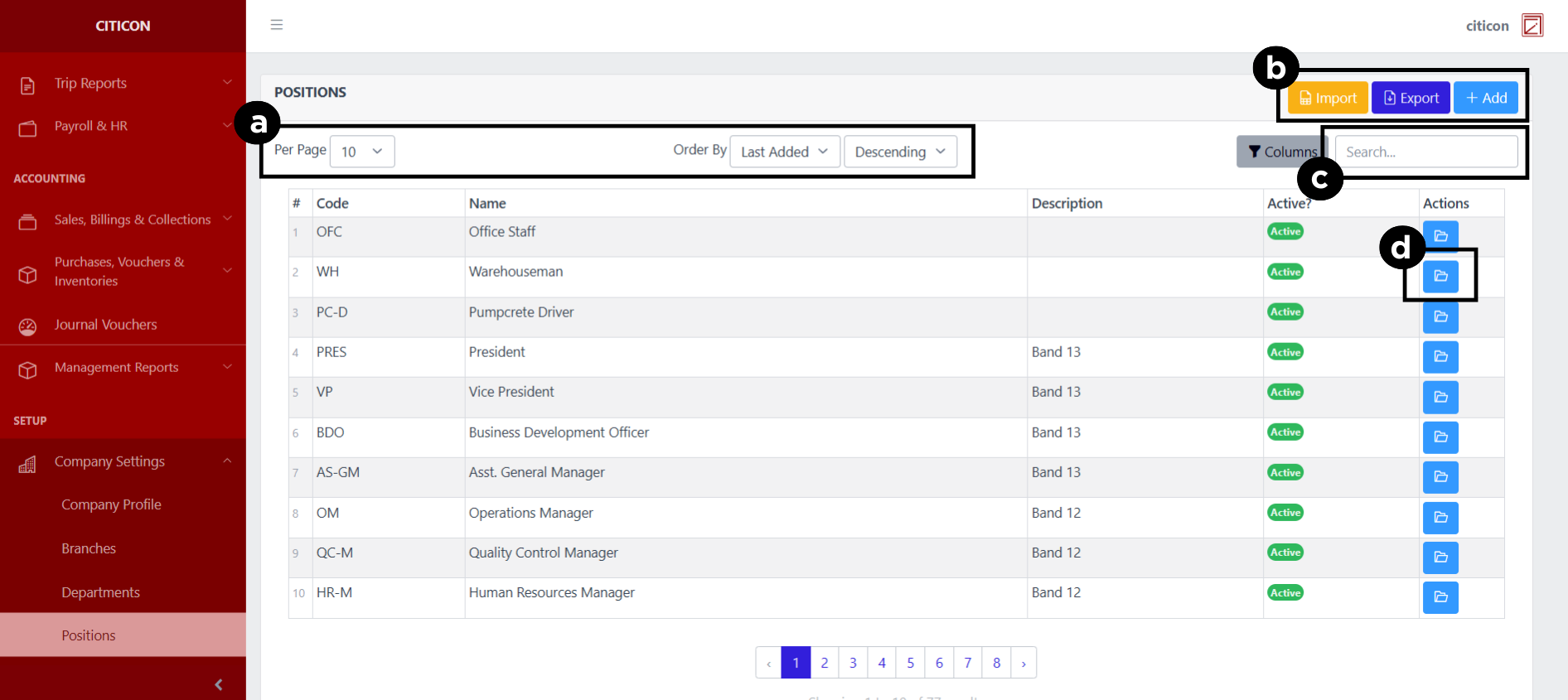
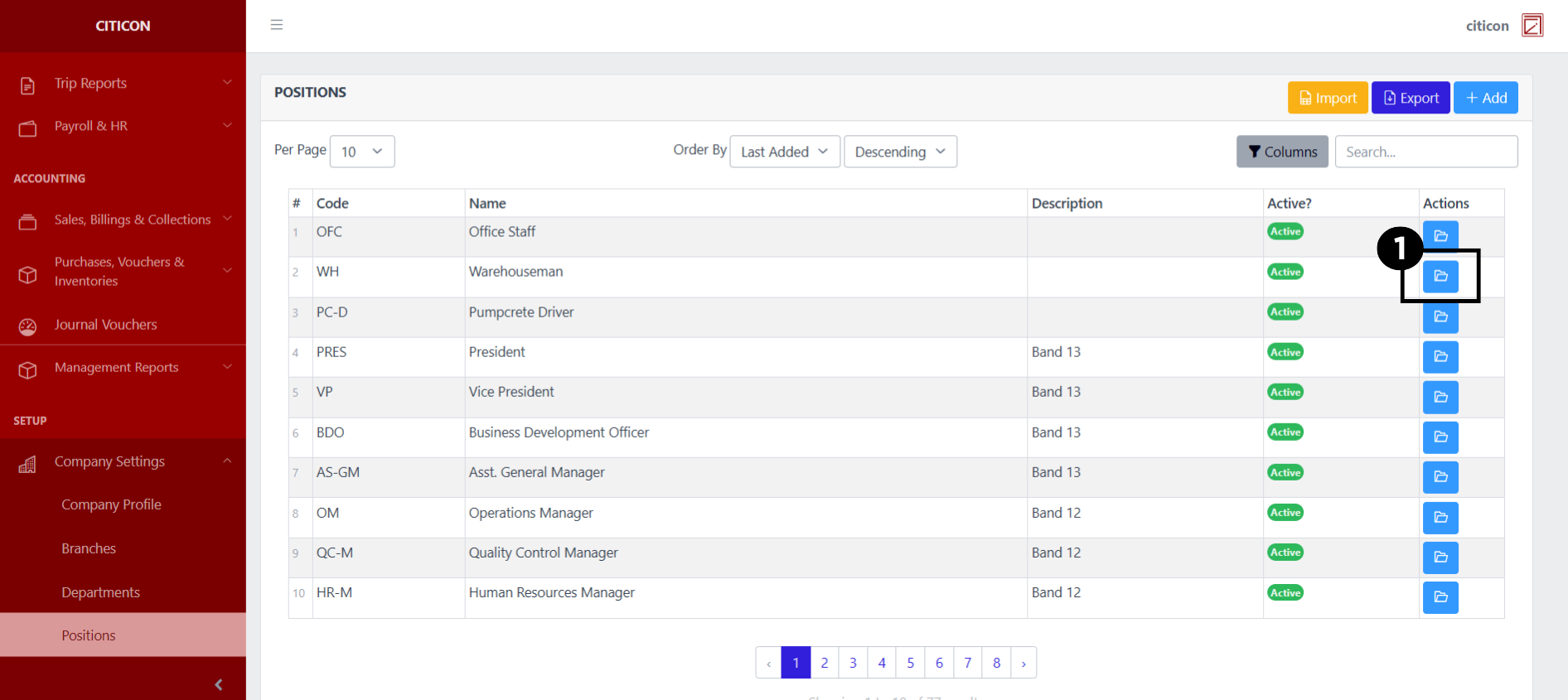
a. Adjust the paging, ordering, and sorting of the Positions Page here.
b. Select the respective button to either Import, Export, or Add data.
c. Search for specific record details using the search bar.
d. View or Edit a record by selecting the folder button.
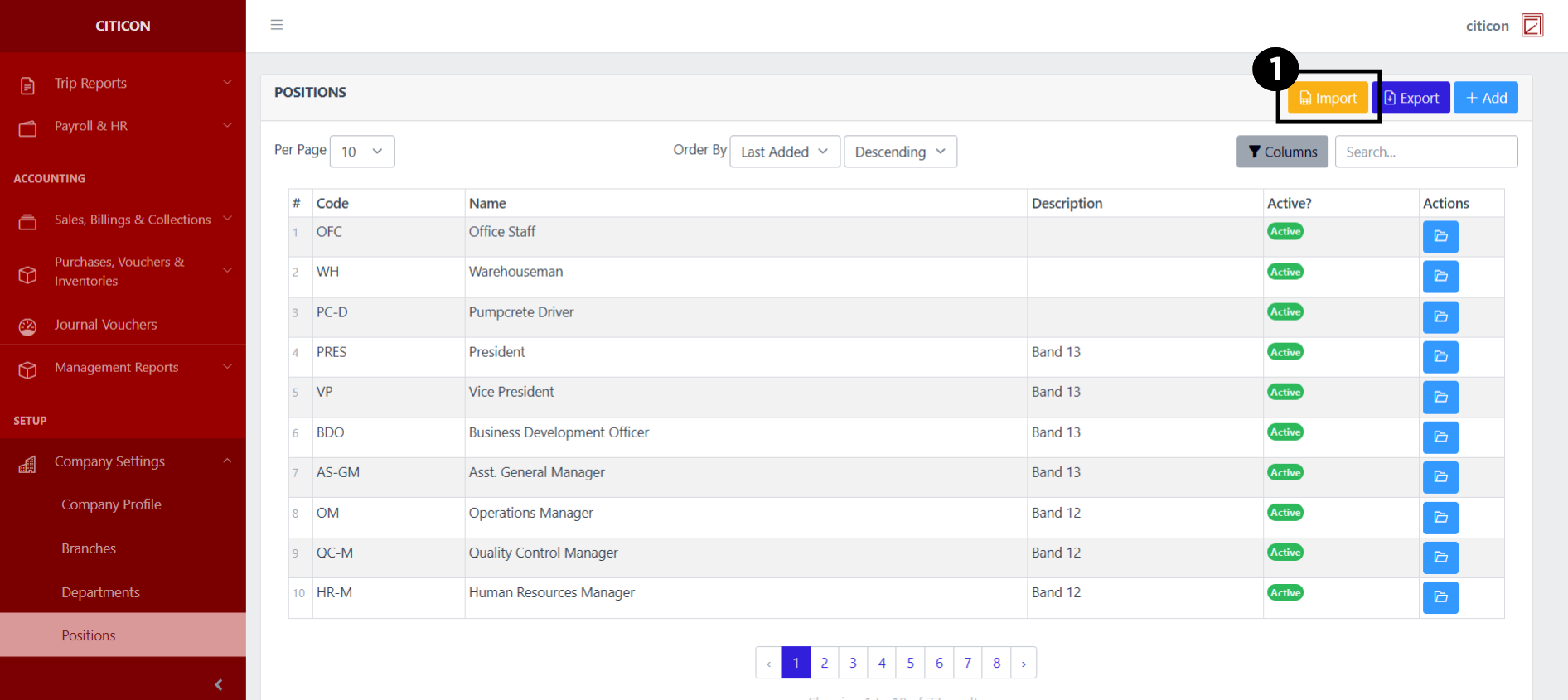
Import Data
- Select the Import button to import new records.
- Select the Choose File button.
Select the Download Template button to view the required format for imported data, including the number of columns, and mandatory fields to be filled.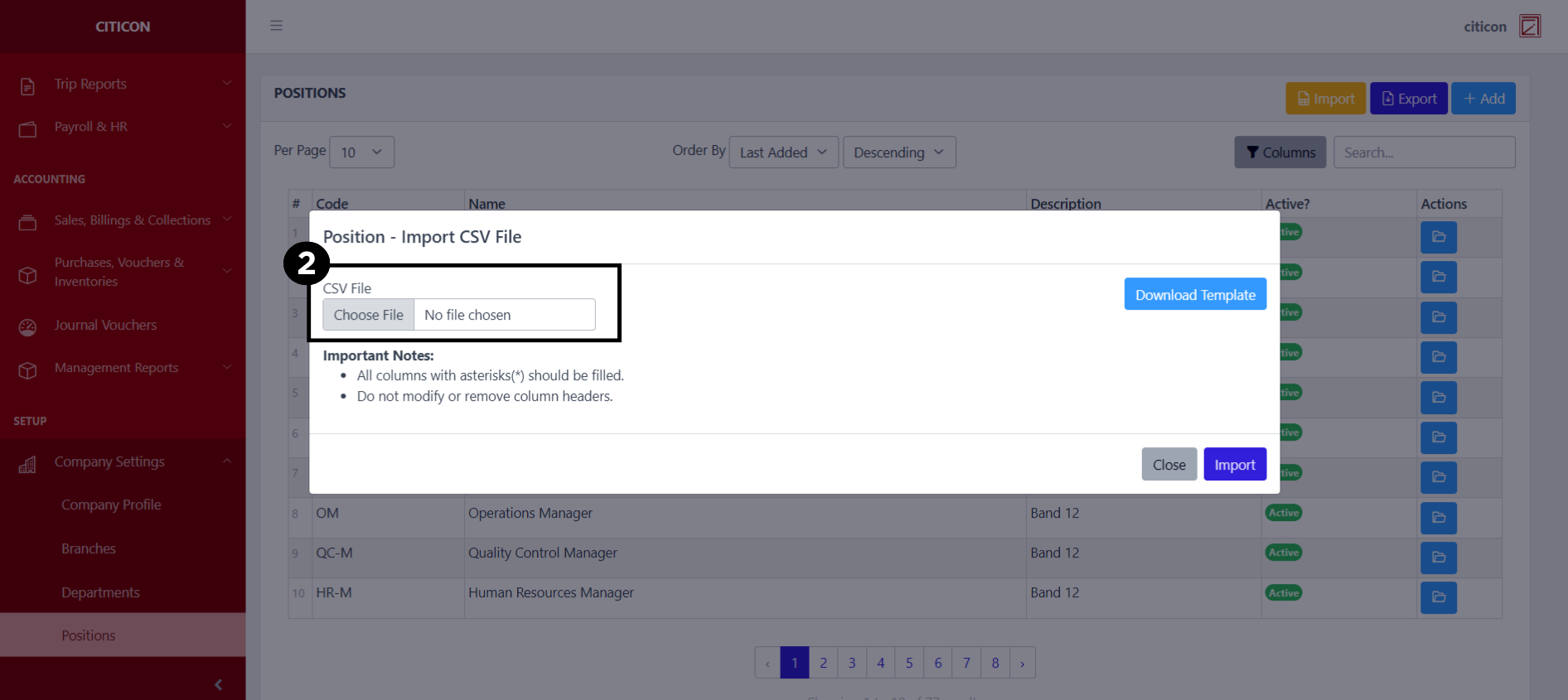
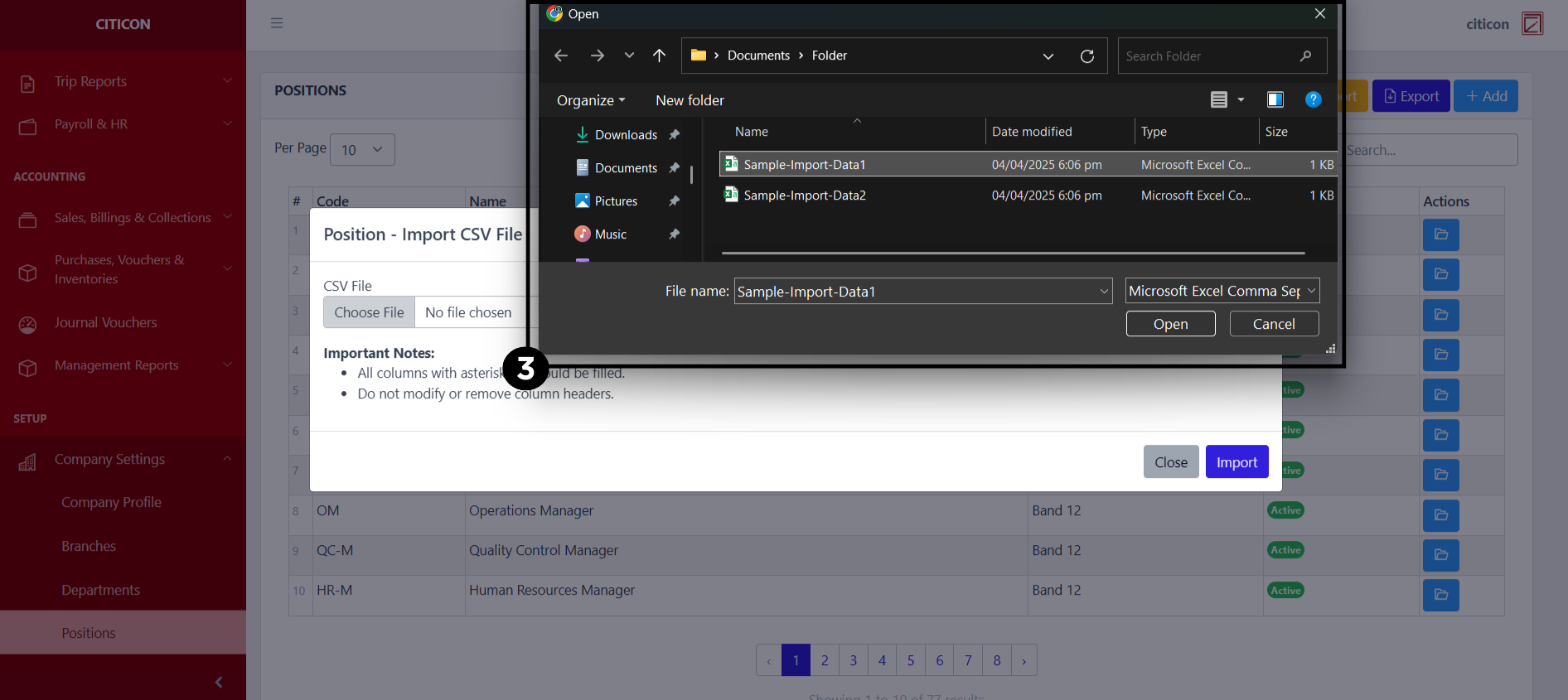
- From your local storage, select the file you want to import, then select the Open button.
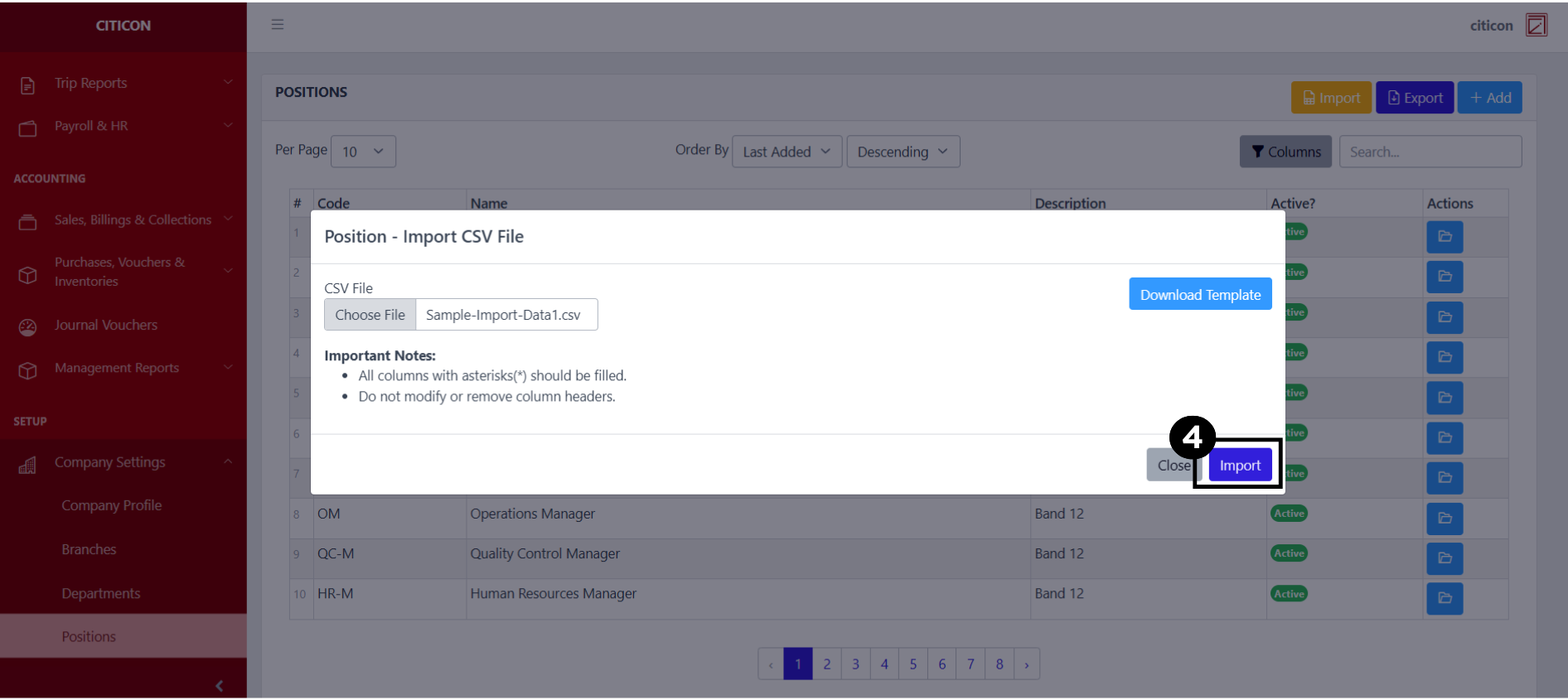
- Select the Import button.
Add Data
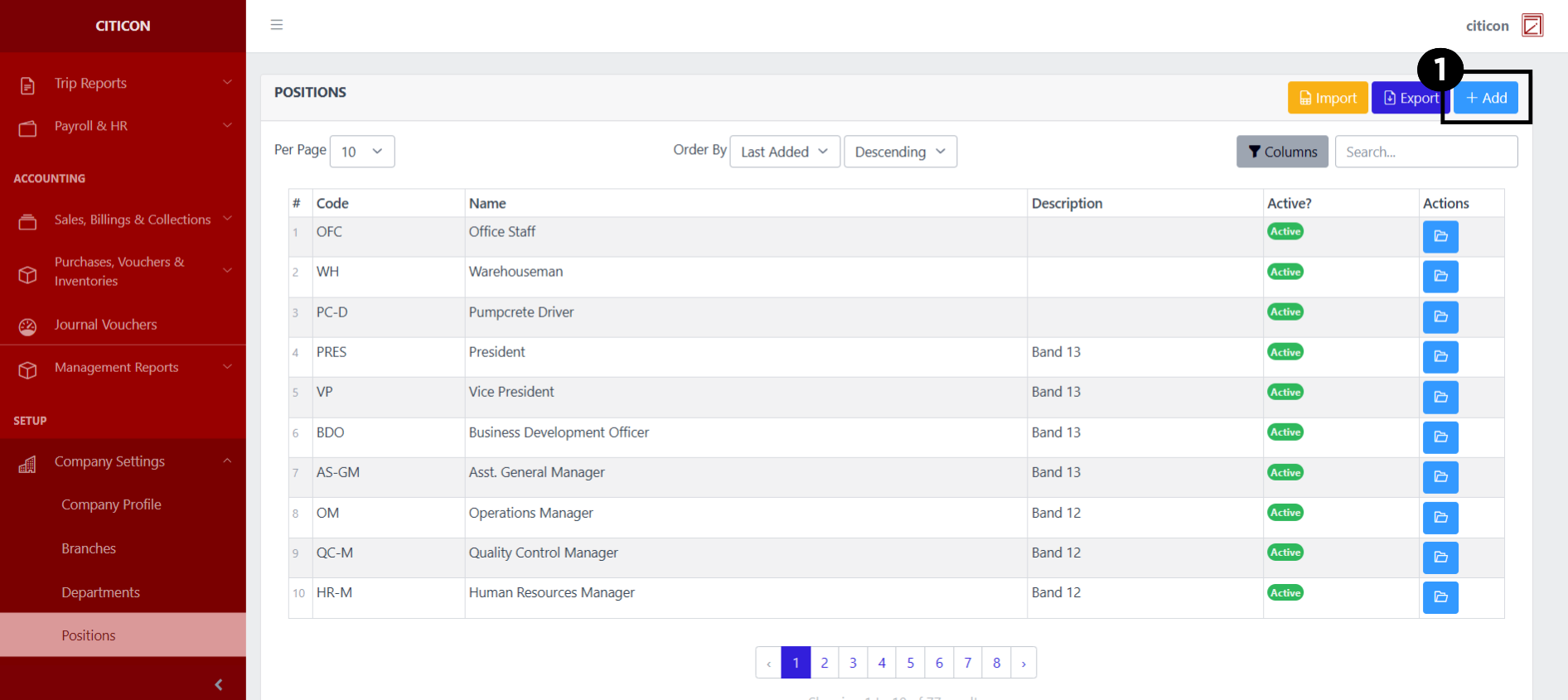
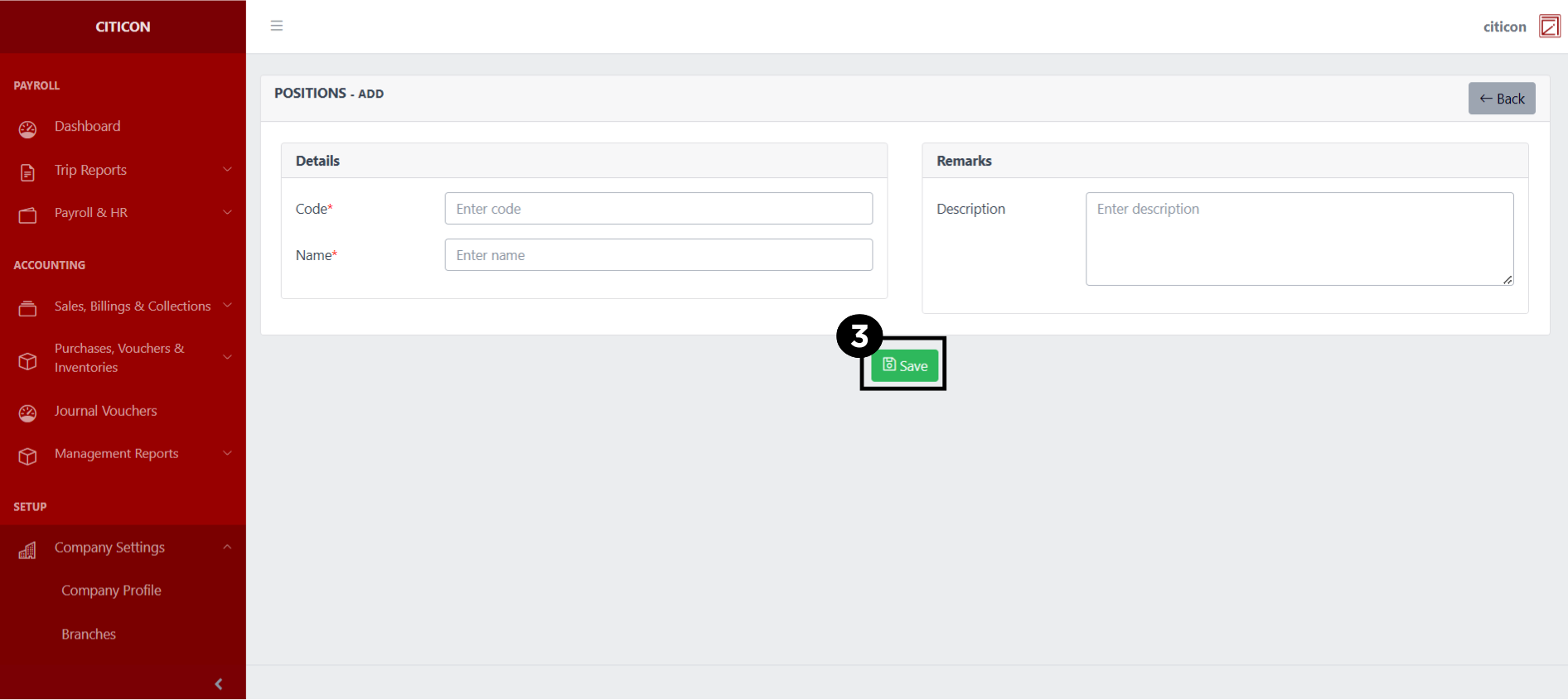
- Select the Add button to add a new record.
- Input the necessary details for your new record.
All fields that has an asterisk (*) are required to be filled up.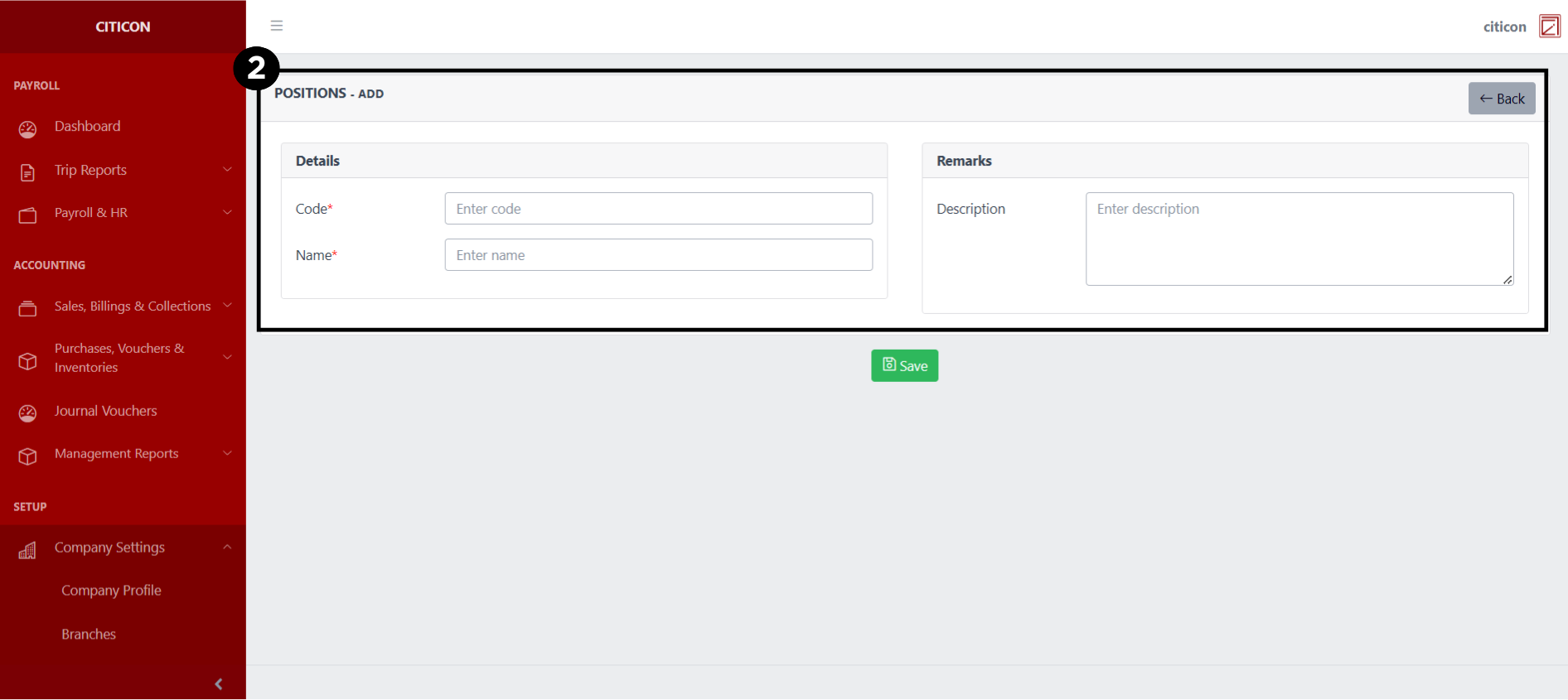
- Select the Save button to save your new record.
Show Data
- Select the folder button to view a record.
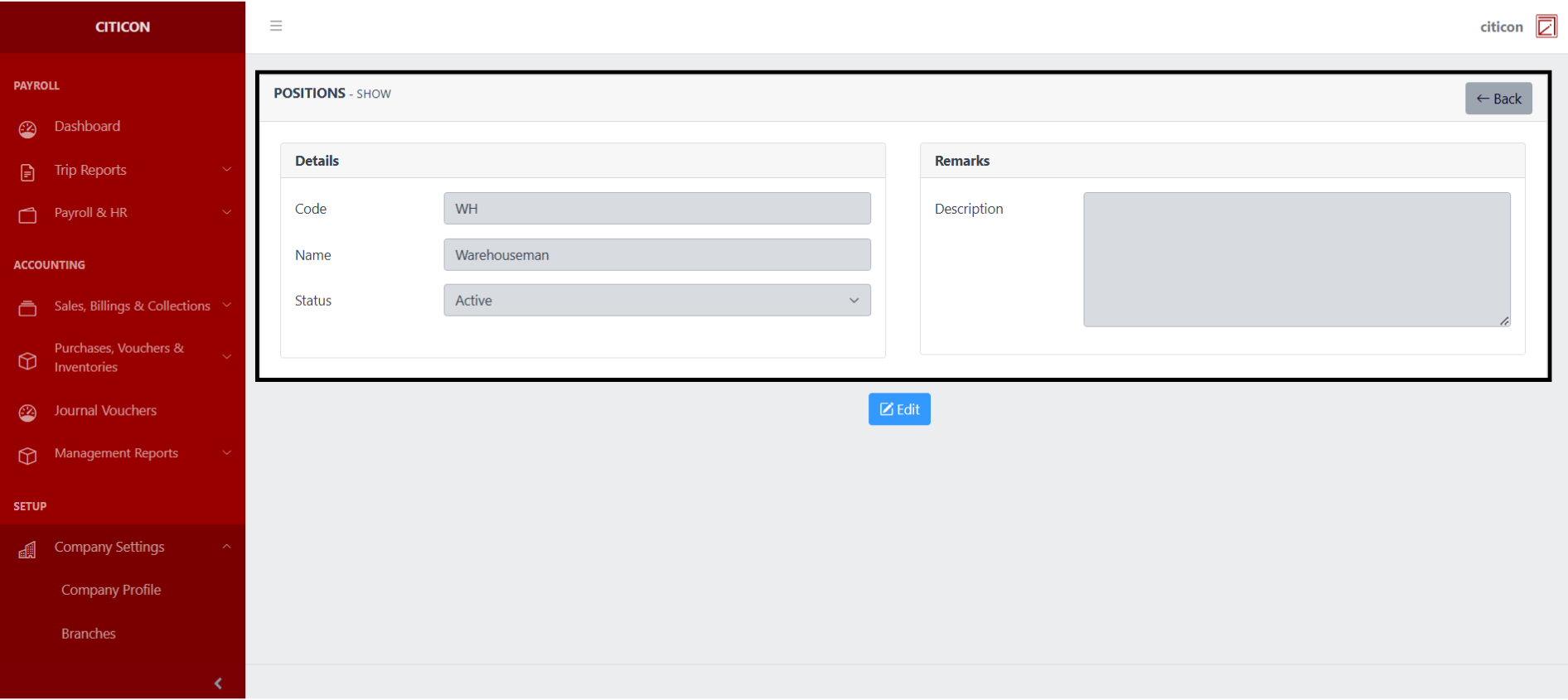
 Here you can view more specific details on the record that you selected.
Update Data
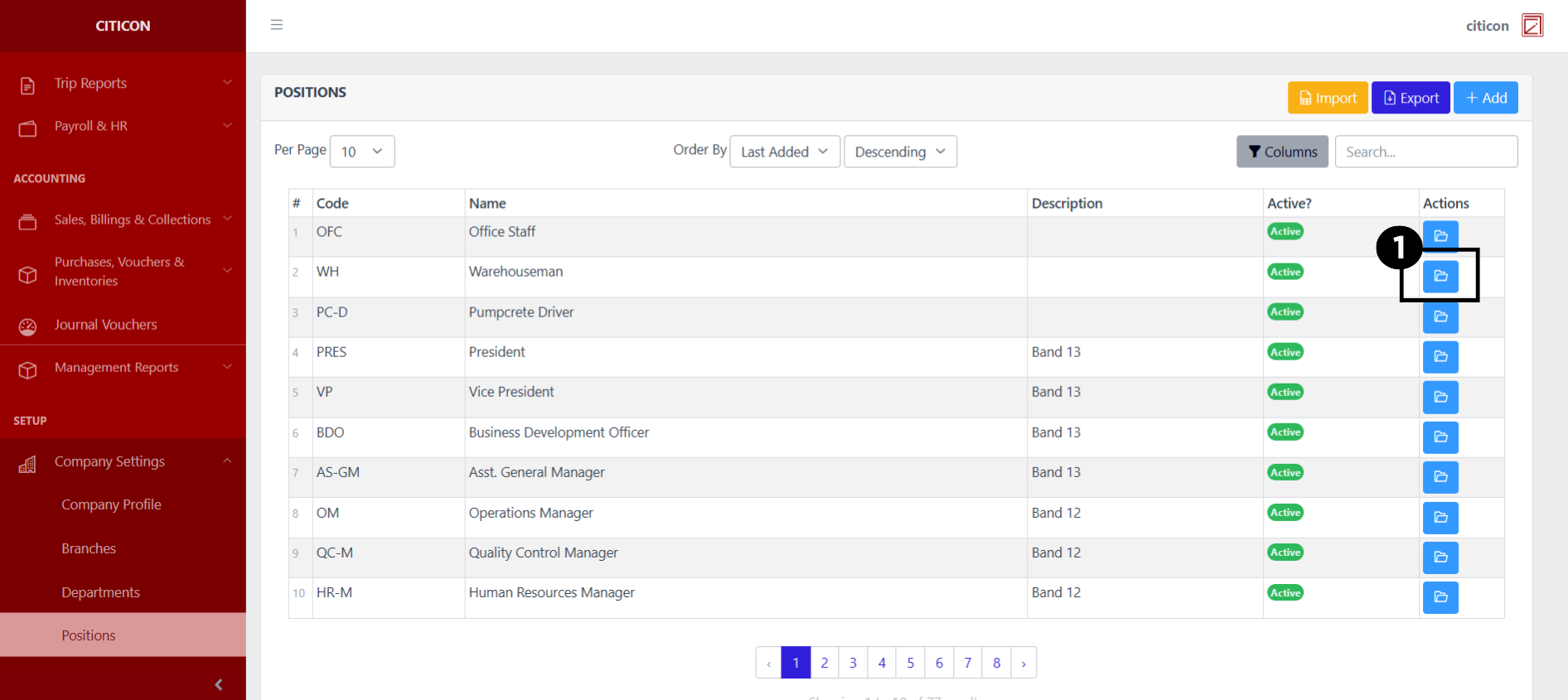
- Select the folder button of the record which you want to edit.
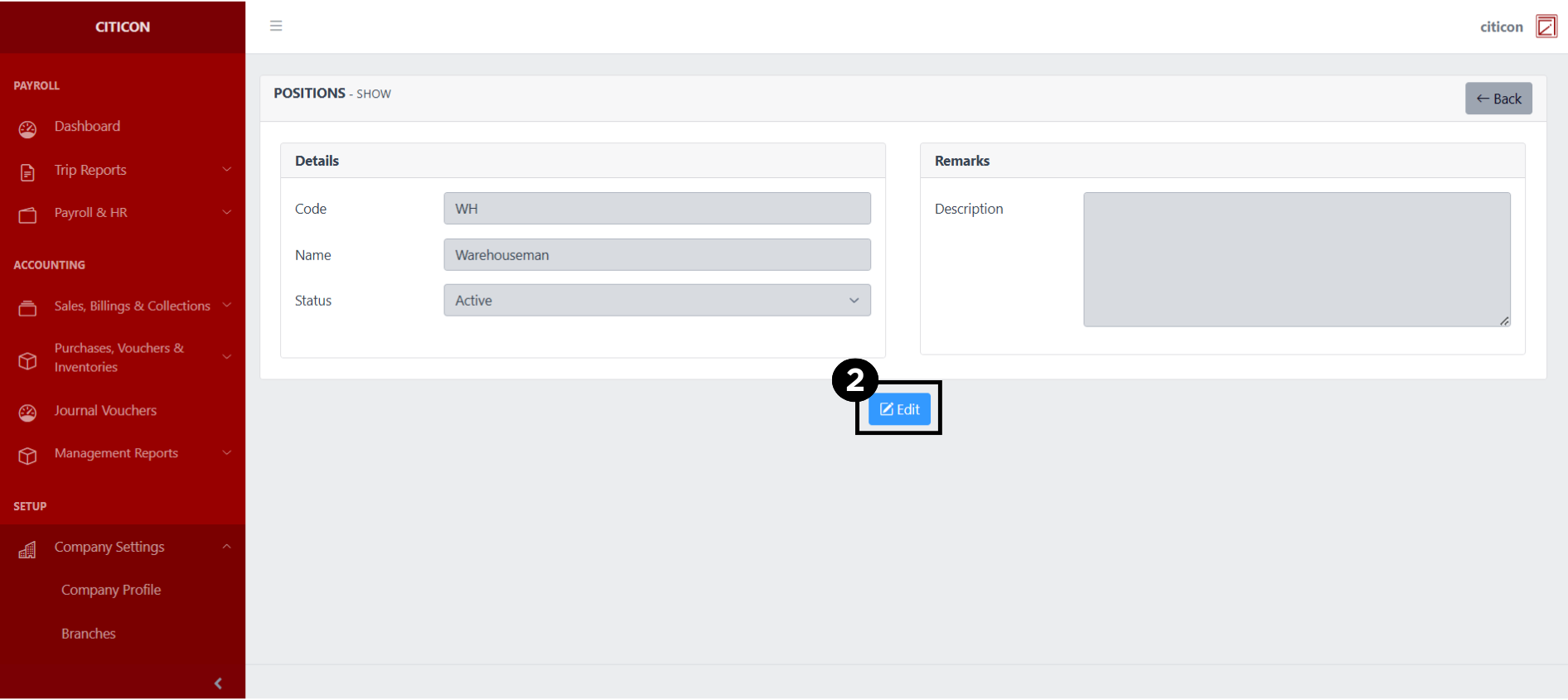
- Select the Edit button to update the details of the record.
- Select a detail section which you want to edit, and enter the necessary changes.
All fields with an asterisk (*) are required to be filled up.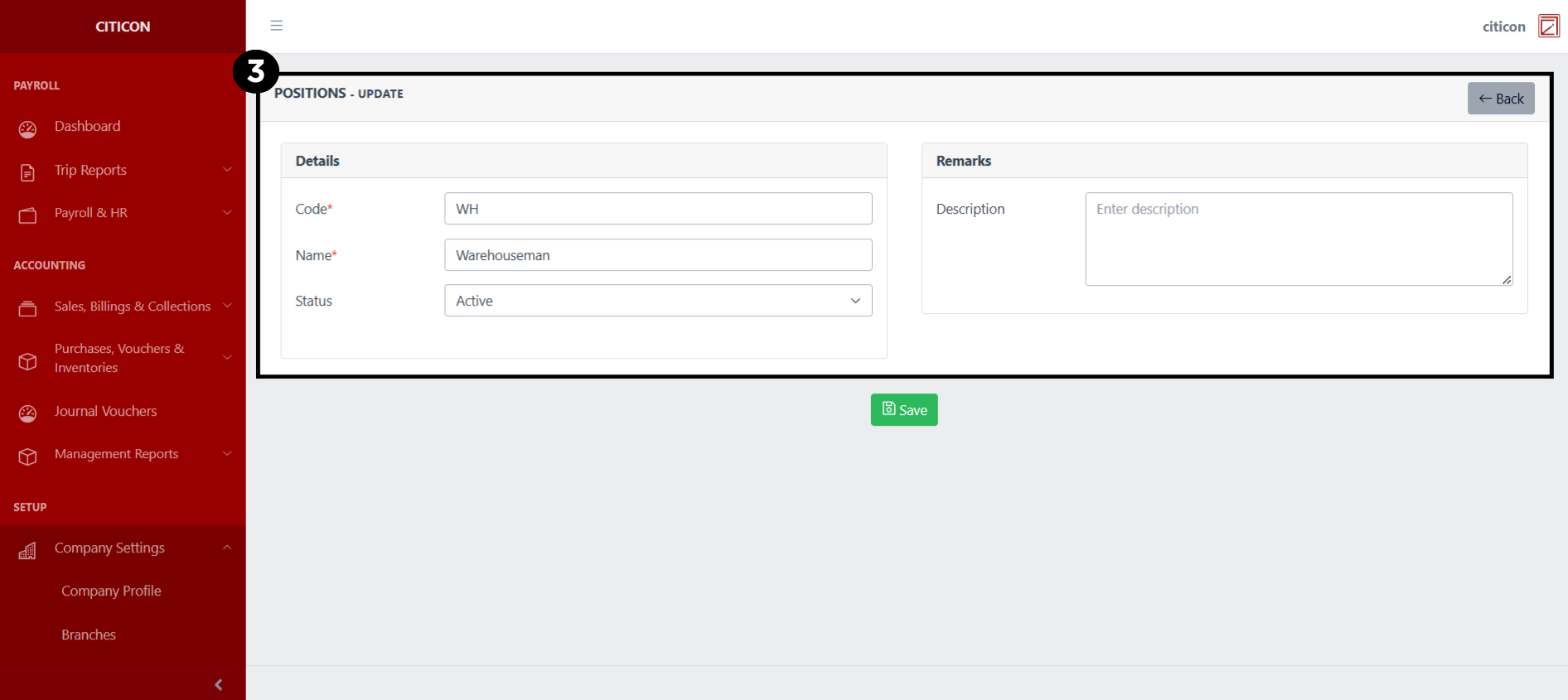
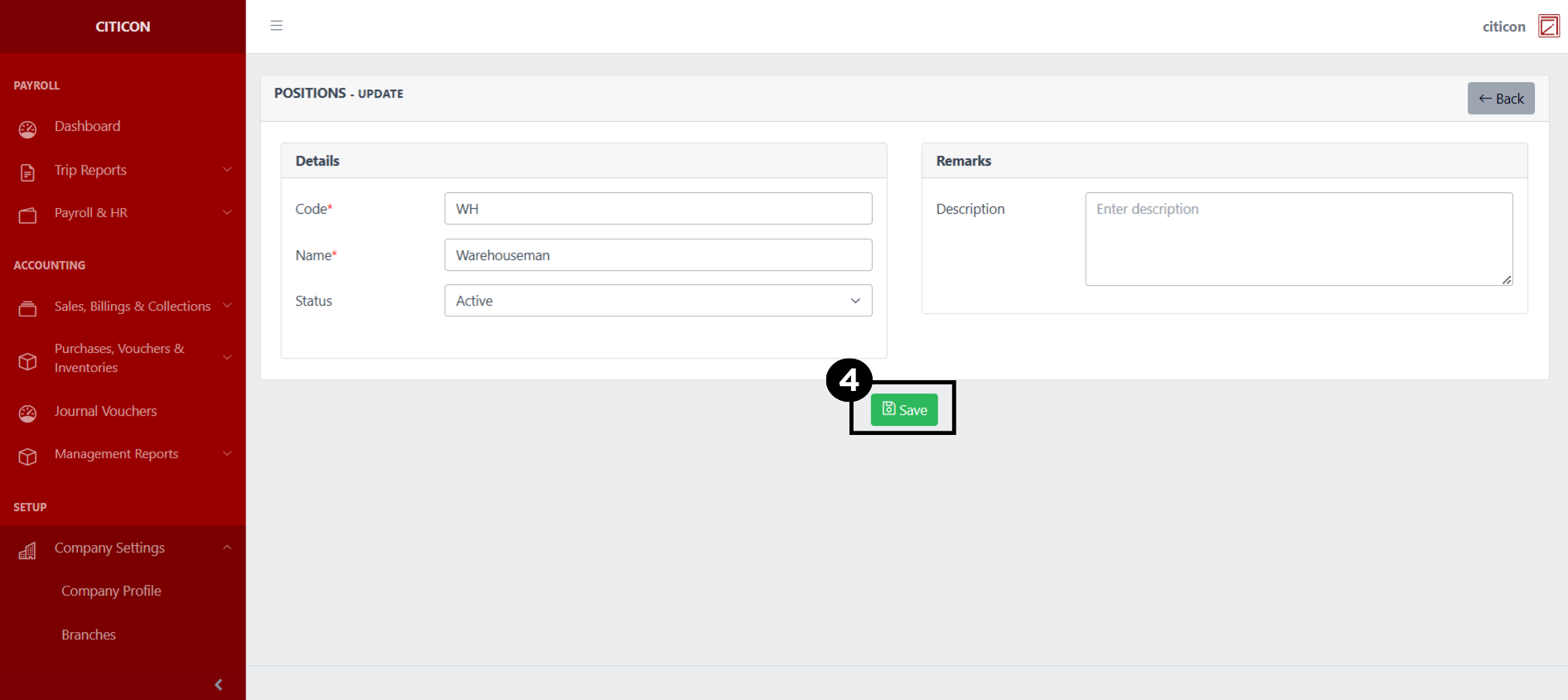
- Select the Save button to save the changes you have made.
Explore Citicon Payroll and Accounting System: Group Settings