Company Settings Departments
Welcome to Citicon Payroll and Accounting Systems Configuration for Departments. This section is dedicated to organizing your company’s internal structure by managing various departments across the organization.
Key Purposes
- Define Department Entries: Set up departments with unique entry codes and names to accurately reflect your company’s organizational layout.
- Track Department Activity: Activate or deactivate department entries to ensure that only relevant and current departments are in use.
- Centralize Department Records: Keep all department-related information in one place for easier management and updates.
- Enable HR and Payroll Mapping: Align employee assignments, payroll rules, and reporting with their respective departments.
- Enhance Reporting and Analysis: Generate more meaningful insights by segmenting data based on department-level details and remarks.
Departments Module User-Manual
This section provides details, and set-by-step instructions to access, view, and update the Departments data stored in the system.
Index Page
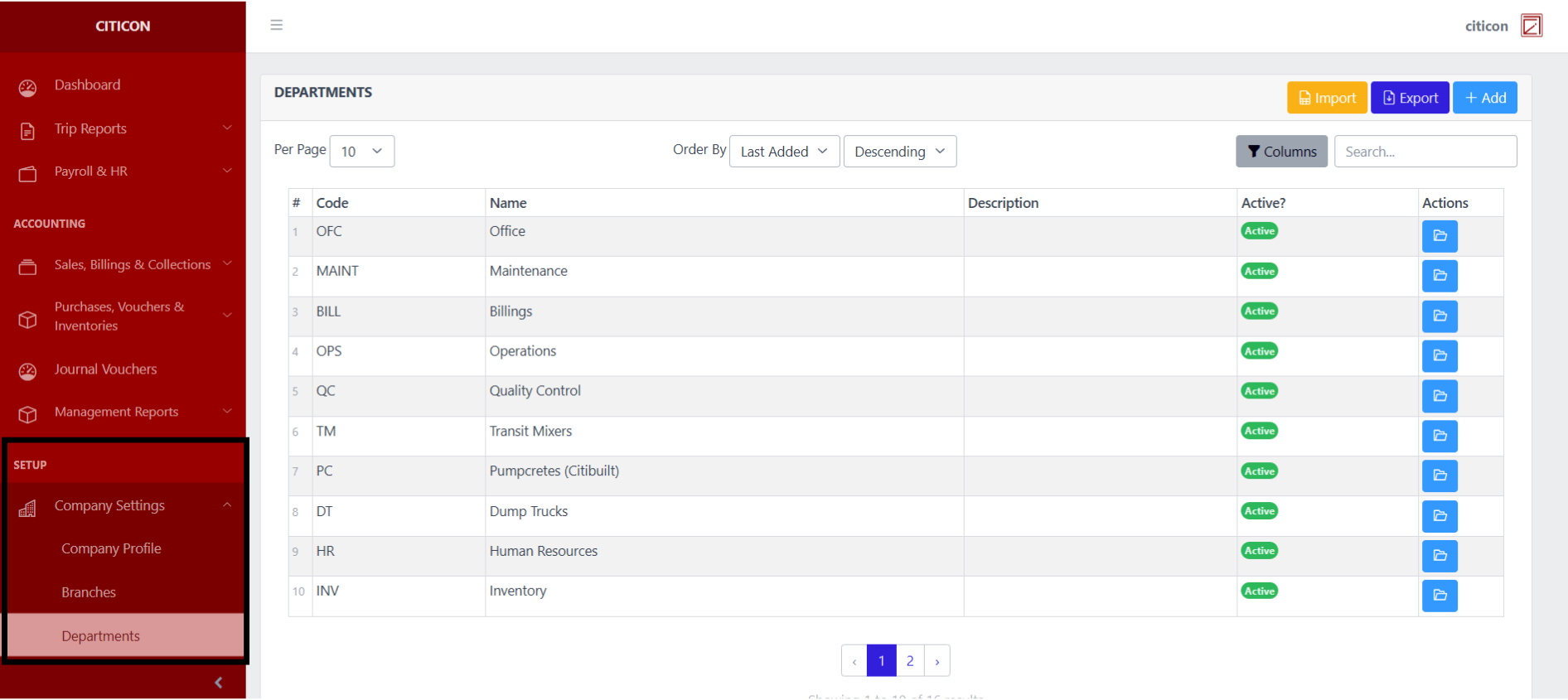
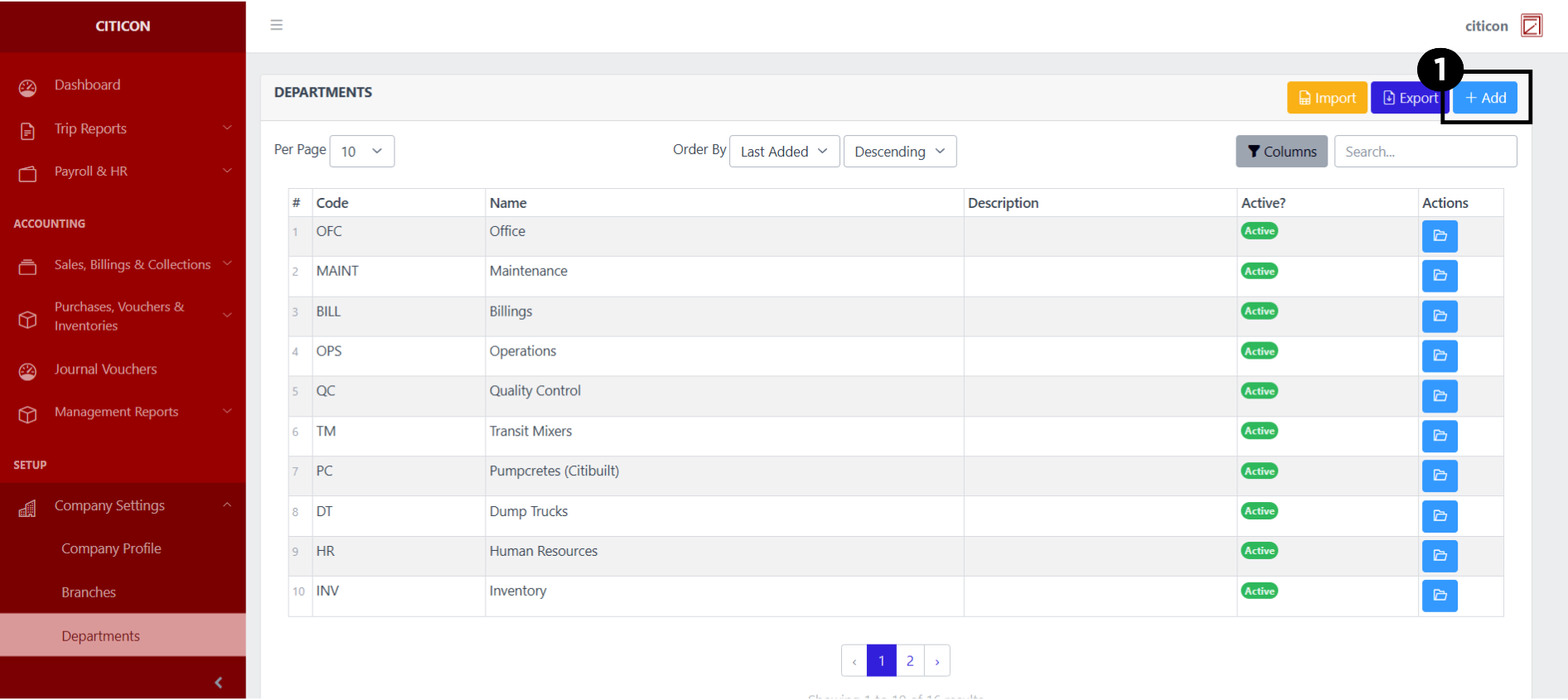
To access the Departments Settings. Go to Setup, select Company Settings, then select Departments.
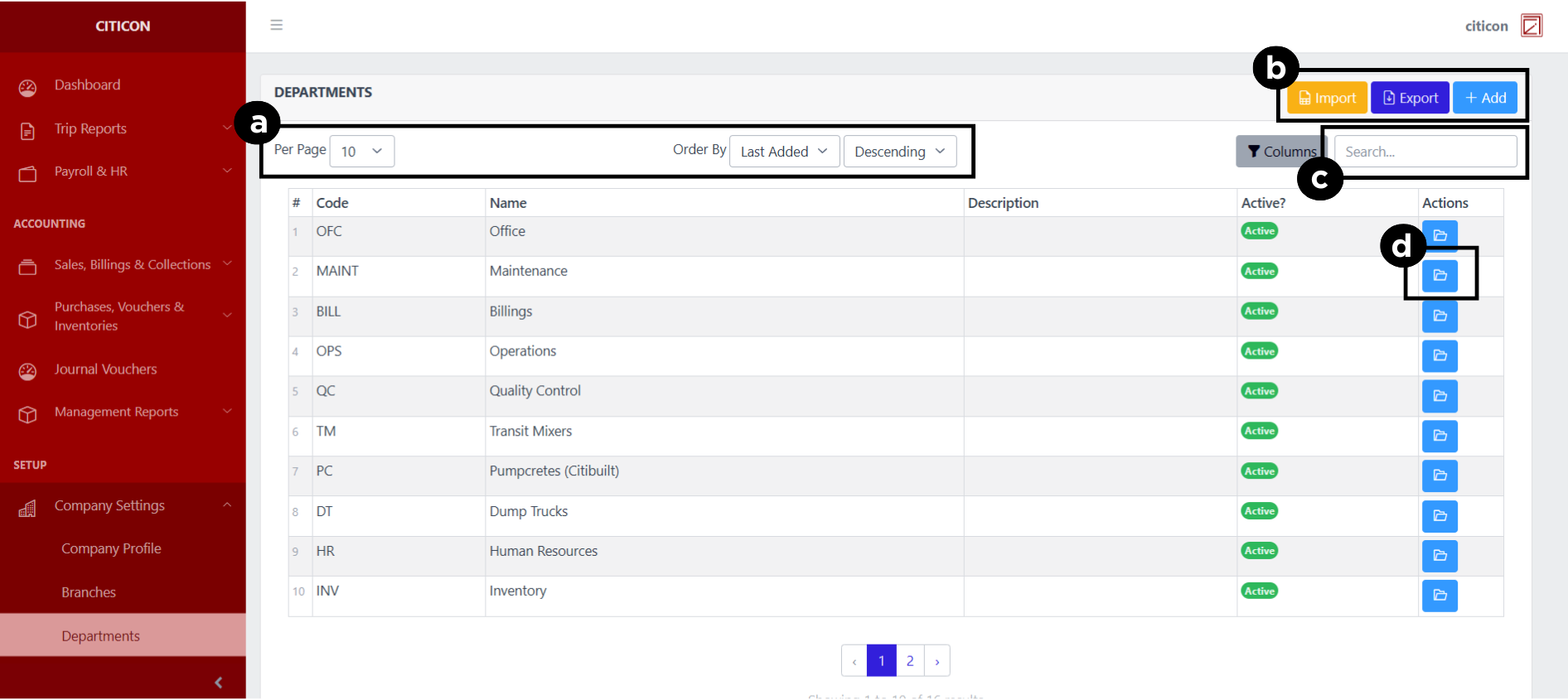
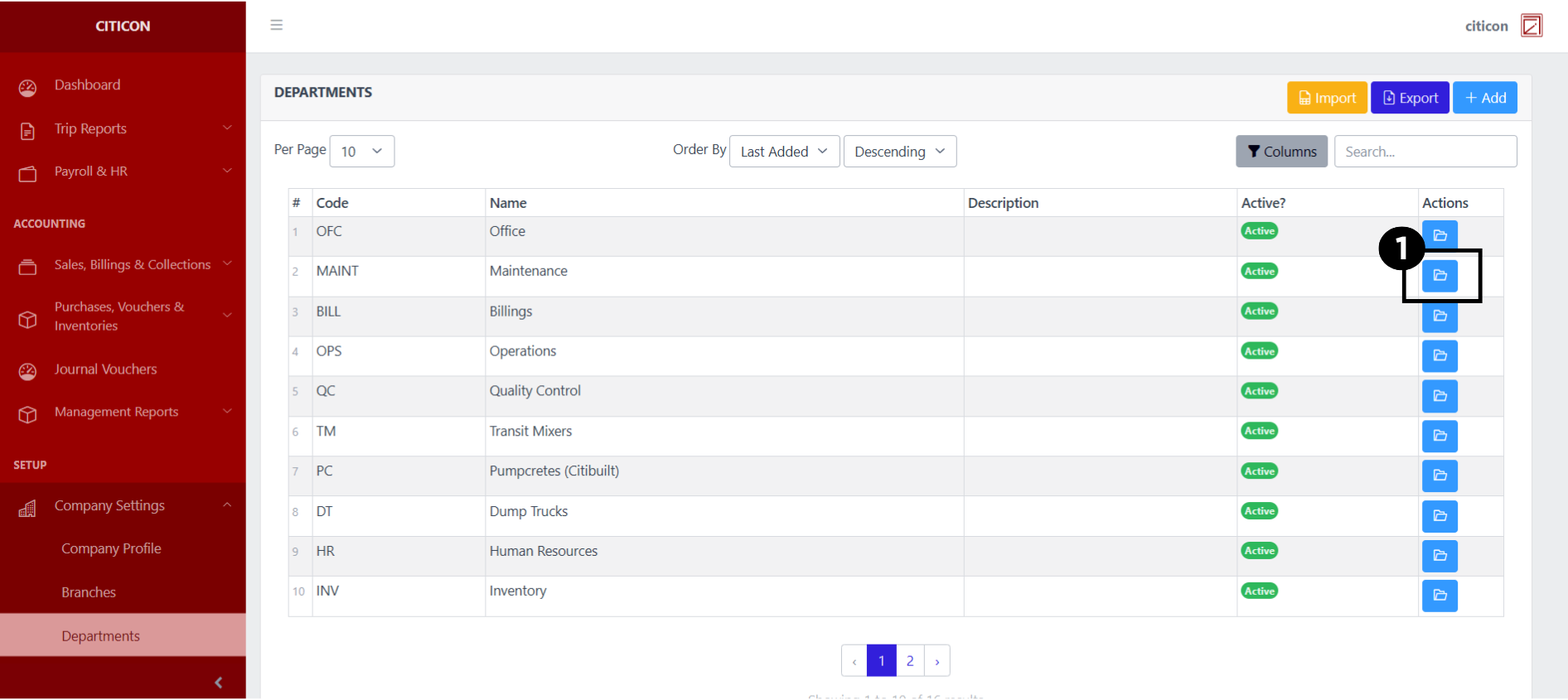
a. Adjust the paging, ordering, and sorting of the Departments Page here.
b. Select the respective button to either Import, Export, or Add data.
c. Search for specific record details using the search bar.
d. View or Edit a record by selecting the folder button.
Import Data
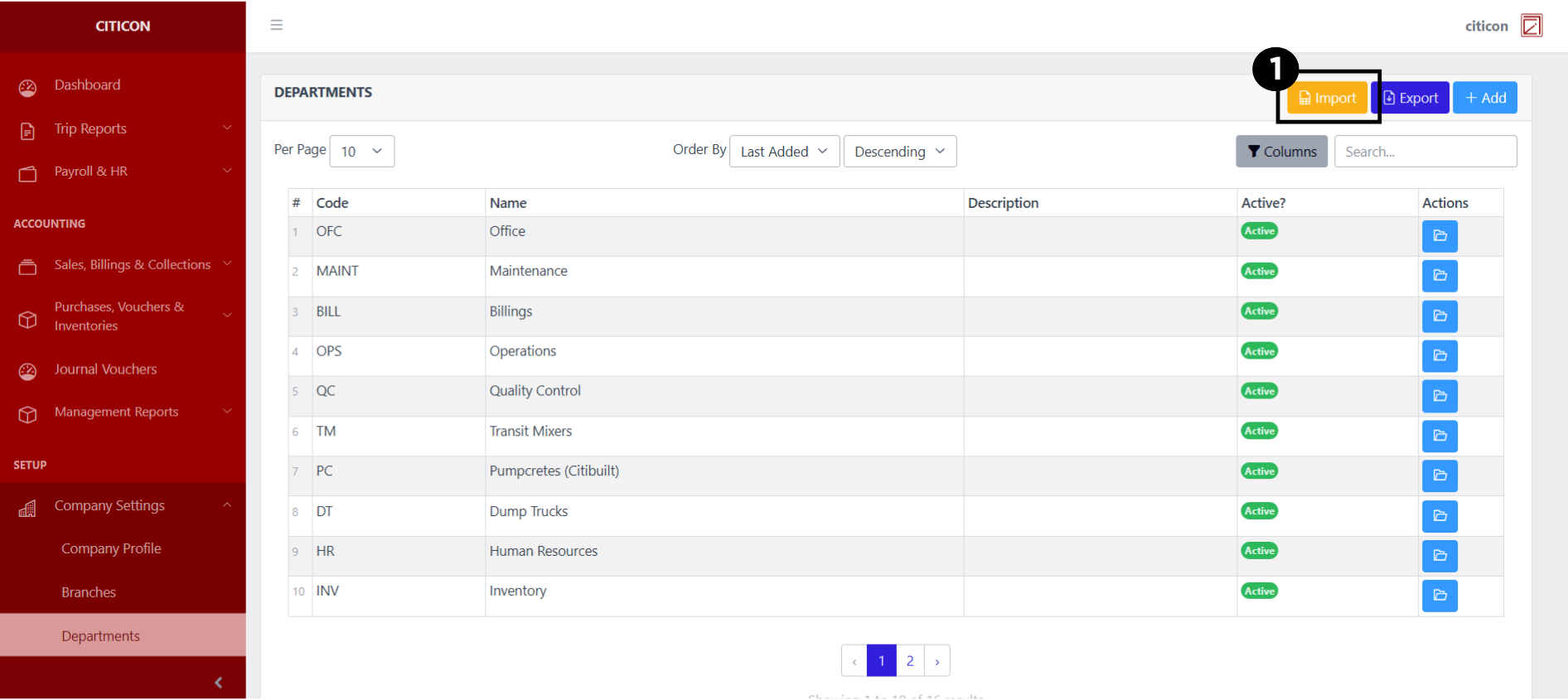
- Select the Import button to import new records.
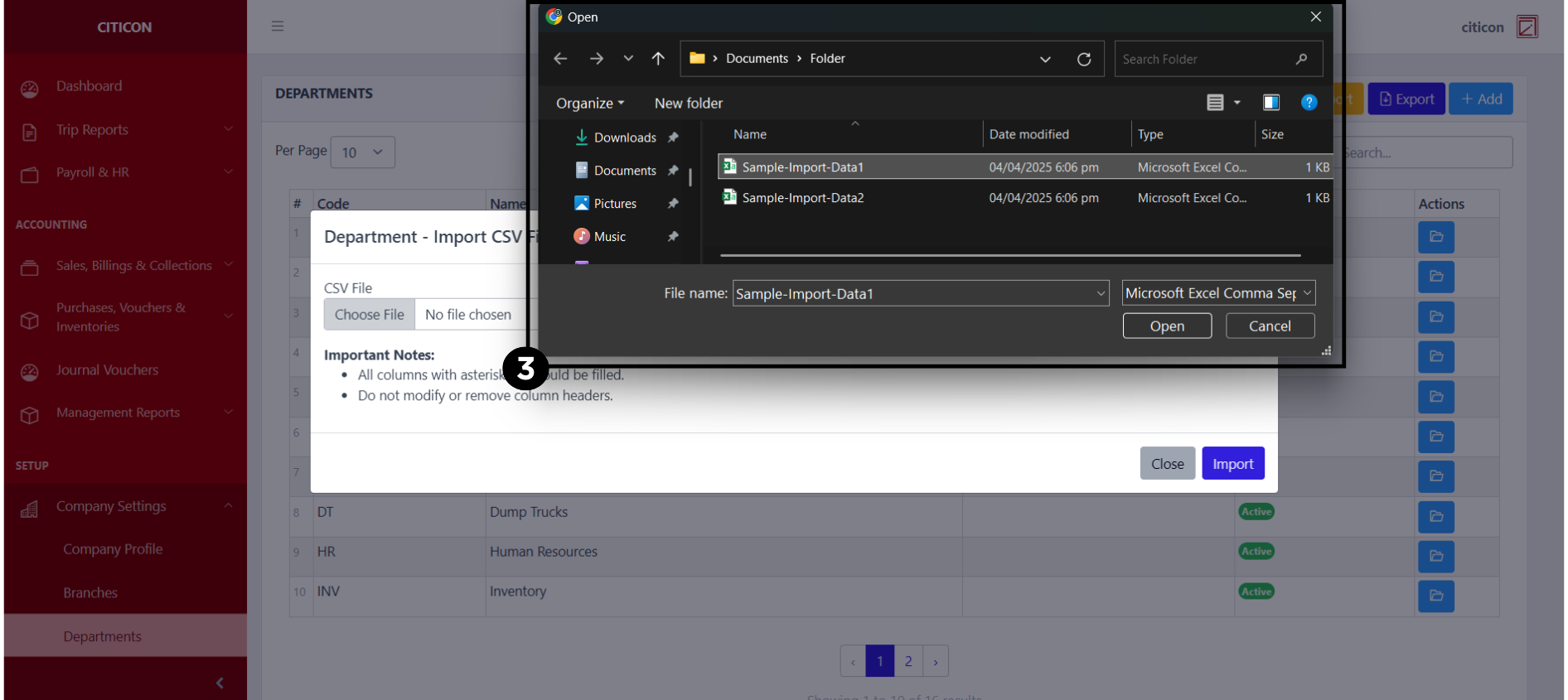
- Select the Choose File button.
Select the Download Template button to view the required format for imported data, including the number of columns, and mandatory fields to be filled.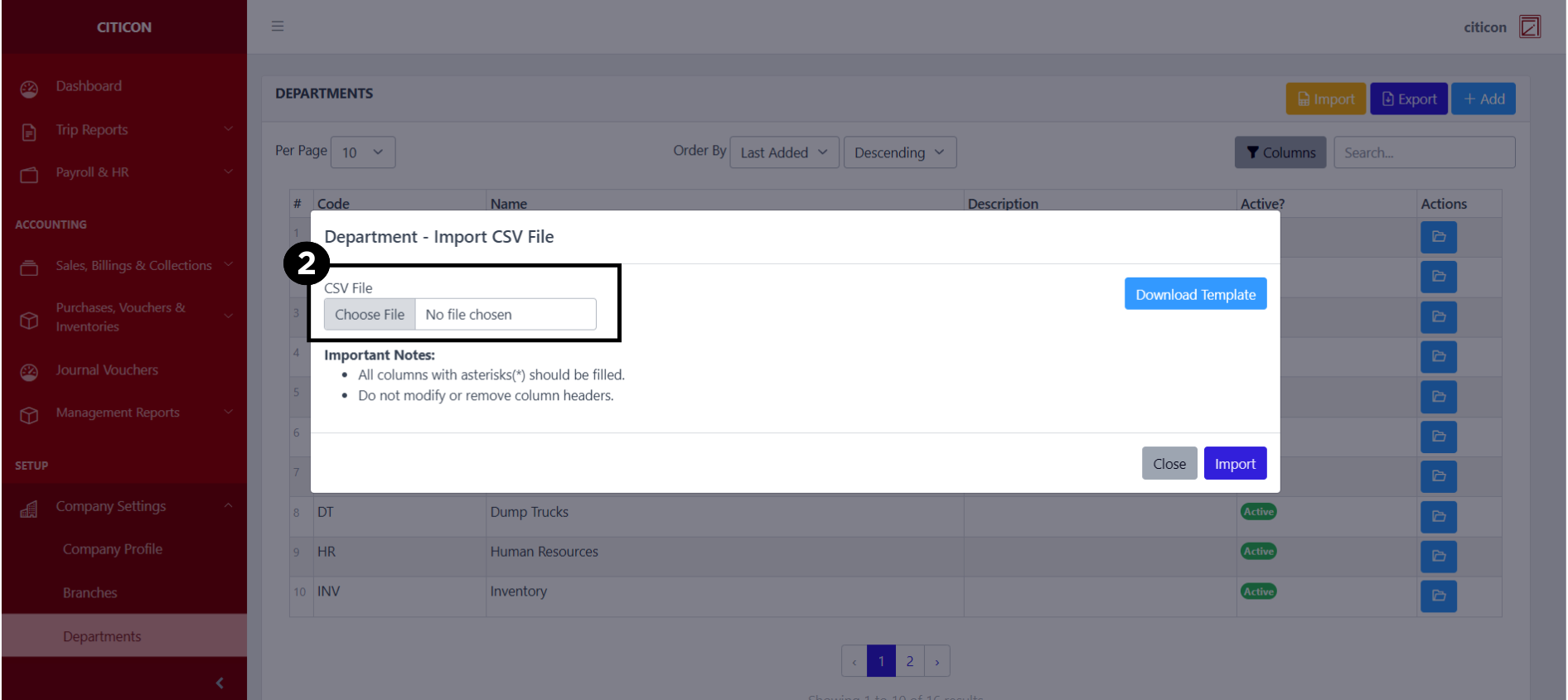
- From your local storage, select the file you want to import, then select the Open button.
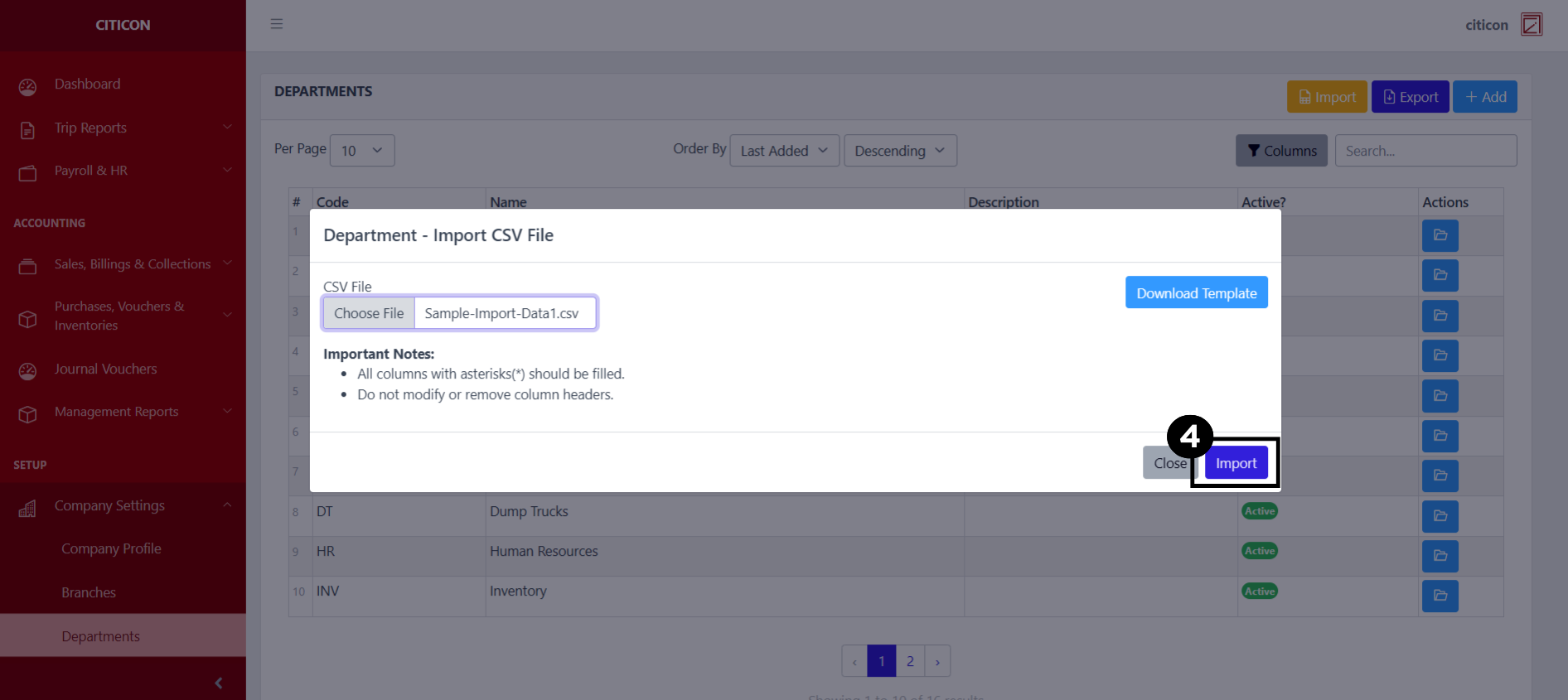
- Select the Import button.
Add Data
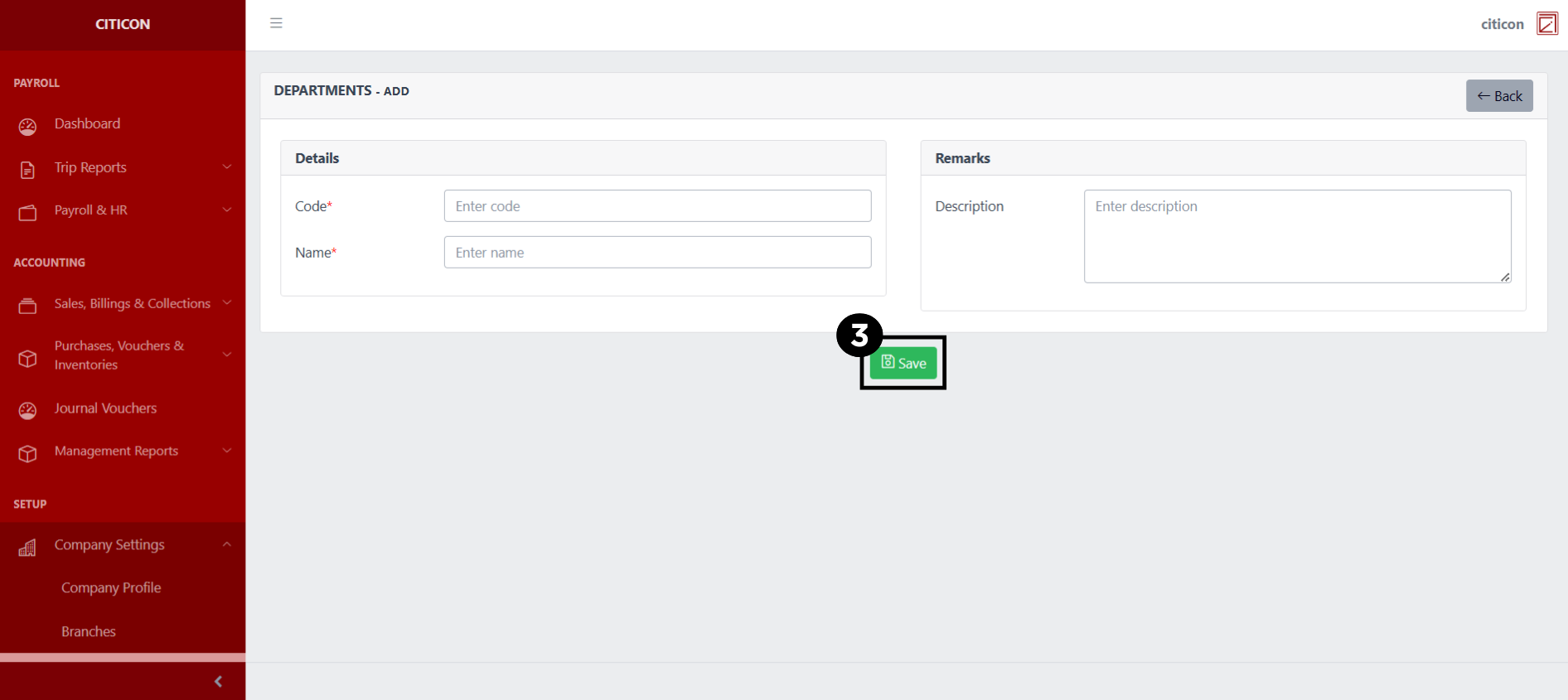
- Select the Add button to add a new record.
- Input the necessary details for your new record.
All fields that has an asterisk (*) are required to be filled up.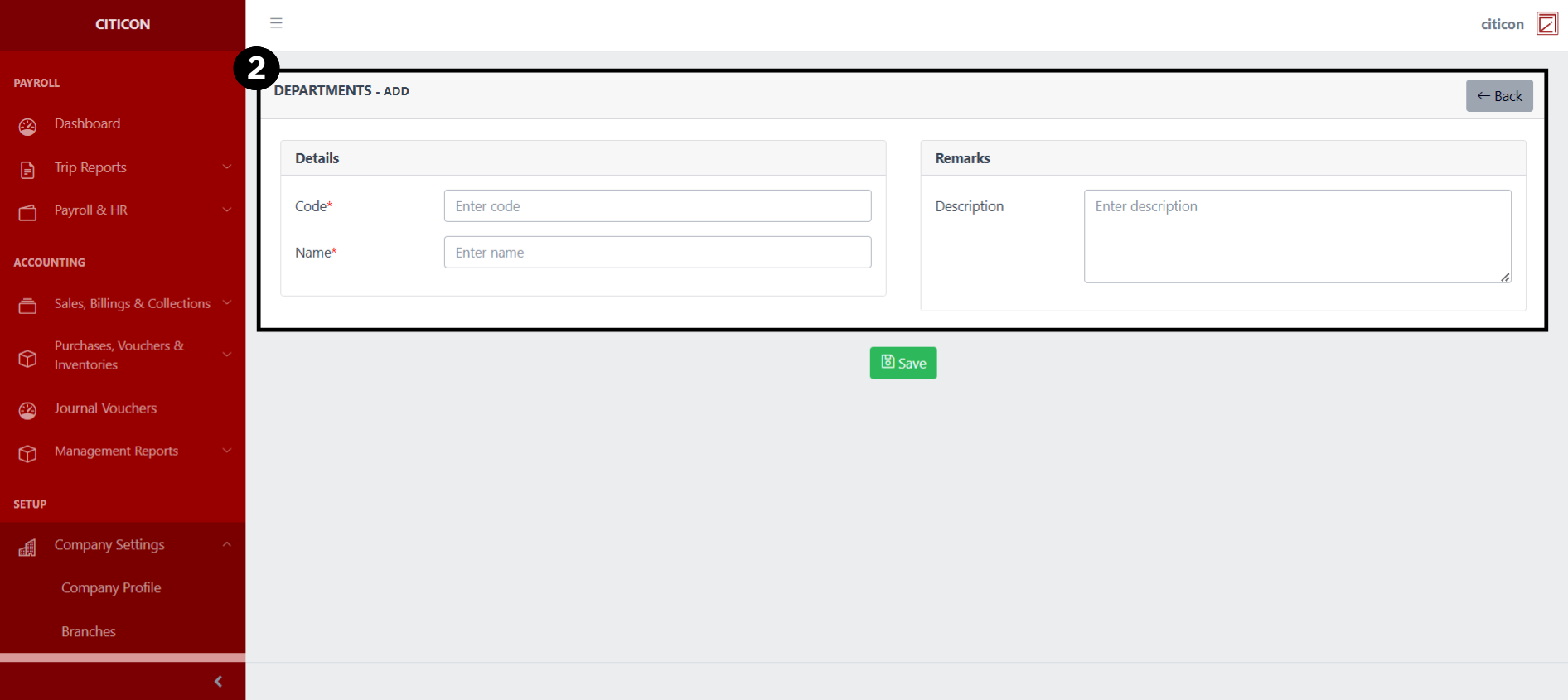
- Select the Save button to save your new record.
Show Data
- Select the folder button to view a record.
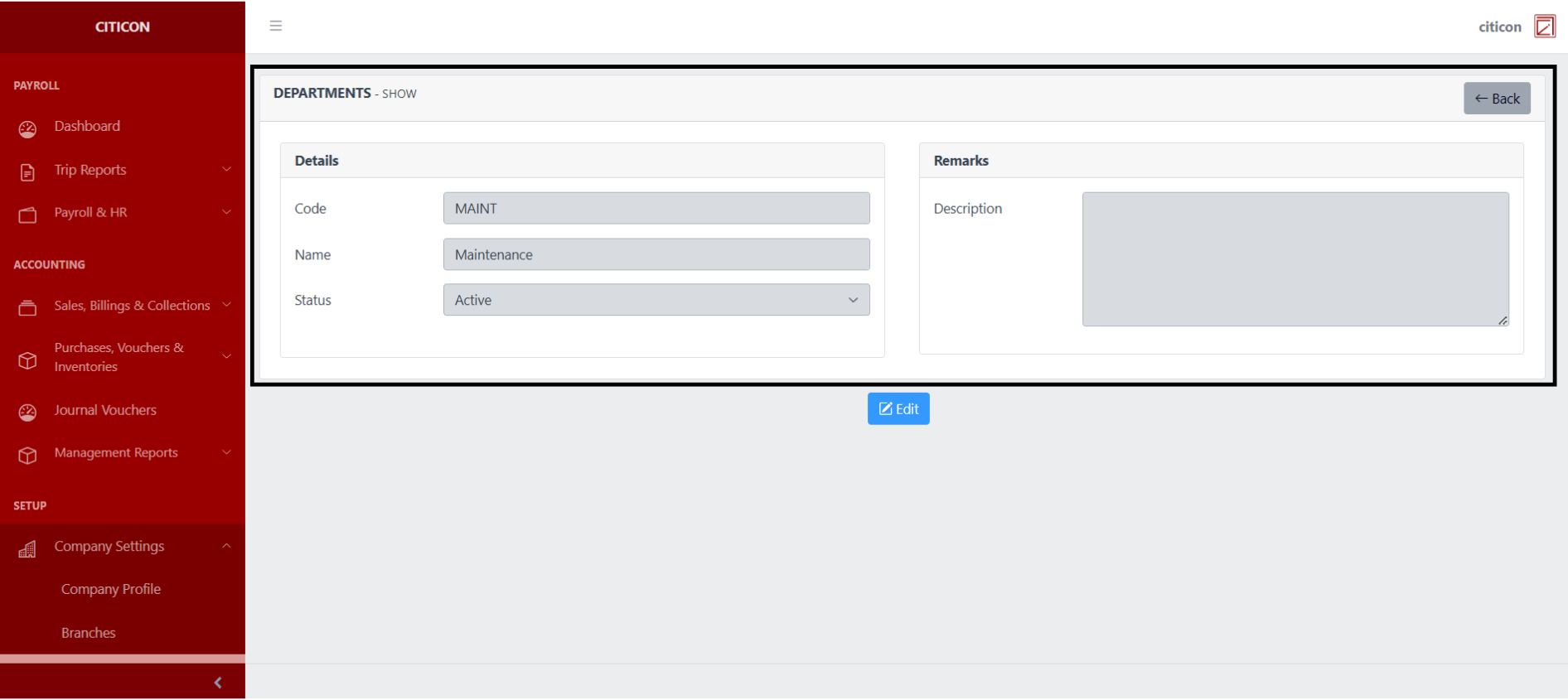
 Here you can view more specific details on the record that you selected.
Update Data
- Select the folder button of the record which you want to edit.
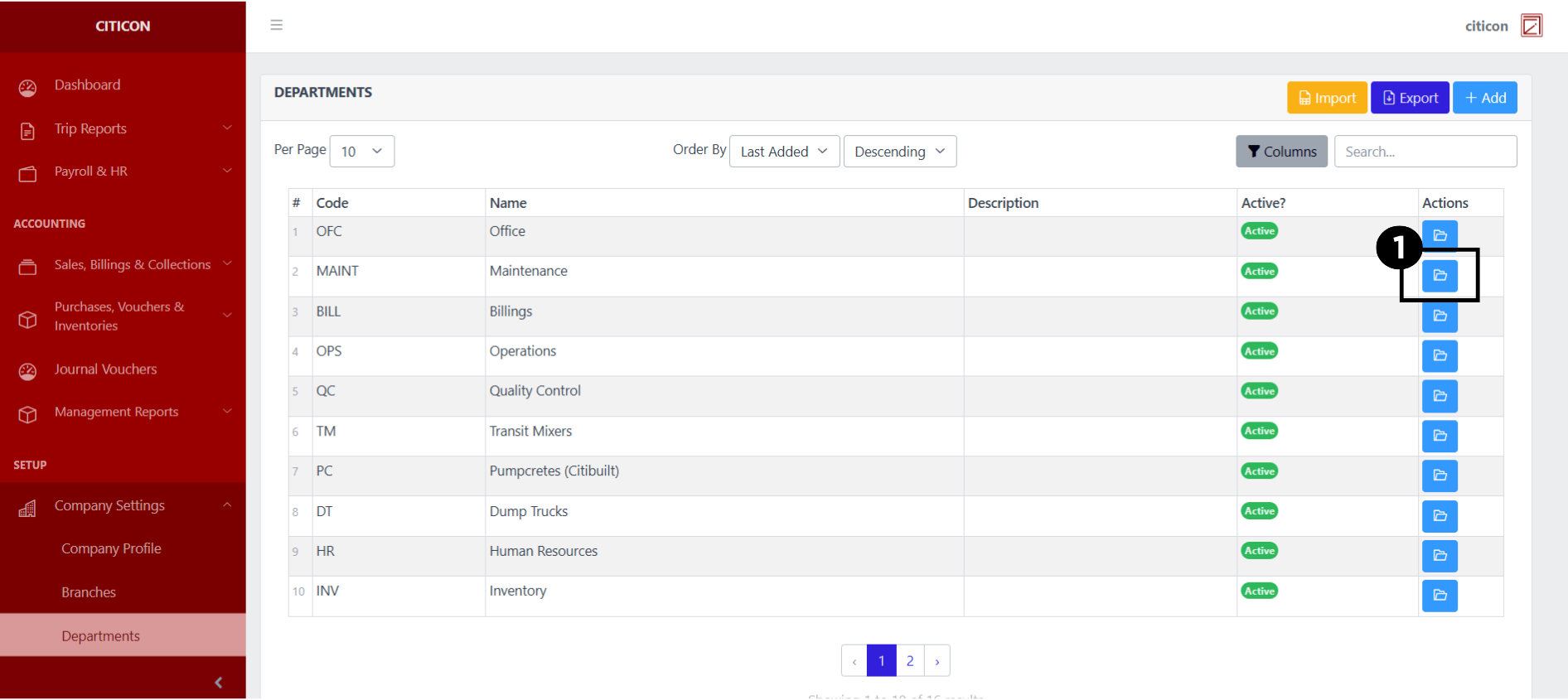
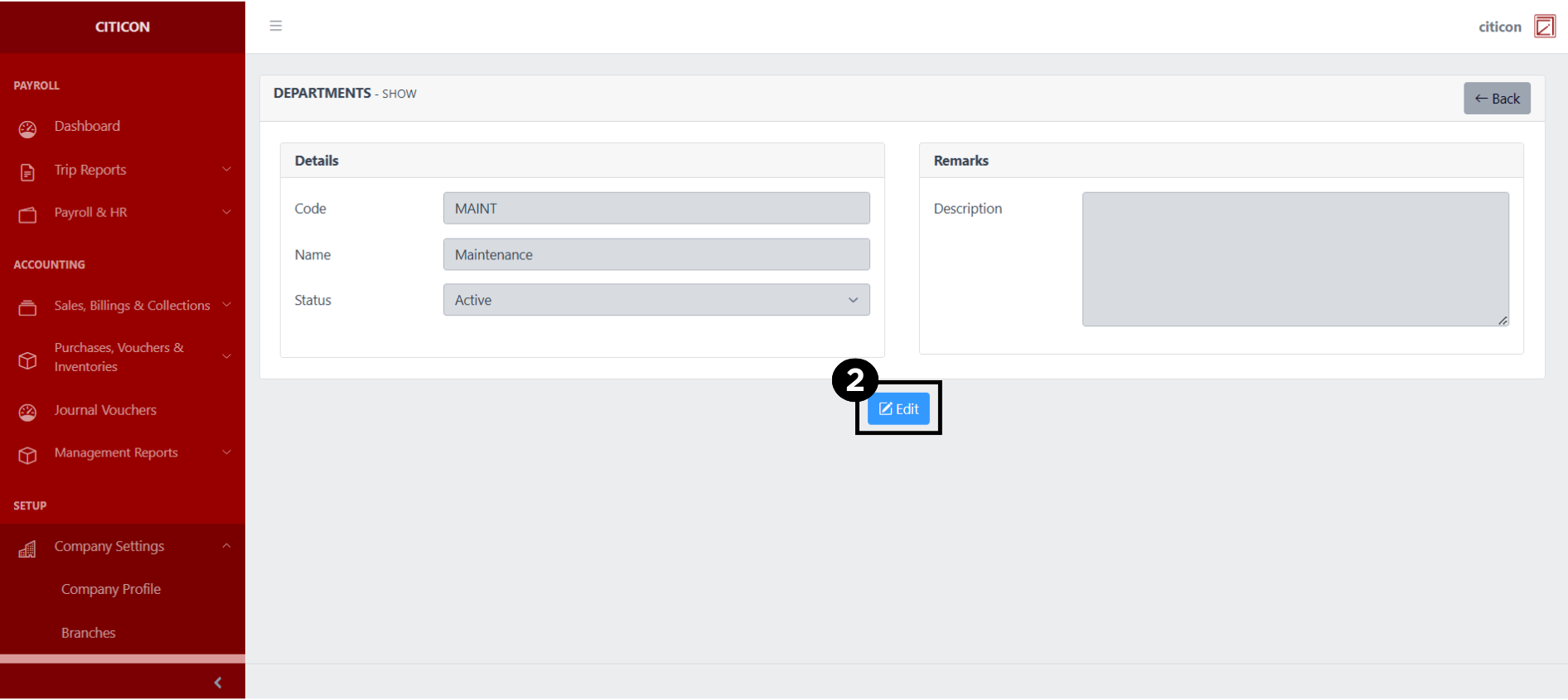
- Select the Edit button to update the details of the record.
- Select a detail section which you want to edit, and enter the necessary changes.
All fields with an asterisk (*) are required to be filled up.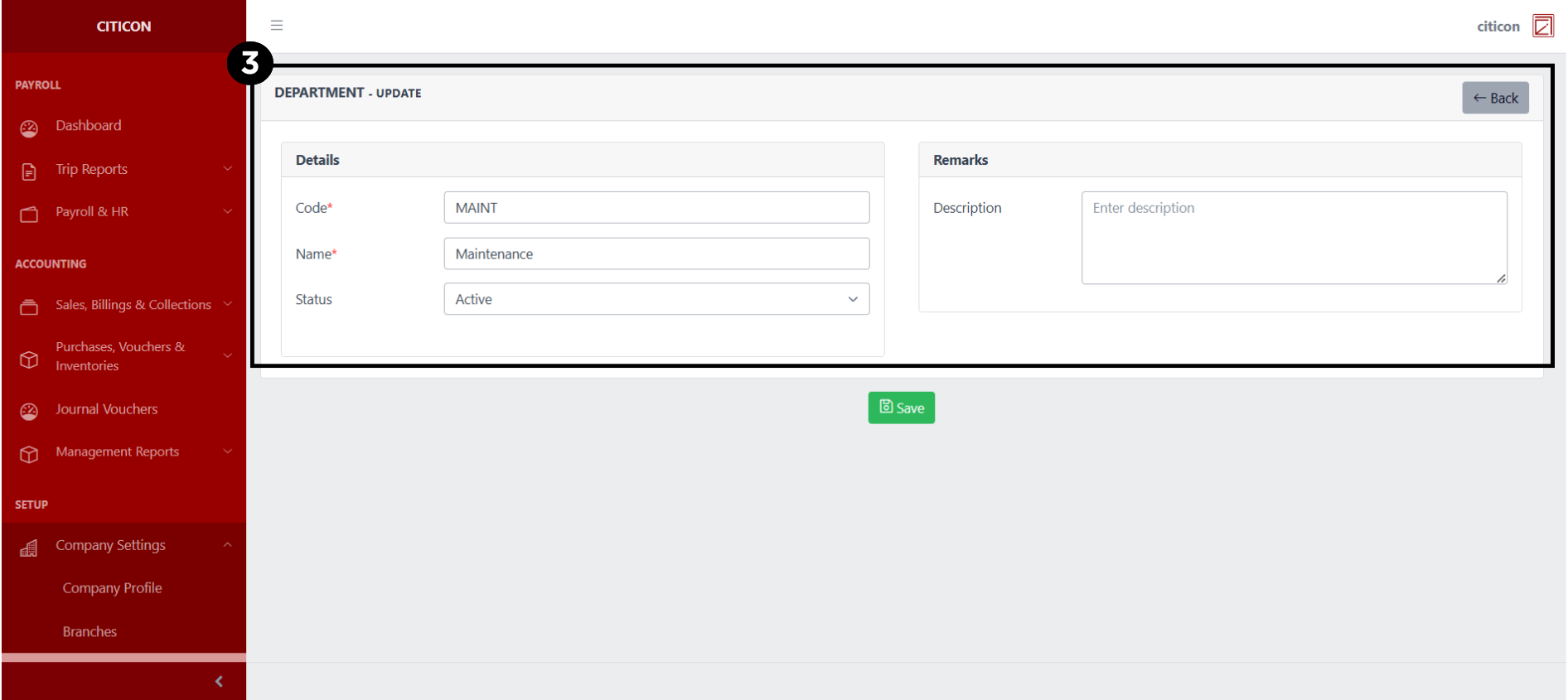
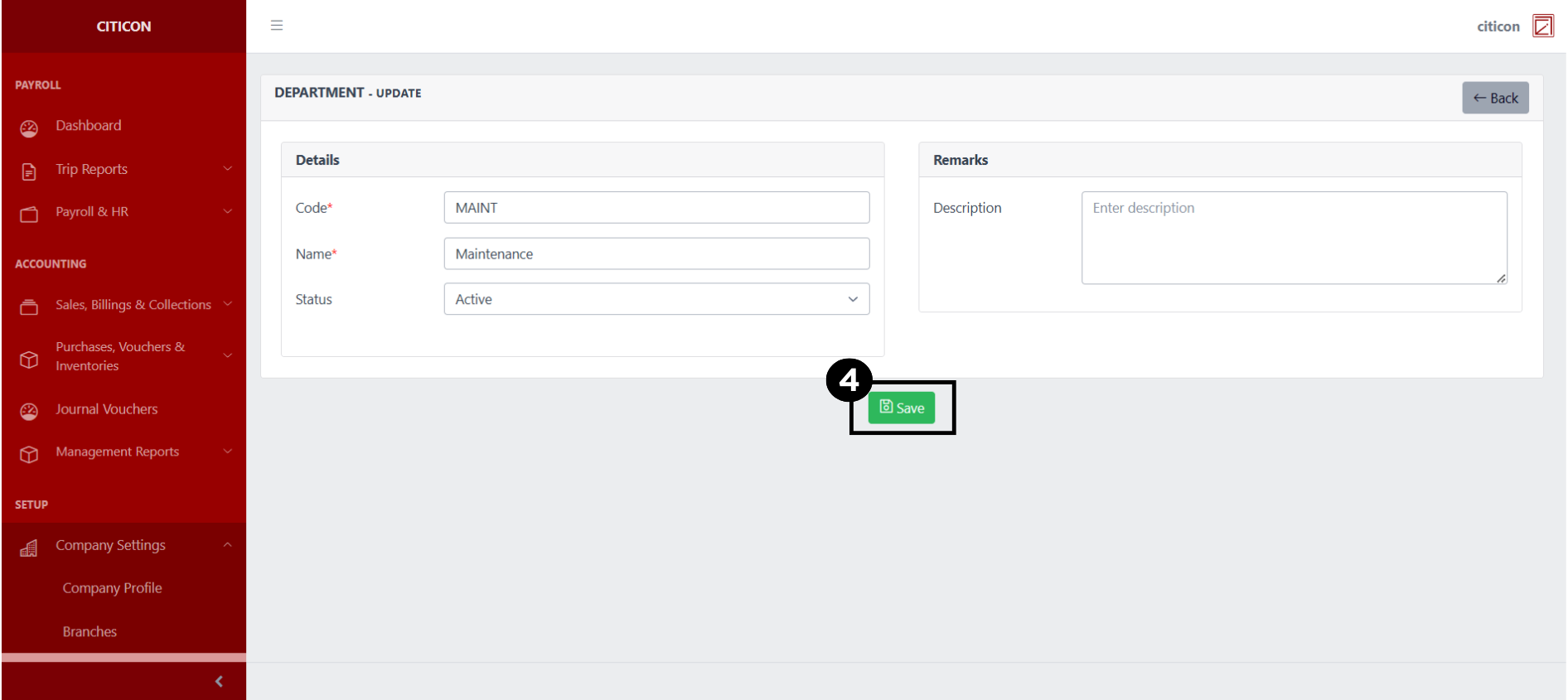
- Select the Save button to save the changes you have made.
Explore Citicon Payroll and Accounting System: Positions Settings