Company Settings Company Profile
Welcome to Citicon Payroll and Accounting Systems Configuration for Company Profile. This section allows administrators to establish and maintain essential company details that serve as the foundation for all system-wide configurations, communications, and documentation.
Key Purposes
- Define Core Company Information: Input basic details such as company name, website, contact person, and tax identification details.
- Set Registered Business Address: Ensure accurate recordkeeping by entering the company’s complete address including unit, street, city, and ZIP code.
- Establish Communication Lines: Add contact roles, phone numbers, and email addresses to streamline communication and support.
- Integrate Official Branding: Upload logos and watermarks for consistent representation across reports and printed materials.
- Enable Compliance with Regulatory Data: Store RDO number and TIN for use in government-related documents and audits.
Company Profile Module User-Manual
This section provides details, and set-by-step instructions to access, view, and update the Company Profile data stored in the system.
Index Page
To access the Company Profile Settings. Go to Setup, select Company Settings, then select Company Profile.
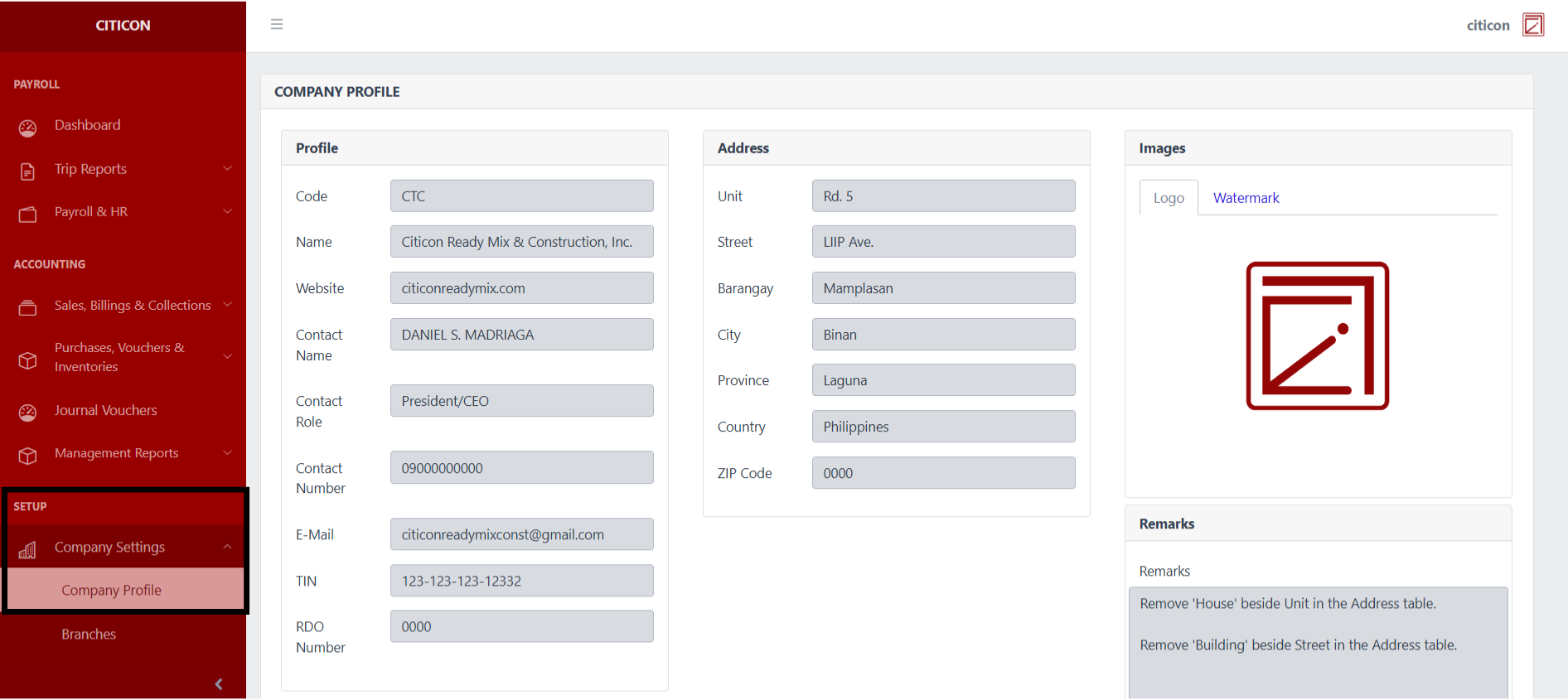
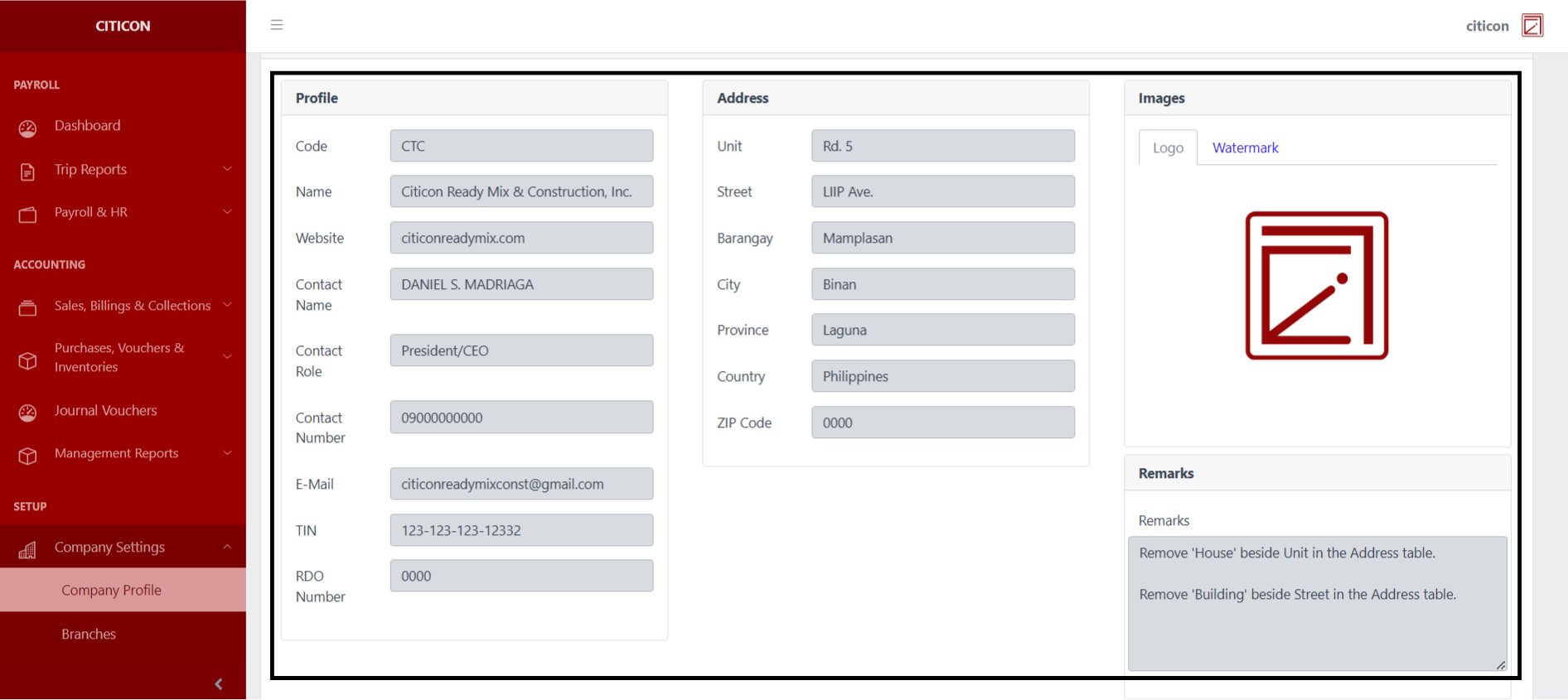
This page contains the different Company Profile details that are recorded within the system, from the general information, company address, and the logo used.
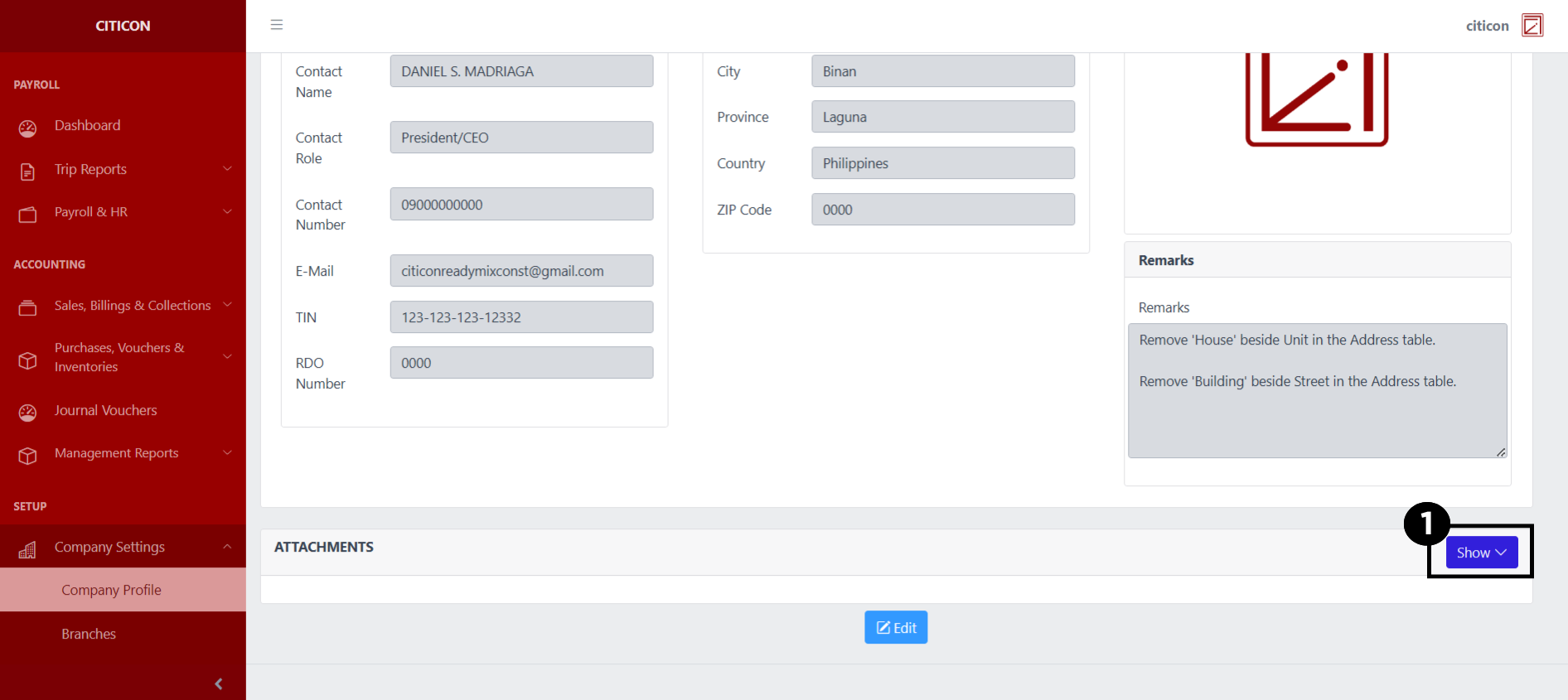
Upload Attachment
- Select the Show button to open and show the Attachments that are currently uploaded.
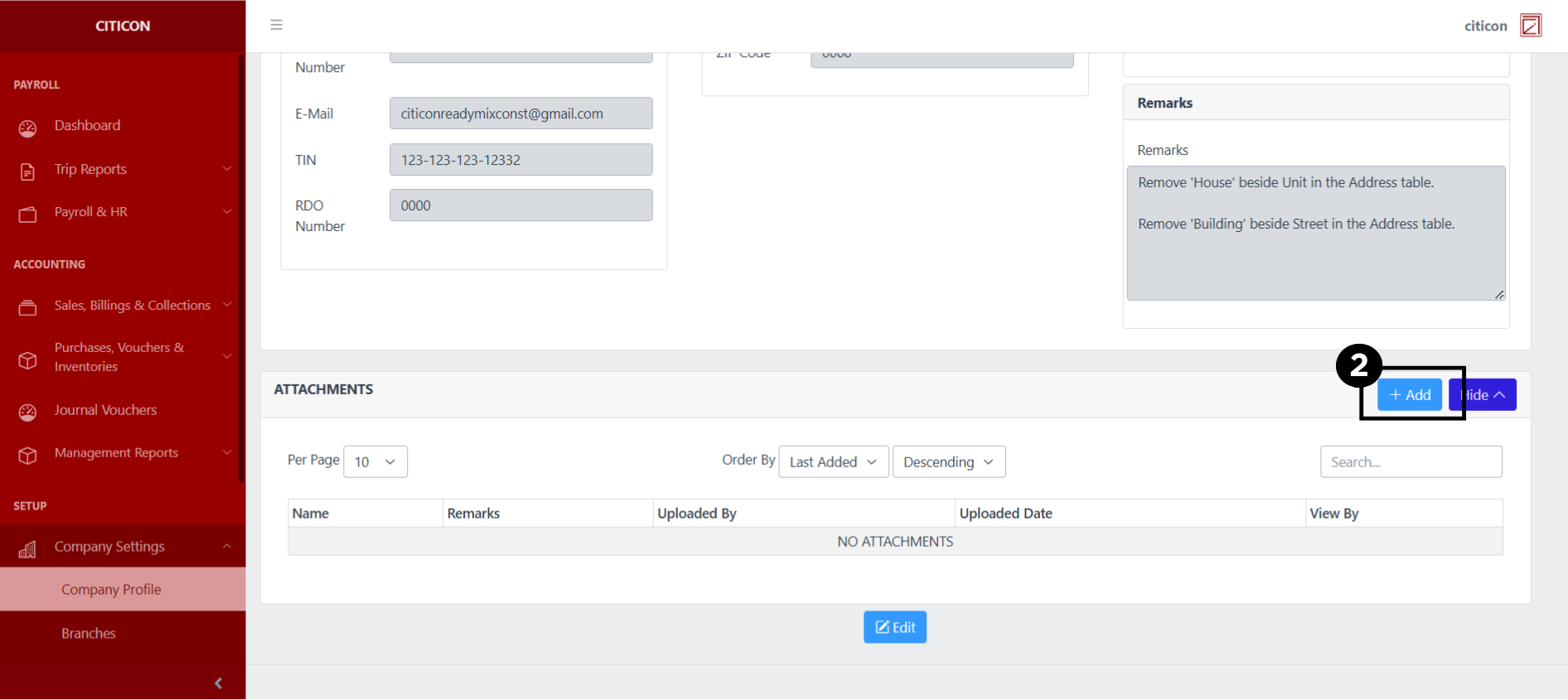
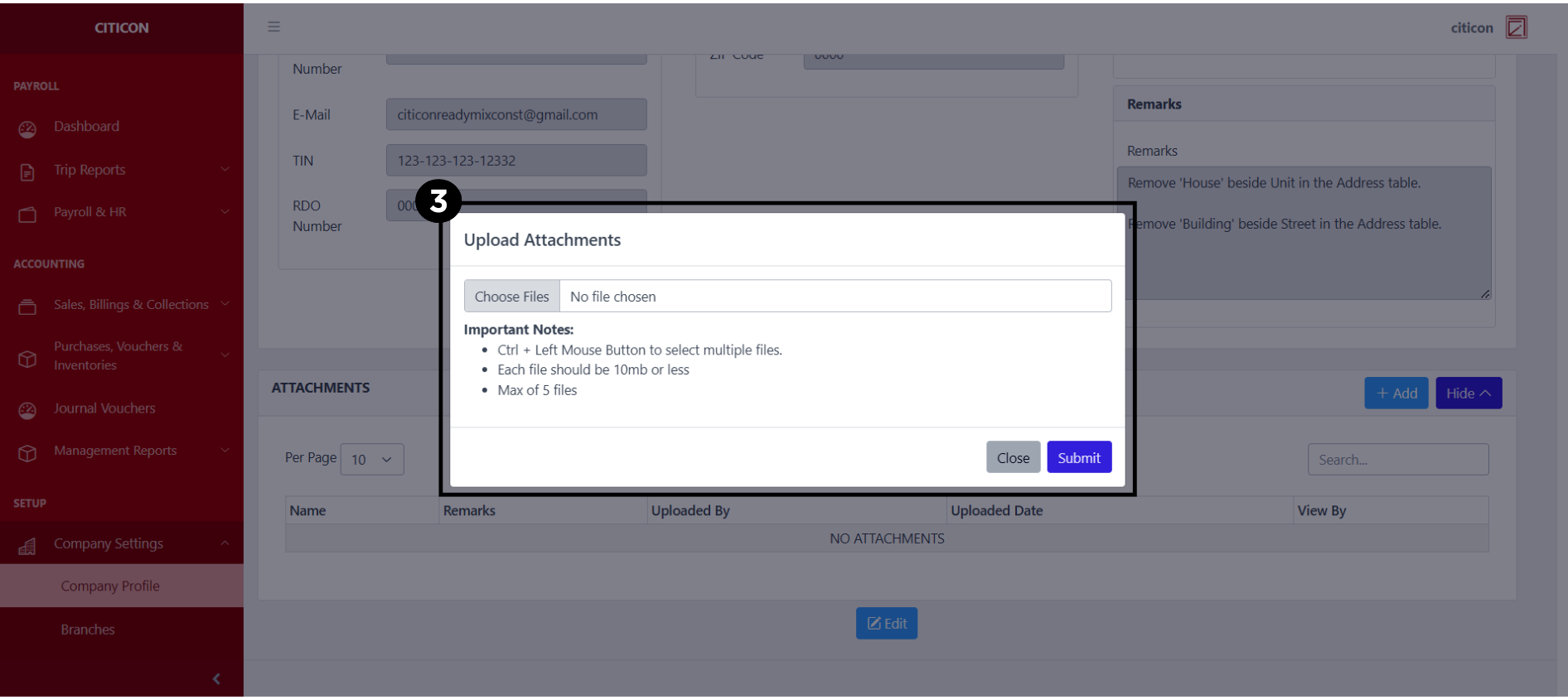
- Select the Add button to upload a new attachment.
- Select a file that you wish to upload as an attachment, then select submit to upload it.
Edit Profile
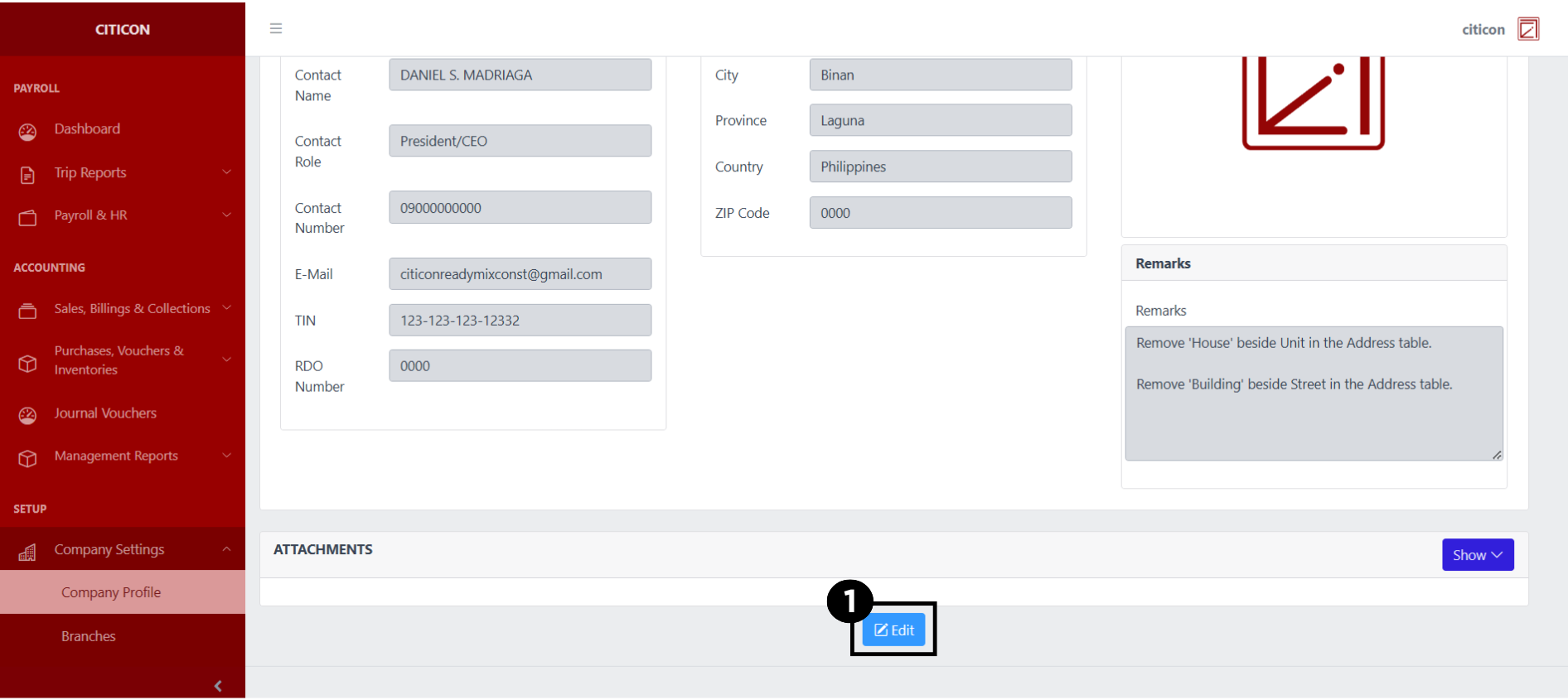
- Select the Edit button to edit the company profile details.
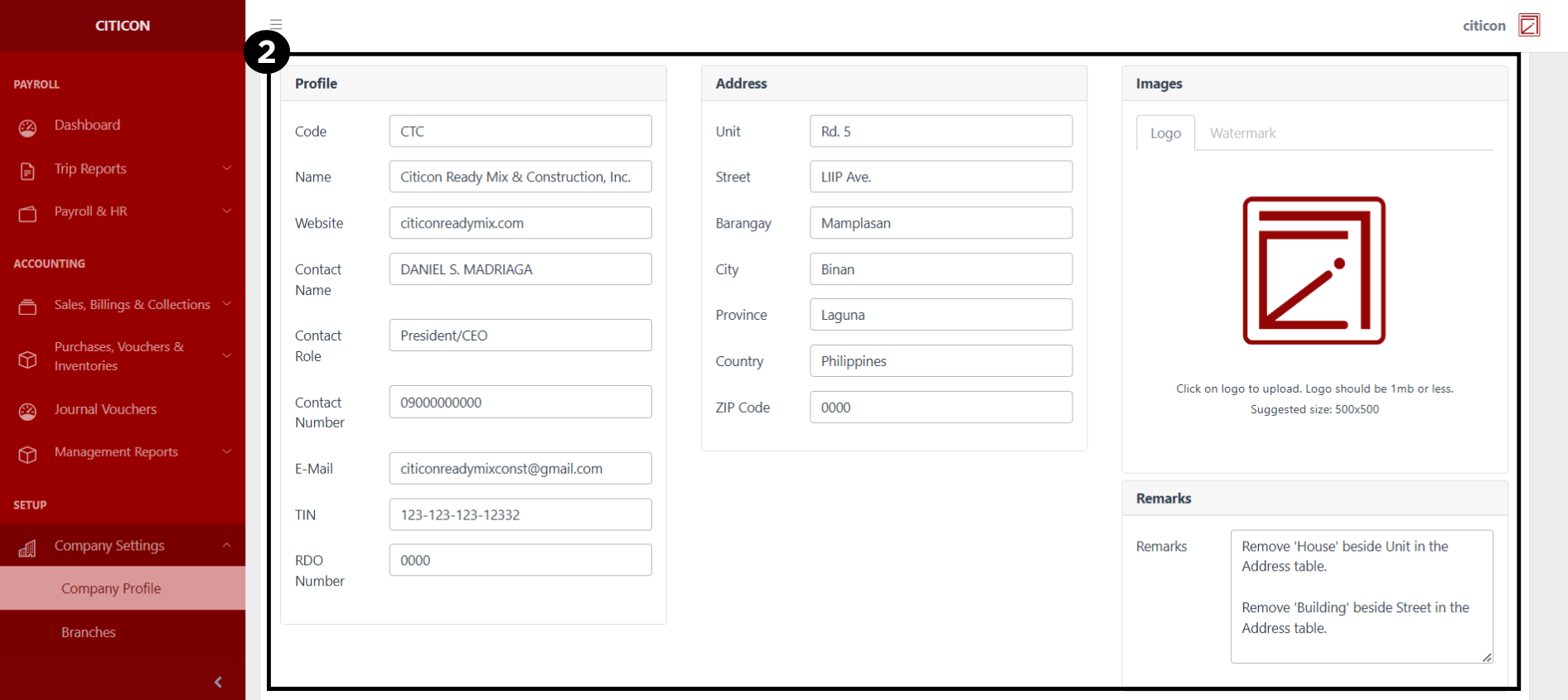
- Select a detail section which you want to edit, and enter the necessary changes.
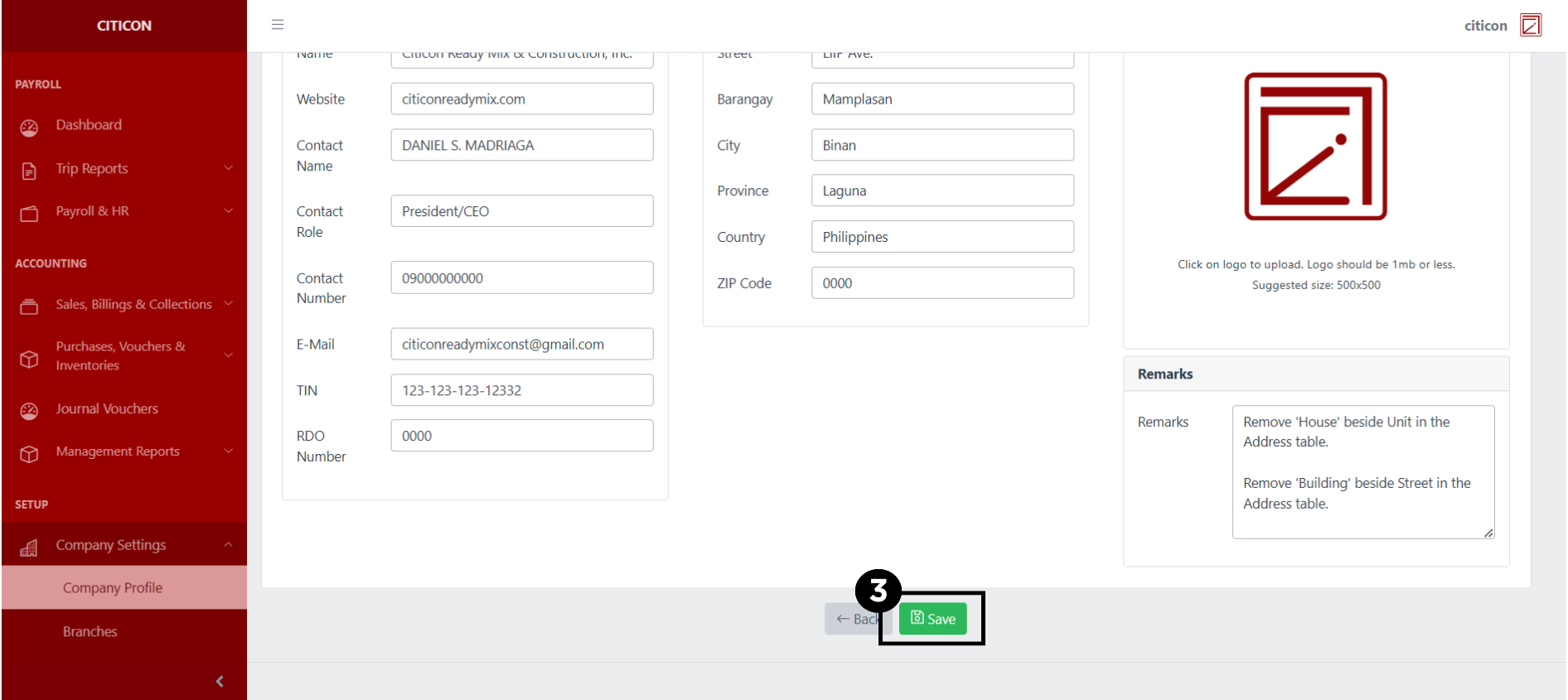
- Select the Save button to save the changes you have made.
Explore Citicon Payroll and Accounting System: Branches Settings