Sales, Billings, & Collections - Reports (Cutomer Transaction History)
Welcome to Citicon Payroll and Accounting Systems - Reports (Customer Transaction History) module. This module provides a comprehensive overview of each customer's past financial interactions, offering valuable insights for relationship management and business analysis.
Key Purposes
- Comprehensive Customer Overview: Provide a complete historical record of all transactions associated with a specific customer, including their code, name, and active status.
- Customer Relationship Management Support: Offer insights into customer activity, aiding in personalized service, identifying key accounts, and understanding purchasing patterns.
- Audit and Reconciliation Aid: Serve as a valuable tool for auditing past transactions and reconciling accounts, ensuring accuracy in financial records.
- Data Accessibility and Exportability: Enable users to view and export detailed customer transaction histories, facilitating further analysis and record-keeping.
- Performance Analysis: Help in analyzing customer behavior over time, assisting in sales forecasting and strategic decision-making.
Reports (Customer Transaction History) Module User-Manual
This section provides details, and set-by-step instructions to view, and access the Reports (Customer Transaction History) module.
Index Page
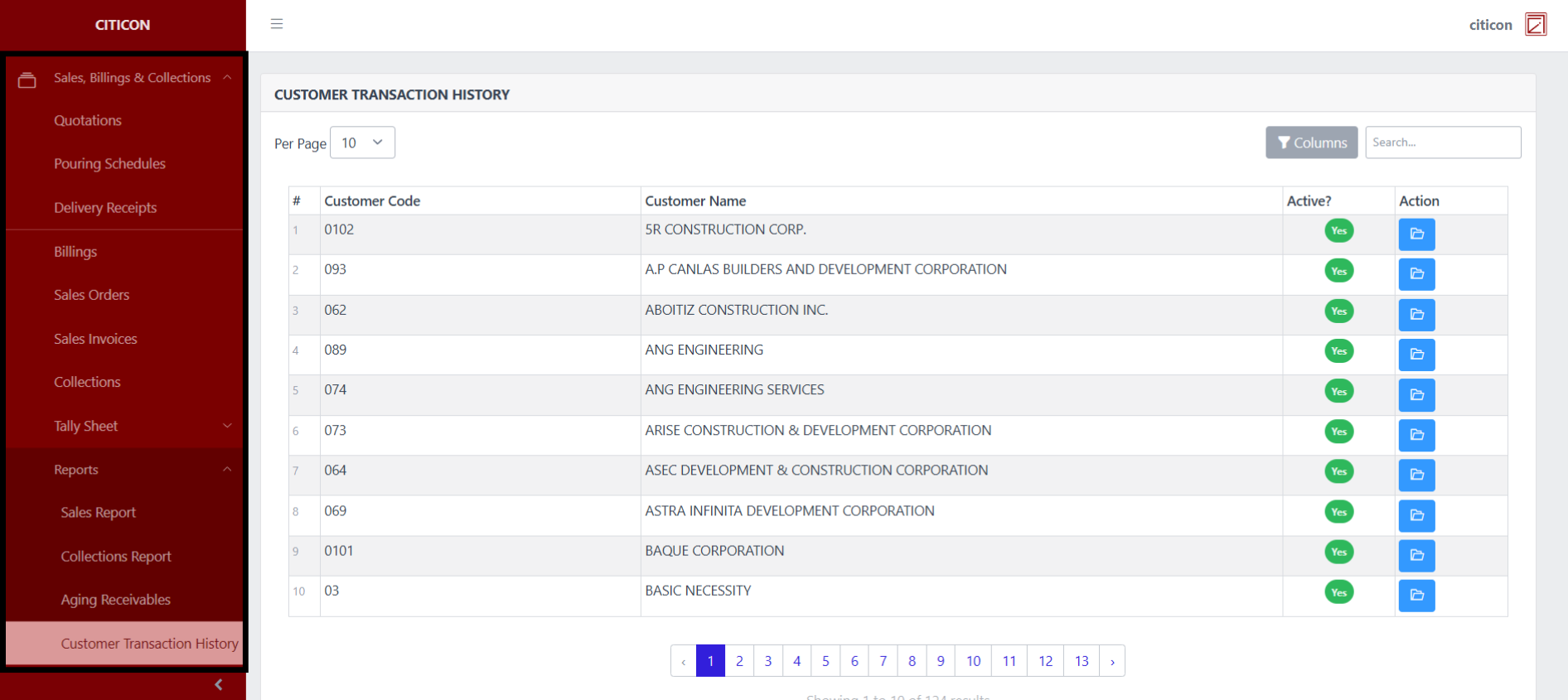
To access Reports (Customer Transaction History). Go to Accounting, select Sales, Billings, & Collections, select Reports, then select Customer Transaction History.
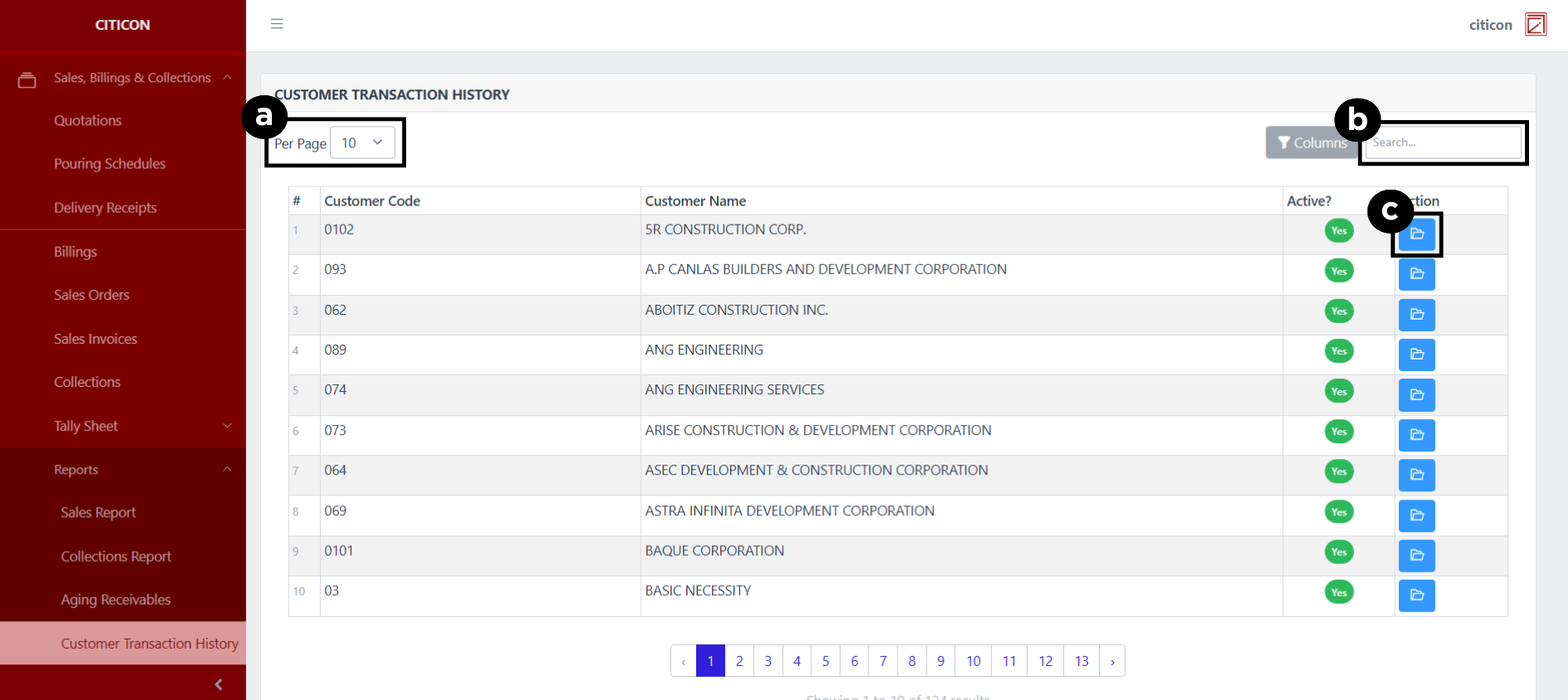
a. Set the entries shown Per Page here.
b. Search for specific entry details using the search bar.
c. Select this to View or Export an entry.
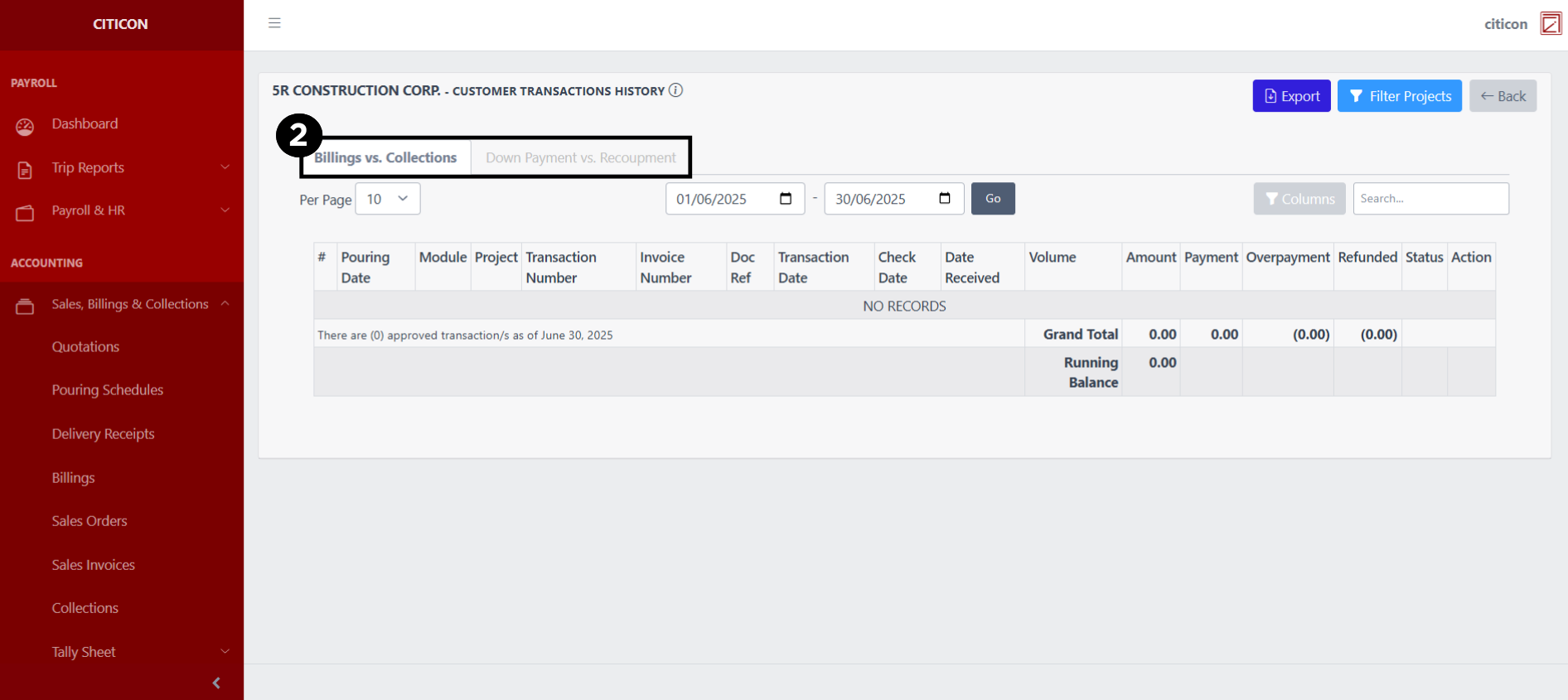
Generate Entries
- Select this button to view the entry.

- Select if you want to show entries on 'Billings vs. Collections', or 'Down Payment vs. Recoupment'.
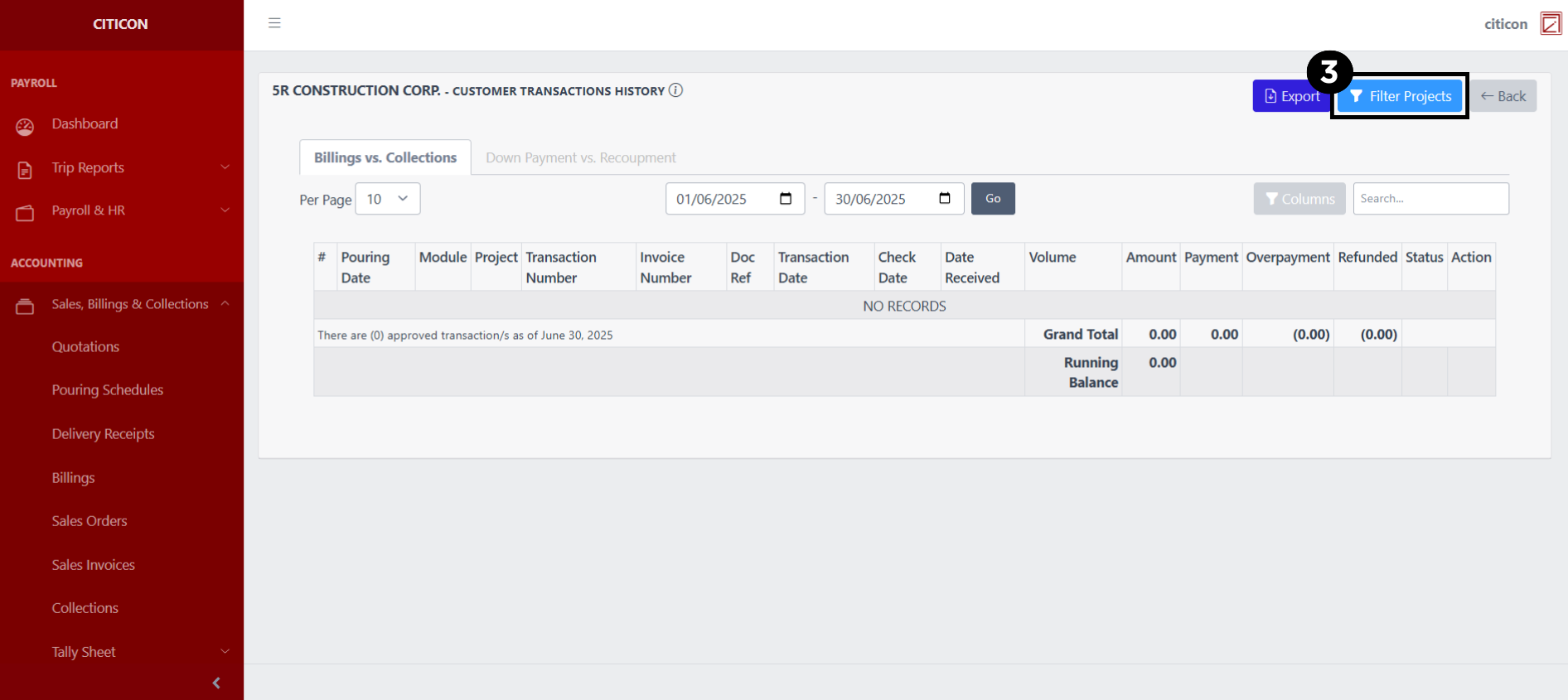
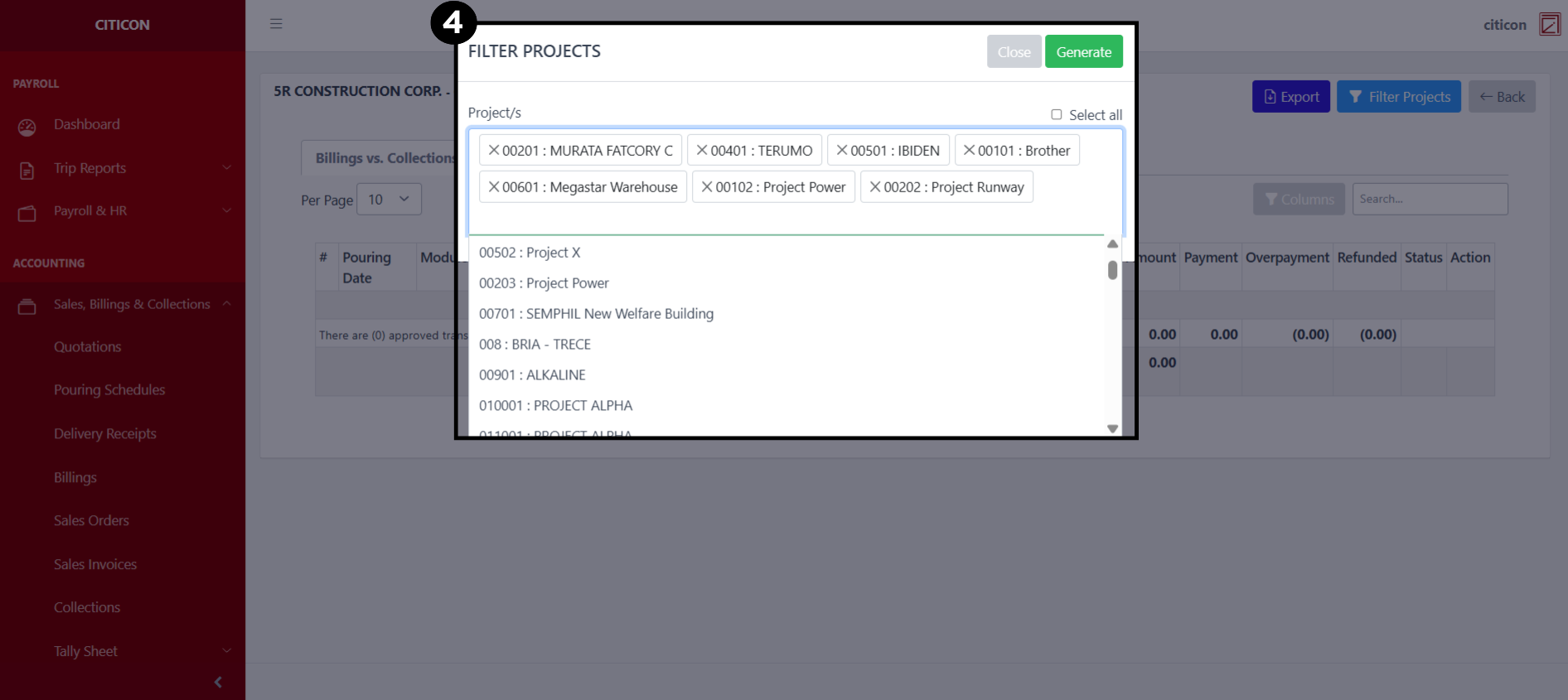
- Select the Filter Projects button.
- Select all projects you wish to generate entries from, then select the Generate button.
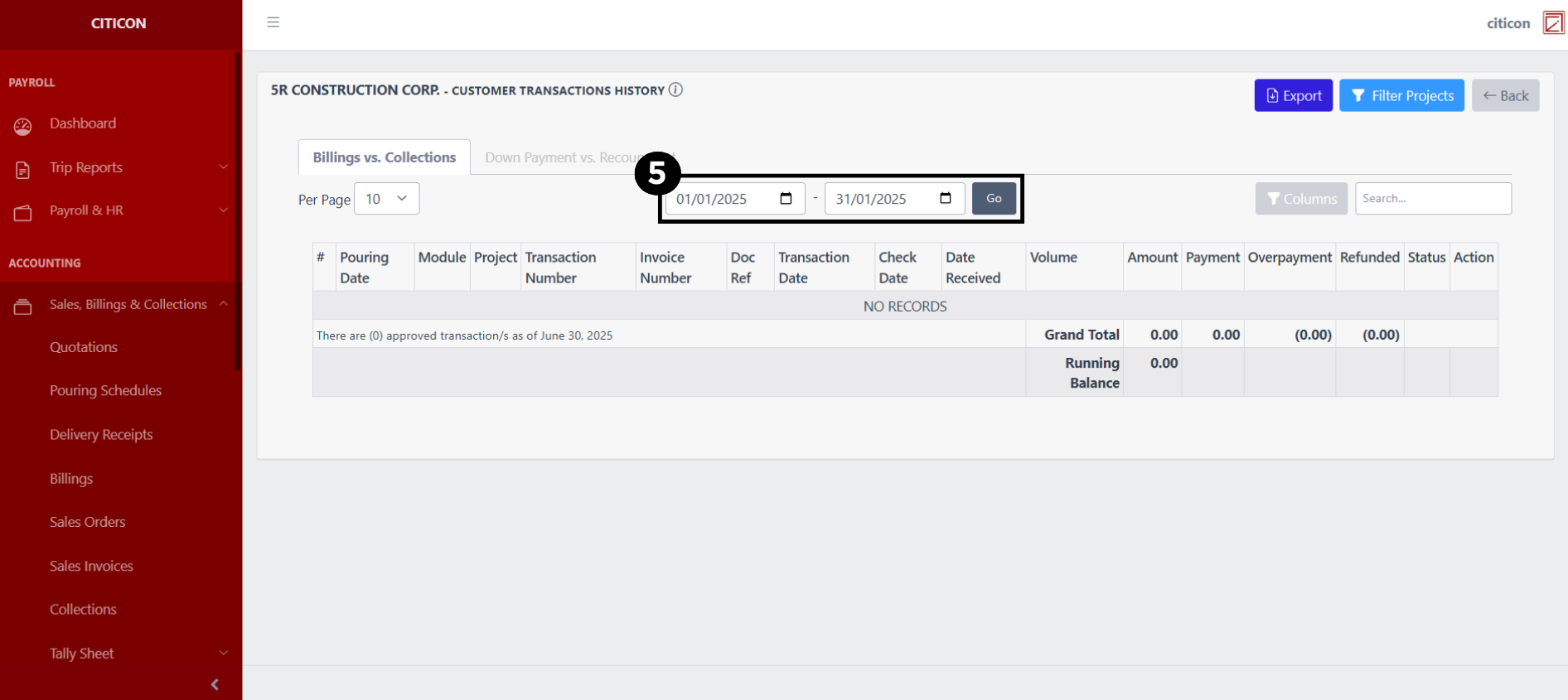
- Set the Start and End Date Range of the entries you wish you display, then select the Go button.
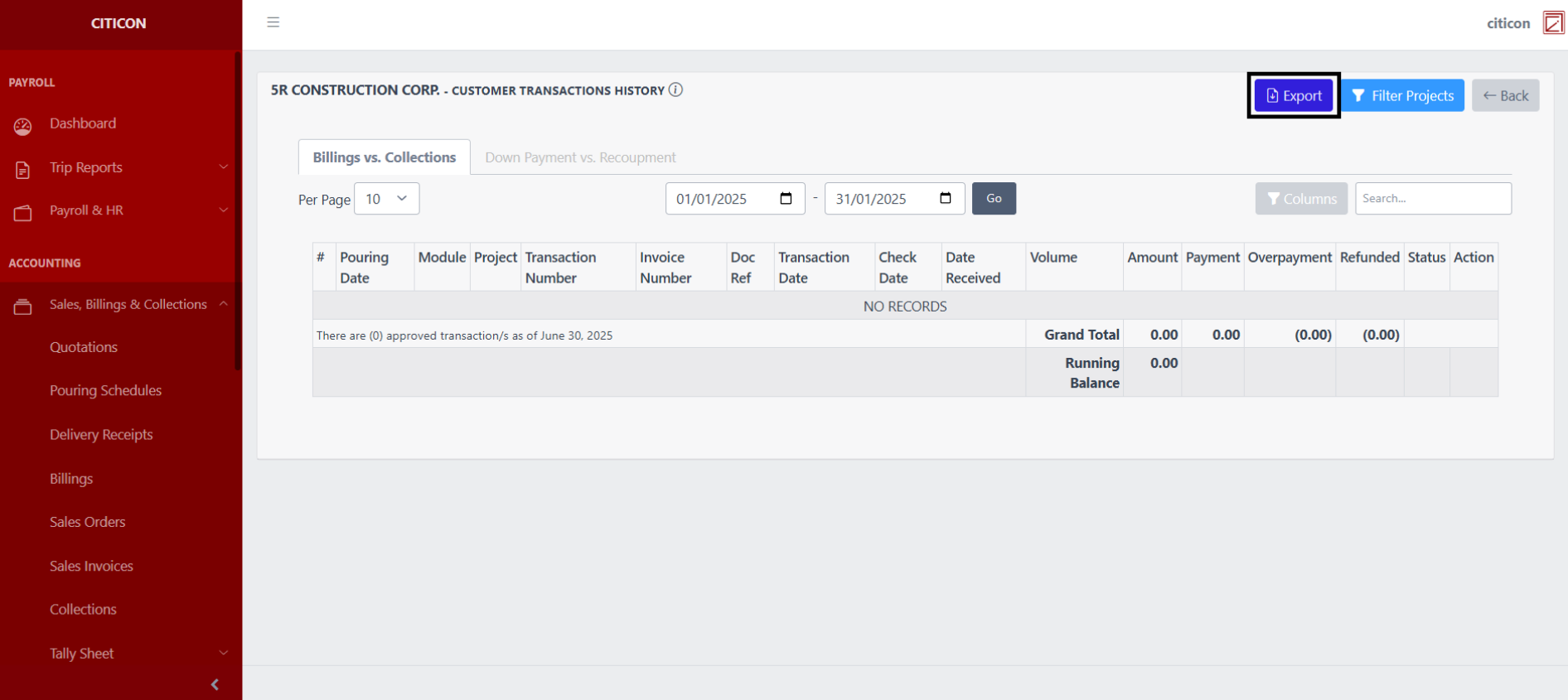
Select this button to Export all the entries you generated.
Explore Citicon Payroll and Accounting System: Accounting - Purchases, Vouchers, & Inventories