Sales, Billings, & Collections - Reports (Aging Receivables)
Welcome to Citicon Payroll and Accounting Systems - Reports (Aging Receivables) module. This module provides critical insights into the financial health of outstanding accounts, enabling effective management of receivables and proactive collection strategies.
Key Purposes
- Detailed Accounts Receivable Analysis: Present a comprehensive breakdown of outstanding client balances, categorized by aging periods to highlight overdue accounts.
- Risk Identification and Prioritization: Identify high-risk accounts based on the duration of outstanding balances, allowing for prioritized collection efforts.
- Sales Agent Performance Tracking: Link outstanding receivables to specific sales agents, enabling assessment of their impact on collection efficiency and client payment behavior.
- In-depth Invoice and Project Linkage: Provide granular details connecting outstanding amounts to specific invoices, billing numbers, projects, and pouring dates for complete traceability.
- Flexible Reporting and Export: Allow for filtering of aging data by branches and export of reports in PDF or CSV formats, supporting various analytical and auditing requirements.
Reports (Aging Receivables) Module User-Manual
This section provides details, and set-by-step instructions to view, and access the Reports (Aging Receivables) module.
Index Page
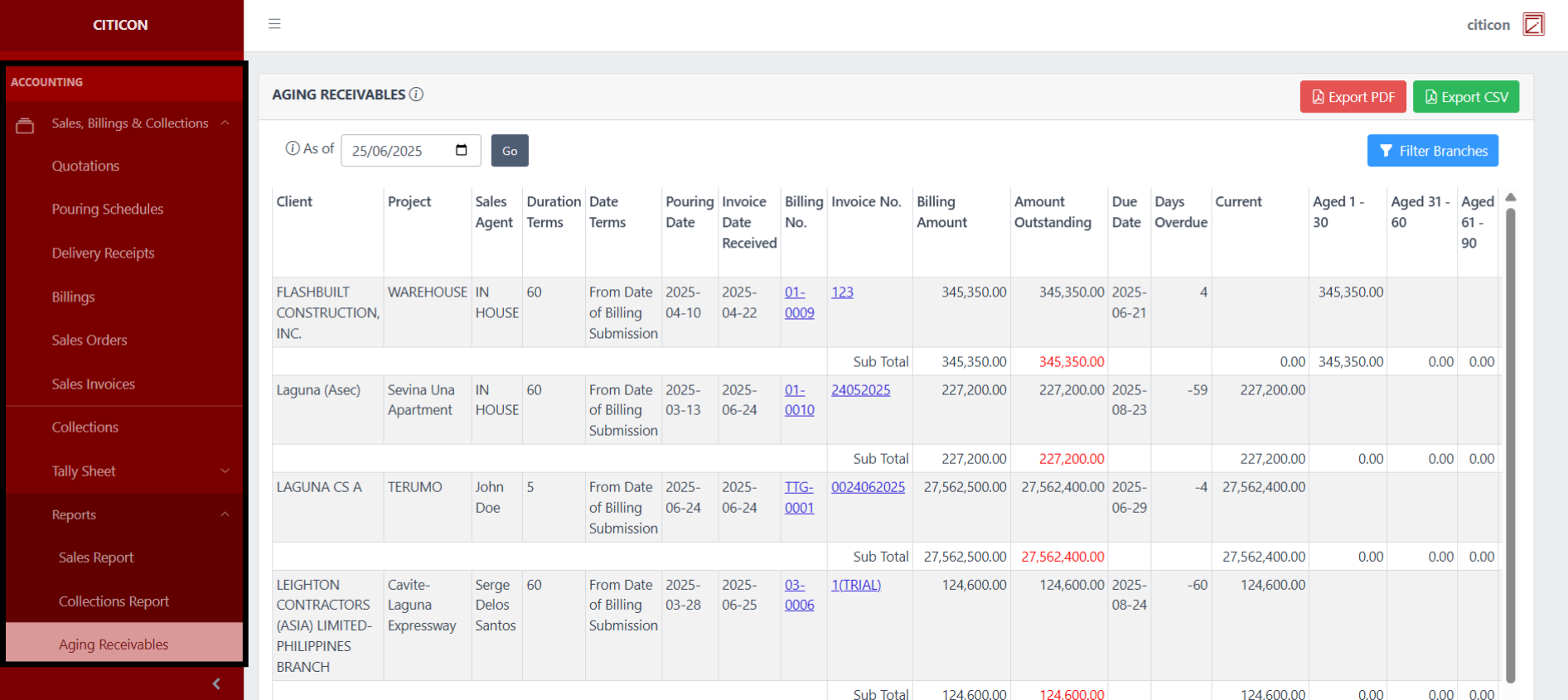
To access Reports (Aging Receivables). Go to Accounting, select Sales, Billings, & Collections, select Reports, then select Aging Receivables.
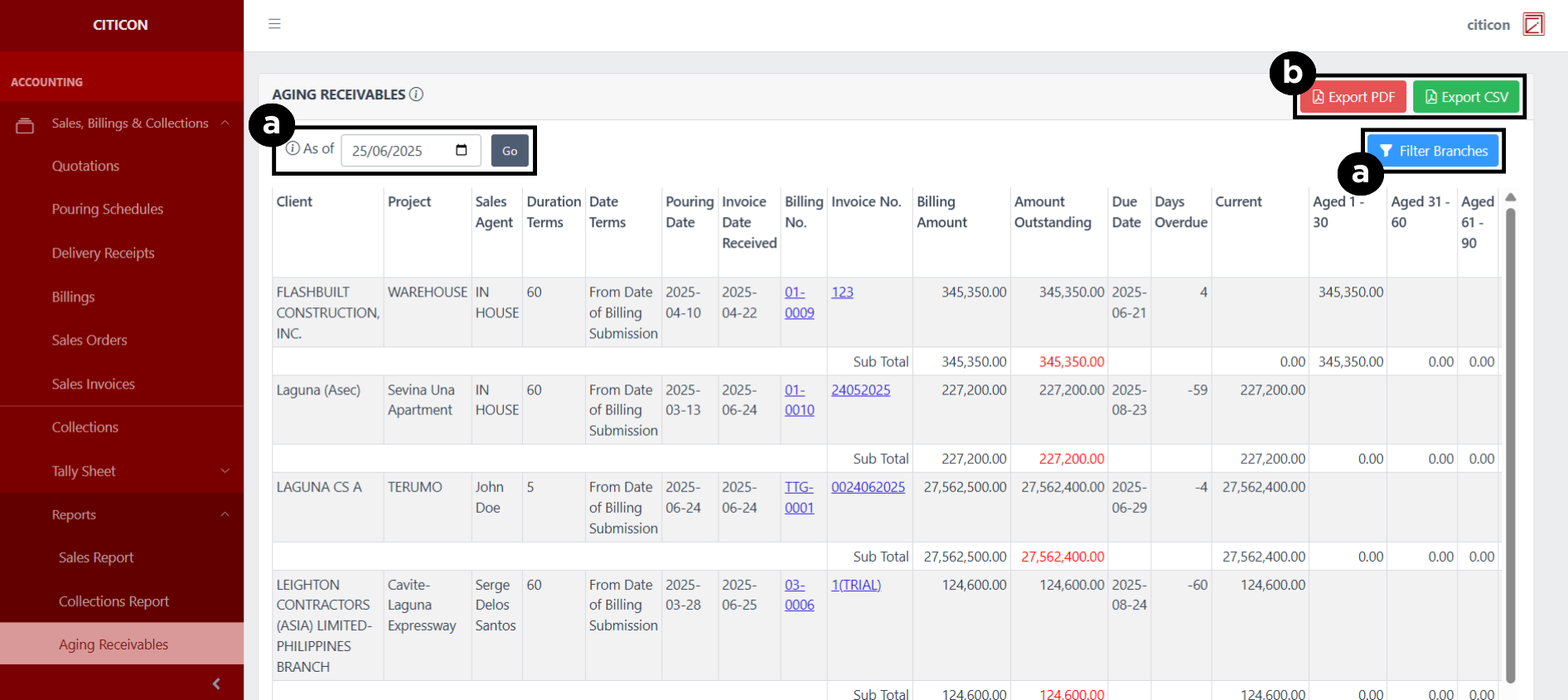
a. Input the necessary details here to show entries.
b. Select the respective button to either Export entries in PDF or CSV.
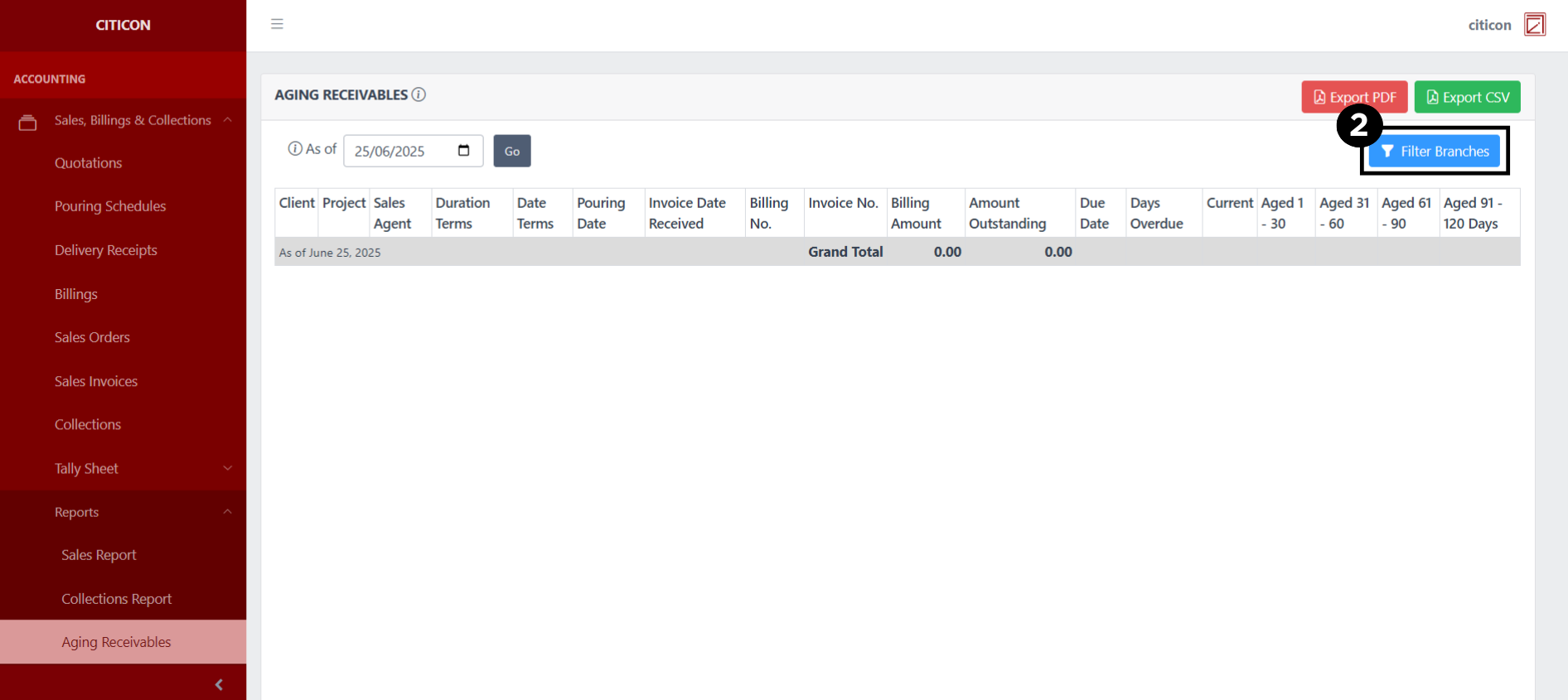
Generate Entries
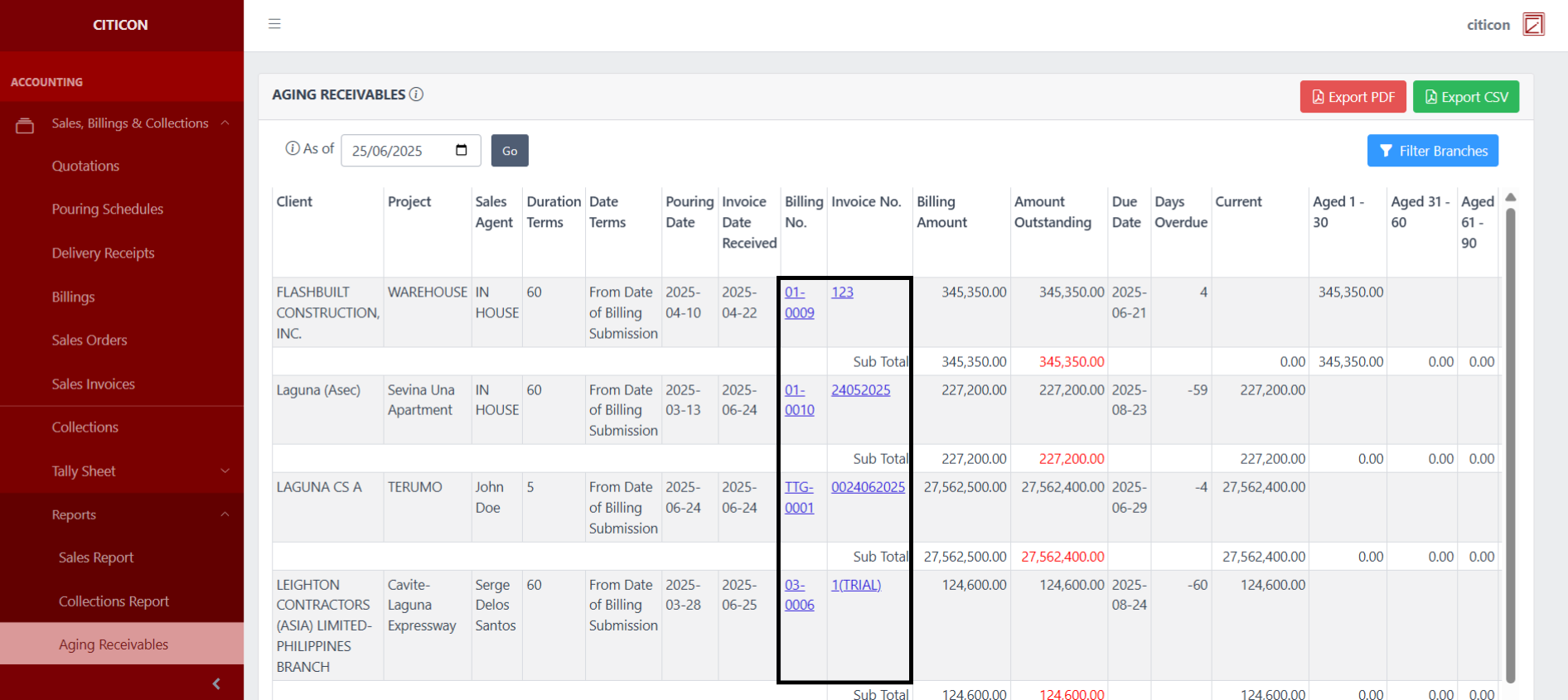
- Set the 'As of' date period for the Aging Receivables entries, then select the Go button.

- Select the Filter Branches button.
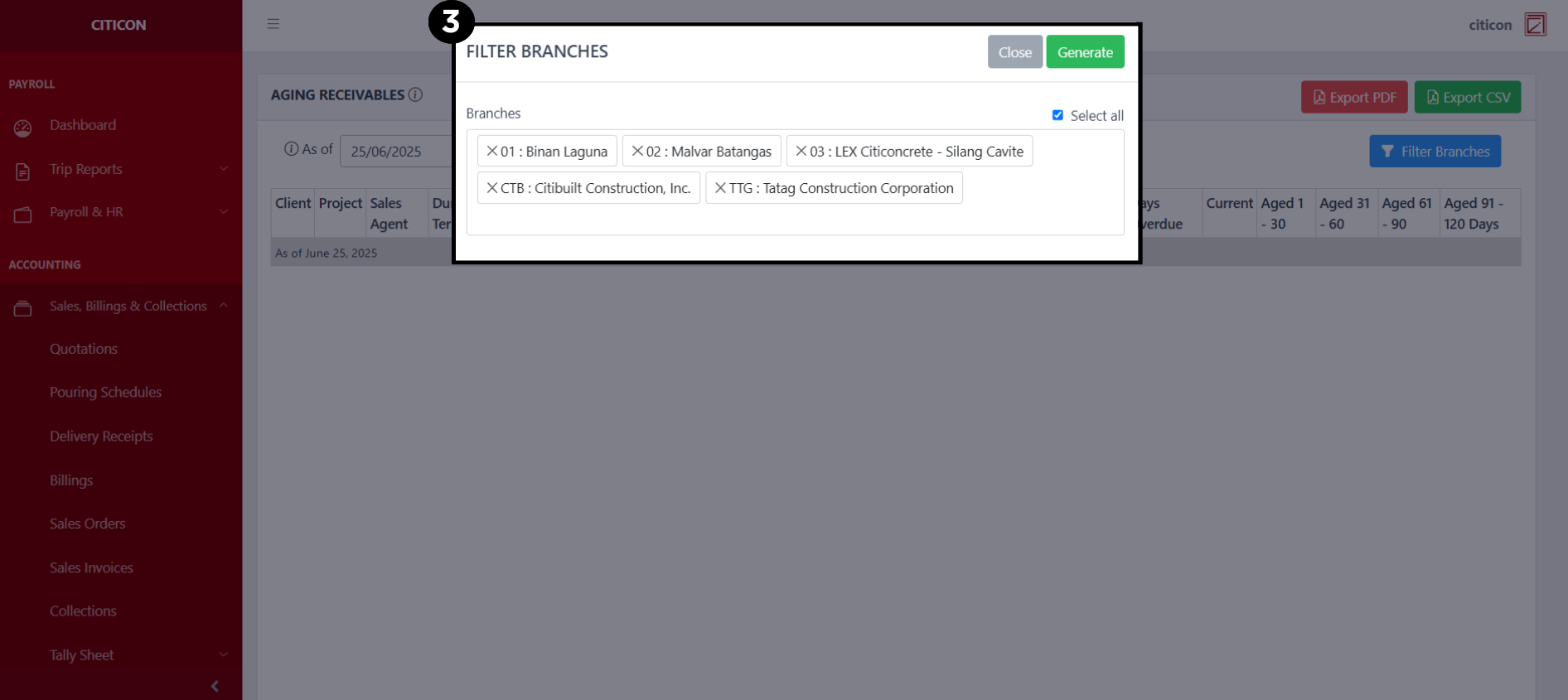
- Select all branches you wish to generate entries from, then select the Generate button.
Select the billing or invoice number of an entry to view more details.
Explore Citicon Payroll and Accounting System: Accounting - Reports (Customer Transaction History)